
1. Inställning
1.1 Uppackning och första inspektion
Carefully remove all components from the packaging. Verify that all items listed in the 'What's in the box' section are present and undamaged.
- ASUS 32GB Transformer Pad TF300T 10.1-Inch Tablet
- Strömförsörjning
- 1-års garantikort

Image: The ASUS Transformer Pad TF300T tablet alongside its retail packaging.
1.2 Ladda enheten
Before first use, connect the tablet to the power supply and charge it fully. The charging port is located on the bottom edge of the tablet. A full charge ensures optimal performance and battery calibration.
1.3 Slå på/av
- För att slå på: Press and hold the power button, located on the top edge of the tablet, until the ASUS logo appears on the screen.
- För att stänga av: Press and hold the power button until a menu appears. Select 'Power off' and confirm.
- Att starta om: From the power menu, select 'Restart'.
1.4 Guide för initial installation
Upon first power-on, the tablet will guide you through an initial setup process. This includes:
- Språkval: Välj önskat språk.
- Wi-Fi-anslutning: Connect to an available Wi-Fi network to enable internet access.
- Google-kontoinställningar: Sign in with an existing Google account or create a new one. This is essential for accessing the Google Play Store and other Google services.
- Inställningar för datum och tid: Configure the correct date and time.
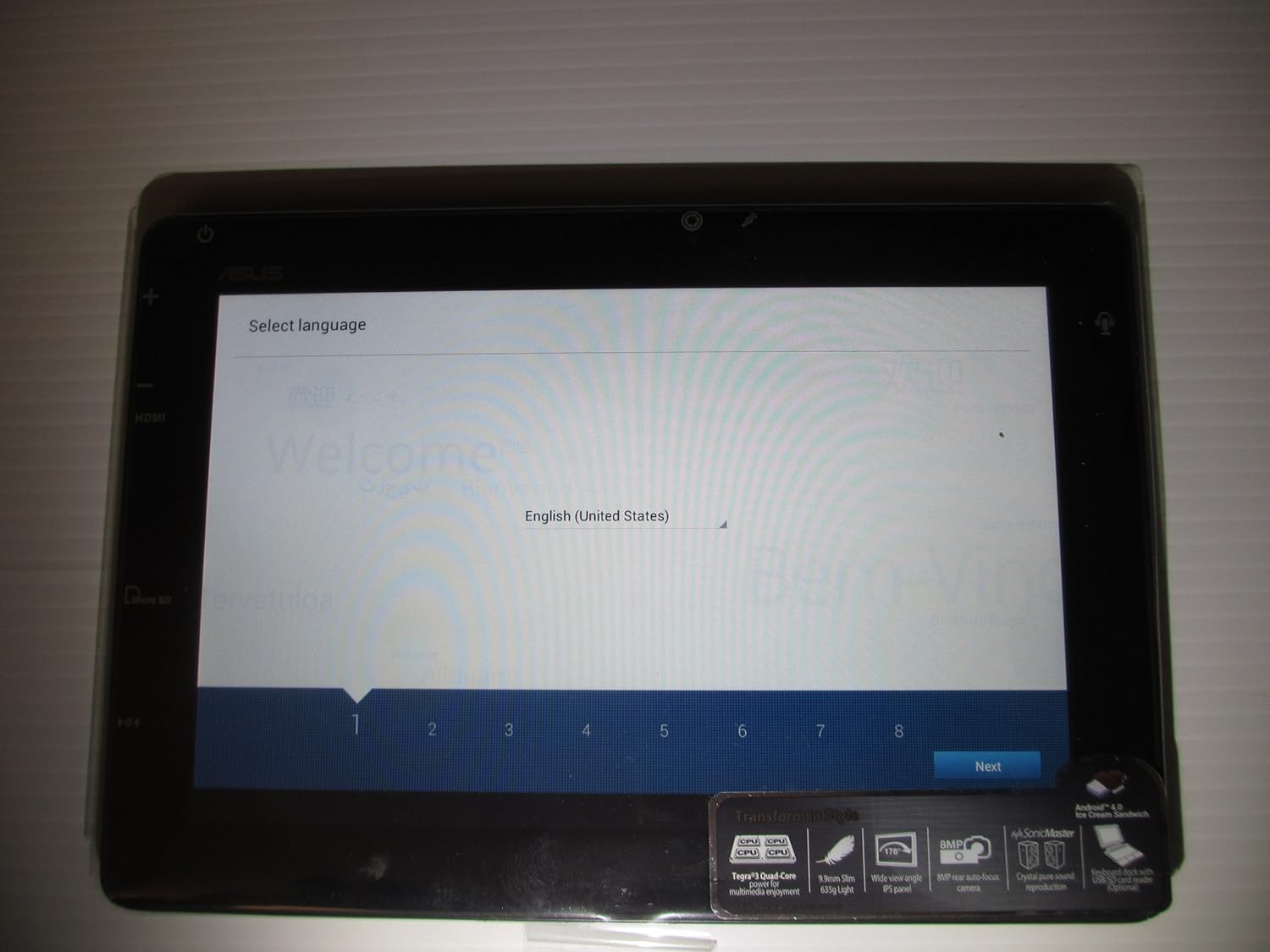
Image: The ASUS Transformer Pad TF300T screen showing the 'Select Language' prompt, with 'English (United States)' highlighted.
2. Bruksanvisning
2.1 Basic Navigation and Touchscreen Gestures
The ASUS Transformer Pad TF300T utilizes a multi-touch display for interaction. Common gestures include:
- Knacka: Välj ett objekt eller öppna ett program.
- Tryck och håll: Öppna kontextmenyer eller flytta ikoner.
- Hårt slag: Navigate through home screens, lists, or web sidor.
- Nyp-för-att-zooma: Enlarge or reduce content size (e.g., photos, web sidor).
2.2 Android 4.0 (Ice Cream Sandwich) Overview
The tablet runs on Android 4.0, providing a user-friendly interface. Key features include:
- Hemskärmar: Customizable screens for app shortcuts and widgets.
- Notifications Bar: Located at the top, displays alerts and quick settings.
- Applåda: Access to all installed applications.
- Senaste appar: Button to quickly switch between recently used applications.
2.3 Anslutningar
The TF300T supports various connectivity options:
- Wi-Fi (802.11bgn): Connect to wireless networks for internet access. Configure via Settings > Wi-Fi.
- Bluetooth 3.0: Pair with compatible devices such as headphones, speakers, or keyboards. Configure via Settings > Bluetooth.
- GPS: Integrated Global Positioning System for location services and navigation.
2.4 Ports and Slots
The tablet features several ports for expanded functionality:
- Micro HDMI: Connect to external displays or TVs.
- Docking Port: For connecting to the optional keyboard dock.
- 3.5mm Headphone/Microphone Jack: För ljudutgång och -ingång.
- Micro SD -kortplats: Expand storage capacity with a Micro SD card.
2.5 Kameraanvändning
The TF300T is equipped with two cameras:
- Främre kamera (1.2 MP): Suitable for video calls and self-portraits.
- Rear Camera (8 MP): För att ta foton och videor.
Access the camera application from the home screen or app drawer to take pictures or record videos.
2.6 Optional Keyboard Dock
The ASUS Transformer Pad TF300T is compatible with an optional keyboard dock (sold separately). This dock provides:
- Fysiskt tangentbord: For enhanced typing experience.
- Additional Battery: Extends the tablet's battery life.
- USB-port: För anslutning av USB-enheter.
- SD-kortplats: För ytterligare lagringsutbyggnad.

Bild: En närbild view of the ASUS Transformer Pad TF300T, highlighting key features such as the NVIDIA Tegra 3 processor, IPS panel, 8MP camera, SonicMaster audio, and Android 4.0 Ice Cream Sandwich operating system.
3. Underhåll
3.1 Rengöring av enheten
- Skärm: Använd en mjuk, luddfri trasa, lätt doppadamprengörs med vatten eller ett skärmrengöringsmedel för att försiktigt torka av skärmen. Undvik starka kemikalier.
- Kropp: Wipe the tablet's body with a soft, dry cloth. Keep liquids away from ports and openings.
3.2 Programuppdateringar
Regularly check for and install software updates to ensure optimal performance, security, and access to new features. Updates can typically be found in Settings > About tablet > System updates.
3.3 Lagringshantering
The tablet comes with 32GB of internal storage. To manage storage effectively:
- Delete Unused Apps: Uninstall applications you no longer need.
- Rensa cache: Regularly clear the cache of applications.
- Use Micro SD Card: Store photos, videos, and documents on an external Micro SD card to free up internal space.
4. Felsökning
4.1 Vanliga problem och lösningar
| Utfärda | Möjlig lösning |
|---|---|
| Tablet is unresponsive or frozen | Tryck och håll strömknappen intryckt i 10–15 sekunder för att tvinga fram en omstart. |
| Problem med Wi-Fi-anslutningen | Ensure Wi-Fi is enabled in settings. Restart the tablet and your Wi-Fi router. Forget and reconnect to the network. |
| Slow performance or lag | Close unused applications. Clear app caches. Check for system updates. Consider a factory reset if issues persist. |
| Batteriet töms snabbt | Reduce screen brightness. Disable Wi-Fi/Bluetooth/GPS when not in use. Close background apps. Check battery usage in settings to identify power-hungry apps. |
| Apps crashing or not installing | Ensure sufficient storage space. Clear Google Play Store cache. Restart the tablet. |
4.2 Fabriksåterställning
If persistent issues occur, a factory reset can restore the tablet to its original state. Warning: This will erase all data on the tablet. Back up important data before proceeding.
- Go to Settings > Backup & reset.
- Select 'Factory data reset'.
- Confirm the action. The tablet will restart and erase all data.
5. Specifikationer
Detailed technical specifications for the ASUS Transformer Pad TF300T-B1-BL:
| Särdrag | Specifikation |
|---|---|
| Stämpla | ASUS |
| Modellnamn | Transformer Pad |
| Modellnummer | TF300T-B1-BL |
| Operativsystem | Android 4.0 (Ice Cream Sandwich) |
| Processor | NVIDIA Tegra 3 Quad-Core (1.2 GHz) |
| Grafiksamprocessor | Nvidia Tegra 3 |
| Skärmstorlek | 10.1 tum |
| Skärmupplösning | 1280 x 800 Pixels (WXGA IPS Touch Panel) |
| RAM-minne | 1 GB DDR3 |
| Lagringskapacitet | 32 GB Flash Memory (SSD) |
| Expanderbar lagring | Micro SD-kortplats |
| Främre kamera | 1.2 MP |
| Bakre kamera | 8 MP |
| Trådlös anslutning | 802.11bgn Wi-Fi, Bluetooth 3.0, GPS |
| Hamnar | 1x Micro HDMI, 1x Docking, 1x 3.5mm Headphone/Microphone |
| Batteritid | Up to 10 Hours (22W/h Lithium Polymer) |
| Sensorer | G-Sensor, E-Compass, Light Sensor, Gyroscope |
| Objektets vikt | 1.4 pund |
| UPC | 886227185054 |
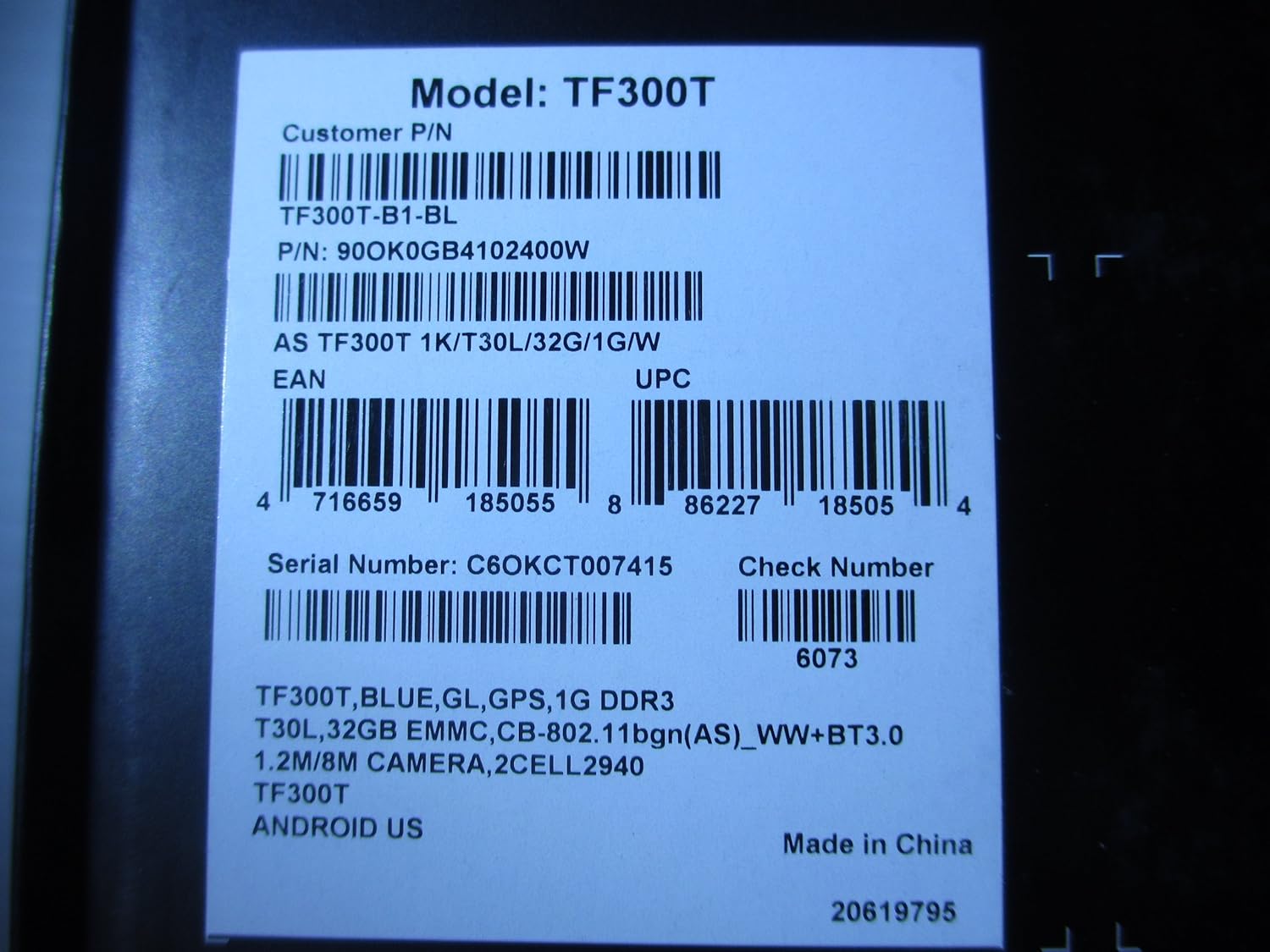
Image: A product label displaying the model number TF300T, part number TF300T-B1-BL, serial number C6OKCT007415, and UPC 886227185054.
6. Garanti och support
6.1 Garantiinformation
The ASUS Transformer Pad TF300T comes with a 1-Year North American Warranty. This warranty covers manufacturing defects under normal use conditions. Please refer to the warranty card included in your product packaging for full terms and conditions.
6.2 Kundsupport
For technical assistance, troubleshooting beyond this manual, or warranty claims, please contact ASUS customer support. You can find contact information and additional resources on the official ASUS webplats:
- Besök ASUS-butik på Amazon för produktinformation.
- Refer to the official ASUS support website for service centers and contact details.


