
Baseus W06
Baseus Encok True Wireless Earbuds W06 User Manual
Model: W06 | Brand: Baseus
Introduktion
Thank you for choosing the Baseus Encok True Wireless Earbuds W06. This manual provides detailed instructions on how to set up, operate, and maintain your earbuds to ensure optimal performance and longevity. Please read this manual thoroughly before using the product.
Paketets innehåll
Kontrollera förpackningens innehåll när du packar upp. Om några artiklar saknas eller är skadade, kontakta din återförsäljare.
- Baseus Encok True Wireless Earbuds (L/R)
- Laddningsväska
- USB-C laddningskabel
- Silikonöronproppar (olika storlekar)
- Användarmanual
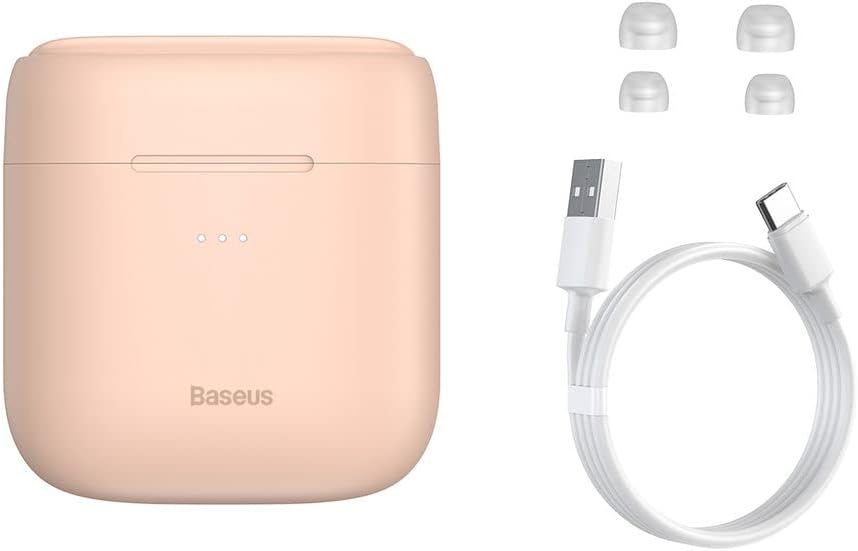
Image: The package contents, showing the charging case, two earbuds, a USB-C charging cable, and several pairs of silicone eartips.
Inställning
1. Laddning av hörlurar och fodral
Before first use, fully charge the earbuds and the charging case. Place the earbuds into the charging case. Connect the USB-C cable to the charging case and a power source, or place the charging case on a compatible wireless charging pad.
- Indikatorlamporna på fodralet visar laddningsstatusen.
- En full laddning tar vanligtvis cirka 1.5 timmar.
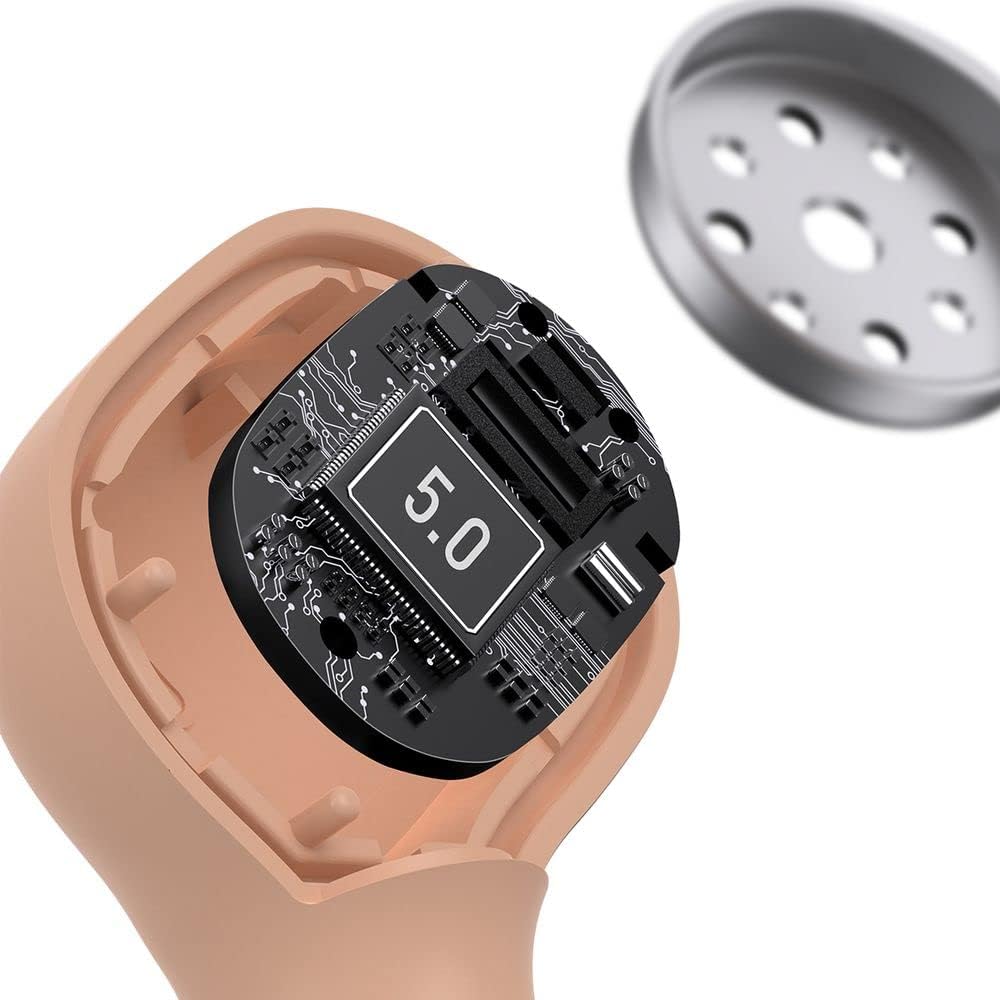
Image: The Baseus Encok W06 earbuds resting inside their open charging case, indicating they are ready for charging or use.

Image: Two Baseus Encok W06 charging cases, one connected via a USB-C cable and another placed on a wireless charging pad, demonstrating charging methods.
2. Bluetooth-parning
- Se till att hörsnäckorna är laddade.
- Öppna laddningsfodralet. Hörlurarna går automatiskt in i parkopplingsläge, vilket indikeras av en blinkande lampa på hörlurarna.
- Aktivera Bluetooth på din enhet (smartphone, surfplatta etc.).
- Leta efter "Baseus Encok W06" in the list of available Bluetooth devices.
- Select it to connect. Once connected, the indicator light on the earbuds will stop flashing.
Hörlurarna återansluter automatiskt till den senast parkopplade enheten när de tas ur fodralet, om Bluetooth är aktiverat på enheten.
3. Att bära hörlurarna
Choose the silicone eartips that provide the best fit and seal for your ears. Insert the earbuds gently into your ear canal and rotate them slightly until they feel secure and comfortable.

Image: A person wearing a Baseus Encok W06 earbud, illustrating how the earbud sits comfortably and securely in the ear.
Bruksanvisning
The Baseus Encok W06 earbuds feature touch controls for various functions.
- Ström på: Open the charging case, or press and hold the touch panel for 3 seconds if earbuds are out of case.
- Stäng av: Place earbuds back into the charging case and close the lid, or press and hold the touch panel for 5 seconds.
- Spela/pausa: Double-tap the touch panel on either earbud.
- Nästa spår: Tryck tre gånger på den högra hörsnäckan.
- Föregående låt: Tryck tre gånger på den vänstra hörsnäckan.
- Svara/avsluta samtal: Double-tap the touch panel on either earbud during an incoming call.
- Avvisa samtal: Press and hold the touch panel on either earbud for 2 seconds during an incoming call.
- Aktivera röstassistent: Tryck och håll ner pekskärmen på endera hörluren i 3 sekunder.
Nyckelfunktioner
- Double-sided Wireless Charging: The charging case supports wireless charging from both sides, allowing flexible placement on a wireless charging pad.
- APT-X Audio Decoding: Provides high-quality audio transmission for a superior listening experience.
- CVC Noise Canceling: Clear Voice Capture technology reduces background noise during calls for clearer communication.
- Förlängd batteritid: Offers up to 300 hours of standby time.
- Bluetooth 5.0: Garanterar stabil och effektiv trådlös anslutning.

Image: A visual representation of the Baseus Encok W06 earbuds and charging case, accompanied by text detailing key features such as two-sided wireless charging, APT-X audio decoding, CVC noise canceling, and 300 hours of battery life.

Bild: En detaljerad view of the internal circuitry of a Baseus Encok W06 earbud, prominently displaying '5.0', signifying its Bluetooth 5.0 connectivity.
Underhåll
Rengöring
- Rengör regelbundet öronsnäckorna och laddningsfodralet med en mjuk, torr och luddfri trasa.
- Ta bort öronkuddarna och rengör dem med mild tvål och vatten. Torka dem sedan noggrant innan du sätter tillbaka dem.
- Använd inte slipande rengöringsmedel, alkohol eller kemiska lösningsmedel.
- Se till att laddningskontakterna på både öronsnäckorna och fodralet är rena och fria från skräp.
Lagring
- Förvara öronsnäckorna i laddningsfodralet när de inte används för att skydda dem och hålla dem laddade.
- Avoid storing in extreme temperatures (hot or cold) or high humidity.
Batterivård
- För att spara batteritid, ladda öronsnäckorna och fodralet regelbundet, även om de inte används ofta.
- Undvik att tömma batteriet helt under längre perioder.
Felsökning
| Problem | Lösning |
|---|---|
| Hörlurarna parar inte ihop med enheten. |
|
| Inget ljud från en eller båda öronsnäckorna. |
|
| Laddningsfodralet laddas inte. |
|
Specifikationer
| Särdrag | Detalj |
|---|---|
| Stämpla | Baseus |
| Modellnamn | NGJW06-04 (W06) |
| Artikelnummer | B00F2ZIDTS |
| Anslutningsteknik | Trådlöst (Bluetooth 5.0) |
| Hörlursformfaktor | In-Ear |
| Kabelfunktion | Trådlös |
| Objektets vikt | 50 gram |
| Produktens mått | 10 x 3 x 2 cm |
| Tillverkare | Baseus |
| Trådlös laddning | Supported (Double-sided) |
| Ljudavkodning | APT-X |
| Brusreducering | CVC (för samtal) |
| Batteritid (standby) | Upp till 300 timmar |
Säkerhetsinformation
- Ta inte isär, reparera eller modifiera produkten.
- Håll produkten borta från vatten, fukt och extrema temperaturer.
- Undvik långvarig exponering för höga volymnivåer för att förhindra hörselskador.
- Kassera produkten och dess batteri på ett ansvarsfullt sätt i enlighet med lokala föreskrifter.
- Förvaras utom räckhåll för barn och husdjur.
Garanti och support
Baseus products typically come with a limited warranty. For specific warranty terms and conditions, please refer to the warranty card included in your package or visit the official Baseus website. For technical support, product inquiries, or warranty claims, please contact Baseus customer service or your local retailer.
You can visit the official Baseus store for more information: Baseus-butik
Ask a question about this manual
Ask about setup, troubleshooting, compatibility, parts, safety, or missing instructions. Manuals+ will review the question and use this page’s manual context to help answer it.