
1. Introduktion
Tack för köpetasing the Coby CSB04 Bluetooth Soundbar Speaker. This manual provides important information regarding the setup, operation, and maintenance of your new soundbar. Please read this manual thoroughly before using the device and retain it for future reference.
The Coby CSB04 is a sleek and compact soundbar designed to enhance your audio experience. It features wireless Bluetooth connectivity, an RCA line input, and comes with a remote control for convenient operation.
2. Säkerhetsinformation
Observera följande säkerhetsåtgärder för att förhindra skador på enheten eller dig själv:
- Utsätt inte soundbar-högtalaren för regn, fukt eller extrema temperaturer.
- Öppna inte c:nasing. Överlåt all service till kvalificerad personal.
- Se till att nätadaptern är kompatibel med din lokala strömförsörjning.
- Keep the soundbar away from heat sources and direct sunlight.
- Rengör endast med en torr trasa.
3. Paketets innehåll
Carefully unpack your Coby CSB04 Soundbar and check that all items are present and in good condition. If any items are missing or damaged, contact your retailer.
- Coby CSB04 Bluetooth Soundbar Speaker
- Nätadapter
- RCA-kabel
- Fjärrkontroll
- Användarmanual (detta dokument)

Image 3.1: Coby CSB04 Soundbar packaging. The box displays the Coby logo and "Slim 2.0 Sound Bar" text.
4. Produkt överview
Familiarize yourself with the components and controls of your Coby CSB04 Soundbar.
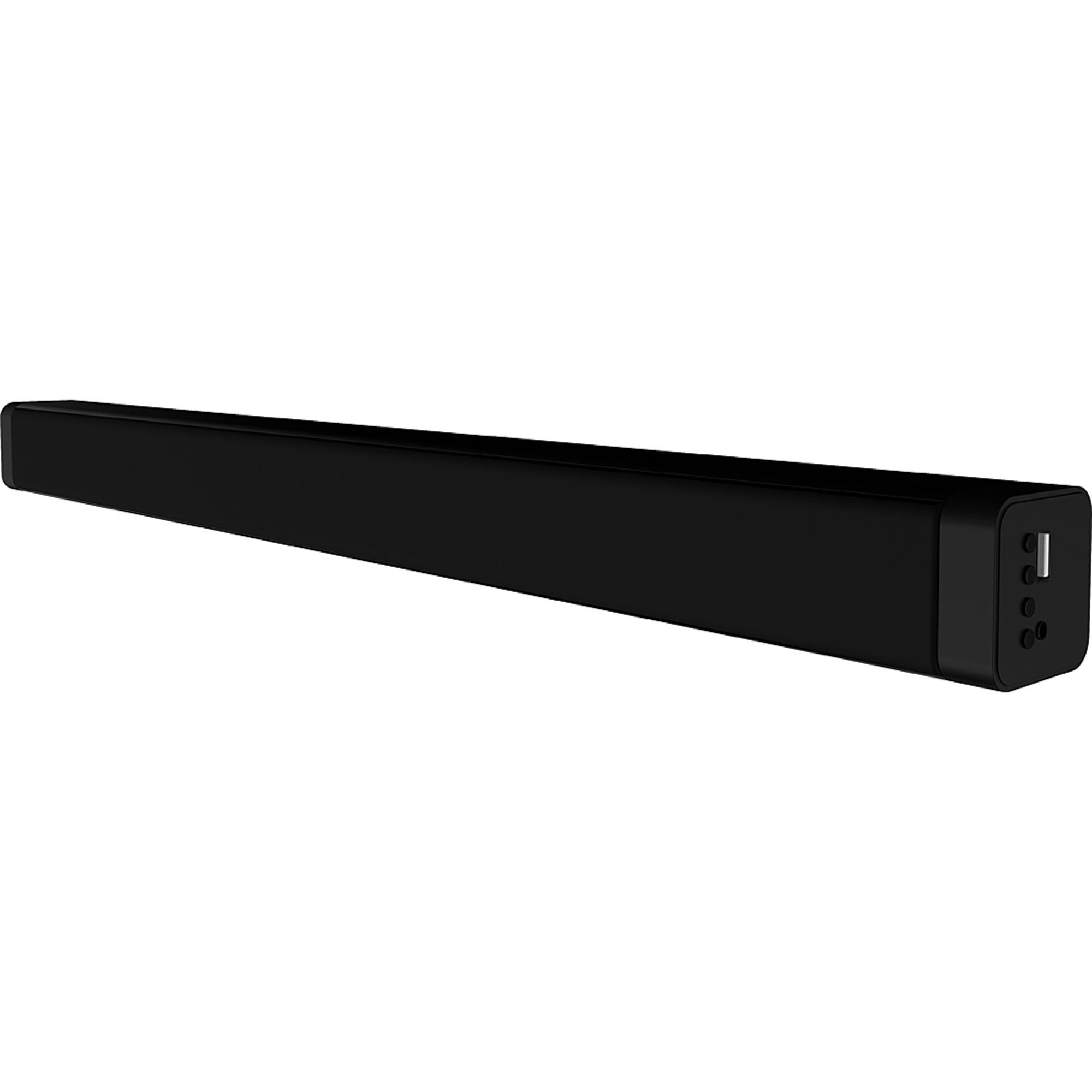
Bild 4.1: Framsidan view of the Coby CSB04 Bluetooth Soundbar. The soundbar is black and rectangular.

Bild 4.2: Sida view of the Coby CSB04 Soundbar, showing a USB port and other connection points.
4.1. Front Panel / Top Panel Controls
- Strömknapp: Slår på eller av soundbaren.
- Volym upp/ner: Justerar volymnivån.
- Lägesknapp: Switches between input modes (Bluetooth, RCA).
- LED-indikator: Shows current status (e.g., Bluetooth pairing, input mode).
4.2. Bakre panelanslutningar
- DC IN: Anslut nätadaptern här.
- RCA V/H-ingång: Connect external audio devices using the RCA cable.
- USB-port: For potential firmware updates or specific media playback (functionality may vary).
4.3. Fjärrkontroll
The included remote control allows for convenient operation of the soundbar from a distance. Functions typically include Power, Volume Up/Down, Mode Selection, Mute, and Playback controls for Bluetooth mode.
5. Inställning
5.1. Strömanslutning
- Anslut nätadaptern till DC IN porten på baksidan av soundbaren.
- Anslut den andra änden av nätadaptern till ett vägguttag.
- Soundbaren kommer att gå in i standbyläge.
5.2. Ljudanslutning
You can connect audio sources to the soundbar via Bluetooth or RCA cable.
5.2.1. Bluetooth-anslutning
- Power on the soundbar using the Power button on the unit or remote control.
- Tryck på Läge button repeatedly until the LED indicator shows Bluetooth mode (usually a blinking blue light).
- Aktivera Bluetooth på din smartphone eller annan Bluetooth-aktiverad enhet och sök efter tillgängliga enheter.
- Select "CSB04" (or similar name) from the list of devices.
- När apparaterna är ihopparade lyser LED-indikatorn med fast blått sken och du hör en bekräftelseton.
- Du kan nu spela upp ljud från din enhet via soundbaren.
5.2.2. RCA-anslutning
- Connect one end of the RCA cable to the RCA L / R-ingång portarna på soundbaren.
- Connect the other end of the RCA cable to the audio output ports (usually "Audio Out" or "L/R Out") of your TV, DVD player, or other audio source.
- Slå på ljudfältet.
- Tryck på Läge button repeatedly until the LED indicator shows RCA mode (e.g., a green light).
- Spela upp ljud från din anslutna enhet.
6. Bruksanvisning
6.1. Ström på/av
Tryck på Driva -knappen på soundbar-högtalaren eller fjärrkontrollen för att slå på eller av enheten.
6.2. Justera volymen
Använd Volym upp (+) och Sänk volymen (-) knapparna på soundbar-högtalaren eller fjärrkontrollen för att justera ljudnivån.
6.3. Changing Input Mode
Tryck på Läge button on the soundbar or remote control to cycle through available input sources: Bluetooth, RCA.
6.4. Bluetooth-uppspelning
Once paired, your Bluetooth device will automatically connect to the soundbar when both are powered on and within range. Use your device's controls or the soundbar's remote control (if applicable) for playback functions like Play/Pause, Next Track, and Previous Track.
7. Underhåll
Korrekt underhåll säkerställer din soundbars långa livslängd och optimala prestanda.
- Rengöring: Use a soft, dry cloth to wipe the exterior of the soundbar. Do not use liquid cleaners or aerosols.
- Lagring: Om du förvarar soundbar-högtalaren under en längre tid, koppla bort den från strömmen och förvara den på en sval och torr plats.
- Ventilation: Ensure the soundbar has adequate ventilation and is not covered, to prevent overheating.
8. Felsökning
If you encounter issues with your Coby CSB04 Soundbar, refer to the following common problems and solutions:
| Problem | Möjlig orsak | Lösning |
|---|---|---|
| Ingen ström | Strömadaptern är inte ansluten eller så är uttaget felaktigt. | Ensure the power adapter is securely connected to the soundbar and a working power outlet. Try a different outlet. |
| Inget ljud | Felaktigt inmatningsläge, låg volym eller felaktig kabelanslutning. |
|
| Bluetooth-parning misslyckades | Soundbaren är inte i parkopplingsläge, enheten är för långt borta eller störningar. |
|
| Fjärrkontrollen fungerar inte | Urladdade batterier eller hinder. | Replace the batteries in the remote control. Ensure there is no obstruction between the remote and the soundbar's sensor. |
9. Specifikationer
Here are the technical specifications for the Coby CSB04 Bluetooth Soundbar Speaker:
- Modell: CSB04
- Högtalartyp: Soundbar
- Anslutningsteknik: Bluetooth
- Max högtalarutgångseffekt: 10 Watt
- Kompatibla enheter: Smartphone (and other Bluetooth/RCA audio sources)
- Kontrollmetod: Fjärrkontroll
- Strömkälla: Elkabel (nätadapter)
- Färg: Svart
- Mått: 85.09 x 14.22 x 38.35 cm (ungefär 33.5 x 5.6 x 15.1 tum)
- Vikt: 1.54 kg (cirka 3.4 lbs)
- Monteringstyp: Skrivbordsfäste
10. Garanti och support
For warranty information and technical support, please refer to the warranty card included with your product or visit the official Coby webwebbplatsen. Spara ditt inköpskvitto som köpbevis.
For further assistance, you may contact Coby customer service through their official channels.