
TSL LTCMIP7342W-28M
LTS LTCMIP7342W-28M Platinum Network Vandal Dome IP Camera User Manual
Model: LTCMIP7342W-28M
Introduktion
This manual provides comprehensive instructions for the installation, operation, and maintenance of your LTS LTCMIP7342W-28M Platinum Network Vandal Dome IP Camera. Please read this manual thoroughly before using the product to ensure proper setup and functionality. Keep this manual for future reference.
The LTS LTCMIP7342W-28M is a 4MP high-definition network vandal dome IP camera designed for robust surveillance applications. It features a 2.8mm fixed lens, True WDR (120dB), Matrix IR 2.0 with up to 100 feet range, and supports H.265/H.265+/H.264/H.264+ video compression. It is rated IP67 for weather resistance and IK10 for vandal resistance, making it suitable for outdoor use. The camera also includes a MicroSD slot supporting up to 128GB for local storage and can be powered by DC 12V or Power over Ethernet (PoE).
Paketets innehåll
Kontrollera att alla artiklar finns i paketet innan du fortsätter med installationen.
- LTS LTCMIP7342W-28M Platinum Network Vandal Dome IP Camera
- Borrmall
- Monteringsskruvar och väggpluggar
- Insexnyckel
- Vattentät kontaktsats
- Snabbstartsguide (se den här manualen för detaljerade instruktioner)
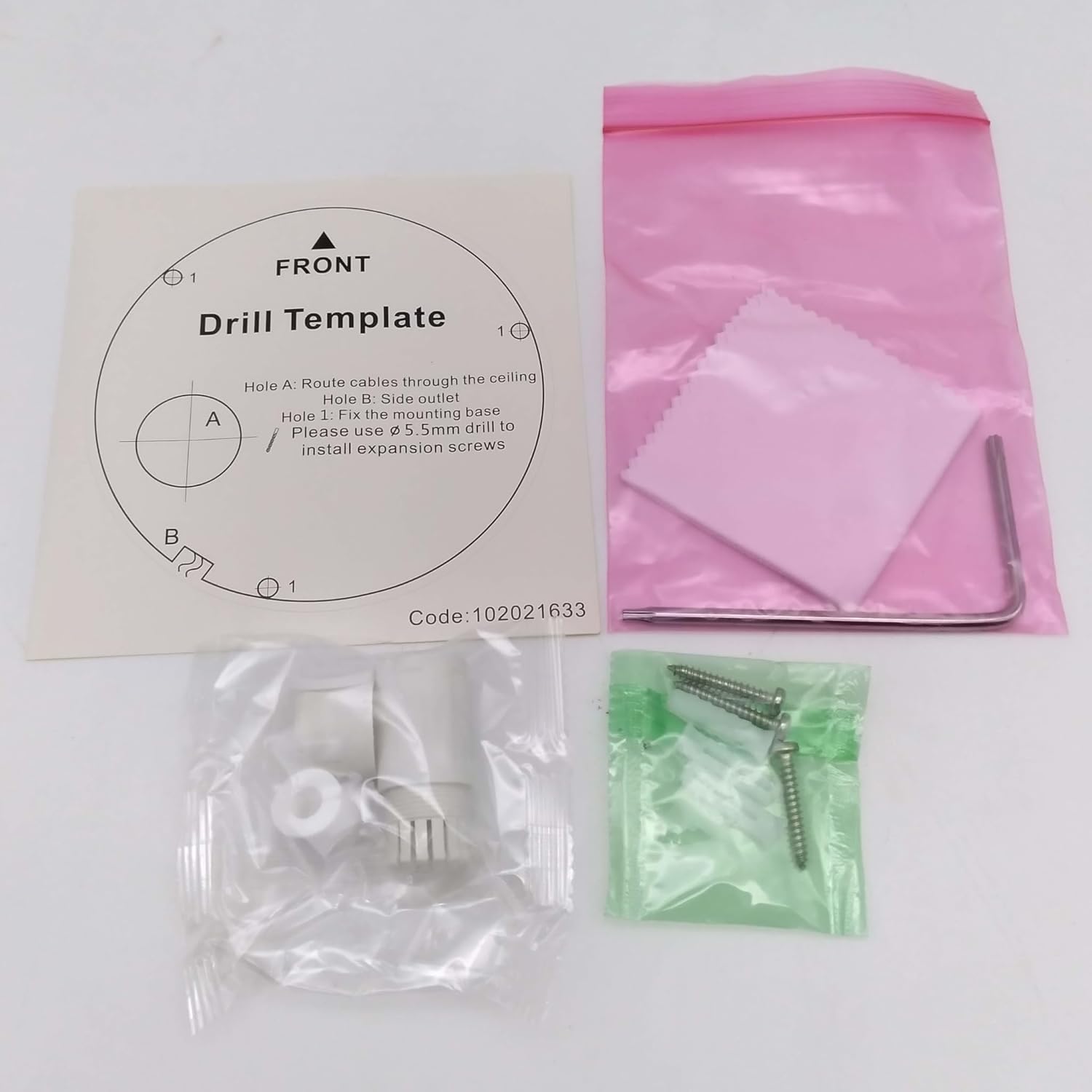
Bild: Contents of the camera package. This includes a drill template, mounting hardware (screws and wall plugs), a hex wrench for adjustments, and a waterproof connector kit for network cables. These components are essential for proper installation.
Inställning
1. Säkerhetsföreskrifter
- Se till att strömmen är frånkopplad före installation eller underhåll.
- Use only specified power adapters (DC 12V) or PoE (Power over Ethernet) compliant equipment.
- Undvik att utsätta kameran för extrema temperaturer, fuktighet eller korrosiva miljöer.
- Do not attempt to disassemble the camera. Refer all servicing to qualified personnel.
2. Kameran överview
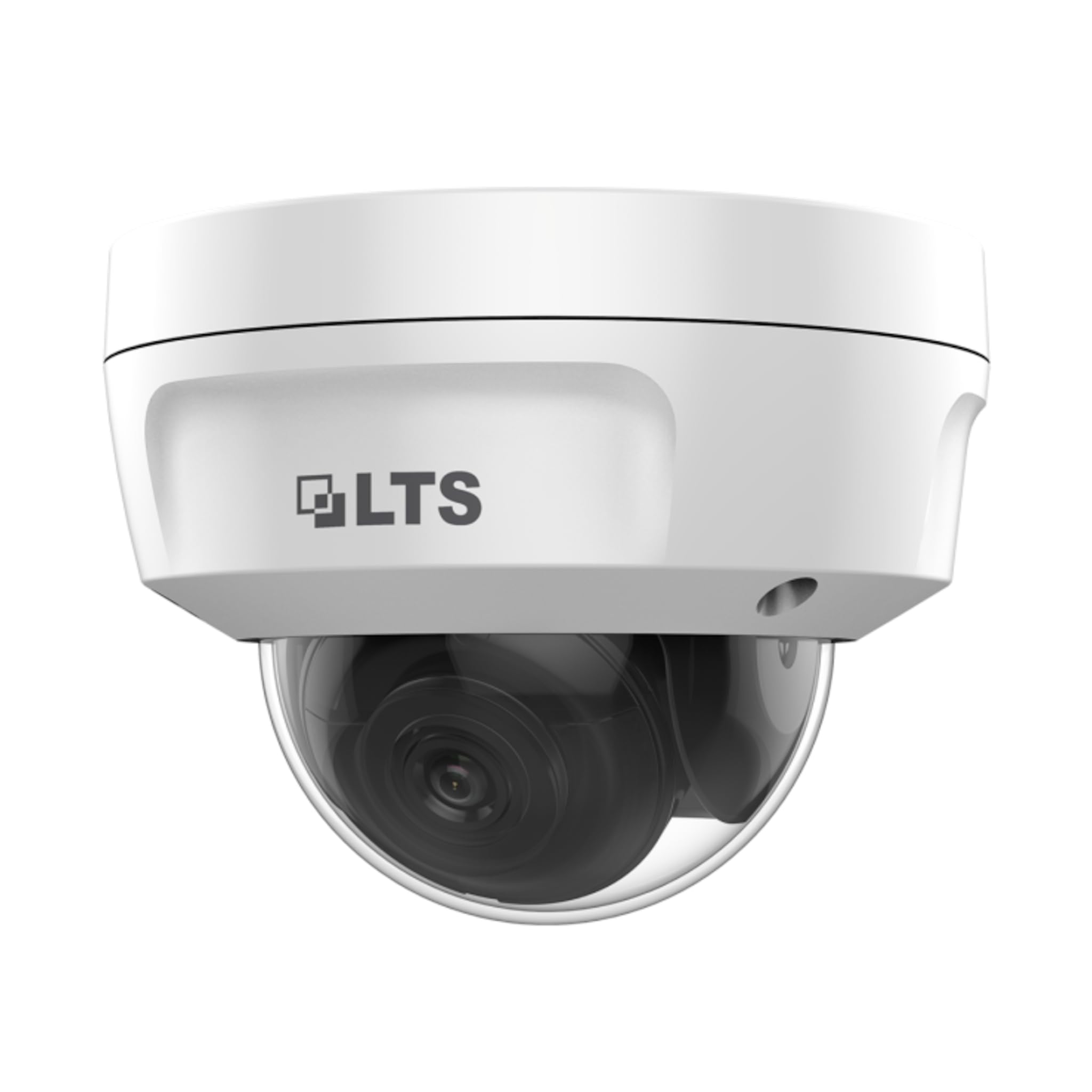
Bild: Främre view of the LTS LTCMIP7342W-28M dome camera. This image shows the main body of the camera with its dome cover, indicating its compact and discreet design.

Bild: Sida view of the LTS LTCMIP7342W-28M dome camera, showing the attached cables for power and network connectivity. This view highlights the integrated cable management for installation.
3. Kabeldragning och anslutning
The LTCMIP7342W-28M camera primarily uses a network cable for both data and power (PoE). It is not compatible with traditional DC power and BNC video connections.

Bild: This diagram illustrates the correct and incorrect wiring methods. On the left, a network cable (RJ45) is circled in green, indicating compatibility for both video and Power over Ethernet (PoE). On the right, DC power and BNC video connectors are circled in red, indicating they are not compatible with this camera model.
- Nätverksanslutning: Connect a standard Ethernet cable (Cat5e or Cat6) from the camera's RJ45 port to a PoE-enabled switch or NVR. If not using PoE, connect to a standard network switch and provide 12V DC power separately.
- Driva: The camera supports Power over Ethernet (PoE) or a 12V DC power supply. Ensure the power source meets the camera's requirements.
- Vattentät kontakt: Use the provided waterproof connector kit for outdoor installations to protect the RJ45 connection from moisture.
4. Montering av kameran
- Förbered monteringsytan: Choose a suitable location, typically a ceiling or wall, ensuring it can support the camera's weight.
- Använd borrmallen: Place the provided drill template on the desired mounting surface. Mark the positions for the mounting screws and cable routing hole.
- Borra hål: Drill pilot holes for the mounting screws (typically 5.5mm diameter for expansion screws) and a larger hole for cable routing, if necessary.
- Ruttkablar: Pass the network cable through the cable routing hole.
- Säkra kamerabasen: Align the camera base with the drilled holes and secure it using the provided mounting screws and wall plugs.
- Justera kameravinkel: Loosen the adjustment screws (if applicable) to position the camera lens for the desired viewvinkel. Dra åt skruvarna när de är justerade.
Drift
1. Första uppstart och nätverkskonfiguration
- After connecting the camera to power and the network, it will boot up. This may take a few minutes.
- Use the manufacturer's IP search tool (e.g., SADP Tool) to discover the camera's IP address on your network.
- Åtkomst till kamerans web gränssnitt genom att ange dess IP-adress i en web webbläsare.
- Follow the on-screen prompts to set a strong password for the camera (if it's a new installation or reset).
- Configure network settings (IP address, subnet mask, gateway, DNS) as required by your network infrastructure.
2. Videoinställningar
- Upplösning: The camera supports up to 4MP (2560x1440) resolution at 30 frames per second. Adjust as needed for bandwidth and storage considerations.
- Kompression: Utilize H.265+ or H.265 for efficient video storage and bandwidth usage. H.264+ and H.264 are also supported.
- WDR (Wide Dynamic Range): Enable True WDR (120dB) in challenging lighting conditions to balance bright and dark areas in the image.
- Nattseende: The camera features Matrix IR 2.0 with a range up to 100 feet. IR LEDs automatically activate in low light.
3. Inspelning och lagring
- NVR-inspelning: Anslut kameran till en kompatibel nätverksvideoinspelare (NVR) för kontinuerlig eller händelsebaserad inspelning.
- MicroSD-kort: Insert a MicroSD card (up to 128GB) into the camera's slot for local storage. Configure recording schedules and event triggers via the web gränssnitt.
- Rörelsedetektering: Set up motion detection zones and sensitivity to trigger recordings or alerts.
4. Fjärråtkomst
För fjärrkontroll viewing, configure port forwarding on your router or use a P2P/Cloud service provided by the manufacturer (if available) to access the camera feed via a mobile app or client software.
Underhåll
- Rengöring av linser: Rengör kameralinsen och kupolskyddet regelbundet med en mjuk, damp trasa. Undvik slipande rengöringsmedel som kan repa ytan.
- Firmware -uppdateringar: Kontrollera tillverkarens website for firmware updates to ensure optimal performance and security. Follow update instructions carefully.
- Kabelinspektion: Regularly inspect all cables and connections for signs of wear or damage, especially in outdoor installations.
- Miljökontroller: Se till att kamerans omgivning håller sig inom de angivna intervallen för driftstemperatur och luftfuktighet.
- Lösenordshantering: Change passwords regularly and use strong, unique passwords for enhanced security.
Felsökning
| Problem | Möjlig orsak | Lösning |
|---|---|---|
| Ingen bild-/videoström | No power; Network cable disconnected; Incorrect IP address; Camera malfunction. | Check power supply/PoE connection; Verify network cable is securely connected; Use IP search tool to find camera; Contact technical support if malfunction suspected. |
| Dålig bildkvalitet | Dirty lens/dome; Low light conditions; Incorrect video settings; Network bandwidth issues. | Clean lens/dome; Ensure IR is active in low light; Adjust resolution, WDR, and other image settings; Check network connection speed. |
| Kan inte komma åt kameran på distans | Incorrect port forwarding; Firewall blocking access; Dynamic IP address changed; P2P/Cloud service offline. | Verify router port forwarding rules; Check firewall settings on router/NVR; Use DDNS service for dynamic IPs; Check status of P2P/Cloud service. |
| SD-kort spelar inte in | SD card full or faulty; Incorrect recording schedule; SD card not formatted. | Check SD card status and remaining space; Format SD card via camera interface; Verify recording schedule and event triggers. |
Specifikationer
| Särdrag | Detalj |
|---|---|
| Modell | LTCMIP7342W-28M |
| Videoinspelningsupplösning | 4 MP (2560x1440) |
| Bildhastighet | 30 fps |
| Lins | 2.8mm fast lins |
| WDR | Äkta WDR 120dB |
| IR Range | Up to 100 feet (Matrix IR 2.0) |
| Minsta belysning | 0.018 Lux @ F1.6 |
| Videokomprimering | H.265, H.265+, H.264, H.264+ |
| Lagring | MicroSD Slot (up to 128GB) |
| Strömförsörjning | DC 12V, PoE (802.3af) |
| Inträngningsskydd | IP67 |
| Vandalmotstånd | IK10 |
| Anslutningsteknik | Trådbunden (Ethernet) |
| Monteringstyp | Takmontering |
| Driftstemperatur | (Refer to manufacturer's full datasheet for exact range) |
| Mått | Cirka 7 x 7 x 7 cm (förpackningsmått) |
| Vikt | Ca. 2.5 pund |
Garanti och support
For warranty information, technical support, and service inquiries, please contact your authorized TSL dealer or visit the official TSL webSpara ditt inköpskvitto som inköpsbevis för garantianspråk.
Tillverkare: LTS
Stämpla: TSL
Ask a question about this manual
Ask about setup, troubleshooting, compatibility, parts, safety, or missing instructions. Manuals+ will review the question and use this page’s manual context to help answer it.