
1. Introduktion
This manual provides detailed instructions for the operation and maintenance of your Microware EZCAP230 Cassette to MP3 Converter. This device allows you to convert your old cassette tapes into digital MP3 format, preserving your audio memories. It can function as a standalone converter or connect to a computer for conversion and playback.
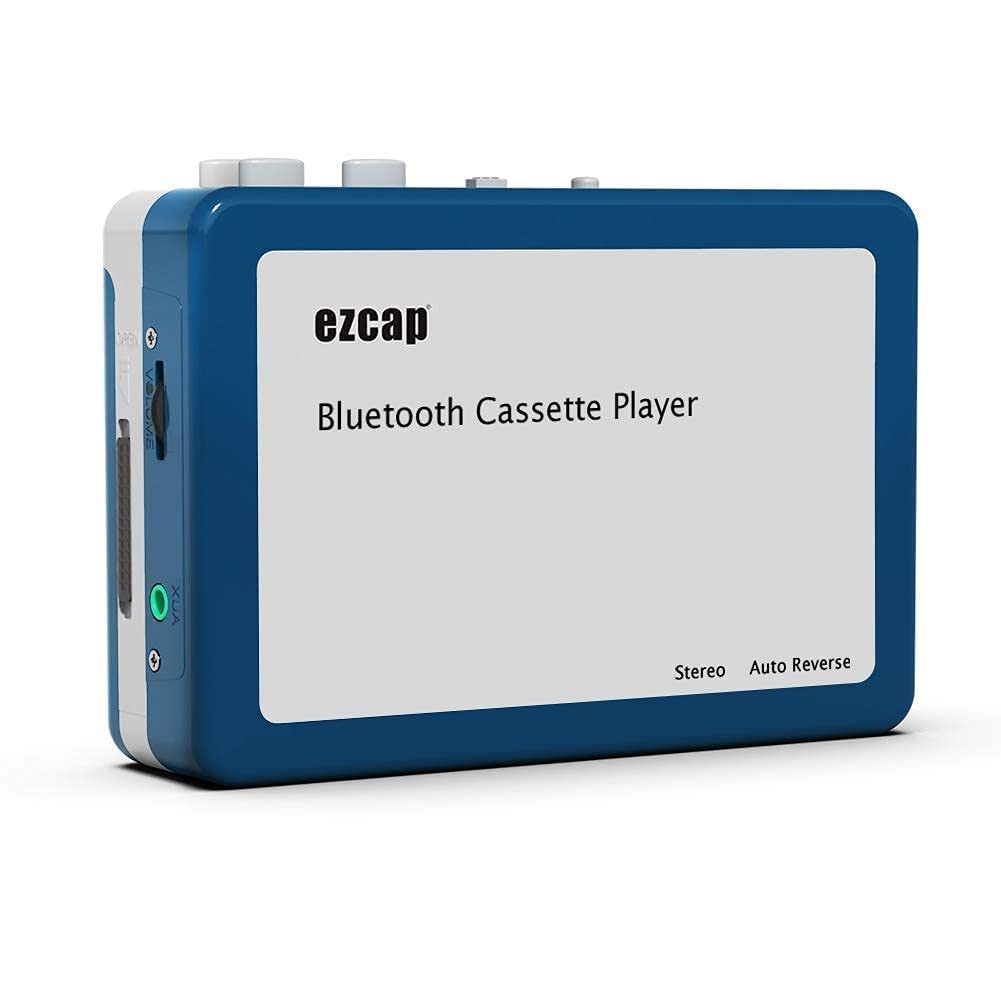
Image 1.1: The Microware EZCAP230 Cassette to MP3 Converter.
2. Produkt överview
2.1 Nyckelfunktioner
- Converts cassette tapes to MP3 format.
- Standalone operation: No computer required for conversion.
- USB connectivity for power and data transfer.
- Playback function to check recorded music.
- Kompakt och bärbar design.
- Supports FAT, FAT32, exFAT USB formats up to 64GB. NTFS format is not supported.
2.2 Paketets innehåll
- Microware EZCAP230 Cassette to MP3 Converter
- USB-kabel
- Hörlurar
- Användarmanual (detta dokument)

Image 2.1: The converter unit, USB cable, and earphones.
3. Inställning
3.1 Strömförsörjning
Enheten kan drivas på två sätt:
- USB-ström: Connect the provided USB cable to the device and a computer USB port or a 5V DC power adapter (not included).
- Batterieffekt: Insert 2 x AA batteries (not included) into the battery compartment.
3.2 Sätta i ett kassettband
- Öppna kassettfackets lock.
- Insert your cassette tape with the open side facing up.
- Close the cassette compartment cover securely.

Image 3.1: Proper insertion of a cassette tape.
3.3 Connecting Earphones/Speakers and USB Flash Drive
- Connect the earphones to the 3.5mm audio output jack for private listening.
- To save converted MP3 files, insert a USB flash drive into the USB port. The device supports FAT, FAT32, and exFAT formats up to 64GB.

Image 3.2: Connecting earphones and a USB flash drive to the converter.
4. Bruksanvisning
4.1 Standalone Cassette to MP3 Conversion
Follow these steps to convert your cassette tapes directly to MP3 format without a computer:
- Ström på: Ensure the device is powered via USB or batteries.
- Sätt i kassett: Place a cassette tape into the compartment.
- Anslut USB-enhet: Insert a USB flash drive into the USB port. A green light will flash, indicating it's ready.
- Starta uppspelning: Press the "Play" button on top of the device to begin playing the tape.
- Börja spela in: Press the "Record" button to start recording. The default mode is manual division. To divide tracks, press the "Record/Stop" button each time you want a new MP3 file.
- Stoppa inspelning: Press the "Record" button again to stop recording. The MP3 files will be saved to your USB flash drive.

Image 4.1: Step-by-step guide for independent cassette to MP3 conversion.
4.2 Playing Cassette Tapes
To use the device as a cassette player:
- Sätt i ett kassettband.
- Connect earphones or external speakers to the 3.5mm audio output jack.
- Tryck på knappen "Spela".
- Justera volymen med volymkontrollen.
4.3 Ansluta till en dator
The device can be connected to a computer via USB for power and to transfer recorded MP3 files. While the device primarily functions for standalone conversion, you can manage the converted files på din dator.
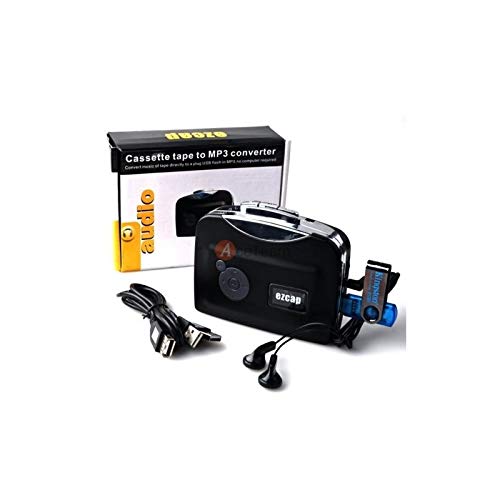
Image 4.2: The converter connected to a laptop, illustrating the digital conversion process.
4.4 Uppspelningsfunktion
The device includes a playback function to review the recorded MP3 files directly on the device. This allows you to verify the quality of your conversions.
Video 4.1: En övergångview of the Microware Cassette to MP3 Converter's features and operation, demonstrating its ease of use for digitizing old tapes.
5. Underhåll
- Håll enheten ren och fri från damm. Använd en mjuk, torr trasa för rengöring.
- Undvik att utsätta enheten för extrema temperaturer, luftfuktighet eller direkt solljus.
- Använd inte slipande rengöringsmedel eller lösningsmedel.
- När de inte används under längre perioder, ta ur batterierna för att förhindra läckage.
6. Felsökning
6.1 Ingen ström
- Check if the USB cable is securely connected to a power source.
- Om du använder batterier, se till att de är korrekt isatta och att de inte är urladdade.
6.2 Poor Audio Quality During Playback/Recording
- Ensure the cassette tape is clean and in good condition.
- Check earphone connections.
- Clean the tape head and pinch rollers with a cotton swab lightly dampavslutas med isopropylalkohol.
6.3 MP3 Files Not Saving to USB Drive
- Se till att USB-flashenheten är korrekt isatt.
- Verify that the USB drive is formatted to FAT, FAT32, or exFAT. NTFS is not supported.
- Kontrollera om USB-enheten har tillräckligt med ledigt utrymme.
7. Specifikationer
| Särdrag | Specifikation |
|---|---|
| Stämpla | MICROWARE |
| Modell | EZCAP230 |
| Objektets vikt | 150 g |
| Paketets mått | 14 x 10.01 x 5.99 cm |
| Strömkälla | USB Power (5V DC) or 2 x AA Batteries |
| USB Format Support | FAT, FAT32, exFAT (up to 64GB). NTFS not supported. |
8. Garanti och support
For warranty information and technical support, please refer to the official MICROWARE webwebbplatsen eller kontakta din återförsäljare. Spara ditt inköpskvitto som inköpsbevis.
Tillverkare: MICROWARE
Datum först tillgängligt: 24 september 2019
För ytterligare hjälp, besök MICROWARE Store on Amazon.