
1. Introduktion
Thank you for choosing the Reebok RDVNEG9P2S2B2N Digital Watch. This manual provides essential information for the proper setup, operation, and maintenance of your new timepiece. Please read this manual thoroughly before using the watch to ensure optimal performance and longevity.
2. Säkerhetsinformation
- Vattentålighet: This watch is water resistant up to 100 meters. It is suitable for swimming and snorkeling but not for diving. Do not operate buttons underwater.
- Temperatur: Avoid exposing the watch to extreme temperatures (hot or cold) for extended periods, as this may affect its accuracy and battery life.
- Kemikalier: Keep the watch away from solvents, detergents, perfumes, and cosmetics, as these can damage the strap, case, or seals.
- Inverkan: Protect the watch from strong impacts or drops, which can damage internal components or the crystal.
- Batteri: Do not attempt to open the watch case or replace the battery yourself, as this may void the warranty and damage the watch. Refer to qualified service personnel.
3. Paketets innehåll
Kontrollera att alla artiklar finns i ditt paket:
- Reebok RDVNEG9P2S2B2N Digital Watch (with Stainless Steel Strap)
- Extra Silicone Strap
- Spring Bar Tool for strap replacement
- Användarmanual (detta dokument)
4. Produkt överview
Familiarize yourself with the main components of your Reebok digital watch.
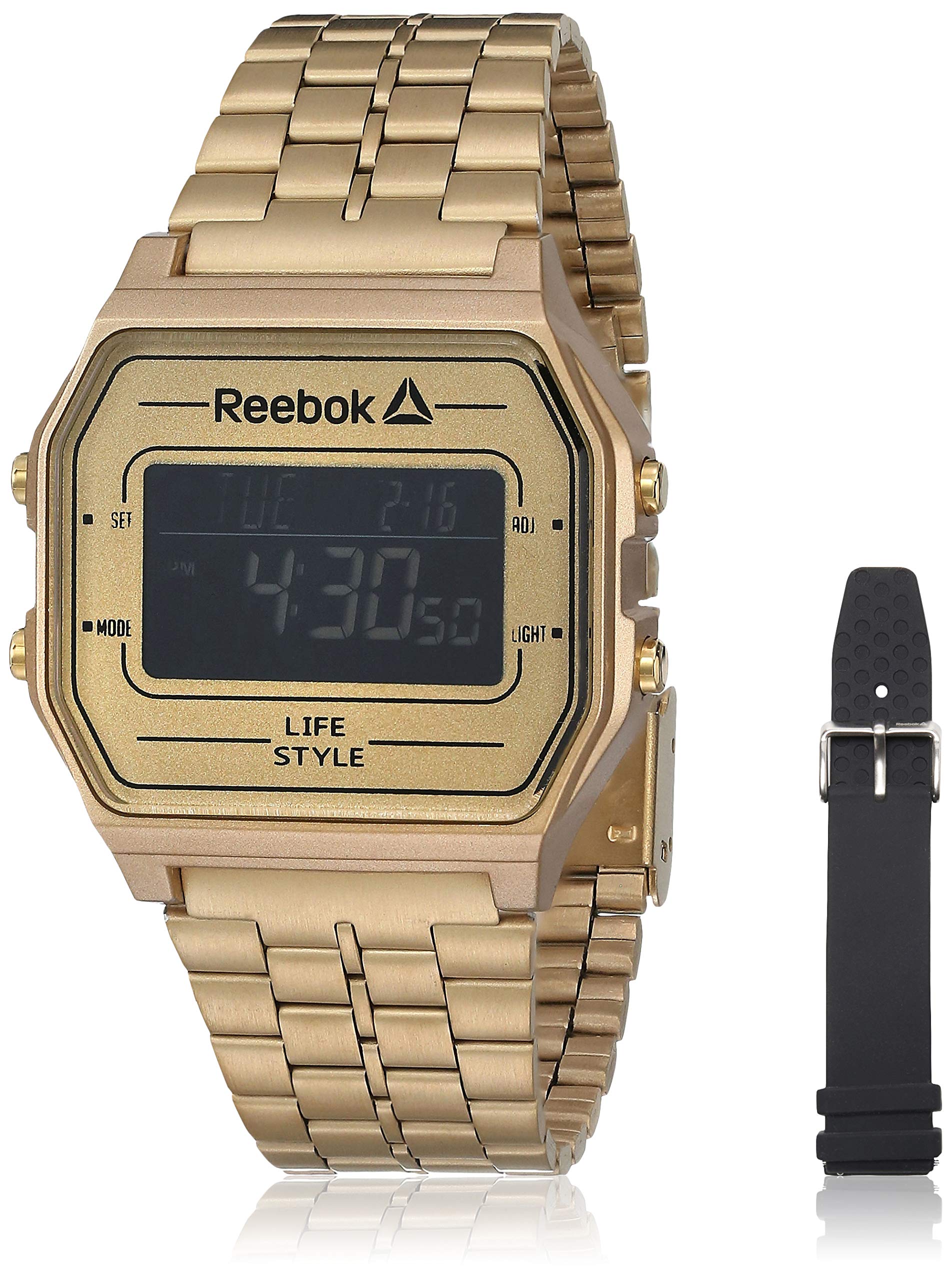
Bild 1: Främre view of the Reebok RDVNEG9P2S2B2N Digital Watch with its gold stainless steel strap. The digital display shows time and date, and control buttons are visible on the sides.
- Visa: Digital screen showing time, date, and other functions.
- SET -knapp: Används för att ange och bekräfta inställningar.
- MODE-knapp: Cycles through different watch modes (Time, Alarm, Stopwatch, etc.).
- ADJ-knapp: Adjusts values during setting.
- LIGHT -knapp: Aktiverar bakgrundsbelysningen för att ge bättre synlighet i svagt ljus.
- Fall: Gold-colored stainless steel case.
- Rem: Interchangeable straps (Stainless Steel and Silicone).
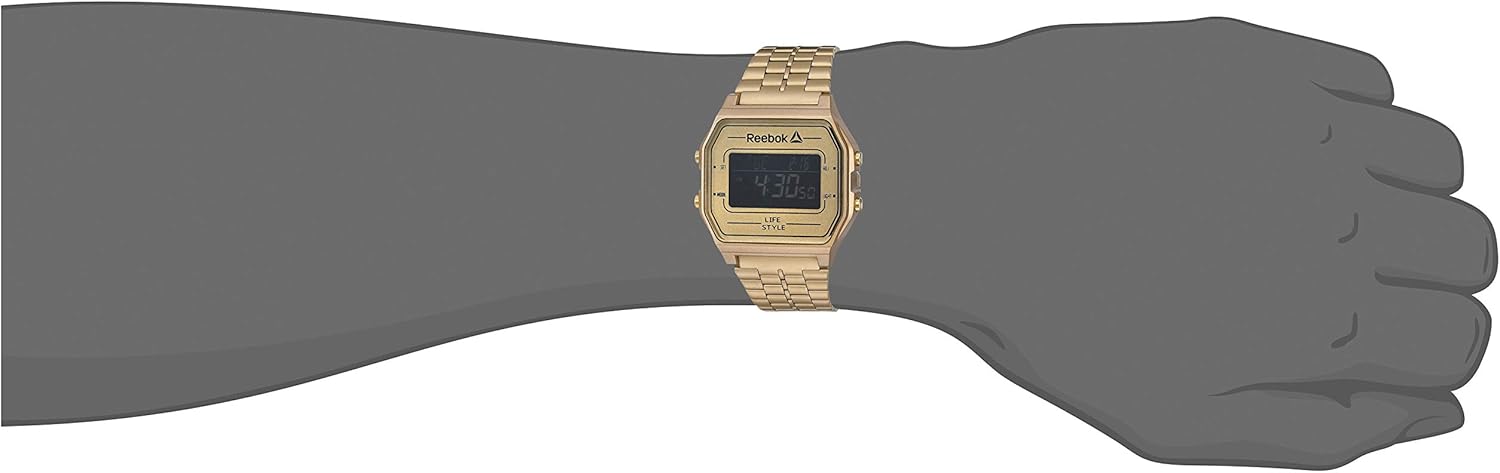
Bild 2: The Reebok RDVNEG9P2S2B2N Digital Watch worn on a wrist, showcasing its size and fit with the gold stainless steel strap.
5. Inställning
5.1 Ursprunglig inställning av tid och datum
- I normalt tidtagningsläge, tryck och håll nere UPPSÄTTNING knappen tills sekunderna börjar blinka. Detta indikerar att du är i inställningsläge.
- Tryck på LÄGE knappen för att växla mellan inställningarna: Sekunder → Timme → Minut → År → Månad → Dag.
- Använd ADJ knappen för att öka det blinkande värdet. Håll in ADJ knappen för att snabbt öka värdet.
- När alla inställningar är justerade, tryck på UPPSÄTTNING tryck på knappen igen för att avsluta inställningsläget och spara dina ändringar.
5.2 12/24-timmarsformat
I tidsinställningsläget (sekunderna blinkar) trycker du på ADJ Tryck på knappen när timmen blinkar för att växla mellan 12-timmarsformat (med AM/PM-indikator) och 24-timmarsformat.
6. Använda klockan
6.1 Lägesval
Tryck på LÄGE knappen upprepade gånger för att växla mellan tillgängliga funktioner:
- Timekeeping Mode (displays current time and date)
- Larmläge
- Stoppursläge
6.2 Använda bakgrundsbelysningen
Tryck på LJUS knappen för att lysa upp displayen i några sekunder. Detta är användbart i mörka miljöer.
6.3 Larmfunktion
- Från tidvisningsläget, tryck på LÄGE until "AL" or "Alarm" appears on the display.
- Tryck och håll ned UPPSÄTTNING knappen tills larmets timme blinkar.
- Använd ADJ för att ställa in önskad timme. Tryck LÄGE för att flytta till minuter.
- Använd ADJ knappen för att ställa in önskade minuter.
- Trycka UPPSÄTTNING för att bekräfta och avsluta larminställningen.
- För att slå PÅ/AV larmet, tryck på ADJ button while in Alarm Mode (without holding SET). An alarm icon will appear/disappear.
6.4 Stoppurfunktion
- Från tidvisningsläget, tryck på LÄGE until "ST" or "Stopwatch" appears on the display.
- Tryck på ADJ knappen för att starta stoppuret.
- Tryck på ADJ knappen igen för att pausa stoppuret.
- Tryck på UPPSÄTTNING knappen för att nollställa stoppuret.
- För att avsluta stoppurläget, tryck på LÄGE knapp.
7. Byte av rem
Your Reebok watch comes with an extra silicone strap and a spring bar tool for easy strap changes. Follow these steps carefully to avoid scratching your watch or damaging the spring bars.
7.1 Removing the Current Strap
- Place the watch face down on a soft, clean cloth to prevent scratches.
- Locate the spring bar tool. It typically has a forked end.
- Insert the forked end of the tool between the strap and the watch lug (the part of the watch case where the strap attaches).
- Gently push the spring bar inwards (towards the center of the strap) to compress it.
- Once one end of the spring bar is disengaged from the lug hole, carefully pull the strap away from the watch.
- Repeat for the other side of the strap and for the second strap piece.
- Keep the spring bars in a safe place if you intend to reuse the strap.
7.2 Attaching a New Strap
- Insert one end of a spring bar into one of the lug holes on the watch case.
- With the spring bar tool, compress the other end of the spring bar.
- Guide the compressed end into the opposite lug hole.
- Release the spring bar tool, ensuring both ends of the spring bar are securely seated in the lug holes. Gently tug on the strap to confirm it is firmly attached.
- Repeat for the second strap piece.
8. Underhåll
8.1 Rengöring
- Watch Case and Stainless Steel Strap: Wipe regularly with a soft, dry cloth. For stubborn dirt, use a slightly damp trasa och mild tvål, torka sedan ordentligt.
- Silikonrem: Wash with mild soap and water, then rinse and dry completely.
- Avoid using abrasive cleaners or chemical solvents.
8.2 Skötsel av vattentålighet
- Ensure the watch crown (if applicable, though this is a digital watch with buttons) and buttons are fully pressed in before any contact with water.
- Använd inte knapparna medan klockan är nedsänkt i vatten.
- Efter att ha utsatts för saltvatten, skölj klockan med färskvatten och torka den noggrant.
- Water resistance is not a permanent condition and may decrease over time. Have the seals checked periodically by a qualified technician.
8.3 Batteribyte
When the display becomes dim or the watch stops functioning, the battery may need replacement. It is recommended to have the battery replaced by a professional watch technician to ensure proper sealing and water resistance integrity.
9. Felsökning
| Problem | Möjlig orsak | Lösning |
|---|---|---|
| Klockans display är tom eller mörk. | Lågt eller urladdat batteri. | Byt ut batteriet (rekommenderas av en fackman). |
| Tiden är felaktig. | Incorrect time setting; exposure to strong magnetic fields; low battery. | Reset the time and date (refer to Section 5.1). Keep away from strong magnets. Replace battery if issue persists. |
| Knapparna svarar inte. | Klockan är våt; internt fel. | Ensure watch is dry. If issue persists, contact customer support. |
| Vatten inuti klockan. | Water resistance compromised; buttons operated underwater. | Ta omedelbart klockan till en fackman för inspektion och reparation för att förhindra ytterligare skador. |
10. Specifikationer
- Modellnummer: RDVNEG9P2S2B2N
- Visningstyp: Digital
- Rörelse: Kvarts
- Fodralmaterial: Rostfritt stål
- Höljes diameter: 42 mm
- Höljetjocklek: 5 mm
- Remmaterial: Stainless Steel (Gold), Silicone (Extra)
- Rembredd: 4 cm
- Kristall: Mineral
- Vattentålighet: 100 meter (330 fot)
- Strömkälla: Batteri
- Spänningstyp: Buckle (for silicone), Elegant Clasp (for stainless steel)
11. Garanti och support
11.1 Tillverkarens garanti
This Reebok watch is covered by a manufacturer's warranty. Please refer to the warranty card included in your original packaging for specific terms, conditions, and duration. The warranty typically covers manufacturing defects but does not cover damage resulting from misuse, accidents, unauthorized repairs, or normal wear and tear.
11.2 Kundsupport
For technical assistance, warranty claims, or service inquiries, please contact Reebok customer support through their official website or the contact information provided with your purchase documentation. When contacting support, please have your watch model number (RDVNEG9P2S2B2N) and proof of purchase readily available.