
1. Introduktion
This manual provides detailed instructions for the safe and effective use of the Walfront PM6508 Digital Temperature Humidity Meter. This device is designed for high-precision measurement of ambient temperature and relative humidity, offering features such as data hold, backlight display, and wet bulb/dew point temperature calculations. It is suitable for various applications including home, office, industrial settings, and environmental monitoring.
2. Säkerhetsinformation
Please read and understand all safety warnings and operating instructions before using this instrument. Failure to follow these instructions may result in electric shock, fire, or injury.
- Använd inte mätaren om den ser skadad ut eller om batteriluckan inte är ordentligt stängd.
- Avoid exposing the meter to extreme temperatures, direct sunlight, or high humidity for prolonged periods.
- Försök inte att reparera eller modifiera mätaren. Överlåt all service till kvalificerad personal.
- Ta ur batterierna om mätaren inte används under en längre tid för att förhindra läckage.
- Keep the sensor area clean and free from obstructions to ensure accurate readings.
3. Produkt överview
The Walfront PM6508 is a compact and portable digital meter designed for accurate environmental measurements. It features an easy-to-read LCD display with backlight and intuitive button controls.

Bild 3.1: Främre view of the Walfront PM6508 meter with key components labeled. This includes the temperature and humidity sensor at the top, the HD display, various control buttons (Power, Max/Min, Data Hold, Data Storage, Unit Switch, Backlight), and an anti-fall protective sleeve.
3.1 Nyckelfunktioner
- Högprecisionssensor: Ger noggranna avläsningar av temperatur och luftfuktighet.
- LCD-skärm med bakgrundsbelysning: Garanterar tydlig läsbarhet i olika ljusförhållanden.
- Datahållningsfunktion: Fryser den aktuella avläsningen på displayen.
- Datalagring: Lagrar upp till 100 grupper av mätdata.
- Wet Bulb & Dew Point Temperature: Calculates and displays these critical environmental parameters.
- Enhetsväxling: Växla enkelt mellan Celsius (°C) och Fahrenheit (°F).
- Automatisk avstängning: Sparar batteritid.
- Lågeffektindikator: Aviserar när batterierna behöver bytas.
3.2 Paketets innehåll

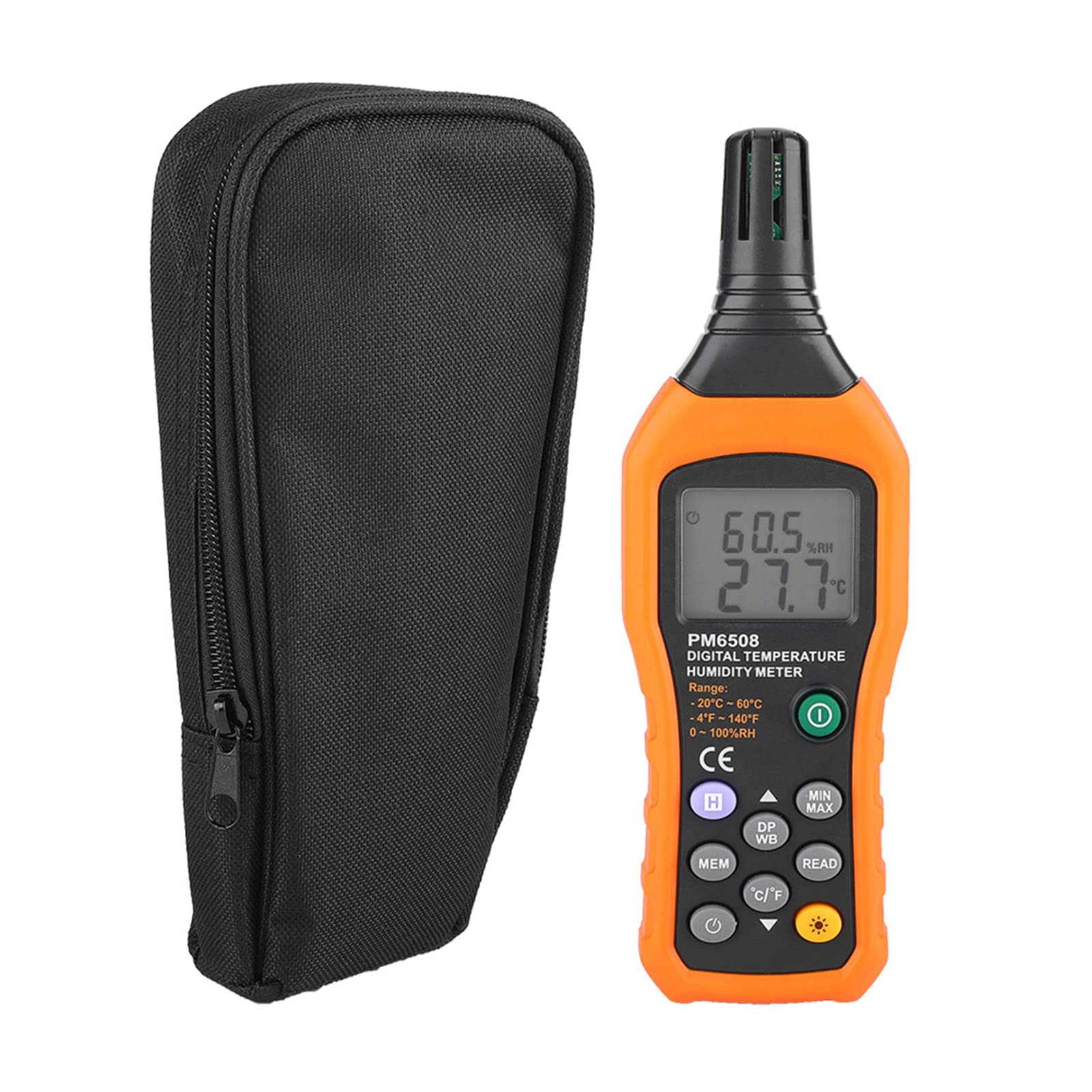
Bild 3.2: The Walfront PM6508 meter shown alongside its portable storage bag, indicating typical package contents.
- Walfront PM6508 Digital Temperature Humidity Meter
- Bärbar förvaringsväska
- Användarmanual
4. Inställning
4.1 Batteriinstallation
The PM6508 meter requires 4 x 1.5V AAA batteries (not included) for operation.
- Leta reda på batterifackets lock på baksidan av mätaren.
- Skjut batterilocket nedåt för att öppna det.
- Insert four AAA batteries, ensuring correct polarity (+ and -) as indicated inside the compartment.
- Sätt tillbaka batterilocket genom att skjuta tillbaka det på plats tills det klickar ordentligt.
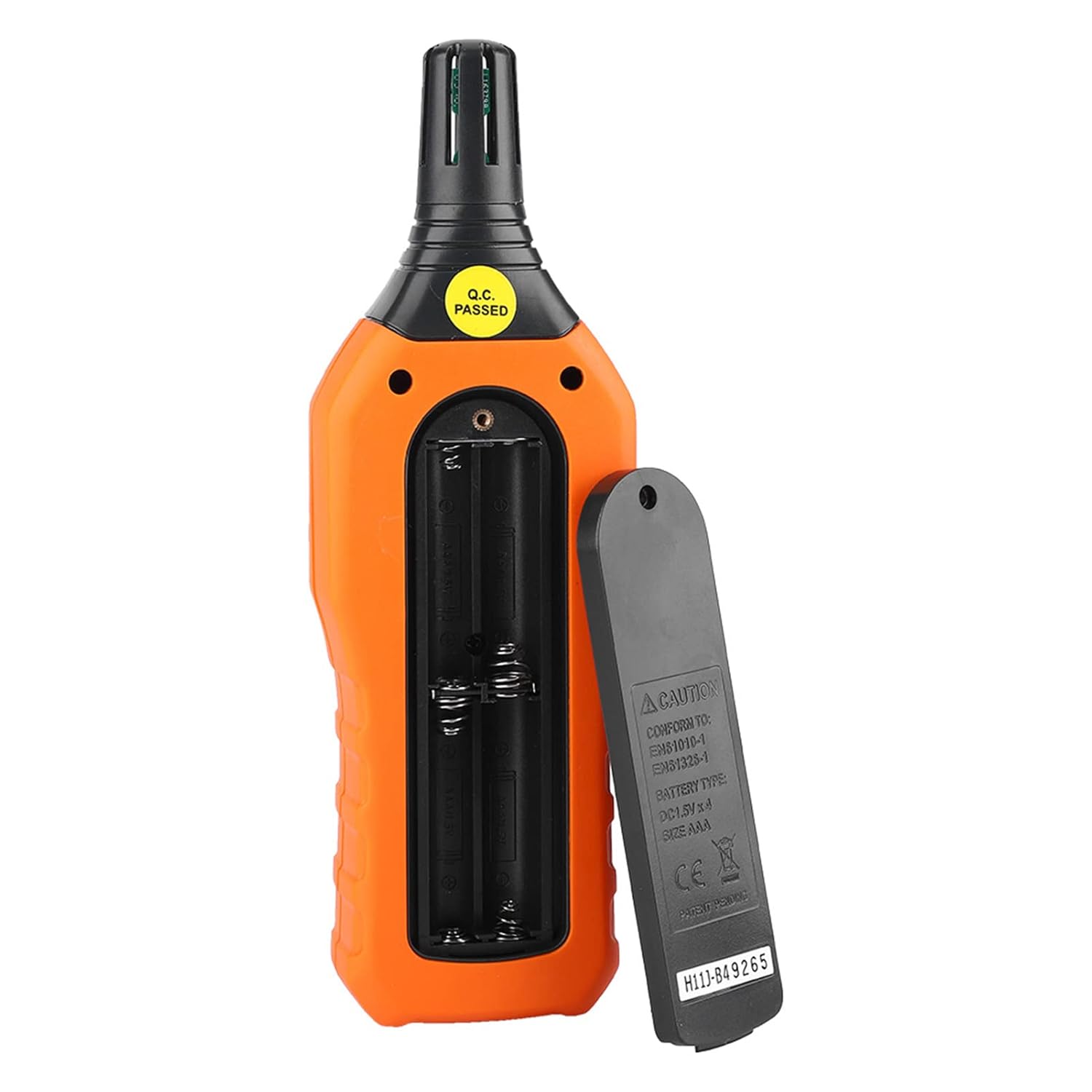
Bild 4.1: Bak view of the meter showing the open battery compartment for AAA battery installation.
5. Bruksanvisning
5.1 Ström på/av
- Tryck på green power button (
 ) to turn the meter on.
 - Tryck och håll ned gray power button () for approximately 2 seconds to turn the meter off. The meter also features an automatic shut-down function to conserve battery life.
5.2 Mätningar
Once powered on, the meter will immediately begin displaying real-time temperature and humidity readings on the LCD screen. Ensure the sensor at the top of the device is exposed to the environment you wish to measure.

Bild 5.1: The meter in use, displaying temperature and humidity readings on its LCD screen.
5.3 Enhetsväxling (°C/°F)
To switch between Celsius (°C) and Fahrenheit (°F) temperature units:
- Tryck på °C/°F-knapp () located on the keypad. The display will update to show readings in the selected unit.
5.4 Bakgrundsbelysningsfunktion
To activate or deactivate the display backlight:
- Tryck på bakgrundsbelysningsknapp () to toggle the backlight on or off. This is useful for reading in low-light conditions.
5.5 Datalagring (H)
To freeze the current readings on the display:
- Tryck på H-knappen (). The "H" icon will appear on the display, indicating that the data is held.
- Tryck på H-knappen again to release the data hold and resume real-time measurements.
5.6 Maximum/Minimum (MIN/MAX) Measurement
Till view the maximum or minimum recorded values:
- Tryck på MIN/MAX-knapp () once to display the maximum temperature and humidity recorded since the meter was powered on or the function was reset.
- Tryck på MIN/MAX-knapp again to display the minimum temperature and humidity.
- Tryck på MIN/MAX-knapp a third time to exit the MIN/MAX mode and return to real-time readings.
5.7 Data Storage (MEM) and Retrieval (READ)
The meter can store up to 100 groups of measurement data.
- To Store Data: Tryck på MEM-knapp () to save the current temperature and humidity readings. The display will briefly show a memory location number.
- To Retrieve Data: Tryck på LÄS-knapp () to enter data retrieval mode. Use the MEM-knapp to scroll through stored data records.
- To Exit Retrieval: Tryck på LÄS-knapp again to exit data retrieval mode.
5.8 Wet Bulb (WB) and Dew Point (DP) Temperature
To display Wet Bulb or Dew Point temperatures:
- Tryck på DP/WB button () once to display the Dew Point temperature.
- Tryck på DP/WB button again to display the Wet Bulb temperature.
- Tryck på DP/WB button a third time to return to standard temperature and humidity display.
6. Underhåll
6.1 Rengöring
- Torka av mätarens casing med en mjuk, damp trasa. Använd inte slipande rengöringsmedel eller lösningsmedel.
- Keep the sensor area clean and free from dust or debris to ensure accurate readings. Do not insert any objects into the sensor opening.
6.2 Förvaring
- När enheten inte används under en längre tid, ta ur batterierna för att förhindra läckage och skador.
- Förvara mätaren på en sval, torr plats, borta från direkt solljus och extrema temperaturer.
- Utilize the provided portable storage bag for protection during storage and transport.
7. Felsökning
| Problem | Möjlig orsak | Lösning |
|---|---|---|
| Mätaren slås inte på. |
|
|
| Felaktiga avläsningar. |
|
|
| Skärmen är svag eller flimrar. |
|
|
| Cannot store or retrieve data. |
|
|
8. Specifikationer
The following table outlines the technical specifications for the Walfront PM6508 Digital Temperature Humidity Meter.


Bild 8.1: Detailed technical specifications including ranges, resolution, and precision for temperature, humidity, wet bulb, and dew point measurements, along with general parameters.
| Parameter | Värde |
|---|---|
| Modell | PM6508 |
| Omgivningstemperaturområde | -20 till 60 °C (-4 till 140 °F) |
| Ambient Temperature Precision | ±1.5 °C (-20 to 0 °C, 45 to 60 °C), ±0.5 °C (0 to 45 °C) |
| Relativ luftfuktighetsområde | 0 %–100 % relativ luftfuktighet |
| Relative Humidity Precision | ±4.0% (0-20%, 80-100%), ±3.0% (20-80%) |
| Temperaturområde för våt glödlampa | -20 till 60 °C (4 till 140 °F) |
| Wet Bulb Temperature Precision | ±1.5 °C (-20 to 0 °C, 45 to 60 °C), ±0.5 °C (0 to 45 °C) |
| Daggpunktstemperaturområde | -50 till 60 °C (-58 till 140 °F) |
| Dew Point Temperature Precision | ±1.5 °C (-50 to 0 °C, 45 to 60 °C), ±0.5 °C (0 to 45 °C) |
| Upplösning | 0.1 °C / °F / %RH |
| Datalagring | 100 grupper |
| Strömförsörjning | 4 x 1.5V AAA Battery (not included) |
| Mått (L x B x H) | 180 x 60 x 29 mm (7.1 x 2.4 x 1.1 tum) |
| Vikt | 254 g (9 oz) |
| Driftfuktighet | 0 %–100 % (icke-kondenserande) |
9. Ansökningar
The Walfront PM6508 is suitable for a wide range of applications requiring accurate temperature and humidity monitoring.

Bild 9.1: Examples of environments where the PM6508 meter can be effectively used for temperature and humidity monitoring.
- Residential and Office Environments: Monitoring indoor climate for comfort and health.
- Industriproduktion: Ensuring optimal conditions for manufacturing processes.
- Warehousing and Storage: Protecting goods sensitive to temperature and humidity, such as in wine cellars or general storage.
- Lantbruk: Monitoring conditions in planting sheds, greenhouses, and aquaculture.
- Research and Development Laboratories: Maintaining precise environmental controls for experiments.
- VVS-system: Assisting in the evaluation and maintenance of heating, ventilation, and air conditioning systems.
10. Garanti och support
Walfront products are designed for reliability and performance. For warranty information, technical support, or service inquiries, please refer to the contact information provided with your purchase or visit the official Walfront webwebbplats. Vänligen spara ditt inköpsbevis för garantianspråk.