
SoundPEATS Truengine 3 SE
SoundPEATS Truengine 3 SE trådlösa Bluetooth-hörlurar användarmanual
Model: Truengine 3 SE
Introduktion
This manual provides detailed instructions for the SoundPEATS Truengine 3 SE Bluetooth Wireless Earbuds. Please read this guide thoroughly before using your earbuds to ensure proper operation and to maximize your listening experience. Keep this manual for future reference.
Paketets innehåll

Image: Contents of the SoundPEATS Truengine 3 SE package, including earbuds, charging case, user manual, USB-C charging cable, and multiple sizes of ear tips.
- SoundPEATS Truengine 3 SE Trådlösa öronproppar
- Laddningsväska
- USB-C laddningskabel
- Örontips (olika storlekar)
- Användarmanual
Produkt överview
The SoundPEATS Truengine 3 SE earbuds are designed for high-quality audio and comfortable wear. They feature advanced technology for a superior listening experience.

Bild: Fram view of the SoundPEATS Truengine 3 SE wireless earbuds, showcasing their ergonomic design and the SoundPEATS logo.
Nyckelfunktioner:
- Qualcomm QCC3020-chip: Ensures stable connectivity and efficient power consumption.
- Dubbla dynamiska drivrutiner: Delivers rich, detailed sound with enhanced bass and clear treble.
- Dual Microphones with CVC Noise Cancellation: Provides clear call quality by reducing ambient noise.
- Känslig beröringskontroll: Manage music, calls, and voice assistant with simple taps.
- Ergonomisk design: Ensures a secure and comfortable fit for extended use.
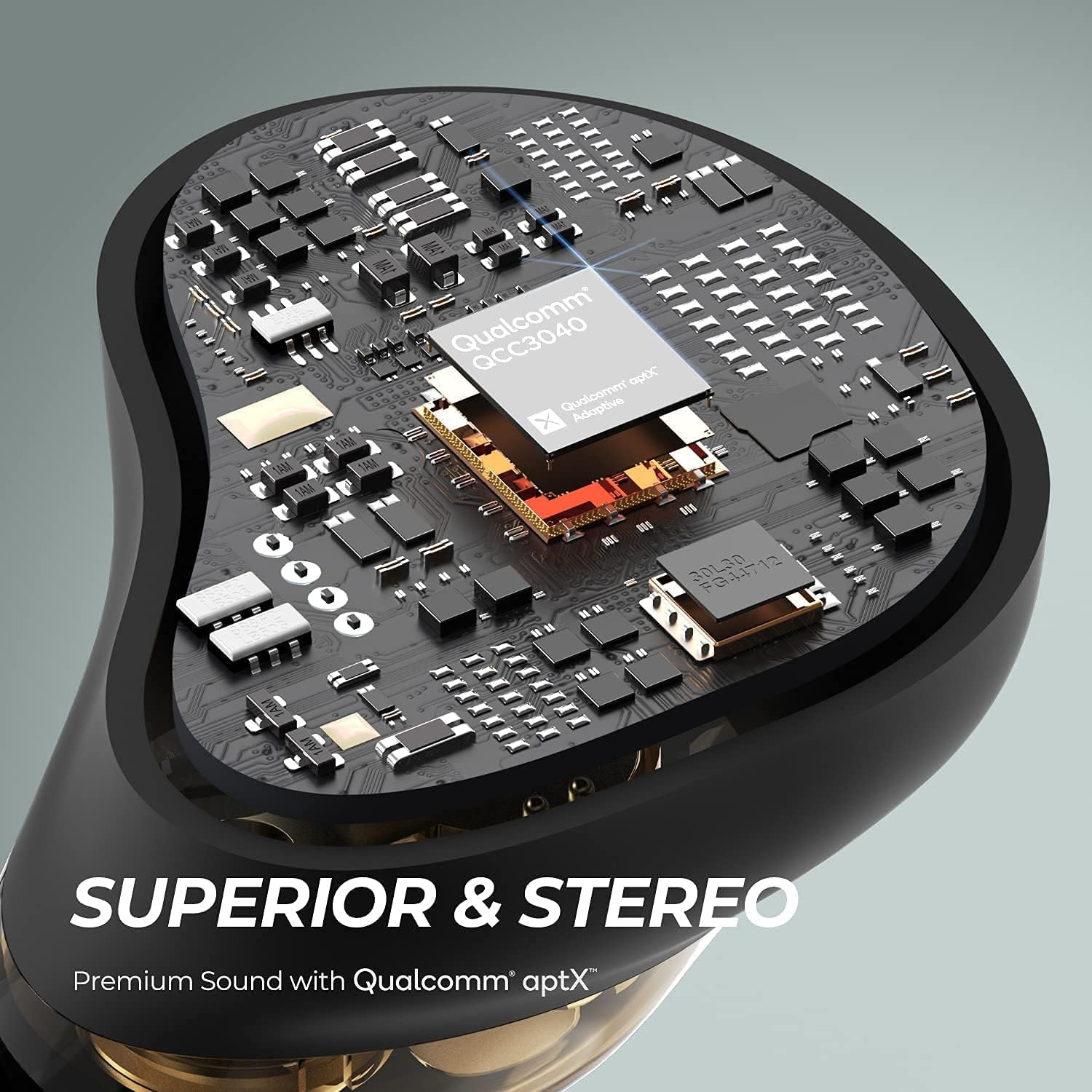
Bild: Intern view of an earbud highlighting the Qualcomm QCC3040 chip, indicating advanced audio processing and stable connection.

Bild: Närbild view of the dual dynamic drivers within an earbud, illustrating the technology for distinct audio reproduction.

Image: A woman running outdoors while wearing the earbuds, with an inset showing the location of the two outer microphones for CVC noise cancellation.
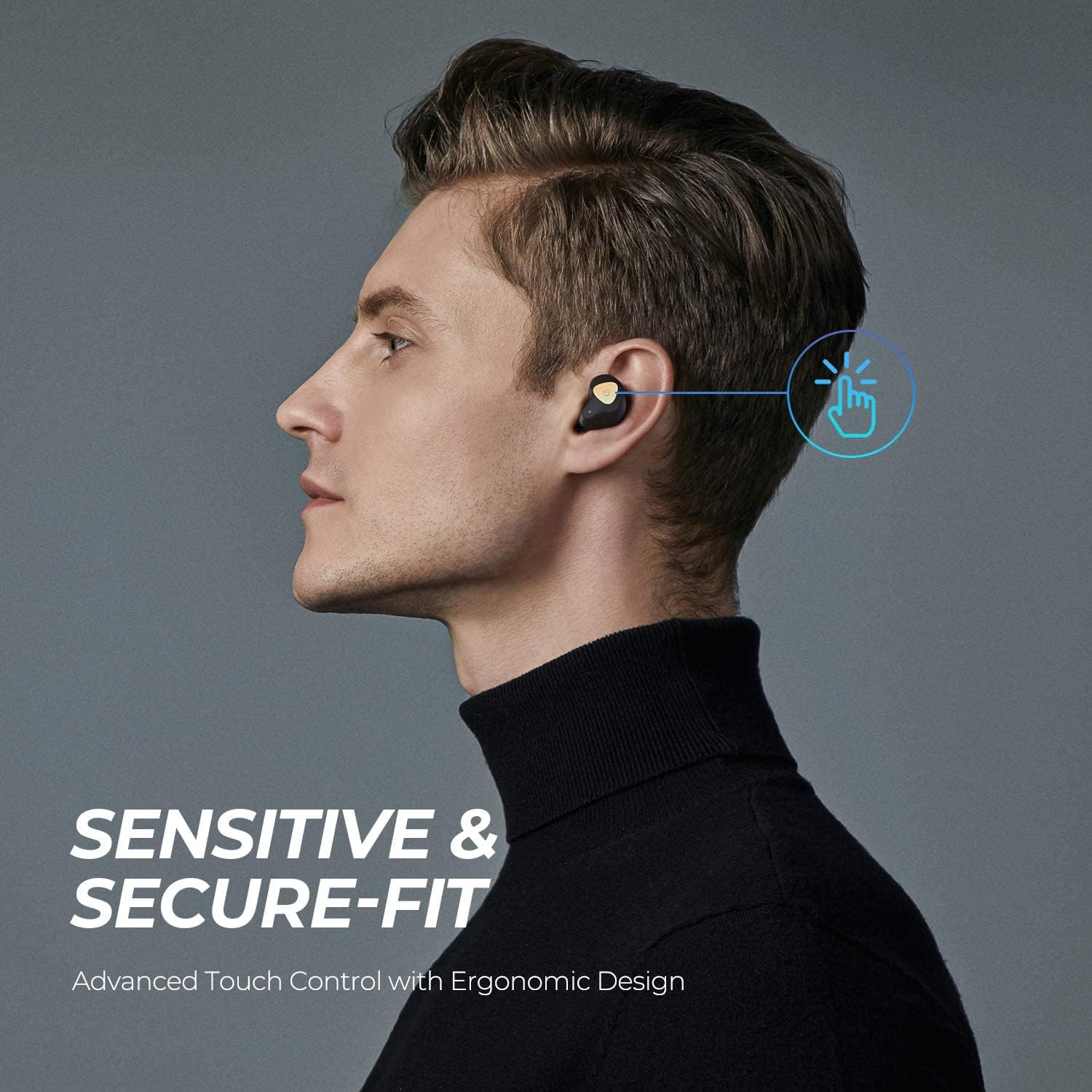
Image: A man demonstrating the touch control feature on an earbud, with an animated graphic indicating a tap action.
Inställning
1. Laddning av fodralet och hörlurarna
Ladda både laddningsfodralet och öronsnäckorna helt före första användningen.
- Placera öronsnäckorna i laddningsfodralet. Se till att laddningskontakterna är i linje.
- Anslut USB-C-kabeln till laddningsporten på fodralet och till en strömkälla.
- The indicator lights on the case will show the charging status. A full charge typically takes about 1.5 hours for the earbuds and case.
- The earbuds offer approximately 5.5 hours of playtime per charge, with the charging case providing multiple additional charges for a total of up to 40 hours.

Image: SoundPEATS Truengine 3 SE earbuds and their charging case resting on a surface, illustrating their compact and lightweight design, and highlighting their long battery life.
2. Parning
Follow these steps for initial pairing with your device:
- Open the charging case. The earbuds will automatically enter pairing mode. The indicator light on the right earbud will flash red and white alternately.
- Aktivera Bluetooth på din enhet (t.ex. smartphone, surfplatta).
- Leta efter "SOUNDPEATS Truengine 3 SE" in the Bluetooth device list and select it to connect.
- Once connected, the indicator light on the right earbud will turn white.
- If pairing fails, place the earbuds back into the charging case, close the lid, and then reopen it to re-enter pairing mode.

Image: SoundPEATS Truengine 3 SE earbuds displayed next to a smartphone with its Bluetooth settings open, showing the earbuds listed as "SOUNDPEATS" for easy and stable pairing.
Bruksanvisning
The Truengine 3 SE earbuds feature touch controls for various functions:
Pekskärmsfunktioner:
| Fungera | Handling |
|---|---|
| Ström på | Open the charging case, or press and hold the multifunction touch area for 1.5 seconds. |
| Stäng av | Place earbuds back into the charging case and close the lid, or press and hold the multifunction touch area for 10 seconds. |
| Spela/Pausa | Double-tap the multifunction touch area on either earbud. |
| Volym upp | Press and hold the multifunction touch area on the rätt hörsnäcka. |
| Volym ner | Press and hold the multifunction touch area on the vänster hörsnäcka. |
| Nästa spår | Triple-tap the multifunction touch area on the rätt hörsnäcka. |
| Föregående spår | Triple-tap the multifunction touch area on the vänster hörsnäcka. |
| Svara/avsluta samtal | Double-tap the multifunction touch area on either earbud. |
| Avvisa samtal | Press and hold the multifunction touch area for 1.5 seconds on either earbud. |
| Aktivera Voice Assistant | Single-tap the multifunction touch area on either earbud. |
Monoläge
Either earbud can be used independently in mono mode. Simply take one earbud out of the case, and it will automatically connect to your device if previously paired. The other earbud can remain in the case or be powered off.
Underhåll
- Rengör öronsnäckorna och laddningsfodralet regelbundet med en mjuk, torr trasa.
- Undvik att använda starka kemikalier eller slipande material.
- Keep the charging contacts on the earbuds and case clean to ensure proper charging.
- Förvara öronsnäckorna i laddningsfodralet när de inte används för att skydda dem och hålla dem laddade.
- Undvik att utsätta öronsnäckorna för extrema temperaturer, fuktighet eller vätskor.
Felsökning
Hörlurar ansluts eller paras inte ihop:
- Se till att hörsnäckorna är laddade.
- Stäng av Bluetooth på din enhet och slå sedan på det igen.
- Delete "SOUNDPEATS Truengine 3 SE" from your device's Bluetooth list and attempt to re-pair.
- Place both earbuds back into the charging case, close the lid, wait a few seconds, then open the lid to reactivate pairing mode.
- If issues persist, try resetting the earbuds (refer to the manufacturer's webwebbplatsen för specifika återställningsinstruktioner om de inte beskrivs här).
Inget ljud från en hörlur:
- Se till att båda hörsnäckorna är laddade.
- Try placing both earbuds back into the charging case and taking them out again.
- Perform a reset of the earbuds.
Laddningsproblem:
- Rengör laddningskontakterna på både öronsnäckorna och fodralet.
- Se till att USB-C-kabeln är ordentligt ansluten till både höljet och strömkällan.
- Prova en annan USB-C-kabel eller nätadapter.
Specifikationer
| Särdrag | Detalj |
|---|---|
| Stämpla | Ljudområde |
| Modellnummer | True Engine 3 SE |
| Bluetooth-version | 5.0 |
| Bluetooth-chip | QCC3020 |
| Drivrutinsstorlek | Ø6 mm x2 (Dual Dynamic Drivers) |
| Working Time (Earbuds) | Cirka 5.5 timmar |
| Laddningstid (hörlurar) | Cirka 1.5 timmar |
| Laddningsfodral batteri | 500 mAh |
| Öronproppsbatteri | 55 mAh x 2 |
| Mikrofon | Dual Microphones with CVC Noise Cancellation |
| Anslutningsteknik | Trådlös (Bluetooth) |
| Hörlurar Form Factor | In Ear |
| Material | Plast |
| Objektets vikt | 9.07 gram |
Garanti och support
SoundPEATS-produkter omfattas av en garanti. För detaljerad garantiinformation, produktregistrering eller teknisk support, besök den officiella SoundPEATS-webbplatsen. webwebbplatsen eller kontakta deras kundtjänst. Spara ditt inköpskvitto som köpbevis.
Officiell Webplats: www.soundpeatsaudio.com