
GOKOO B08FMBHSWD
GOKOO Smart Watch B08FMBHSWD User Manual
Introduktion
This manual provides essential information for the proper setup, operation, and maintenance of your GOKOO Smart Watch B08FMBHSWD. Please read it thoroughly before using the device to ensure optimal performance and longevity.
The GOKOO Smart Watch is a versatile fitness tracker and smartwatch designed to monitor various health metrics and assist with daily activities. It features a full touch screen, heart rate and blood oxygen monitoring, sleep tracking, multiple sports modes, and notification capabilities.
Produkt överview
The GOKOO Smart Watch B08FMBHSWD is equipped with advanced features to support your active lifestyle and health monitoring needs.
- All-day Activity Tracking: Records steps, calories, and mileage. Supports 10 sports modes including walking, running, yoga, and swimming.
- Omfattande hälsoövervakning: Continuously monitors heart rate and blood oxygen levels. Features automatic sleep tracking, breathing training, and sedentary reminders.
- Hållbar och vattentät design: IP68 waterproof rating suitable for daily use and swimming.
- Anpassningsbar display: 1.3-inch round high-definition screen with personalized UI interfaces.
- Smarta notiser: Synchronizes messages and allows management of incoming calls.
- Lång batteritid: Up to 10 days of usage on a single charge (200MA battery).
- Bred kompatibilitet: Works with Android 5.0+ and iOS 9.0+ devices.

Figure 1: GOKOO Smart Watch highlighting its design and core functionalities.
Inställning
1. Laddar enheten
Before initial use, fully charge your GOKOO Smart Watch. Connect the magnetic charging cable to the charging contacts on the back of the watch and plug the USB end into a power adapter (not included) or a computer's USB port. The watch display will indicate charging status.
A full charge typically takes approximately 2 hours and provides up to 10 days of usage, depending on individual use patterns.

Figure 2: Illustration of the watch's IP68 waterproof capability and its extended battery life.
2. Appinstallation och parkoppling
- Ladda ner appen: Leta efter the official GOKOO companion app in your smartphone's app store (Apple App Store for iOS, Google Play Store for Android).
- Installera och registrera: Installera appen och följ instruktionerna på skärmen för att skapa ett konto eller logga in.
- Aktivera Bluetooth: Se till att Bluetooth är aktiverat på din smartphone.
- Para ihop klockan: Open the GOKOO app, navigate to the device pairing section, and select your GOKOO Smart Watch from the list of available devices. Confirm the pairing request on both your phone and the watch if prompted.
- Bevilja behörigheter: Tillåt nödvändiga behörigheter (t.ex. aviseringar, plats, hälsodata) för att appen ska fungera korrekt.
The watch will synchronize its language with your phone upon successful connection.
Bruksanvisning
1. Grundläggande navigering
- Pekskärm: The watch features a full touch screen for interaction.
- Svep upp/ner: Bläddra igenom menyer och aviseringar.
- Svep åt vänster/höger: Få åtkomst till olika widgetar eller snabbfunktioner.
- Knacka: Välj ett objekt eller bekräfta en åtgärd.
- Sidoknapp: Används vanligtvis för att återgå till startskärmen eller aktivera/avaktivera displayen.

Figure 3: The watch interface displaying multiple functions and touch screen interaction methods.
2. Aktivitetsspårning
The watch automatically tracks your daily steps, calories burned, and distance traveled. For specific activities, you can select from 10 sports modes:
- Gående
- Spring
- Yoga
- Simning
- Cykling
- Klättrande
- Basketboll
- Fotboll
- Badminton
- Hoppa över
To start a workout, navigate to the 'Sports' menu on your watch, select the desired activity, and tap to begin. The watch will record your exercise data, which can be reviewi den medföljande appen.

Figure 4: The watch interface showing available sports monitoring modes.

Figure 5: The watch tracking an outdoor run, displaying distance, calories, and a trajectory map.
3. Hälsoövervakning
- Puls: Klockan övervakar kontinuerligt din puls. View realtidsdata på klockan eller detaljerad historisk data i appen.
- Syre i blodet (SpO2): Övervaka dina blodsyrenivåer under hela dagen.
- Sömnspårning: The watch automatically records your sleep quality, including deep sleep, light sleep, and wake times. Review sleep patterns in the app to help adjust your habits.
- Andningsträning: Access guided breathing exercises on the watch to help reduce stress and improve relaxation.
- Stillasittande påminnelser: Set reminders in the app to prompt you to move after periods of inactivity.

Figure 6: The watch displaying real-time heart rate and blood oxygen data during exercise.
4. Aviseringar och smarta funktioner
Once paired with your smartphone, the GOKOO Smart Watch can display notifications for incoming calls, messages, and various app alerts. You can read messages directly on your wrist and manage incoming calls (answer/reject) without reaching for your phone.
- Samtalshantering: Swipe on the watch screen to accept or reject incoming calls.
- Meddelandevisning: View text messages and app notifications.
- Väderprognos: Access current weather information.
- Musikkontroll: Styr musikuppspelningen på din smartphone.
- Kamerafjärrkontroll: Använd klockan som en fjärrstyrd slutare för din telefons kamera.
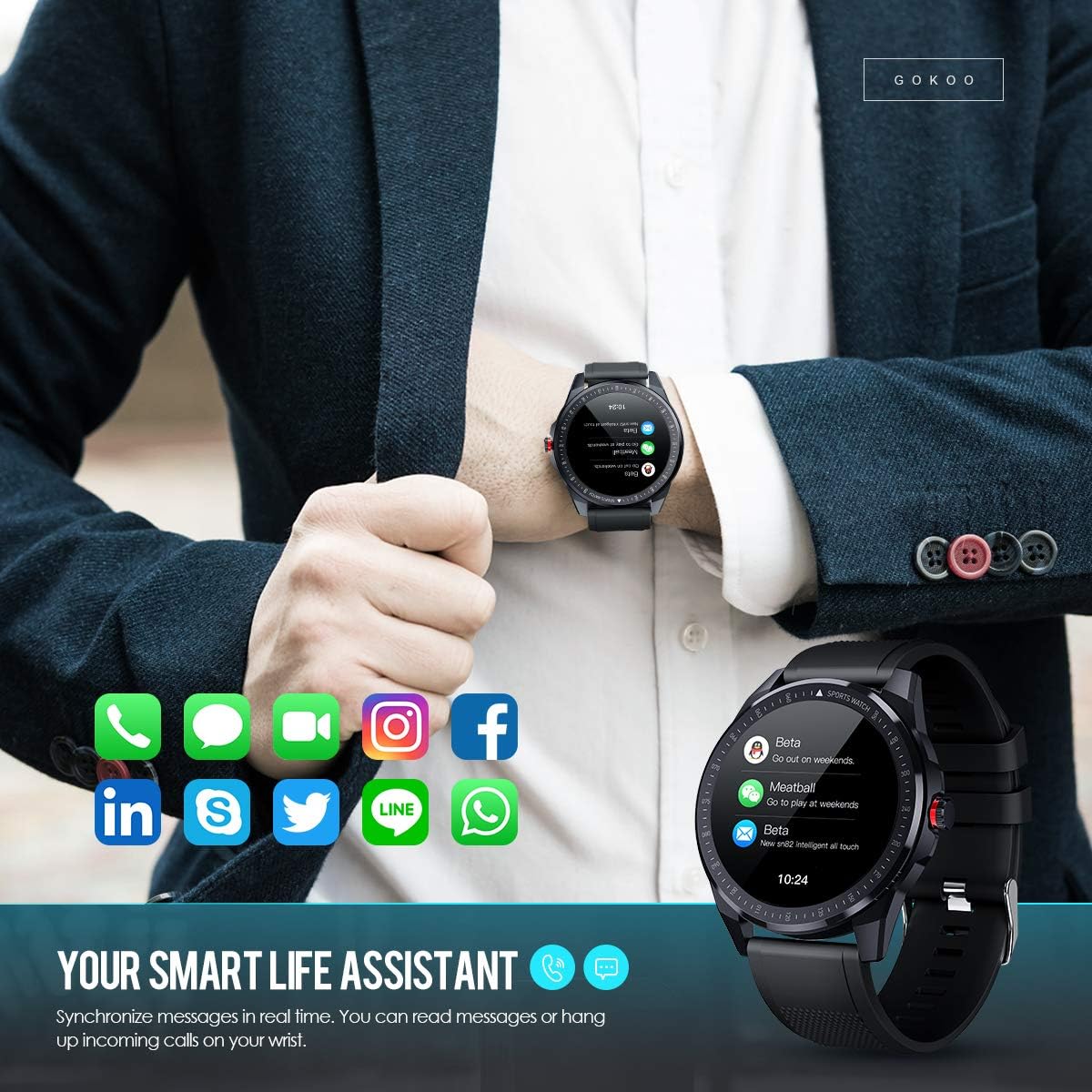
Figure 7: The watch showing synchronized notifications from a smartphone.
5. Anpassning
The GOKOO Smart Watch allows for personalization of its interface. You can select from various pre-installed watch faces or download additional styles through the companion app to match your preference.
Underhåll
1. Städning
Rengör din klocka och armband regelbundet för att förhindra hudirritation och bibehålla enhetens hygien. Använd en mjuk, luddfri trasa. Torka lätt vid behov.ampSkölj trasan med vatten. Undvik att använda starka kemikalier, slipande rengöringsmedel eller aerosolsprayer.
2. Riktlinjer för vattentålighet
The GOKOO Smart Watch has an IP68 waterproof rating, meaning it is resistant to dust and can withstand immersion in water up to 1.5 meters for 30 minutes. It is suitable for daily use, hand washing, rain, and swimming.
Viktig: Do not use the watch in hot water baths, saunas, or during diving. High temperatures and high pressure can compromise the waterproof seals and cause damage.
3. Batterivård
- Undvik att ladda ur batteriet helt ofta.
- Ladda klockan med den medföljande magnetiska laddningskabeln.
- Förvara klockan på en sval och torr plats när den inte används under längre perioder.
Felsökning
- Klockan slås inte på: Se till att klockan är fulladdad. Anslut den till laddaren i minst 30 minuter.
- Kan inte para ihop med telefonen:
- Se till att Bluetooth är aktiverat på din telefon.
- Se till att klockan är inom Bluetooth-räckvidd för din telefon.
- Starta om både telefonen och klockan.
- Kontrollera om appen har nödvändiga behörigheter.
- Felaktiga hälsouppgifter: Se till att klockan sitter tätt runt handleden, ungefär ett fingerbrett ovanför handledsbenet. Rengör sensorn på klockans baksida.
- Aviseringar visas inte:
- Verify that notification permissions are granted in the app and your phone's settings.
- Se till att klockan är ansluten via Bluetooth.
- Kontrollera om läget "Stör ej" är aktivt på antingen klockan eller telefonen.
- Kort batteritid: Reduce screen brightness, disable continuous heart rate monitoring if not needed, and limit the number of active notifications.
Specifikationer
| Särdrag | Detalj |
|---|---|
| Stämpla | GOKOO |
| Modell | B08FMBHSWD |
| Skärmstorlek | 1.3 tum |
| Operativsystem | Android 5.0 eller senare, iOS 9.0 eller senare |
| Kompatibla enheter | Smartphone |
| Batteritid | Upp till 10 dagar (beroende på användning) |
| Batterityp | Litiumpolymer |
| Vattenbeständighet | IP68 |
| Trådlös anslutning | Bluetooth |
| Human Interface Input | Pekskärm |
| Produktens mått | 27 x 5 x 1.08 cm; 168 g |

Figure 8: Detailed product dimensions of the GOKOO Smart Watch.
Garanti och support
For warranty information or technical support, please refer to the contact details provided with your purchase or visit the official GOKOO website. If you require a copy of this manual or have any questions regarding your GOKOO Smart Watch B08FMBHSWD, please contact customer service.
Ask a question about this manual
Ask about setup, troubleshooting, compatibility, parts, safety, or missing instructions. Manuals+ will review the question and use this page’s manual context to help answer it.