
Introduktion
This manual provides essential instructions for setting up, operating, and maintaining your Epson EcoTank L121 A4 Ink Tank Printer. Please read this guide thoroughly before using the printer to ensure correct operation and to maximize its lifespan.

Bild: Fram view of the Epson EcoTank L121 A4 Ink Tank Printer. This image shows the compact design and the front paper output tray.
1. Inställning
1.1 Uppackning
Carefully remove the printer from its packaging. Ensure all protective tapes and materials are removed from the exterior and interior of the printer. Keep the packaging materials for future transport if needed.
1.2 Filling Ink Tanks
The EcoTank L121 uses refillable ink tanks. Use only genuine Epson 664 series ink bottles (6641 Black, 6642 Cyan, 6643 Magenta, 6644 Yellow) for optimal performance and to prevent damage.
- Öppna locket till bläckbehållaren på sidan av skrivaren.
- Open the cap for the corresponding color ink tank you wish to fill.
- Carefully uncap the ink bottle and insert it into the filling port. The ink will automatically start to fill the tank. Do not squeeze the bottle.
- När tanken är full, ta bort bläckflaskan och stäng bläcktanklocket ordentligt.
- Upprepa för alla andra färger.
- Stäng locket till bläckbehållaren.
After filling, press and hold the Underhåll button (often depicted as a droplet or triangle with a lightning bolt) for 3 seconds to initiate ink charging. This process takes approximately 20 minutes. Do not turn off the printer during ink charging.
1.3 Ansluta till en dator
The Epson EcoTank L121 connects via USB 2.0.
- Ensure the printer is powered on and ink charging is complete.
- Anslut ena änden av USB-kabeln till skrivarens USB-port.
- Anslut den andra änden av USB-kabeln till en ledig USB-port på din dator.
1.4 Installation av programvara
Insert the provided software CD into your computer's CD-ROM drive. If the installer does not start automatically, browse the CD and run the setup file. Follow the on-screen instructions to install the printer drivers and utility software. If you do not have a CD drive, download the latest drivers from the official Epson support webplats.
2. Använda skrivaren
2.1 Fylla på papper
The printer supports A4 paper size.
- Open the paper support and pull it up.
- Skjut kantstöden till papprets bredd.
- Load paper print-side up into the rear paper feeder. Ensure the stack is even and does not exceed the maximum load line.
- Justera kantstöden mot papprets sidor.
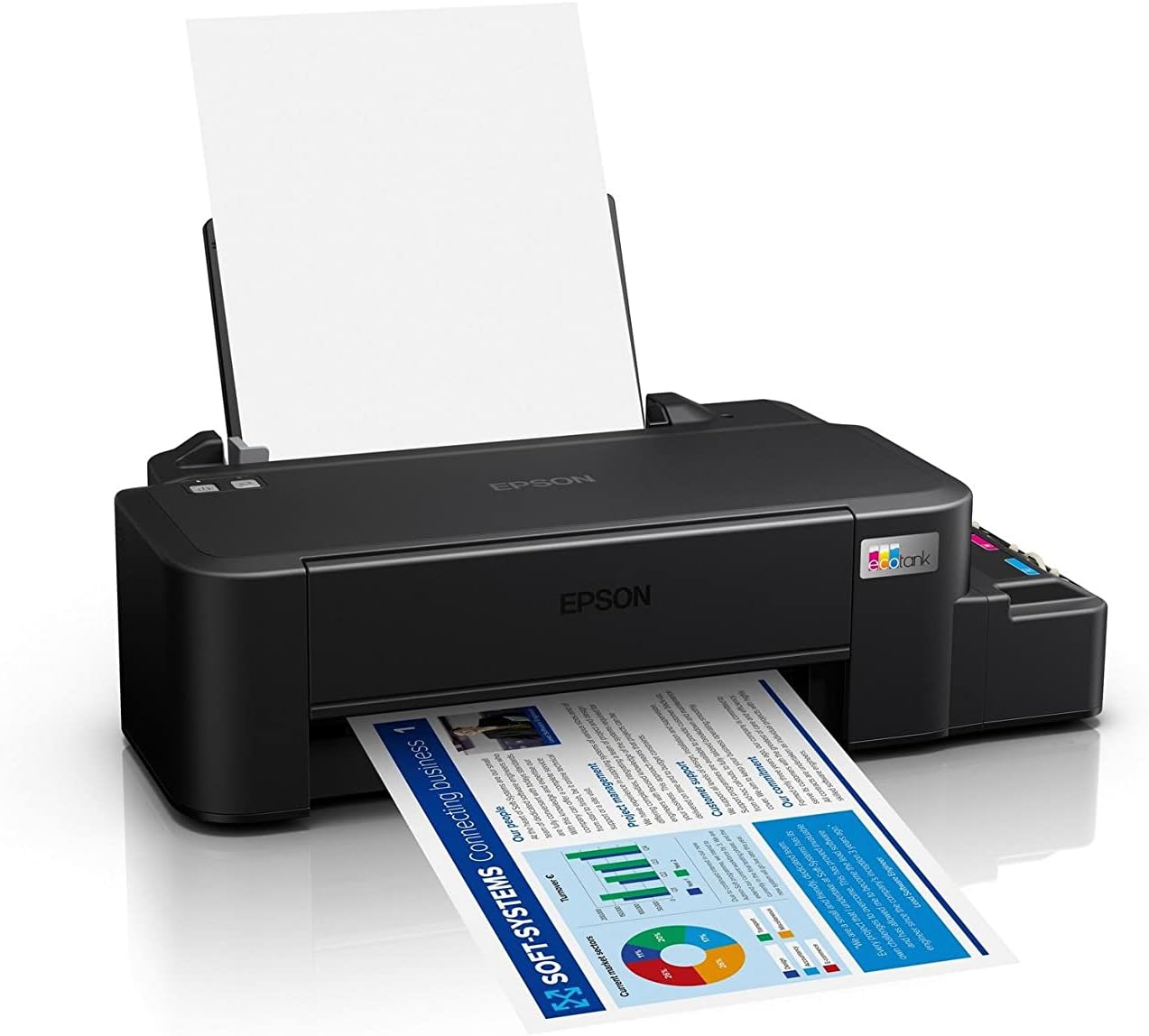
Image: The Epson EcoTank L121 printer actively printing a document. This illustrates paper being fed from the rear tray and exiting the front output tray.
2.2 Grundläggande utskrift
To print a document or image from your computer:
- Öppna dokumentet eller bilden du vill skriva ut.
- Välja Skriva ut från programmets meny (t.ex. File > Skriv ut).
- Choose your Epson EcoTank L121 printer from the list of available printers.
- Justera utskriftsinställningar som pappersstorlek, utskriftskvalitet och antal kopior efter behov.
- Klick Skriva ut.
3. Underhåll
3.1 Kontrollera bläcknivåer
Visually inspect the ink tanks on the side of the printer. The transparent tanks allow you to monitor ink levels. Refill ink when levels approach the lower line to prevent air from entering the system, which can affect print quality.

Bild: Vinklad view of the Epson EcoTank L121 printer, highlighting the external ink tanks. This view clearly shows the four color ink reservoirs.
3.2 Rengöring av skrivhuvud
If print quality declines (e.g., missing lines, incorrect colors), perform a print head cleaning. This can be done through the printer utility software on your computer:
- Open the Epson printer utility on your computer.
- Navigera till Underhåll or Nytta flik.
- Välja Huvudrengöring och följ instruktionerna på skärmen.
Alternatively, you can perform a head cleaning by holding down the Underhåll button on the printer for 3 seconds until the power light starts flashing. Release the button and wait for the cleaning cycle to complete.
3.3 Munstyckskontroll
After a head cleaning, or if you suspect print quality issues, perform a nozzle check to verify if all nozzles are firing correctly. This can also be done via the printer utility software or by holding the Underhåll button for a shorter duration (e.g., 1 second) to print a nozzle check pattern.
4. Felsökning
Det här avsnittet behandlar vanliga problem som du kan stöta på med din Epson EcoTank L121-skrivare.
- Skrivaren svarar inte:
- Se till att skrivaren är påslagen och säkert ansluten via USB.
- Check if the printer drivers are correctly installed on your computer.
- Starta om både skrivaren och datorn.
- Dålig utskriftskvalitet:
- Utför en munstyckskontroll för att identifiera igensatta munstycken.
- Run a print head cleaning cycle if nozzles are clogged.
- Kontrollera bläcknivåerna och fyll på vid behov.
- Se till att du använder äkta Epson-bläck.
- Pappersstopp:
- Stäng av skrivaren och ta försiktigt bort eventuellt papper som fastnat i inmatningsfacket, utmatningsfacket eller inuti skrivaren.
- Se till att papperet är korrekt ilagt och inte är skrynkligt eller skrynkligt.urled.
- Överfyll inte pappersfacket.
- Ink Light Flashing:
- This usually indicates low ink. Check the ink tanks and refill any low colors.
- After refilling, press the Underhåll button to reset the ink level indicator.
För mer detaljerad felsökning, se Epsons support. webwebbplatsen eller den fullständiga elektroniska manualen.
5. Specifikationer
| Särdrag | Detalj |
|---|---|
| Stämpla | Epson |
| Modellnamn | EcoTank L121 |
| Utskriftsteknik | Bläckstråle |
| Anslutningsteknik | USB 2.0 |
| Skrivarutdata | Färg |
| Maximal utskriftsupplösning (färg) | 720 x 720 dpi |
| Maximal utskriftshastighet (svartvitt) | 9 ppm (ISO) |
| Maximal utskriftshastighet (färg) | 4.8 ppm (ISO) |
| Specialfunktioner | Påfyllningsbar bläckbehållare |
| Objektets vikt | 2.4 kilo |
| Objekts mått (D x B x H) | 21.5D x 46.1W x 13H centimeter |
| Maximal mediestorlek | A4 |
| Kompatibelt bläck | Epson 664 series (6641/6642/6643/6644) |
| Duplexutskrift | Manuell |
6. Garantiinformation
The Epson EcoTank L121 printer comes with a warranty of 2-years or 20,000 pages, whichever comes first. Please retain your proof of purchase for warranty claims. For full terms and conditions, refer to the official Epson warranty documentation included with your product or visit the Epson support webplats.
7. Support
For further assistance, driver downloads, FAQs, and additional support resources, please visit the official Epson support webplats:
Ha skrivarmodellen (L121) och serienumret till hands när du kontaktar supporten.