
1. Produkt överview
The Lexar Professional CFexpress Type A / SD USB 3.2 Gen 2 Reader is designed to facilitate high-speed data transfer from CFexpress Type A and SD UHS-II memory cards to your computer. It supports USB 10Gbps (USB 3.2 Gen 2) transfer rates, optimizing workflow for content creators handling high-resolution photos and video content.

Image 1: Lexar Professional CFexpress Type A / SD USB 3.2 Gen 2 Reader. This image displays the compact design of the card reader, highlighting its dual-slot capability for both CFexpress Type A and SD cards.
2. Paketets innehåll
- Lexar Professional CFexpress Type A / SD USB 3.2 Gen 2 Reader
- 2-in-1 USB Type-C to Type-A cable
- USB Type-C till Type-C-kabel
3. Installation och anslutning
Follow these steps to connect your card reader and begin data transfer:
- Connect the Reader to Your Computer: Use the provided USB Type-C to Type-A cable or USB Type-C to Type-C cable to connect the reader to an available USB port on your computer. Ensure your computer's USB port supports USB 3.2 Gen 2 for optimal performance.
- Sätt i minneskort:
- För CFexpress typ A cards, gently insert the card into the designated CFexpress Type A slot until it clicks into place.
- För SD UHS-II cards, gently insert the card into the designated SD slot until it clicks into place.
- Verifiera anslutningen: A small LED indicator on the reader will illuminate when properly connected and a card is inserted, indicating readiness for data transfer.

Image 2: The card reader connected to a laptop via its USB-C cable, demonstrating its integration into a digital workflow.
4. Drift
The Lexar Professional CFexpress Type A / SD USB 3.2 Gen 2 Reader supports simultaneous high-speed transfers from both CFexpress Type A and SD UHS-II cards.
- Dataöverföring: Once connected and cards are inserted, your computer will recognize the cards as removable storage devices. You can then drag and drop files, or use your preferred file hanteringsprogramvara för att överföra data.
- Höghastighetsprestanda: Expect CFexpress Type A memory card transfer speeds up to 900MB/s and UHS-II SD memory card transfer speeds up to 312MB/s, depending on your card's capabilities and system configuration.
- Samtidig åtkomst: The dual-slot design allows for reading and writing to both card types concurrently, enhancing efficiency.

Bild 3: Närbild view of the card reader with a CFexpress Type A card and an SD card partially inserted, illustrating the dual-slot functionality.
5. Kompatibilitet
The reader is compatible with various operating systems:
- Mac OS 10.8+
- Windows 11/10/8/7/Vista/XP
- Requires a USB 2.0+ port (USB 3.2 Gen 2 recommended for full speed)
6. Underhåll och skötsel
To ensure the longevity and optimal performance of your Lexar card reader:
- Hantera med försiktighet: Avoid dropping the reader or subjecting it to excessive force.
- Hålla ren: Använd en mjuk, torr trasa för att rengöra utsidan. Använd inte flytande rengöringsmedel eller lösningsmedel.
- Protect Slots: Keep the card slots free from dust and debris. Avoid inserting foreign objects.
- Säker borttagning: Always safely eject the card reader from your computer's operating system before physically disconnecting it to prevent data corruption.
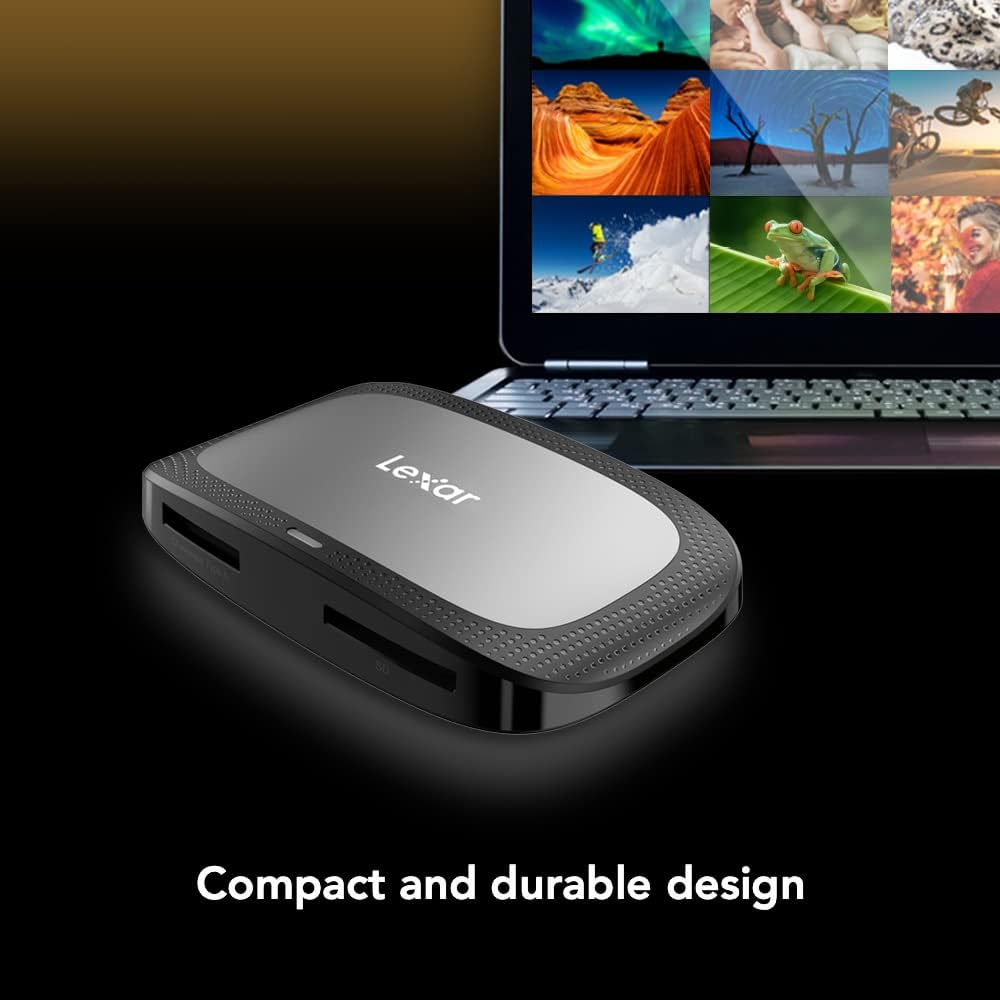
Image 4: The compact and durable design of the card reader, emphasizing its portability and robust build.
7. Felsökning
- Enhet som inte känns igen: If the reader is not recognized by your computer, ensure you are using the included high-speed USB cable. Older or standard USB cables may not support the required data transfer rates or power delivery, preventing the device from being detected. Try a different USB port or cable.
- Långsamma överföringshastigheter: Verify that your computer's USB port supports USB 3.2 Gen 2. If connected to a slower USB port (e.g., USB 2.0), transfer speeds will be limited. Also, ensure your memory cards are high-speed CFexpress Type A or SD UHS-II cards.
- Datakorruption: Always safely eject the memory cards and the reader from your operating system before physical removal. Abrupt disconnection can lead to data corruption.
- Bent Pins: Exercise caution when inserting CFexpress cards. Bent pins can occur if cards are not inserted correctly. Always align the card properly before pushing it into the slot.
8. Specifikationer
| Särdrag | Detalj |
|---|---|
| Stämpla | Lexar |
| Serie | Professional CFexpress Type A / SD USB 3.2 Gen 2 Reader |
| Modellnummer | LRW530U-RNBNG |
| Medietyp | CFexpress Type A, SD UHS-II |
| Anslutningsteknik | USB Typ C (USB 3.2 Gen 2) |
| CFexpress Type A Transfer Speed | Up to 900MB/s (Read) |
| SD UHS-II Transfer Speed | Up to 312MB/s (Read) |
| Operativsystemkompatibilitet | Mac OS 10.8+, Windows 11/10/8/7/Vista/XP |
| Objektets vikt | 2.72 uns |
| Produktens mått | 11.34 x 5.91 x 4.53 tum |
| Färg | Svart |
9. Garantiinformation
The Lexar Professional CFexpress Type A / SD USB 3.2 Gen 2 Reader comes with a Två års begränsad garanti. For detailed warranty terms and conditions, please refer to the official Lexar website or contact Lexar customer support.
10. Support
For further assistance, technical support, or to download the latest drivers, please visit the official Lexar support webwebbplatsen. Du kan också hitta vanliga frågor och svar och ytterligare resurser där.