
1. Introduktion
Thank you for choosing the JTEMAN Portable Phone Stand with Bluetooth Speaker. This versatile device combines a stable phone stand with a high-quality Bluetooth speaker, offering convenience for media consumption, video calls, and audio playback. This manual will guide you through the setup, operation, and maintenance of your new device.

Figure 1: JTEMAN Portable Phone Stand with Bluetooth Speaker (White)
2. Paketets innehåll
Markera rutan för följande artiklar:
- Telefonställ med Bluetooth-högtalare
- Användarmanual
- USB-A to Type-C charger cable (1)
3. Produkt överview
The JTEMAN L9 is designed for multi-functional use, serving as both a phone stand and a Bluetooth speaker. It features an adjustable and foldable design for portability and optimal viewing vinklar.
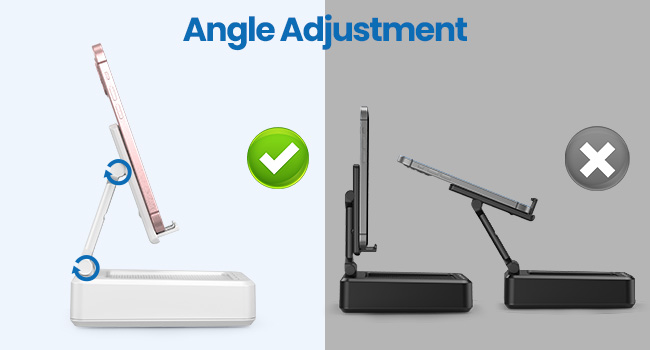
Figure 2: Product Dimensions and Controls
Nyckelfunktioner:
- 2-i-1 funktionalitet: Combines a phone stand with a Bluetooth speaker.
- Bred kompatibilitet: Supports most 4-13 inch smartphones, tablets, and e-readers with Bluetooth.
- Adjustable & Foldable: Multipel viewing angles and a compact, portable design.
- Stable & Anti-slip: Features anti-slip silicone pads for device protection and stability.
- Inbyggd mikrofon: Enables clear hands-free calls.

Figure 3: Integrated Features
4. Inställning
4.1 Ladda enheten
- Connect the provided USB-A to Type-C charging cable to the charging port on the side of the JTEMAN L9.
- Anslut den andra änden av kabeln till en kompatibel USB-nätadapter (medföljer ej).
- The charging indicator light will show red during charging and turn green when fully charged. A full charge takes approximately 4 hours.
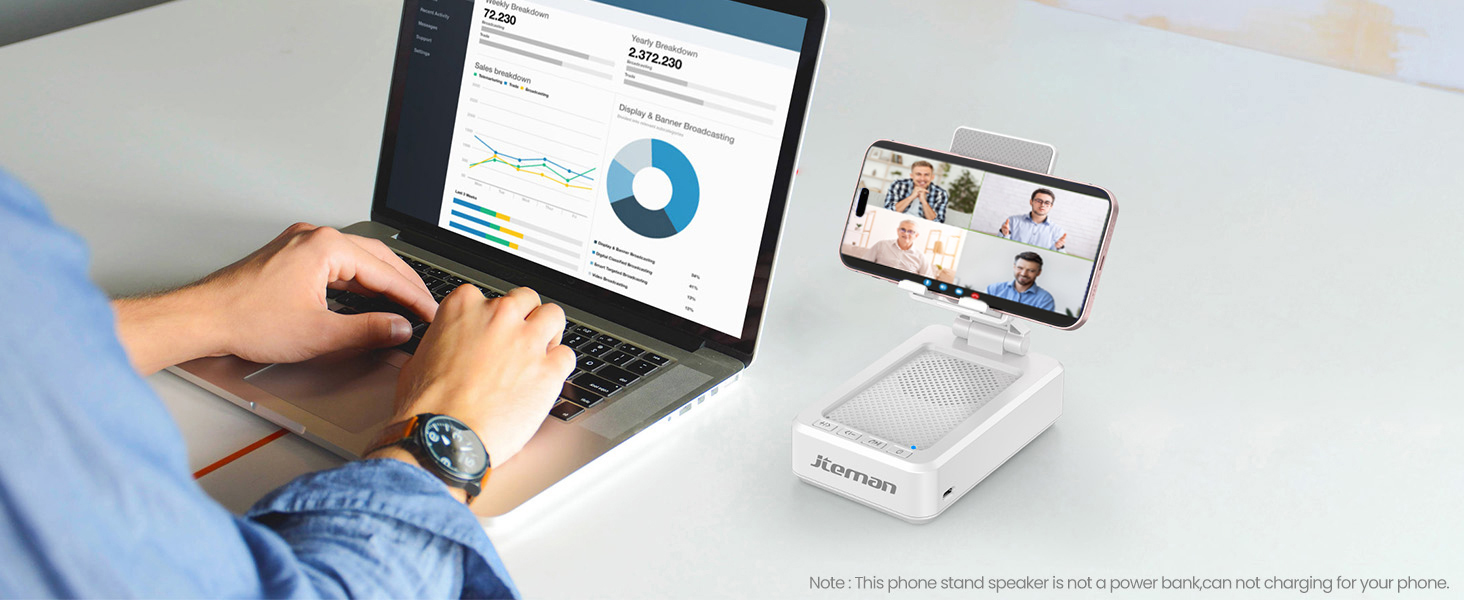
Figure 4: Charging the JTEMAN L9
4.2 Bluetooth-parning
- Press and hold the power button on the JTEMAN L9 until you hear an audible prompt indicating it's powered on and in Bluetooth pairing mode. The Bluetooth indicator light will flash.
- On your smartphone, tablet, or e-reader, go to the Bluetooth settings.
- Leta efter available devices and select "JTEMAN L9" from the list.
- Once connected, you will hear a confirmation tone, and the Bluetooth indicator light will remain solid.
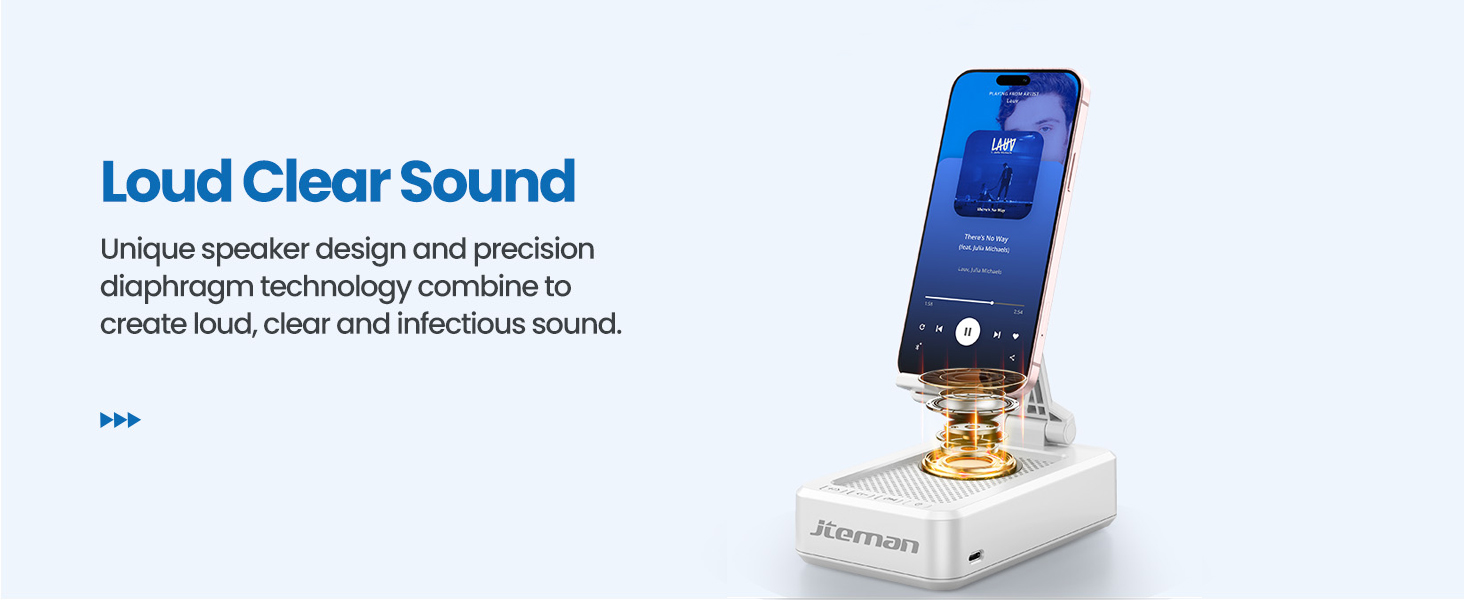
Figure 5: Easy Bluetooth Connection
5. Bruksanvisning
5.1 Using as a Phone/Tablet Stand
- Gently pull up the phone holder arm from its folded position.
- Adjust the angle of the holder to your preferred viewing position. The stand is designed to be stable at various angles.
- Place your smartphone, tablet, or e-reader onto the holder. The anti-slip silicone pads will secure your device.
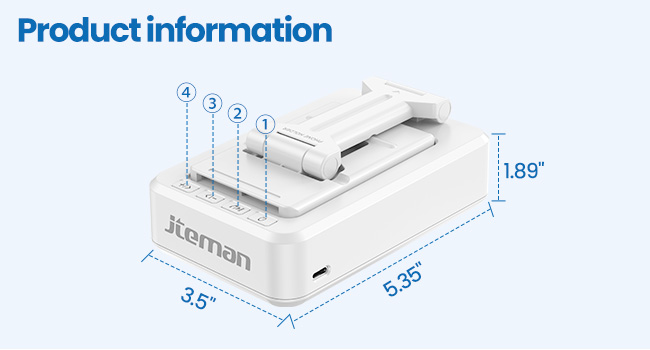
Figure 6: Angle Adjustment for Optimal Viewing
5.2 Using the Bluetooth Speaker
Once paired with your device, audio will automatically play through the JTEMAN L9 speaker.
- Spela/pausa: Press the Play/Pause button on the speaker to control media playback.
- Volymkontroll: Use the volume buttons (+/-) on the speaker to adjust the audio level.
- Spårnavigering: Use the skip buttons (<< / >>) to go to the previous or next track.
- Handsfreesamtal: The built-in microphone allows for clear hands-free communication. Press the phone icon button to answer or end calls.

Figure 7: Loud and Clear Sound Output
5.3 Portabilitet
When not in use, the phone holder arm can be folded down, making the device compact and easy to carry in a bag.

Figure 8: Foldable and Portable Design
5.4 Officiella produktvideor
Video 1: Demonstrates the sound quality and instant pairing of the JTEMAN L9.
Video 2: Showcases the power and versatility of the JTEMAN L9 speaker and stand.
Video 3: Highlights the compact design, clear sound, and anti-slip base of the JTEMAN L9.
6. Underhåll
- Håll enheten ren genom att torka av den med en mjuk, torr trasa.
- Undvik att utsätta enheten för extrema temperaturer, fukt eller direkt solljus.
- Använd inte slipande rengöringsmedel eller lösningsmedel.
7. Felsökning
| Problem | Möjlig orsak | Lösning |
|---|---|---|
| Enheten slås inte på | Lågt batteri | Ladda enheten med den medföljande USB-C-kabeln. |
| Kan inte para ihop via Bluetooth | Bluetooth not enabled on source device; device too far; already paired to another device | Ensure Bluetooth is on and within range (approx. 10m). Disconnect from other devices. |
| Inget ljud eller låg volym | Volume too low on speaker or source device; not properly connected | Increase volume on both devices. Re-pair Bluetooth connection. |
| Audio skipping/interruption | Interference; device too far; low battery | Move closer to the source device. Ensure no obstructions. Charge the device. |
8. Specifikationer
| Särdrag | Detalj |
|---|---|
| Produktens mått | 5.35 x 3.5 x 1.89 tum |
| Objektets vikt | 11.5 uns |
| Artikelnummer | L9 |
| Stämpla | JTEMAN |
| Färg | Vit |
| Formfaktor | Telefonställ med högtalare |
| Kompatibla enheter | Mobile phone, Tablet |
| Kompatibla telefonmodeller | iPhone, Samsung, iPad mini, Samsung Tab, Google Nexus, Kindle |
| Batterikapacitet | 1800mAh (approx. 8-10 hours play time at medium volume) |
9. Garanti och support
JTEMAN products are manufactured with high-quality standards. For any issues or support needs, please refer to the contact information provided with your purchase or visit the official JTEMAN webwebbplats. Spara ditt inköpsbevis för garantiärenden.