
ORIA Bluetooth Receiver 5.0 User Manual
Model: Bluetooth Receiver 5.0
1. Introduktion
The ORIA Bluetooth Receiver 5.0 is a versatile audio adapter designed to add Bluetooth functionality to non-Bluetooth devices. It supports both receiving (RX) and transmitting (TX) modes, allowing you to wirelessly stream audio from your smartphone to a car stereo or speaker, or from your TV to Bluetooth headphones. Featuring Bluetooth 5.0 technology and CVC noise reduction, it provides stable connections and clear audio quality for music and hands-free calls.
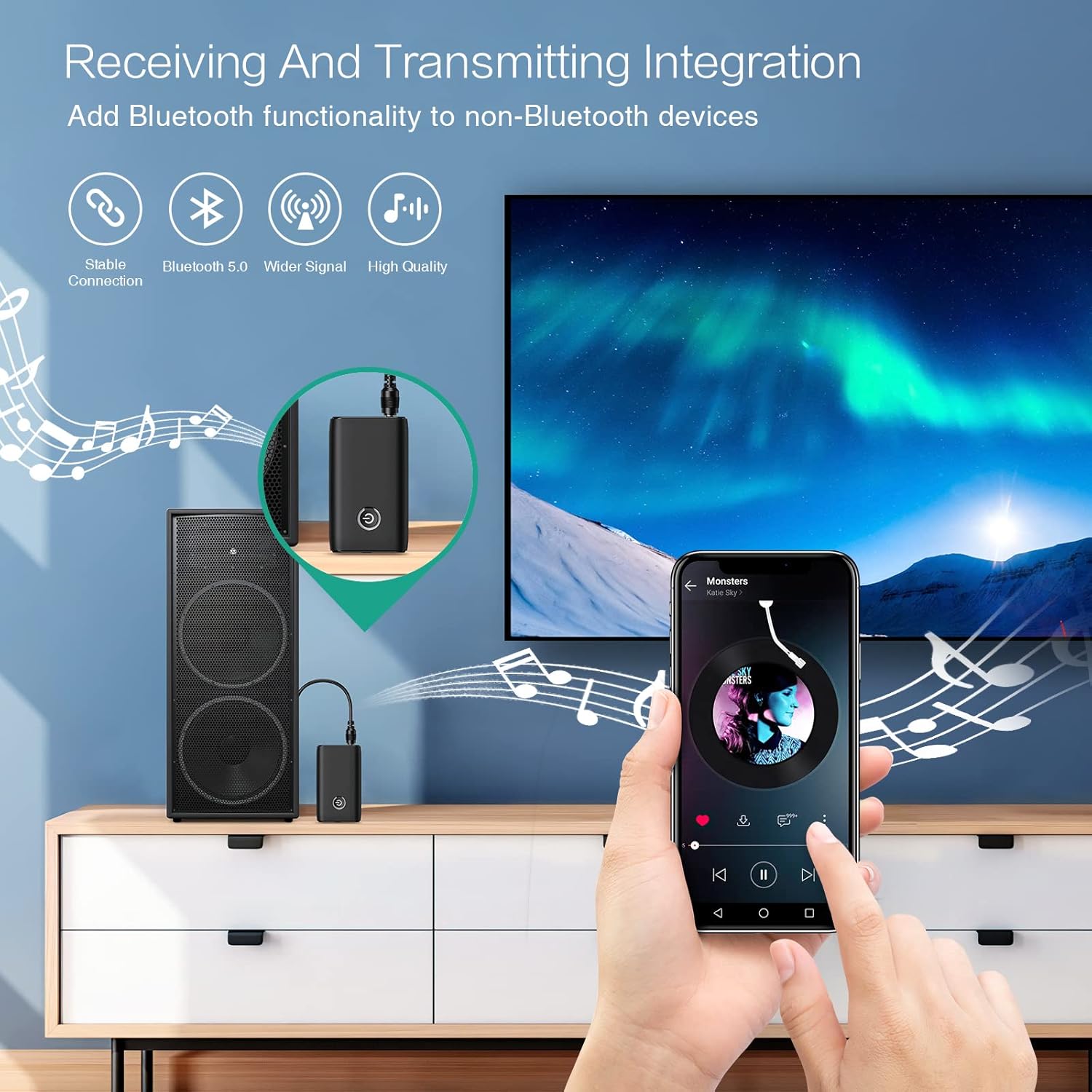
Figure 1.1: The ORIA Bluetooth Receiver 5.0 integrating with various audio systems, showcasing its dual receiving and transmitting functions.
2. Paketets innehåll
Kontrollera paketet för följande artiklar:
- ORIA Bluetooth Receiver 5.0 Unit
- 3.5 mm ljudkabel
- USB-laddningskabel (typ-C)
- Användarmanual

Figure 2.1: All items included in the ORIA Bluetooth Receiver 5.0 package.
3. Produkt överview
Familiarize yourself with the device's components and indicators:

Figure 3.1: Detailed diagram of the ORIA Bluetooth Receiver 5.0, highlighting its ports, buttons, and LED indicator meanings.
- 3.5 mm ljudport: Connects to audio input/output devices.
- Mikro USB-laddningsport: För att ladda enheten.
- RX/TX-omkopplare: Toggles between Receiver (RX) and Transmitter (TX) modes.
- Flerfunktionsknapp: Slå på/av, spela upp/pausa, svara/avsluta samtal.
- Connection Indicator Light:
- Red & Blue flashing: Pairing State
- Red flashing: Low Battery Warning
- Blue solid: Connected
4. Funktioner
- Bluetooth 5.0: Provides a stable wireless connection up to 10 meters for music streaming and audio calls.
- Intelligent Noise Reduction (CVC): Enhances audio clarity by reducing background noise, supporting A2DP, AVRCP, HFP, HSP protocols.
- Dual Mode (TX/RX): Converts non-Bluetooth devices into Bluetooth-enabled devices for both transmitting and receiving audio.
- Lång batteritid: Up to 8 hours of play/talk time, 60 days standby, with a 2-hour full charge time.
- USB-laddning: Allows use while charging without interrupting calls or music.
- Enkel drift: Simple one-button control for power, play/pause, and call management.
- Bärbar design: Small and lightweight for convenient transport and use anywhere.
5. Inställning och drift
5.1 Ladda enheten
Before first use, fully charge the device. Connect the provided USB charging cable to the Micro USB Charging Port on the receiver and the other end to a USB power source (e.g., car charger, wall adapter, computer USB port). The indicator light will show charging status.

Figure 5.1: Battery life and charging duration of the ORIA Bluetooth Receiver 5.0.
5.2 Switching Between Receiver (RX) and Transmitter (TX) Modes
The device features a physical switch to change between RX and TX modes. Viktig: Always power off the device before switching modes to ensure proper functionality.

Figure 5.2: Instructions for switching between Transmitter (TX) and Receiver (RX) modes.
5.3 Inställning av mottagarläge (RX)
Use RX mode to receive audio from a Bluetooth-enabled device (e.g., smartphone, tablet) and play it through a non-Bluetooth audio system (e.g., car stereo, home speaker, wired headphones).
- Switch to RX: Ensure the device is powered off, then slide the switch to the "RX" position.
- Anslut till ljudsystem: Plug one end of the 3.5mm audio cable into the receiver's 3.5mm Audio Port and the other end into the AUX input of your car stereo, home speaker, or wired headphones.
- Ström på: Press and hold the Multi-function Button to power on the receiver. The indicator light will flash red and blue, indicating pairing mode.
- Koppla ihop med telefon: On your smartphone or other Bluetooth device, enable Bluetooth and search for "ORIA-B6" (or similar name). Select it to pair. Once connected, the indicator light will turn solid blue.
- Spela musik: Start playing audio on your paired device. The sound will now be transmitted wirelessly to your connected audio system.

Figure 5.3: Easy setup steps for Receiver (RX) mode, typically used in a car.
5.4 Inställning av sändarläge (TX)
Use TX mode to transmit audio from a non-Bluetooth device (e.g., TV, PC, MP3 player) to a Bluetooth-enabled audio output (e.g., Bluetooth headphones, Bluetooth speaker).
- Switch to TX: Ensure the device is powered off, then slide the switch to the "TX" position.
- Anslut till ljudkälla: Plug one end of the 3.5mm audio cable into the receiver's 3.5mm Audio Port and the other end into the audio output (e.g., headphone jack) of your TV, PC, or MP3 player.
- Ström på: Press and hold the Multi-function Button to power on the transmitter. The indicator light will flash red and blue, indicating pairing mode.
- Pair with Bluetooth Headphones/Speaker: Put your Bluetooth headphones or speaker into pairing mode. The receiver will automatically search for and connect to nearby Bluetooth audio devices. Once connected, the indicator light will turn solid blue.
- Njut av ljud: Play audio from your connected source device. The sound will now be transmitted wirelessly to your Bluetooth headphones or speaker.

Figure 5.4: Easy setup steps for Transmitter (TX) mode, typically used with a TV.
5.5 Universell kompatibilitet
The ORIA Bluetooth Receiver 5.0 is designed for broad compatibility with various devices in both TX and RX modes.
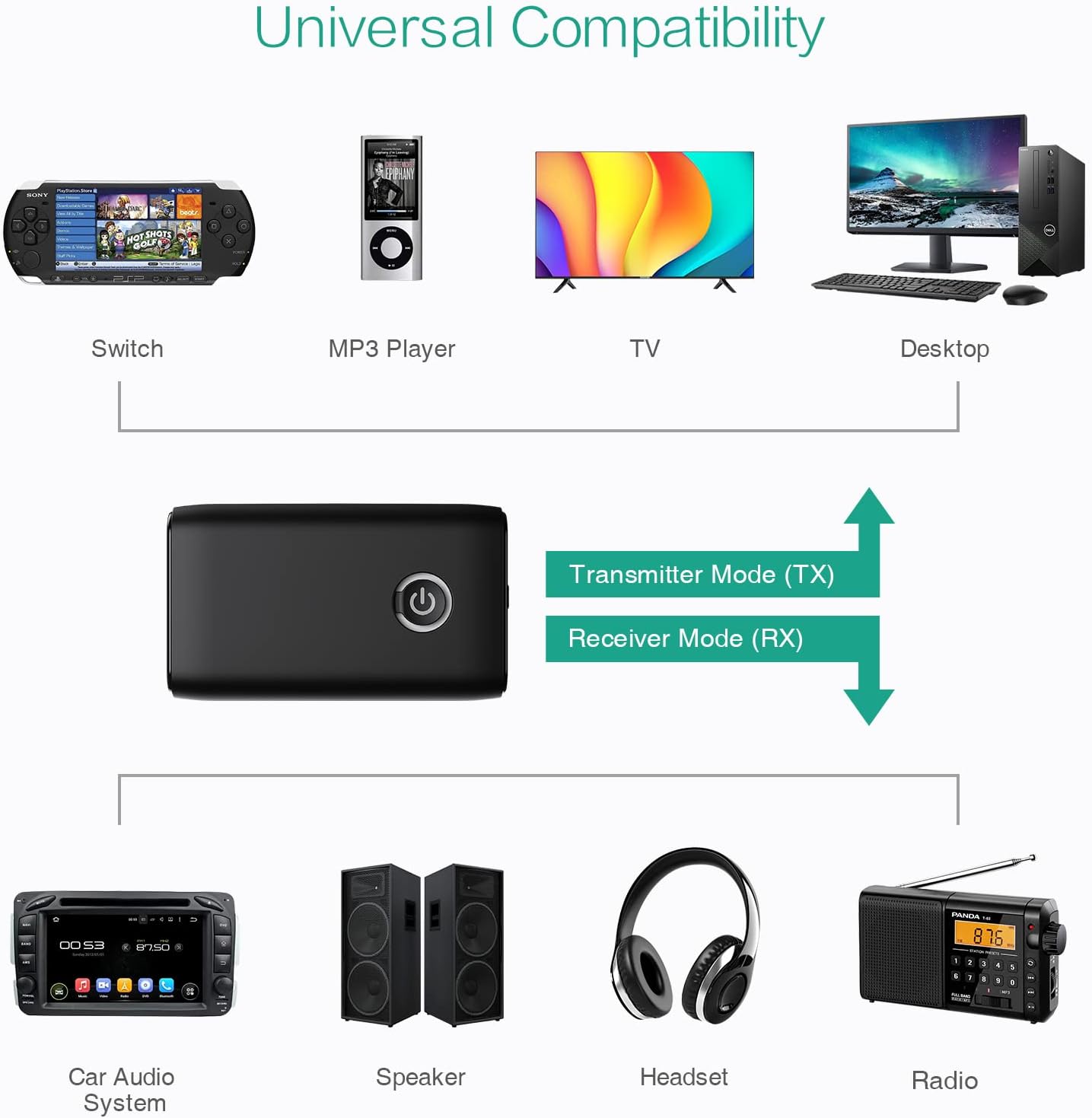
Figur 5.5: Examples of devices compatible with the ORIA Bluetooth Receiver 5.0 in both TX and RX modes.
6. Bruksanvisning
6.1 Musikuppspelningskontroll
- Spela/pausa: Tryck kort på multifunktionsknappen.
- Nästa spår: (Functionality may vary depending on connected device and mode. Typically controlled via the source device.)
- Föregående låt: (Functionality may vary depending on connected device and mode. Typically controlled via the source device.)
- Volymkontroll: Adjust volume directly on your paired device (smartphone, TV, etc.) or the connected audio system.
6.2 Hands-Free Calling (RX Mode Only)
When in Receiver (RX) mode and paired with a smartphone:
- Svara samtal: Short press the Multi-function Button when a call comes in.
- Avsluta samtal: Short press the Multi-function Button during a call.
- Avvisa samtal: Press and hold the Multi-function Button for 2 seconds when a call comes in.
- Återuppringning senaste nummer: Dubbeltryck på multifunktionsknappen.
7. Underhåll
- Håll enheten torr. Undvik exponering för fukt eller vätskor.
- Försök inte att ta isär eller modifiera enheten. Detta upphäver garantin.
- Rengör enheten med en mjuk, torr trasa. Använd inte starka kemikalier eller slipande rengöringsmedel.
- Förvara enheten på en sval och torr plats när den inte används under längre perioder.
8. Felsökning
If you encounter issues with your ORIA Bluetooth Receiver 5.0, please refer to the following common solutions:
| Problem | Lösning |
|---|---|
| Enheten slås inte på. | Ensure the device is fully charged. Connect it to a power source using the USB charging cable. |
| Kan inte para ihop med en Bluetooth-enhet. |
|
| Inget ljud eller dålig ljudkvalitet. |
|
| Enheten kopplas bort ofta. |
|
9. Specifikationer
| Särdrag | Detalj |
|---|---|
| Stämpla | ORIA |
| Anslutningsteknik | Bluetooth, USB |
| Trådlös kommunikationsstandard | Bluetooth 5.0 |
| Strömkälla | Batteridriven, elektrisk med sladd |
| Specialfunktion | Bluetooth Receiver, Portable |
| Installationstyp | Ansluta |
| Hårdvarugränssnitt | Bluetooth, USB |
| Brusreducering | CVC-teknik |
| Battery Life (Play/Talk) | Upp till 8 timmar |
| Standbytid | 60 dagar |
| Laddningstid | Cirka 2 timmar |
10. Garanti och support
This ORIA Bluetooth Receiver 5.0 comes with a 1 års garanti från inköpsdatum.
If you experience any problems with the product's use or function, or if the product is defective or damaged, please contact the seller directly for assistance. They will provide support and solutions to resolve your issue.