
1. Introduktion
The Maxcom MM724 is a simple mobile phone designed for ease of use, featuring straightforward software and practical functions. It is particularly suitable for users who prefer a device without complicated menus. Key features include an emergency SOS button, a built-in flashlight, and Bluetooth connectivity for hearing aid compatibility.
2. Paketets innehåll
Markera rutan för följande artiklar:
- 1 Maxcom MM724 Mobile Phone
- 1 Desktop Charger
- 1 Matching Cords (for charger)
- 1 Användarmanual (detta dokument)
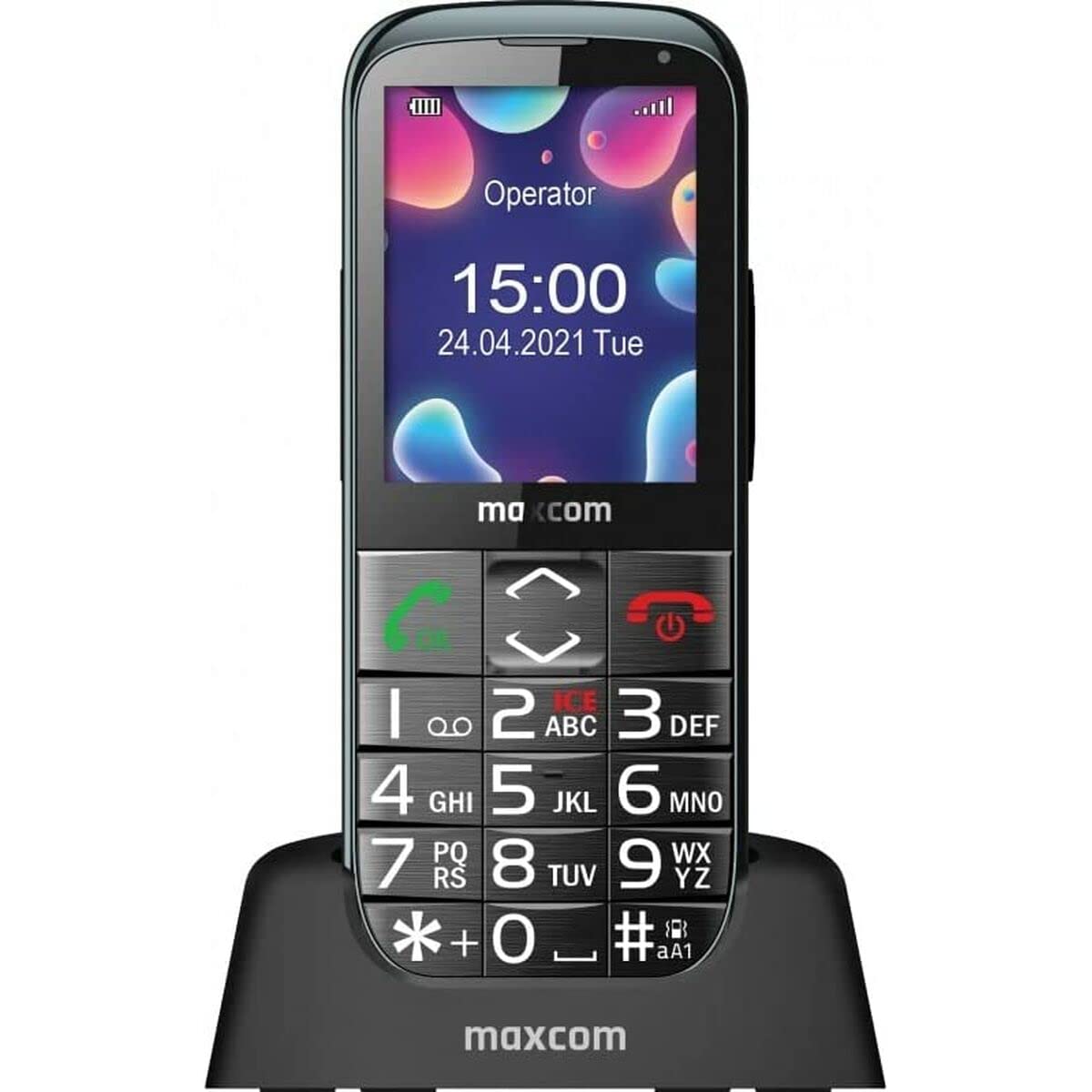
Image: The Maxcom MM724 simple mobile phone, typically black, with a clear display and large buttons.
3. Inställning
3.1. Sätta i SIM-kortet och batteriet
- Ta försiktigt bort telefonens baksida.
- Sätt i ditt/dina SIM-kort i den/de avsedda kortplatsen/kortplatserna med de guldfärgade kontakterna nedåt.
- Sätt i batteriet och se till att kontakterna är korrekt justerade.
- Sätt tillbaka bakstycket tills det klickar ordentligt på plats.
3.2. Laddar enheten
The Maxcom MM724 uses a convenient desktop charger. To charge your phone:
- Connect the charger cord to a power outlet.
- Place the phone upright into the desktop charging cradle.
- Ensure the charging indicator on the phone or cradle illuminates, indicating that charging has begun.
- For optimal battery life, keep the phone in the cradle when not in use to ensure it is always charged.
4. Bruksanvisning
4.1. Slå på / av
- För att slå på: Tryck och håll ner ström-/avsluta samtal-knappen (vanligtvis röd) tills skärmen tänds.
- För att stänga av: Tryck och håll ner ström-/avsluta samtal-knappen tills avstängningsalternativen visas och bekräfta sedan.
4.2. Ringa och ta emot samtal
- Så här ringer du ett samtal: Dial the number using the keypad and press the Call button (usually green).
- Så här tar du emot ett samtal: Press the Call button when the phone rings. The phone is designed to ring very loudly to ensure calls are not missed.
- Avsluta ett samtal: Tryck på strömbrytaren/avsluta samtal-knappen.
4.3. Skicka och ta emot meddelanden
Navigate to the 'Messages' menu to compose new SMS messages or read incoming ones. Use the keypad to type your message.
4.4. Using the SOS Button
The SOS button is located on the back of the phone and is designed for emergencies.
- Inställning: Access the phone's settings to pre-define a list of emergency contacts.
- Aktivering: In an emergency, press and hold the SOS button. The phone will automatically call the pre-defined contacts in sequence until one answers.
4.5. Activating the Flashlight
The phone features a dedicated button for the flashlight, making it easy to activate when needed. Refer to your phone's specific button layout for its location.
4.6. Bluetooth and Hearing Aid Compatibility
The Maxcom MM724 supports Bluetooth connectivity, allowing it to pair with compatible devices, including certain hearing aids. This enables hands-free calling.
- Parning: Go to the Bluetooth settings on your phone and enable Bluetooth. Put your hearing aid into pairing mode (consult your hearing aid's manual). Select your hearing aid from the list of available devices on the phone to pair.
- Notera: Compatibility with hearing aids depends on the hearing aid's features. Consult your audiologist for specific compatibility information. The phone also features a ring line and additional gain for improved audio performance with or without hearing aids.
5. Underhåll
- Rengöring: Använd en mjuk, torr trasa för att rengöra telefonens skärm och hölje. Undvik att använda flytande rengöringsmedel eller slipande material.
- Batteriomsorg: Keep the battery charged regularly. Avoid extreme temperatures, which can affect battery performance and lifespan.
- Lagring: Förvara telefonen på en sval och torr plats när den inte används under längre perioder.
6. Felsökning
- Telefonen slås inte på: Se till att batteriet är korrekt isatt och laddat. Anslut telefonen till laddaren och försök igen.
- Ingen nätverkssignal: Kontrollera om SIM-kortet är korrekt isatt. Flytta till ett område med bättre täckning. Kontakta din tjänsteleverantör om problemet kvarstår.
- Kan inte ringa/ta emot samtal: Verify that you have sufficient credit or an active plan. Check network signal strength.
- Problem med Bluetooth-parning: Ensure both devices are in pairing mode and within range. Try restarting both the phone and the Bluetooth device.
7. Specifikationer
| Stämpla | Maxcom |
| Modellnamn | MM724 |
| Operativsystem | Android |
| Skärmstorlek | 3 tum |
| Anslutningsteknik | Bluetooth |
| Cellulär teknik | 4G |
| Trådlös nätverksteknik | GSM |
| Färg | Svart |
| Objektets vikt | 85 gram |
| Trådlös bärare | Olåst |
8. Garanti och support
Warranty information for the Maxcom MM724 mobile phone is typically provided with your purchase documentation or can be found on the official Maxcom website. For technical support or service inquiries, please refer to the contact information provided by your retailer or the manufacturer.