
Introduktion
Thank you for choosing the Baseus Adaman Digital Display Power Bank (Model: PPAD070001). This portable power bank is designed to provide reliable and efficient charging for your electronic devices. Please read this manual carefully before use to ensure proper operation and to maximize the lifespan of your device.
Säkerhetsinformation
- Utsätt inte powerbanken för extrema temperaturer, direkt solljus eller eld.
- Undvik att tappa, montera isär eller modifiera enheten.
- Håll borta från vatten och andra vätskor.
- Använd endast certifierade laddningskablar och adaptrar.
- Förvaras utom räckhåll för barn.
- Om powerbanken sväller, läcker eller avger en ovanlig lukt, avbryt användningen omedelbart.
Paketets innehåll
- Baseus Adaman Digital Display Power Bank (PPAD070001)
- USB-laddningskabel
- Användarmanual
Produkt överview
The Baseus Adaman Power Bank (Model PPAD070001) is a portable charging solution featuring a digital display for battery status and multiple ports for wide compatibility. Its slim design makes it convenient for travel.

Bild: Bästa view of the Baseus Adaman Power Bank showing its various input and output ports. From left to right: Type-C (Input/Output), IP/IN (Input), Micro/IN (Input), USB2 (Output), USB1 (Output).

Bild: Side proffsfile of the Baseus Adaman Power Bank, highlighting its slim and portable design.
- Typ-C-port: Supports both input and output (PD 3.0).
- USB1/USB2 Ports: Output ports for charging devices (QC 3.0).
- Mikro-USB-port: Ingångsport för laddning av powerbanken.
- IP/IN Port: Input port for charging the power bank (e.g., for Apple Lightning cables).
- Digital skärm: Visar batteriprocent i realtidtage.
Inställning
Before first use, fully charge the power bank. This ensures optimal battery performance.
Laddar Power Bank
- Connect the provided USB charging cable to one of the input ports on the power bank (Type-C, Micro-USB, or IP/IN).
- Connect the other end of the cable to a USB wall charger (not included).
- Den digitala displayen visar laddningsstatus och batteriprocenttage.
- Once the display shows 100%, the power bank is fully charged. Disconnect it from the charger.
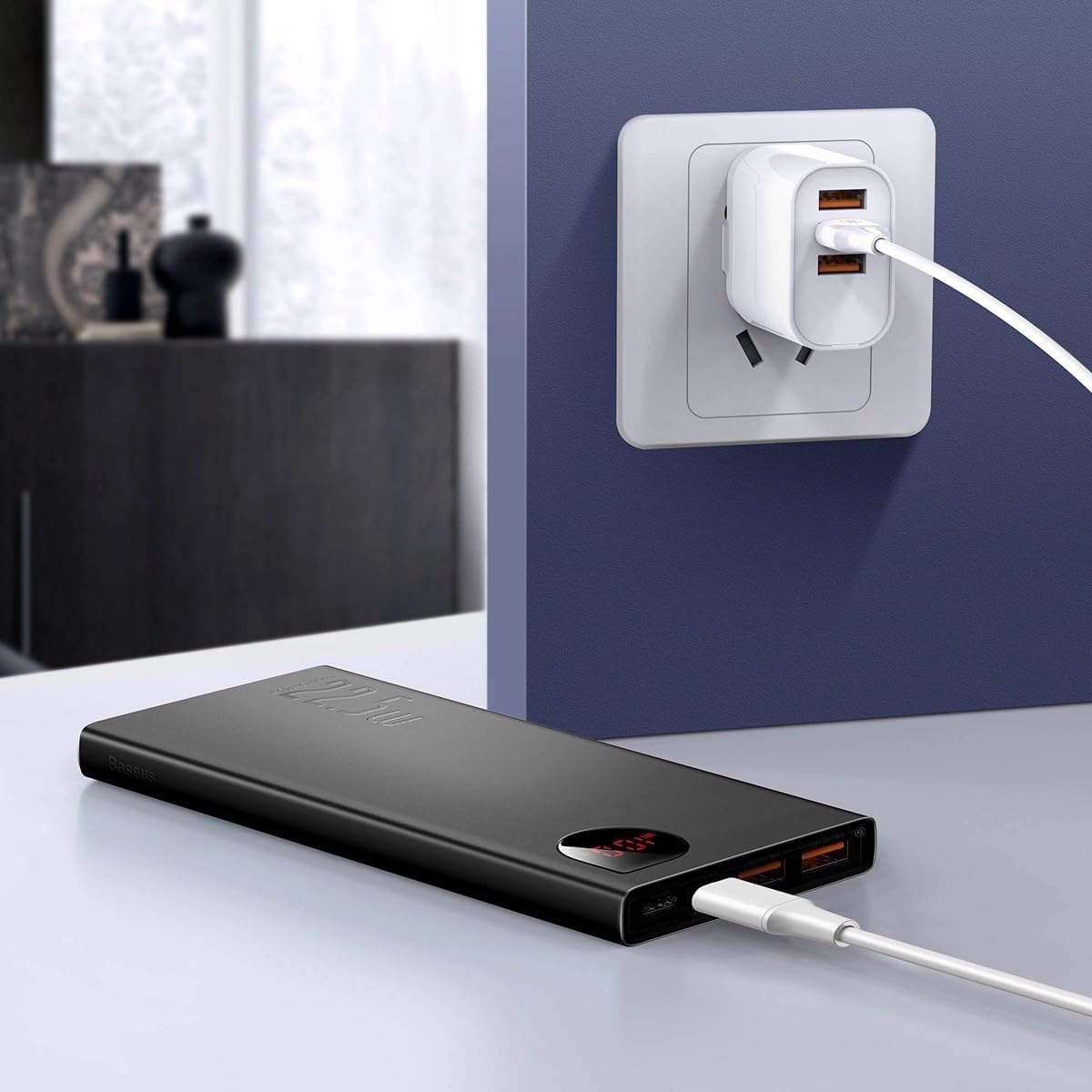
Bild: The Baseus Adaman Power Bank connected to a wall charger via a USB cable, illustrating the process of recharging the power bank itself.
Bruksanvisning
Ladda dina enheter
- Connect your device's charging cable to one of the output ports on the power bank (Type-C, USB1, or USB2).
- Anslut den andra änden av kabeln till din enhet.
- Powerbanken börjar automatiskt ladda din enhet. Den digitala displayen visar återstående batteri i procent.tage.
- För att stoppa laddningen, koppla helt enkelt bort enheten från powerbanken.

Bild: A smartphone being charged by the Baseus Adaman Power Bank, demonstrating the device's charging capability for mobile phones.
Kontrollera batterinivån
The digital display on the power bank will show the current battery percentage when it is in use or when a device is connected. If the power bank is idle, you may need to briefly press the power button (if available, not explicitly mentioned but common) to activate the display.
Underhåll
- Rengör powerbanken med en mjuk, torr trasa. Använd inte starka kemikalier eller slipande material.
- Förvara powerbanken på en sval, torr plats när den inte används.
- For optimal battery health, fully charge and discharge the power bank at least once every three months if it's not used regularly.
Felsökning
| Problem | Möjlig orsak | Lösning |
|---|---|---|
| Powerbanken laddar inte enheter. | Low battery, faulty cable, incompatible device. | Charge the power bank. Try a different cable. Ensure your device is compatible. |
| Powerbanken laddas inte. | Faulty charging cable/adapter, damaged port. | Try a different charging cable and wall adapter. Check ports for damage. |
| Digital display fungerar inte. | Power bank is off, low battery, malfunction. | Ensure power bank is on or connected to a device. Charge the power bank. If issue persists, contact support. |
Specifikationer
| Särdrag | Detalj |
|---|---|
| Modellnummer | PPAD070001 |
| Stämpla | Baseus |
| Batterikapacitet | 10000 mAh |
| Specialfunktioner | Digital display |
| Kontakttyper | Input: USB Type-C, Micro-USB, IP/IN; Output: USB Type-C, USB-A (x2) |
| Voltage | 5 volt |
| Nuvarande | 5 Amps |
| Uteffekt | Up to 22.5W (PD 3.0, QC 3.0) |
| Battericellssammansättning | Litiumpolymer |
| Antal utgångsportar | 3 (1x Typ-C, 2x USB-A) |
| Number of Input Ports | 3 (1x Type-C, 1x Micro-USB, 1x IP/IN) |
| Kompatibla enheter | All Smartphones and other USB-powered devices |
| Bärbar | Ja |
Garanti och support
Denna produkt medföljer Ingen garanti as per the provided specifications. For any technical support or inquiries, please refer to the official Baseus webwebbplats eller kontakta din återförsäljare.
För mer information, besök: www.baseus.com