
Angetube 913AI
Angetube 4K AI Webkamera användarmanual
Model: 913AI
Märke: Angetube
Introduktion
This manual provides detailed instructions for the Angetube 4K AI Webcam (Model 913AI). It covers product features, setup, operation, maintenance, troubleshooting, and technical specifications to ensure optimal performance and user experience.
Vad finns i lådan
- Webkam
- Fjärrkontroll
- USB 3.0 anslutningskabel
- USB-C till USB-A-adapter
Produkt överview och nyckelfunktioner

The Angetube 4K AI Webcam, shown with its remote control, USB 3.0 cable, and USB-C to USB-A adapter.
4K Sony CMOS Sensor
De webcam features a high-quality Sony CMOS sensor, delivering 3840x2160 UHD resolution at 30 fps or 1080p at 60fps. This sensor ensures vivid imagery with exceptional clarity, vibrant colors, and sharp details, even in low-light conditions due to its super high SNR (Signal-to-Noise Ratio) capability.
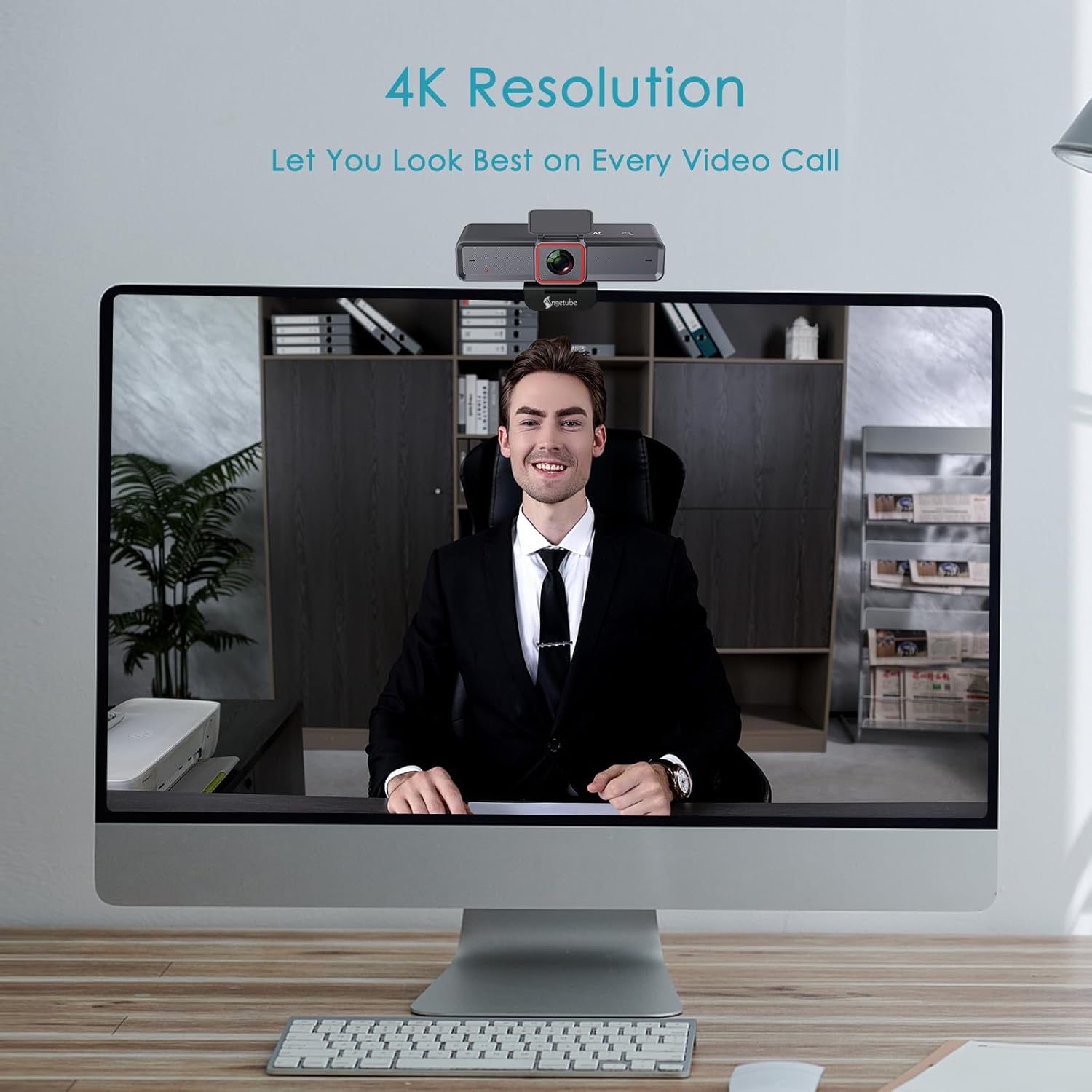
De webcam provides clear 4K resolution for video calls, ensuring high visual quality.
AI-Tracking with Auto-Framing
Advanced face detection AI automatically frames the video based on the number of participants, keeping the focus centralized. The presenter tracking feature intelligently follows the presenter as they move. AI functions can be activated via the remote control or touch switch.

The AI-tracking feature keeps the subject in frame, even when moving.
Demonstration of the 4K AI webcam's features, including 3DNR and true color reproduction, and remote control functionality.
Remote Control and 10X Digital Zoom
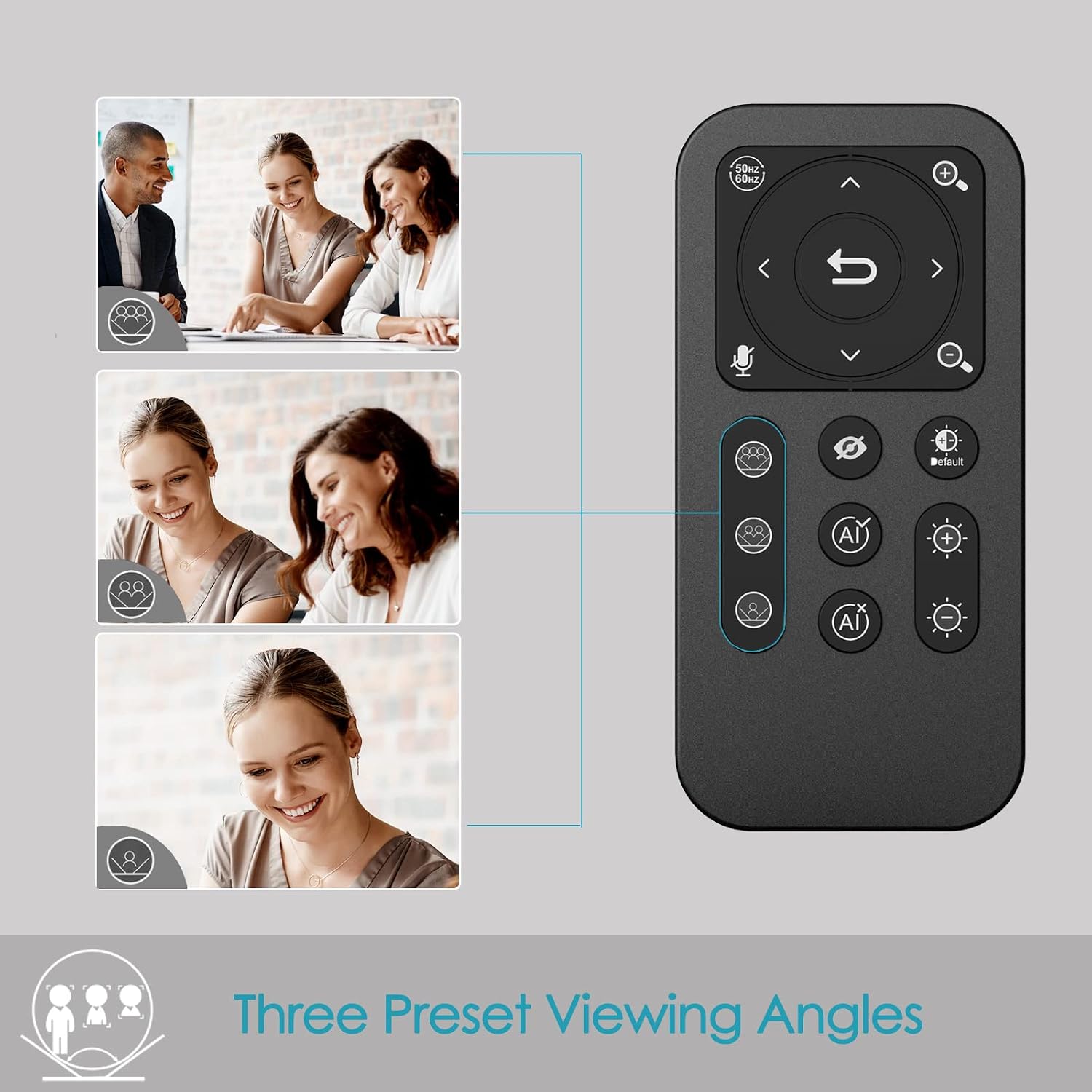
The included remote control allows for convenient operation away from the desk. Functions include activating/deactivating AI, 10X digital zoom, disabling video, muting the microphone, and flipping the image. Brightness can also be adjusted without software. Notera: To manually zoom, first turn off AI.

De webcam offers up to 10X digital zoom, controllable via the remote or touch controls.

The remote control provides access to various webcam functions, including AI mode, zoom, and privacy settings.
High-Speed USB 3.0 Connectivity
De webcam connects via a lightning-fast USB 3.0 port, providing a 5Gbps camera signal for maximum video performance without compression. It features a plug-and-play USB-C connector, requiring no driver installation.

The USB 3.0 interface ensures fast data transfer for smooth, high-quality video.
Clear Voice Pickup with Dual AI Noise-Cancelling Microphones
Built-in dual AI noise-cancelling microphones remove ambient sounds, ensuring clear voice pickup up to 5m/16ft. This feature enhances audio clarity for all participants.
HDR-Enabled
Activate HDR at 30FPS to enhance your stream with a full spectrum of vibrant colors. HDR improves the video's dynamic range and corrects over and underexposed areas, providing a more balanced image.
HDR mode provides perfect lighting and color balance in various environments.
Installationsguide
1. Anslutning av Webkam
The Angetube 4K AI Webcam is designed for plug-and-play functionality. Simply connect the provided USB 3.0 cable from the webcam to an available USB 3.0 port on your computer. If your computer only has USB-C ports, use the included USB-C to USB-A adapter.
2. Montering av Webkam
De webcam features an integrated mounting clip that can be securely placed on top of your monitor or laptop screen. Ensure the clip is stable and the webcam is level. Alternatively, the webcam is compatible with standard tripods for flexible placement.

De webcam can be mounted on a monitor or used with a tripod for versatile setup.
3. Initial Software Recognition
Upon connecting, your operating system should automatically recognize the webcam. No additional drivers are typically required. You can then select the Angetube 4K AI Webcam as your video and audio input device within your preferred video conferencing or streaming application.
Bruksanvisning
Använda fjärrkontrollen
The remote control provides comprehensive control over the webcam's features:
- AI Function On/Off: Toggle AI-tracking and auto-framing.
- Digital zoom: Use the zoom buttons to magnify the image up to 10X. Remember to turn off AI before manual zooming.
- Video Disable: Turn off the video feed for privacy.
- Mikrofonavstängning: Mute the built-in microphones.
- Bild Flip: Adjust image orientation.
- Justering av ljusstyrka: Control exposure for optimal lighting.
- Fält av View (FOV)-justering: Use arrow buttons to pan/tilt the view.
- Återställningsknapp: Return FOV and zoom to default settings.
Touch Controls on Webkam
De webcam also features touch-sensitive controls for quick adjustments:
- AI Touch On/Off: Activate or deactivate AI features by touching the designated area on the webglas.
- Zoom Touch Adjustment: Fine-tune zoom levels directly from the webglas.
Sekretessfunktioner
For enhanced privacy, the webcam includes a physical privacy cover that can be closed over the lens when not in use. Additionally, the remote control offers a one-touch button to disable the video feed.
Enhanced Control with Angetube Webcam programvara
For advanced settings and fine-tuning, Angetube provides dedicated webcam software. This software allows you to customize various parameters to ensure your webcam performs optimally for your specific needs.
Please visit the official Angetube website for software download and installation instructions. The software provides controls for brightness, contrast, saturation, white balance, and other image properties.
Kompatibilitet
The Angetube 4K AI Webcam is widely compatible with various operating systems and popular video conferencing platforms:
Operativsystem:
- Windows 7, 8, 10, 11
- Mac OS 10.6 eller senare
- Linux
- Chrome OS
- Ubuntu
- Android V5.0 eller senare
Video Calling Software:
- Zoom
- Skype
- Facetime
- Microsoft Teams
- Youtube
- Hangouts
- LifeSize
- OBS
- Mixer
Underhåll
To ensure the longevity and optimal performance of your Angetube 4K AI Webkamera, följ dessa underhållsriktlinjer:
- Rengöring: Använd en mjuk, torr trasa för att rengöra webkamlins och kamerahus. Undvik slipande rengöringsmedel eller lösningsmedel som kan skada ytorna.
- Lagring: Förvara den när den inte används webFörvara kameran på en sval, torr plats, borta från direkt solljus och extrema temperaturer.
- Kabelvård: Handle the USB cable carefully. Avoid sharp bends or excessive pulling that could damage the cable or connectors.
- Firmware -uppdateringar: Periodically check the Angetube official webwebbplatsen för tillgängliga firmwareuppdateringar. Att hålla firmware uppdaterad kan förbättra prestandan och lägga till nya funktioner.
Felsökning
If you encounter issues with your Angetube 4K AI Webkamera, se följande vanliga felsökningssteg:
- Ingen bild/video:
Se till att USB-kabeln är ordentligt ansluten till båda webcam and your computer. Try a different USB port or a different computer to rule out port or system issues.
Verifiera att webkameran är vald som primär videoenhet i programmets inställningar (t.ex. Zoom, Teams).
Check if the physical privacy cover is open.
- Inget ljud/dålig ljudkvalitet:
Bekräfta att webcam's microphone is selected as the audio input device in your application's settings.
Ensure the microphone is not muted via the remote control or software.
Check your computer's sound settings to ensure the microphone input level is adequate.
- AI-Tracking Not Working:
Ensure the AI function is enabled via the remote control or the touch switch on the webglas.
Make sure there is sufficient lighting and clear visibility of the subject for the AI to function correctly.
- Image Quality Issues (Blurry, Grainy, Incorrect Colors):
Check lighting conditions. Ensure adequate and balanced lighting in your environment.
Adjust brightness and HDR settings using the remote control or Angetube software.
Rengör webkameralinsen med en mjuk, torr trasa.
Ensure you are using a USB 3.0 port for optimal performance.
- Fjärrkontrollen svarar inte:
Check the battery in the remote control and replace if necessary (CR2 battery).
Se till att det inte finns några hinder mellan fjärrkontrollen och webglas.
- Överhettning:
While some warmth is normal during operation, excessive heat could indicate an issue. Ensure the webcam has adequate ventilation and is not covered.
Om överhettningen kvarstår, avbryt användningen och kontakta kundsupport.
If these steps do not resolve your issue, please refer to the "Warranty and Support" section for further assistance.
Specifikationer
| Särdrag | Detalj |
|---|---|
| Stämpla | erbjudande |
| Modellnummer | 913AI |
| Max skärmupplösning | 4K UHD (3840x2160) at 30fps, 1080p at 60fps |
| Fotosensorteknik | Sony CMOS |
| Anslutningsteknik | USB 3.0 (USB-C plug) |
| Mikrofoner | Dual AI Noise-Cancelling Microphones (up to 5m/16ft pickup) |
| Digital zoom | 10X |
| AI-funktioner | AI-Tracking, Auto-Framing, Presenter Tracking |
| HDR-stöd | Ja |
| Operativsystemkompatibilitet | Windows 7/8/10/11, Mac OS X, Linux, Chrome OS, Ubuntu |
| Objektets vikt | 13.2 uns |
| Produktmått (LxBxH) | 5.14 x 1.93 x 2.74 tum |
| Batterier (fjärrkontroll) | 1 CR2 batteri (ingår) |
Garanti och support
Angetube offers comprehensive customer support for its products. For warranty information, technical assistance, or further inquiries, please visit the official Angetube webwebbplats eller kontakta deras kundtjänst.
Quick response within 24 hours.
Return within 30 days for an exchange or refund.
Lifetime technical customer support.
Du hittar mer information och kontaktuppgifter på Angetube Store on Amazon.
Ask a question about this manual
Ask about setup, troubleshooting, compatibility, parts, safety, or missing instructions. Manuals+ will review the question and use this page’s manual context to help answer it.