
1. Introduktion
The eppfun AK8675B Pro is a versatile Bluetooth 5.2 audio adapter designed to function as both a transmitter (TX) and a receiver (RX). It features advanced Qualcomm QCC3040 chip technology, supporting various aptX codecs including aptX-Adaptive, aptX HD, and aptX Low Latency, ensuring high-quality audio with minimal delay. This device allows you to wirelessly stream audio from non-Bluetooth devices (like TVs or PCs) to Bluetooth headphones/speakers, or from Bluetooth-enabled devices (like smartphones) to wired audio systems.
2. Paketets innehåll
Kontrollera att alla artiklar som listas nedan ingår i ditt paket:
- eppfun AK8675B Pro Bluetooth Transmitter/Receiver
- USB-C laddningskabel
- 3.5 mm AUX -ljudkabel
- Optical Fiber Audio Cable
- Användarmanual (detta dokument)

Image: Contents of the eppfun AK8675B Pro package, including the device, various cables, and the user manual.
3. Produkt överview och kontroller
Bekanta dig med enhetens komponenter och kontroller:

Image: Diagram of the eppfun AK8675B Pro device with key interfaces and buttons labeled.
- S: Strömknapp - Press and hold to turn the device on or off.
- B: RX/TX Mode Switching - Slide switch to select Transmitter (TX) or Receiver (RX) mode.
- C: Pairing Button - Press to initiate Bluetooth pairing mode.
- D: AUX 3.5mm Interface - For connecting audio devices via a 3.5mm audio cable.
- E: Volume Adjusting - Buttons to increase or decrease audio volume.
- F: One Click Mute, Double Click Audio Decoding Switch - Single press for mute/unmute; double press to cycle through audio decoding options.
- G: USB Charging - USB-C port for charging the device.
- H: Optical Interface - For connecting audio devices via an optical fiber cable.
4. Setup and Operation Modes
The AK8675B Pro operates in two primary modes: Transmitter (TX) and Receiver (RX). Select the appropriate mode using the RX/TX mode switching slider (B).

Image: Comparison of Transmitter and Receiver modes, showing usage time, compatible codecs, and simultaneous linking capabilities.
4.1. Sändarläge (TX)
In TX mode, the device transmits audio from a non-Bluetooth source (e.g., TV, PC) to Bluetooth-enabled headphones or speakers.
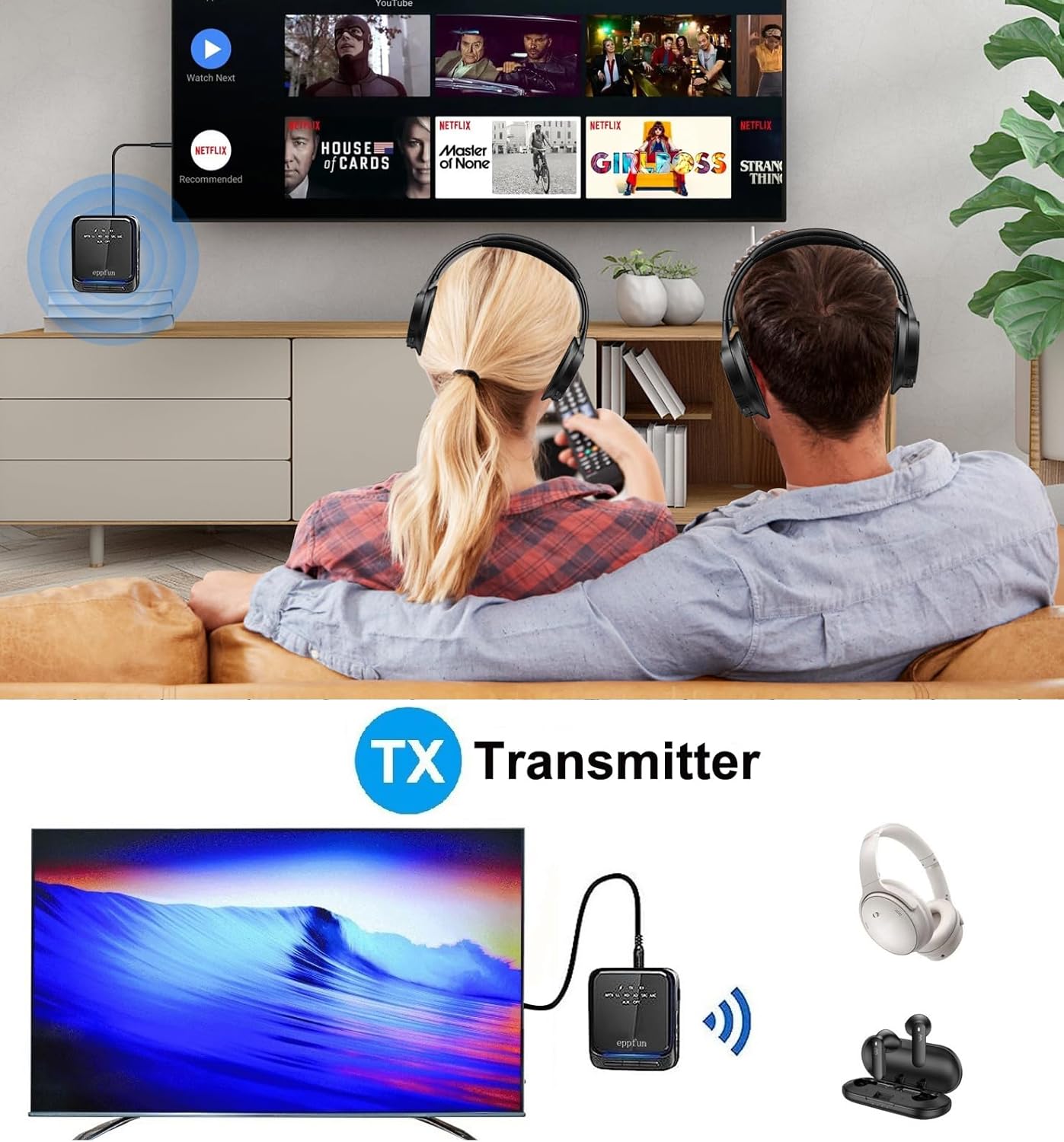
Image: An illustration of the eppfun AK8675B Pro connected to a TV, transmitting audio wirelessly to two pairs of Bluetooth headphones.
- Slide the mode switch (B) to TX.
- Connect the AK8675B Pro to your audio source (e.g., TV, PC) using either the 3.5mm AUX cable (D) or the Optical Fiber cable (H).
- Turn on the AK8675B Pro by pressing and holding the Power Button (A).
- Sätt dina Bluetooth-hörlurar eller högtalare i parkopplingsläge.
- Press the Pairing Button (C) on the AK8675B Pro to initiate pairing. The LED indicator will show pairing status.
- Once connected, audio from your source will stream wirelessly to your Bluetooth device(s).
TX Mode Features:
- Kompatibla codecs: aptX, aptX-Adaptive, aptX LL (Low Latency), aptX HD, SBC.
- Arbetstid: Cirka 12 timmar på en full laddning.
- Dubbel anslutning: Supports connecting two Bluetooth headphones/earbuds simultaneously with aptX LL technology.
4.2. Mottagarläge (RX)
In RX mode, the device receives audio wirelessly from a Bluetooth-enabled source (e.g., smartphone, tablet) and outputs it to a wired audio system (e.g., wired headphones, speakers).

Image: An illustration of the eppfun AK8675B Pro connected to wired speakers, receiving audio wirelessly from a smartphone.
- Slide the mode switch (B) to RX.
- Connect the AK8675B Pro to your wired audio output device (e.g., speakers, wired headphones) using the 3.5mm AUX cable (D).
- Turn on the AK8675B Pro by pressing and holding the Power Button (A).
- Enable Bluetooth on your smartphone or other Bluetooth audio source and search for available devices.
- Select "eppfun AK8675B Pro" from the list of available Bluetooth devices to pair. The LED indicator will confirm connection.
- Once connected, audio from your Bluetooth source will play through your wired audio system.
RX Mode Features:
- Kompatibla codecs: aptX, aptX-Adaptive, aptX HD, SBC, AAC.
- Arbetstid: Cirka 20 timmar på en full laddning.
5. Laddar enheten
To charge the eppfun AK8675B Pro:
- Connect the supplied USB-C cable to the USB Charging port (G) on the device.
- Connect the other end of the USB-C cable to a standard USB power adapter (not included) or a computer's USB port.
- The LED indicator will show the charging status. A full charge typically takes about 2 hours.
Note: The device cannot be used while it is charging.
6. Underhåll
To ensure the longevity and optimal performance of your eppfun AK8675B Pro:
- Håll enheten torr. Undvik exponering för fukt, regn eller vätskor.
- Rengör enheten med en mjuk, torr trasa. Använd inte starka kemikalier eller slipande rengöringsmedel.
- Förvara enheten på en sval, torr plats när den inte används.
- Undvik extrema temperaturer.
- Försök inte att ta isär eller modifiera enheten, eftersom det upphäver garantin och kan orsaka skador.
7. Felsökning
If you encounter issues with your AK8675B Pro, refer to the following common solutions:
- Enheten slås inte på:
- Se till att enheten är fulladdad. Anslut den till en strömkälla med USB-C-kabeln.
- Press and hold the Power Button (A) for a few seconds.
- Kan inte para ihop med en Bluetooth-enhet:
- Ensure the AK8675B Pro is in the correct mode (TX for transmitting, RX for receiving).
- Make sure both devices are in pairing mode and within the 10-meter communication range.
- Clear previous pairing records on both the AK8675B Pro and your Bluetooth device, then attempt to pair again.
- Restart both the AK8675B Pro and your Bluetooth device.
- Ingen ljudutgång/ingång:
- Check all cable connections (3.5mm AUX or Optical Fiber) to ensure they are secure and in the correct ports.
- Verify that the volume on both the AK8675B Pro (E) and the connected audio device is not muted or set too low.
- Ensure the correct audio input/output is selected on your source device (e.g., TV audio settings).
- Confirm that the AK8675B Pro is successfully paired and connected to the desired Bluetooth device.
- Audio delay or poor quality:
- Ensure both the AK8675B Pro and your connected Bluetooth device support aptX Low Latency (aptX LL) for minimal delay, especially in TX mode.
- Reduce the distance between the AK8675B Pro and the connected Bluetooth device, and remove any obstacles.
- Kontrollera eventuella störningar från andra trådlösa enheter.
8. Specifikationer
| Särdrag | Specifikation |
|---|---|
| Modellnamn | AK8675B Pro |
| Bluetooth-version | 5.2 |
| Bluetooth-chipset | Qualcomm QCC3040 |
| Supported Codecs (TX) | aptX, aptX-Adaptive, aptX LL, aptX HD, SBC |
| Supported Codecs (RX) | aptX, aptX-Adaptive, aptX HD, SBC, AAC |
| Frekvensband | 2.402 GHz–2.480 GHz |
| Kommunikationsavstånd | Upp till 10 meter (33 fot) |
| TX Mode Arbetstid | Ca. 12 timmar |
| RX Mode Arbetstid | Ca. 20 timmar |
| Laddningstid | Ca. 2 timmar |
| Laddningsport | USB-C |
| Ljudingång/utgång | 3.5mm AUX, Optical TOSLINK |
| Batterityp | Litiumjonbatteri (ingår) |
| Produktens mått | 75 mm x 66 mm x 18 mm (ungefär) |
| Produktens vikt | 60.5 XNUMX g (ungefär) |
9. Garanti och support
eppfun products are designed for reliability and performance. For warranty information and technical support, please refer to the official eppfun webwebbplatsen eller kontakta din återförsäljare. Spara ditt inköpskvitto som inköpsbevis för garantianspråk.