
1. Introduktion
This manual provides essential information for the safe and efficient use of your Aiwa A65QUHDX3-GTV 65-inch QLED 4K Ultra HD Google Smart TV. Please read these instructions thoroughly before operating the television and retain them for future reference.
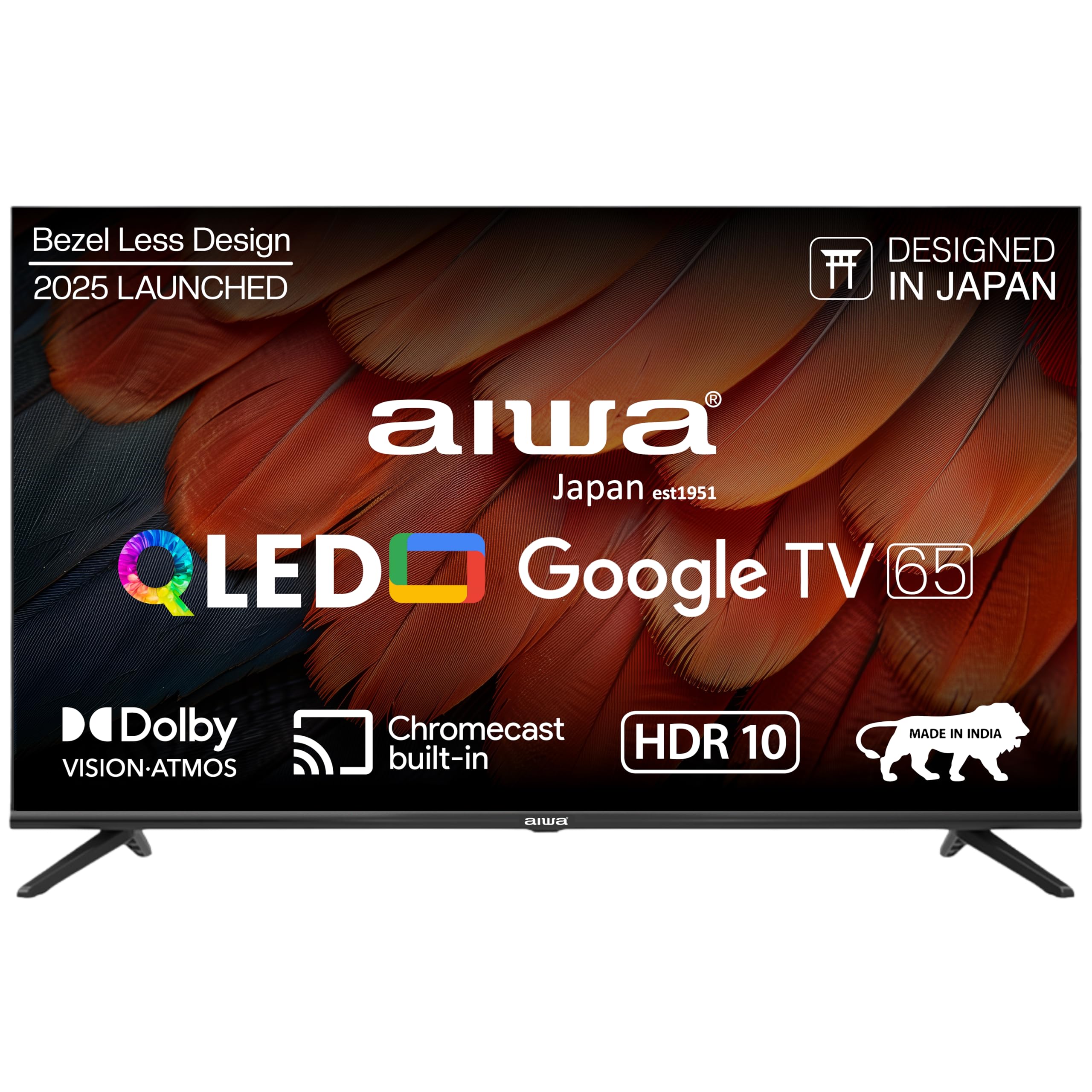
Bild 1.1: Framsidan view of the Aiwa A65QUHDX3-GTV 65-inch QLED Smart TV.

Figure 1.2: Aiwa A65QUHDX3-GTV showcasing its ultra sleek design.
2. Säkerhetsinformation
Följ alltid följande säkerhetsåtgärder för att förhindra elektriska stötar, brand eller skador på TV:n:
- Utsätt inte TV:n för regn eller fukt.
- Öppna inte TV-luckanasing. Överlåt all service till kvalificerad personal.
- Säkerställ ordentlig ventilation. Blockera inte ventilationsöppningarna.
- Avoid placing the television near heat sources or in direct sunlight.
- Use only the power cord supplied with the television.
- Förvara batterier utom räckhåll för barn.
3. Vad finns i lådan
Kontrollera att alla komponenter finns med vid uppackning:
- 1N LED-TV
- 4N Screws for stand/wall mount
- 1N Fjärrkontroll
- 2N AAA-batterier (för fjärrkontroll)
- 1N User Manual with Warranty Card
- 1N Set Table Stand
- 1N Wallmount bracket
4. Inställning
4.1 Fysisk installation
Your Aiwa TV supports both table-top and wall-mount installations. Choose the method suitable for your environment.
Installation av bordsstativ
- Placera försiktigt TV:n med skärmen nedåt på en mjuk, plan yta för att förhindra skador.
- Attach the provided table stands to the designated slots at the bottom of the TV using the included screws.
- Se till att stativen är ordentligt fästa.
- Lyft försiktigt TV:n till dess upprätta läge på en stabil yta.
Väggmontering
If using the wall mount, follow the instructions provided with the wall mount kit. Professional installation is recommended for wall mounting.

Figure 4.1: Dimensions of the Aiwa A65QUHDX3-GTV 65-inch QLED Smart TV.
4.2 Ansluta kringutrustning
The TV features an array of ports for various devices. Refer to the back panel image for port locations.

Bild 4.2: Bak view of the TV displaying connectivity ports.

Figur 4.3: Detaljerad view of the TV's connectivity ports including LAN, HDMI, USB, Antenna In, and AV In.
- HDMI-portar (x3): Anslut Blu-ray-spelare, spelkonsoler, set-top-boxar eller andra HDMI-kompatibla enheter.
- USB-portar (x2): Anslut USB-lagringsenheter för medieuppspelning eller programuppdateringar.
- LAN-port: Anslut en Ethernet-kabel för en trådbunden internetanslutning.
- Antenn in: Anslut en antenn eller kabel-TV-signal.
- AV-ingång: Anslut äldre enheter med kompositvideo- och stereoljudkablar.
- Bluetooth: Parkoppla trådlösa hörlurar, soundbar-högtalare eller andra Bluetooth-enheter.
- Wi-Fi: Anslut till ditt trådlösa hemnätverk för internetåtkomst.
4.3 Guide för första start och installation
- Anslut nätsladden till TV:n och sedan till ett eluttag.
- Tryck på strömknappen på fjärrkontrollen eller på själva TV:n.
- Follow the on-screen instructions to complete the initial setup, including language selection, network connection, and Google account sign-in.
5. Bruksanvisning
5.1 Fjärrkontroll
The included smart remote control allows for easy navigation and voice commands.

Figure 5.1: Smart Remote Control with dedicated quick access buttons for streaming services and voice control functionality.
- Strömknapp: Slår på eller av TV:n.
- Navigationsplatta: Use the directional buttons to move through menus and the center button to select.
- Bakåtknapp: Återgår till föregående skärm.
- Hemknapp: Öppnar Google TV:s startskärm.
- Volym upp/ner: Justerar ljudvolymen.
- Mute-knapp: Stänger av eller slår på ljudet.
- Knapp för röstassistent: Aktiverar Google Assistant för röstkommandon.
- Snabbåtkomstknappar: Dedicated buttons for Netflix, Prime Video, YouTube, and Disney+Hotstar.
5.2 Google TV-gränssnitt
Your Aiwa Smart TV runs on Google TV, offering a personalized content experience.

Figure 5.2: Google TV home screen displaying a wide range of applications and content.

Figure 5.3: Google TV interface with personalized content suggestions.
- Innehållsrekommendationer: The TV provides personalized suggestions based on your viewhistorik och preferenser.
- Övervakningslista: Add movies and shows to your watchlist for later viewing.
- Personal Profile: Skapa individuella proffsfiles for each user to receive tailored content.
- Kids Profile: Set up a dedicated profile för barn med åldersanpassat innehåll och föräldrakontroller.
- Google Assistant: Använd röstkommandon för att söka efter innehåll, styra smarta hemenheter och få information.
- Inbyggd Chromecast: Casta innehåll direkt från din smartphone eller surfplatta till TV:n.
5.3 Bild- och ljudinställningar
Justera bild- och ljudinställningar för att optimera viewerfarenhet.
Bildlägen
Access picture settings through the TV menu to select from various modes:
- Levande: Enhances colors and brightness for a dynamic picture.
- Standard: Default setting suitable for most content.
- Sport: Optimizes motion and color for sports broadcasts.
- Film: Provides a cinematic experience with accurate colors.
- Användare: Allows custom adjustment of brightness, contrast, color, and sharpness.
- Energibesparing: Reduces power consumption by adjusting brightness.
The QLED display supports Dolby Vision and HDR10 for enhanced contrast and color depth.

Figure 5.4: Explanation of Quantum Dot nanocrystals technology for vibrant picture quality.

Figure 5.5: Crysta Tech Vision for enhanced detail and Black Reflect anti-glare technology.
Ljudlägen
Select sound modes to match your content:
- Standard: Allmän ljudinställning.
- Sport: Enhances dialogue and crowd noise for sports.
- Film: Provides a rich, immersive audio experience.
- Musik: Optimerar ljud för musikuppspelning.
The TV features Aiwa Signature Sound and Dolby Atmos for high-fidelity audio.

Figure 5.6: Aiwa Signature Sound, crafted to perfection in Japan, for high fidelity audio.
6. Underhåll
6.1 Rengöring av TV:n
- Dra alltid ur sladden till TV:n innan rengöring.
- Använd en mjuk, torr trasa för att torka av skärmen och höljet.
- För envisa märken, torka lättampTorka av trasan med vatten eller ett milt, icke-slipande skärmrengöringsmedel.
- Använd inte alkohol, bensen, förtunningsmedel eller andra flyktiga ämnen.
6.2 Programuppdateringar
Your Google TV may receive automatic software updates. Ensure your TV is connected to the internet to receive the latest features and security patches. You can also manually check for updates in the TV's settings menu.
7. Felsökning
Om du stöter på problem med din TV kan du använda följande vanliga lösningar:
| Problem | Möjlig lösning |
|---|---|
| Ingen ström / TV:n slås inte på | Ensure the power cord is securely connected to both the TV and the power outlet. Check if the power outlet is working. Try pressing the power button on the TV itself. |
| Ingen bild / Dålig bildkvalitet | Check cable connections (HDMI, Antenna). Ensure the correct input source is selected. Adjust picture settings (brightness, contrast, mode). For antenna, rescan channels. |
| Inget ljud / Lågt ljud | Check volume level and ensure TV is not muted. Verify audio cable connections if using external speakers. Check sound settings and sound mode. |
| Fjärrkontrollen fungerar inte | Replace batteries in the remote control. Ensure there are no obstructions between the remote and the TV's IR sensor. Re-pair the Bluetooth remote if applicable. |
| Smart TV features not working / Slow performance | Check internet connection (Wi-Fi or LAN). Restart the TV by unplugging it for a few minutes. Clear app cache or reinstall problematic apps. Ensure software is up to date. |
| Casting issues (Chromecast) | Ensure your casting device and TV are on the same Wi-Fi network. Restart both the TV and the casting device. |
8. Specifikationer
Detailed technical specifications for the Aiwa A65QUHDX3-GTV:
| Särdrag | Detalj |
|---|---|
| Stämpla | Aiwa |
| Modell | A65QUHDX3 |
| Skärmstorlek | 65 tum |
| Displayteknik | QLED |
| Upplösning | 4K Ultra HD (3840 x 2160 pixlar) |
| Uppdateringshastighet | 60 Hz |
| Viewing vinkel | 178 grader |
| Operativsystem | Google TV |
| RAM-minne | 2 GB |
| Lagringskapacitet | 16 GB |
| Grafiksamprocessor | Mali-450 GPU |
| Anslutningsmöjligheter | Wi-Fi (Dual band), Bluetooth (2-way), HDMI 2.0 (x3), USB 2.0 (x2), LAN (x1) |
| Ljudutgångseffekt | 24 Watt |
| Ljudfunktioner | Aiwa Signature Sound, Dolby Atmos, Stereo Audio |
| Specialfunktioner | 4K Ultra HD, Built-in Apps, Voice Control, HDR10, Google OS, Flat Screen, Miracast, Smart Features, Dolby Vision, Crysta Tech Vision, Black Reflect |
| Produktmått (med stativ) | 10 x 9.8 x 83 cm (approx. 145.2 cm width, 89.6 cm height) |
| Objektets vikt | 18.6 kg |
| Strömkälla | AC 220 volt |
| Wattage | 150 Watt |
9. Garanti och support
9.1 Garantiinformation
Your Aiwa A65QUHDX3-GTV television comes with a manufacturer's warranty. Please refer to the included Warranty Card for detailed terms, conditions, and duration of the warranty period.
9.2 Kundsupport
For technical assistance, installation services, or any product-related inquiries, please contact Aiwa customer support:
- Kundtjänst hjälplinje: 1800-120-5619
- Service is available across 19000+ pincodes in India.

Figure 9.1: Aiwa provides installation and service support across India.