
1. Introduktion
This manual provides detailed instructions for the TRIGKEY Green G4 Mini PC, featuring the Intel Alder Lake-N100 processor. It covers initial setup, operation, maintenance, and troubleshooting to ensure optimal performance and user experience. Please read this manual thoroughly before using your device.
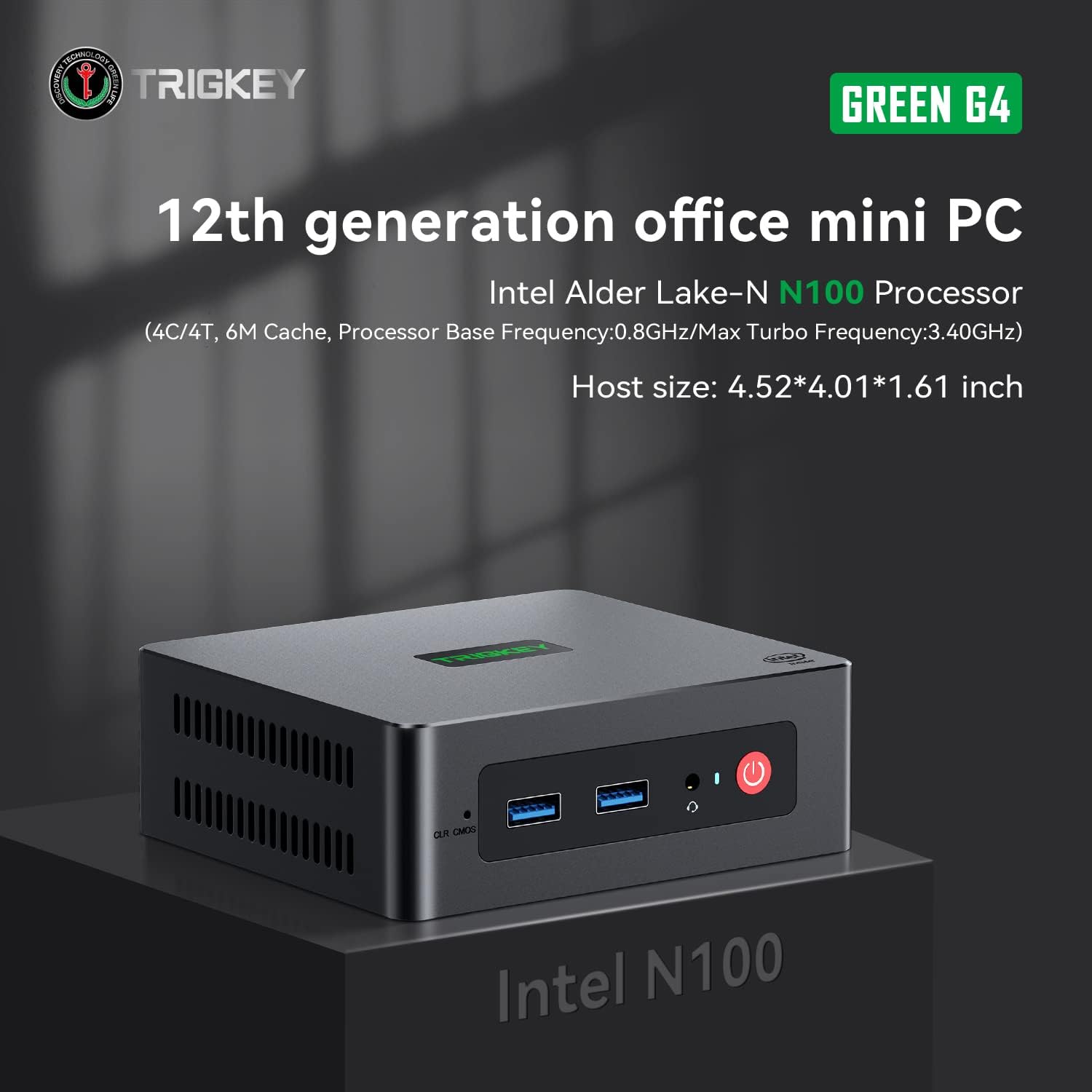
Image: TRIGKEY Green G4 Mini PC, highlighting its compact design and front panel.
2. Produkt överview
2.1 Nyckelfunktioner
- Processor: Intel Alder Lake-N100 (4 Cores/4 Threads, up to 3.4GHz)
- Minne: 16 GB DDR4 RAM (utbyggbart)
- Lagring: 500 GB NVMe SSD (utbyggbar upp till 2 TB)
- Grafik: Intel UHD Graphics (24EUs)
- Anslutning: WiFi 6, Bluetooth 5.2, 1000MB/s LAN
- Displayutgång: Dual 4K HDMI (60Hz)
- Kompakt design: Host size approximately 4.52 x 4.01 x 1.61 inches
2.2 Portar och gränssnitt

Image: Front and rear interfaces of the Mini PC.
| Port/gränssnitt | Beskrivning |
|---|---|
| Strömknapp | Slår på/stänger av enheten. |
| Strömindikator | Indikerar strömstatus. |
| RTC Key (CLR CMOS) | Används för att rensa CMOS-inställningar. |
| USB 3.2 Gen2 (10 Gbps) | Portar för höghastighetsdataöverföring. |
| Hörlursuttag | Audio output for headphones. |
| LAN (1000M) | Gigabit Ethernet-port för trådbunden nätverksanslutning. |
| 4K 60Hz HDMI | Dual HDMI ports for high-definition video output. |
| DC Power Adapter Port | Ansluts till strömförsörjningen. |
| Låsplats | For security lock. |
3. Inställning
3.1 Första anslutningen
- Connect your monitor(s) to the HDMI ports on the rear of the Mini PC.
- Anslut ditt tangentbord och din mus till de tillgängliga USB-portarna.
- For wired internet, connect an Ethernet cable to the LAN port. For wireless, ensure the WiFi antenna is connected (if external) or that the internal WiFi is enabled.
- Connect the power adapter to the DC power port and then plug it into a power outlet.
- Tryck på strömknappen på framsidan av mini-datorn för att slå på den.
3.2 Första uppstart
Upon first boot, the system may guide you through the initial setup of the operating system (e.g., Windows 11). Follow the on-screen prompts to configure language, region, network, and user accounts.
4. Bruksanvisning
4.1 Grundläggande användning
- Ström på/av: Press the power button once to turn on. To shut down, use the operating system's shutdown option. A short press on the power button can also put the PC to sleep. A long press (5-7 seconds) will force a shutdown.
- Starta om: Använd operativsystemets omstartsalternativ.
- Ansluta kringutrustning: Use the available USB ports for external devices like printers, external drives, or webkammar.
- Nätverksanslutning: Connect to a wired network via the LAN port or a wireless network using the built-in WiFi 6.
- Dubbel skärm: Connect two monitors to the HDMI ports for an extended or duplicated desktop experience.

Image: Mini PC supporting dual screen display for enhanced productivity.
4.2 Video Playback and Productivity
The Mini PC supports 4K high-definition output, suitable for media consumption and office tasks. Its compact size and efficient performance make it suitable for various applications, from home theater setups to general office work.
Video: TRIGKEY Mini PC G4 N100 product overview, visaasindess funktioner och kompakta design.
5. Underhåll och uppgraderingar
5.1 Storage Expansion (2.5-inch HDD/SSD)
The TRIGKEY Green G4 Mini PC allows for additional storage expansion by installing a 2.5-inch HDD or SSD. Follow these steps carefully:
- Stäng av: Ensure the Mini PC is completely powered off and disconnected from the power supply.
- Unscrew Bottom Panel: Locate and unscrew the screws on the bottom panel of the Mini PC.
- Open Back Panel: Carefully open the back panel to reveal the internal components and the storage bay.
- Insert SSD/HDD: Align the 2.5-inch SSD or HDD with the slot in the back panel and gently insert it.
- Säker enhet: Use the provided screws to secure the SSD/HDD to the back panel.
- Reinstall Bottom Panel: Close the back panel and reinstall the bottom screws to secure it.

Image: M.2 PCIe SSD, demonstrating the internal storage component.
Video: Hard disk installation tutorial, demonstrating the steps to install an additional 2.5-inch HDD/SSD.
5.2 RAM-uppgradering
The Mini PC supports single-channel DDR4 memory. While it comes with 16GB, it can be upgraded depending on the memory type. Consult the product specifications for maximum supported RAM capacity and type before attempting an upgrade.

Image: SO-DIMM DDR4 memory module.
6. Felsökning
6.1 Ingen ström
- Se till att nätadaptern är ordentligt ansluten till både mini-datorn och ett fungerande eluttag.
- Kontrollera att eluttaget fungerar genom att ansluta en annan enhet.
- Kontrollera nätadaptern för synliga skador.
6.2 Ingen display
- Confirm that the HDMI cable(s) are securely connected to both the Mini PC and the monitor(s).
- Se till att skärmen är påslagen och inställd på rätt ingångskälla (HDMI 1, HDMI 2, etc.).
- Try connecting to a different monitor or using a different HDMI cable to rule out external issues.
6.3 Operating System Installation Issues
If you encounter difficulties installing or reinstalling an operating system, especially when using custom installation media, note that some Mini PCs may require specific tools or methods for USB boot media creation. Refer to the manufacturer's support resources for guidance on creating compatible installation media.
6.4 Fläktbuller
The Mini PC features active cooling. While designed to be quiet, a slight fan whine may be noticeable under heavy load or in very quiet environments. This is generally normal operation. Ensure the vents are not obstructed to allow for proper airflow.
7. Specifikationer
| Särdrag | Detalj |
|---|---|
| Stämpla | TRIGKEY |
| Modellnummer | N100 |
| CPU modell | Intel Alder Lake-N100 (Celeron) |
| CPU-hastighet | Upp till 3.4 GHz |
| Antal processorer | 4 |
| Cachestorlek | 6 MB |
| RAM-minne installerat storlek | 16 GB |
| RAM-typ | DDR4 SDRAM |
| Minneshastighet | 3200 MHz |
| Minnesplatser tillgängliga | 1 |
| Hårddiskbeskrivning | 500 GB NVMe SSD |
| Hårddiskgränssnitt | NVMe |
| Grafiksamprocessor | Intel UHD-grafik |
| Videoutgångsgränssnitt | HDMI (2 ports) |
| Skärmupplösning Max | 3840 x 2160 pixlar (4K) |
| Trådlös teknik | Wi-Fi 6 (802.11ax), Bluetooth 5.2 |
| Anslutningsteknik | Ethernet (1000M) |
| Totalt antal USB-portar | 6 (USB 3.2 Gen2) |
| Energiförbrukning | 6 watt (typiskt) |
| Färg | Grön |
8. Garanti och support
TRIGKEY is committed to providing excellent customer service and support for your Mini PC.
8.1 Garantiinformation
- Returpolicy: 30 dagar ingen anledning att återvända.
- Ersättning: Ersättning tillgänglig inom 12 månader efter köpet.
- Teknisk support: Livstids kundservice och teknisk support.
8.2 Kontakta supporten
For any inquiries, technical assistance, or warranty claims, please contact TRIGKEY customer support. Response is typically provided within 24 hours.
- E-postsupport: Refer to your product packaging or the official TRIGKEY webwebbplats för kontakt-e-postadress.
- Online Consultation: Visit the TRIGKEY official website for online chat or support forms.
- Website Resources: Explore the TRIGKEY website for FAQs, drivers, and additional product information.