
Introduktion
Thank you for choosing the Vieta Pro Way 4 Headband Headphones. These headphones are designed to provide a superior audio experience with advanced features such as Bluetooth 5.4 connectivity, an integrated microphone, a dedicated gaming mode, and dual pairing capabilities. This manual will guide you through the setup, operation, and maintenance of your new headphones.
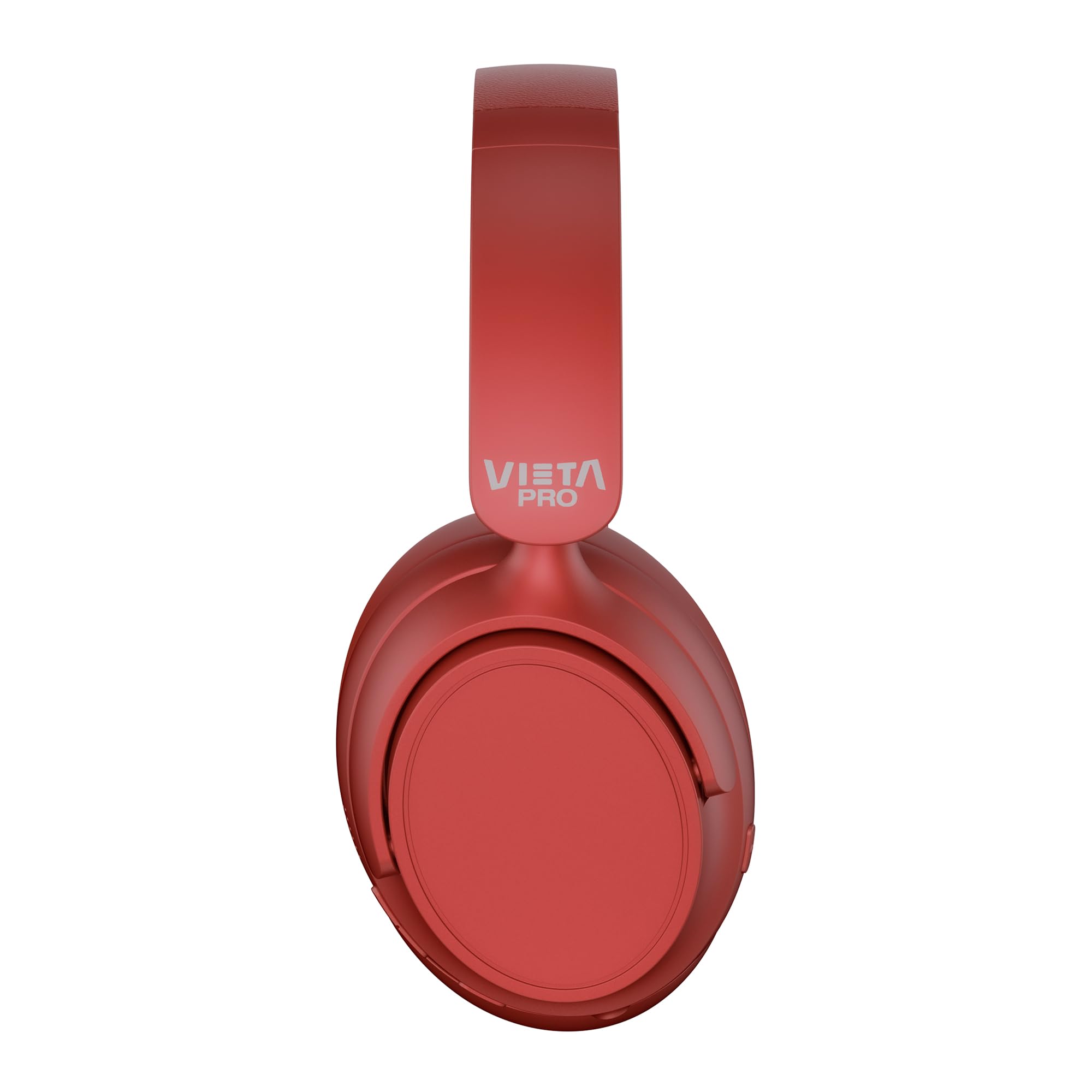
Bild: Fram view of the Vieta Pro Way 4 Headband Headphones in red.
Paketets innehåll
Kontrollera att alla artiklar finns i paketet:
- Vieta Pro Way 4 Headband Headphones
- USB-laddningskabel
- 3.5mm Audio Cable with integrated microphone
- Användarmanual (detta dokument)
Produkt överview
Bekanta dig med de olika delarna och reglagen på dina hörlurar.

Image: Right earcup with power button, volume controls, USB-C charging port, and 3.5mm audio jack.
- Strömknapp: Används för att slå på/av och initiera Bluetooth-parkoppling.
- Knapp för volym upp/nästa spår: Press briefly to increase volume, press and hold for next track.
- Knapp för volym ned/föregående spår: Press briefly to decrease volume, press and hold for previous track.
- Flerfunktionsknapp: For play/pause, answer/end calls, activate voice assistant.
- USB-C-laddningsport: För att ladda hörlurarna.
- 3.5 mm ljudjack: För trådbunden anslutning med den medföljande ljudkabeln.
- Integrerad mikrofon: For calls and voice assistant commands.

Image: Left earcup and adjustable headband of the Vieta Pro Way 4 headphones.
Inställning
1. Ladda hörlurarna
Ladda hörlurarna helt före första användningen.
- Anslut USB-laddningskabeln till USB-C-porten på hörlurarna.
- Anslut den andra änden av kabeln till en USB-nätadapter (medföljer ej) eller en dators USB-port.
- LED-indikatorn visar laddningsstatus (t.ex. röd för laddning, blå/släckt för fulladdad).
- En full laddning ger upp till 50 timmars uppspelning.
2. Slå på / av
- För att slå på: Tryck och håll strömknappen intryckt i cirka 3 sekunder tills LED-indikatorn blinkar.
- För att stänga av: Tryck och håll strömknappen intryckt i cirka 3 sekunder tills LED-indikatorn släcks.
3. Bluetooth-parning
Para ihop dina hörlurar med din enhet för trådlöst ljud.
- Se till att hörlurarna är avstängda.
- Tryck och håll strömknappen intryckt i cirka 5–7 sekunder tills LED-indikatorn blinkar växelvis rött och blått, vilket indikerar parkopplingsläge.
- Aktivera Bluetooth på din enhet (smartphone, surfplatta, dator) och sök efter tillgängliga enheter.
- Select "Vieta Pro Way 4" from the list of found devices.
- När den är ansluten blinkar LED-indikatorn långsamt blått eller lyser med fast blått.
4. Dubbel parkoppling
The Vieta Pro Way 4 headphones support dual pairing, allowing simultaneous connection to two devices (e.g., phone and computer).
- Pair the headphones with the first device as described in "Bluetooth Pairing".
- Inaktivera Bluetooth på den första enheten. Hörlurarna återgår till parkopplingsläge.
- Para ihop hörlurarna med den andra enheten.
- Återaktivera Bluetooth på den första enheten. Hörlurarna bör ansluta automatiskt till båda enheterna.
- Ljud spelas upp från den enhet som aktivt sänder.
5. Trådbunden anslutning (Aux-ingång)
Use the included 3.5mm audio cable for a wired connection. This is useful when the battery is low or for devices without Bluetooth.
- Connect one end of the 3.5mm audio cable to the Aux-in port on the headphones.
- Anslut den andra änden till 3.5 mm-ljuduttaget på din enhet.
- The headphones will automatically switch to wired mode. The integrated microphone on the cable can be used for calls in this mode.
Bruksanvisning
Musikuppspelning
- Spela/pausa: Tryck på multifunktionsknappen en gång.
- Höj volymen: Tryck på volym upp-knappen en gång.
- Sänk volymen: Tryck på volym ned-knappen en gång.
- Nästa spår: Tryck och håll ner volym upp-knappen.
- Föregående låt: Tryck och håll ned volym ned-knappen.
Samtalshantering
- Svara/avsluta samtal: Tryck på multifunktionsknappen en gång.
- Avvisa samtal: Tryck och håll ner multifunktionsknappen i 2 sekunder.
- Återuppringning senaste nummer: Dubbeltryck på multifunktionsknappen.
Röstassistent
- Aktivera röstassistenten (Siri, Google Assistant, etc.): Tryck tre gånger på multifunktionsknappen.
Spelläge
Activate Gaming Mode to reduce Bluetooth latency for an optimized gaming experience.
- Aktivera/avaktivera spelläge: Press the Power button twice quickly. The headphones will provide an audio cue.
Underhåll
- Rengöring: Torka av hörlurarna med en mjuk, torr trasa. Använd inte slipande rengöringsmedel eller lösningsmedel.
- Lagring: Store the headphones in a cool, dry place. The foldable design allows for compact storage.
- Batteriomsorg: För att förlänga batteritiden, undvik att ladda ur hörlurarna helt ofta. Ladda dem regelbundet.
- Vattentålighet: Dessa hörlurar är inte vattentäta. Undvik exponering för vatten eller överdriven fukt.

Image: The Vieta Pro Way 4 headphones in their foldable configuration, demonstrating portability.
Felsökning
| Problem | Möjlig orsak | Lösning |
|---|---|---|
| Hörlurarna slås inte på. | Lågt batteri. | Ladda hörlurarna helt. |
| Kan inte para ihop via Bluetooth. | Hörlurarna är inte i parkopplingsläge; Bluetooth inaktiverat på enheten; för långt från enheten. | Ensure headphones are in pairing mode (flashing red/blue). Enable Bluetooth on your device. Move headphones closer to the device (within 10 meters). |
| Inget ljud eller låg volym. | Volume too low on headphones or device; incorrect audio source selected; headphones not connected. | Increase volume on both headphones and device. Check Bluetooth connection or 3.5mm cable connection. Ensure the correct audio output is selected on your device. |
| Mikrofonen fungerar inte. | Microphone muted on device; incorrect input device selected; issue with 3.5mm cable microphone. | Check device settings to ensure microphone is not muted and "Vieta Pro Way 4" is selected as input. If using wired connection, ensure the cable's microphone is enabled/functional. |
| Audio delay in games. | Gaming Mode is not activated. | Activate Gaming Mode by double-pressing the Power button. |
Specifikationer
| Modellnamn | Vieta Pro Way 4 |
| Modellnummer | Tystnad 3 |
| Anslutningsmöjligheter | Bluetooth 5.4, 3.5 mm Aux-ingång |
| Batteritid | Upp till 50 timmar |
| Mikrofon | Integrated (for Bluetooth), In-line (for 3.5mm cable) |
| Specialfunktioner | Gaming Mode, Dual Pairing, Foldable Design, Passive Noise Reduction |
| Impedans | 32 ohm |
| Öronplacering | Over-ear (Circumaural) |
| Material | Plast |
| Vattenbeständighet | Inte vattentät |
| Kompatibla enheter | Mobile devices, computers, game consoles |
Garanti och support
For warranty information and technical support, please refer to the warranty card included in your product packaging or visit the official Vieta Pro webplats.
Vänligen spara ditt inköpsbevis för eventuella garantianspråk.