
eppfun Cutemeet 818 (LS003)
eppfun Cutemeet 818 Wireless Headphones User Manual
Modell: LS003
Märke: eppfun
Introduktion
Tack för köpetasing the eppfun Cutemeet 818 Wireless Headphones. These headphones are designed to provide a superior audio experience with advanced features such as Bluetooth 5.4, LE Audio, and aptX Lossless support. They offer both wireless and wired connectivity, ensuring versatility for various listening scenarios. With a lightweight and comfortable design, the Cutemeet 818 is perfect for extended use.
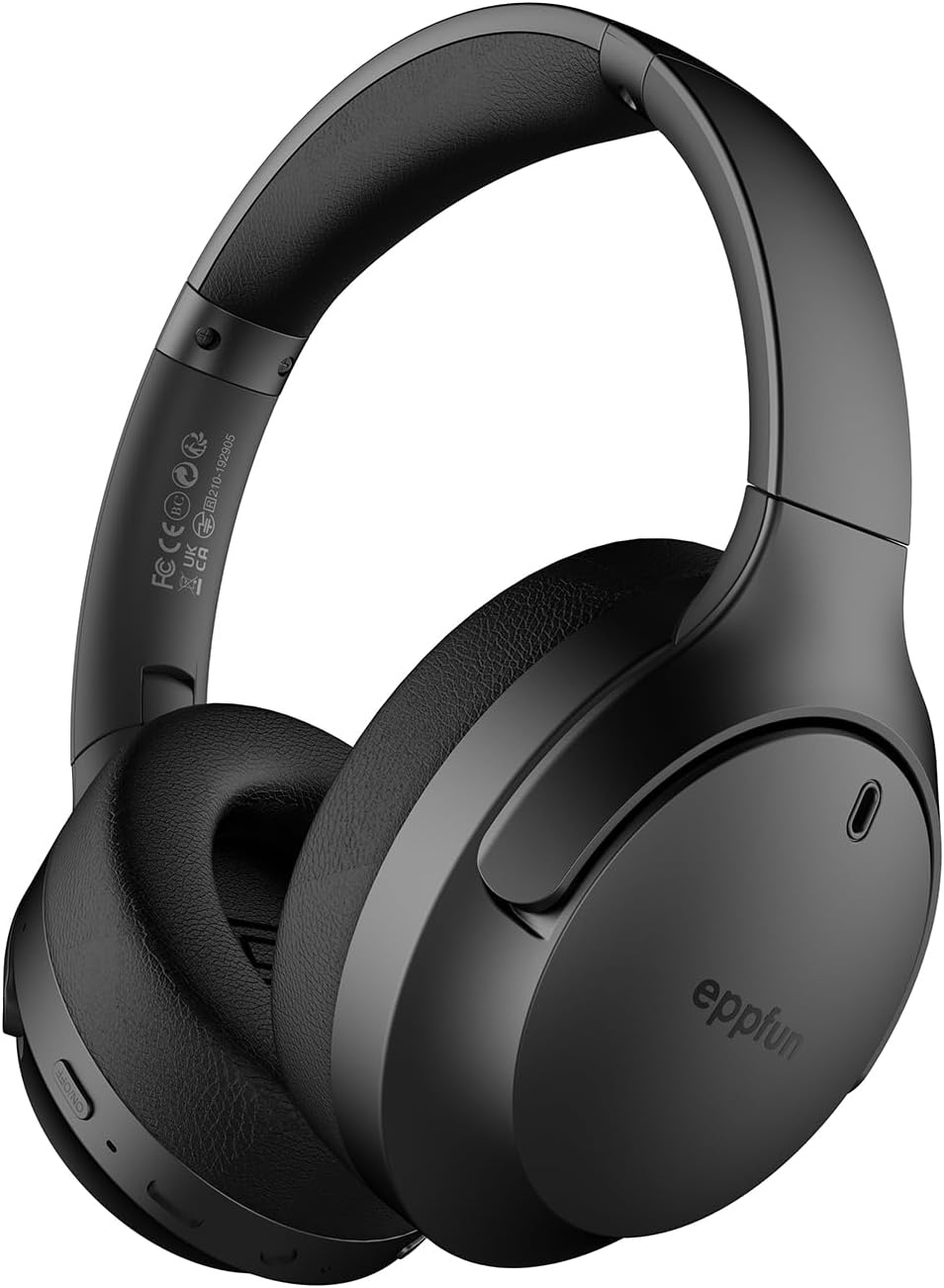
Figure 1: eppfun Cutemeet 818 Wireless Headphones
The image displays the eppfun Cutemeet 818 wireless headphones in black, showcasing their sleek design and over-ear form factor. The eppfun logo is visible on the earcups.
Säkerhetsinformation
Please read this safety information carefully before using the headphones to ensure proper operation and prevent damage or injury.
- Utsätt inte hörlurarna för extrema temperaturer, fuktighet eller frätande ämnen.
- Undvik att tappa hörlurarna eller utsätta dem för hårda stötar.
- Demontera inte hörlurarna eller försök att reparera dem själv. Detta upphäver garantin.
- Rengör hörlurarna med en mjuk, torr trasa. Använd inte starka kemikalier eller slipande material.
- Lyssna på måttlig volym för att förhindra hörselskador. Långvarig exponering för höga ljud kan orsaka oåterkallelig hörselnedsättning.
- Förvaras utom räckhåll för barn och husdjur.
Paketets innehåll
Kontrollera att alla artiklar finns i ditt paket:
- eppfun Cutemeet 818 Wireless Headphones
- USB-C laddningskabel
- 3.5 mm AUX -ljudkabel
- Användarmanual (detta dokument)
Produkt överview
Bekanta dig med de olika delarna och reglagen på dina hörlurar.
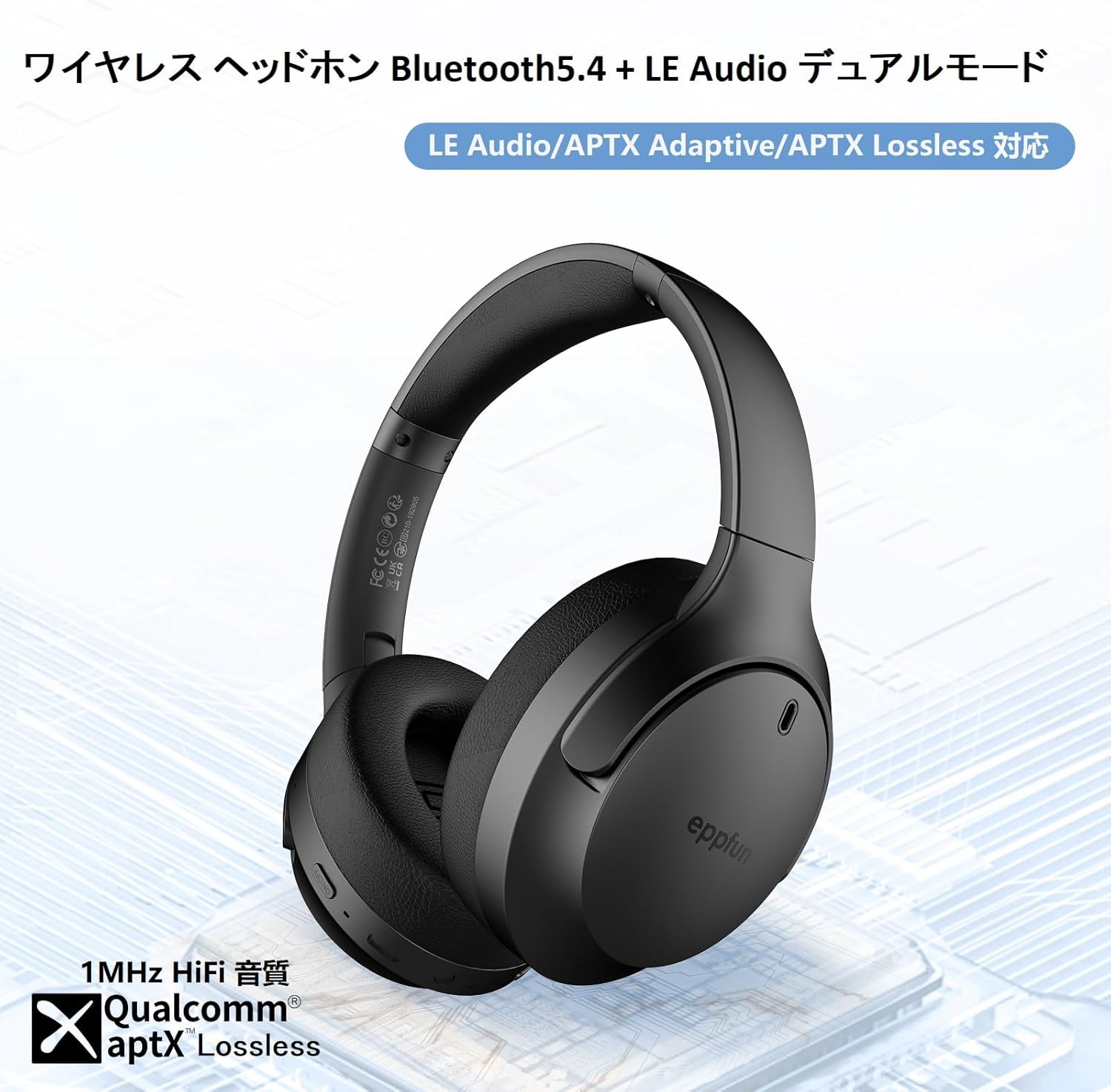
Figure 2: Headphone Features and Controls
This image highlights the eppfun Cutemeet 818 headphones, emphasizing their support for Bluetooth 5.4, LE Audio, APTX Adaptive, and APTX Lossless technologies, indicating high-fidelity audio capabilities.
Kontroller och portar:
- Strömknapp: Tryck och håll in för att slå på/av strömmen. Kort tryck för att spela upp/pausa.
- Knapp för volym upp/nästa spår: Kort tryck för att höja volymen. Långt tryck för nästa låt.
- Knapp för volym ned/föregående spår: Kort tryck för att sänka volymen. Långt tryck för att spela föregående spår.
- Multifunktionsknapp (MFB): Used for answering/ending calls, activating voice assistant.
- USB-C-laddningsport: För att ladda hörlurarna.
- 3.5 mm ljudjack: För trådbunden anslutning med AUX-kabeln.
- LED-indikator: Visar strömstatus, parkopplingsstatus och laddningsstatus.
- Mikrofon: Built-in CVC 8.0 noise-cancelling microphone for clear calls.
Inställning
1. Ladda hörlurarna
Before first use, fully charge the headphones. Connect the USB-C charging cable to the headphone's USB-C port and the other end to a USB power adapter (not included) or a computer's USB port. The LED indicator will show charging status and turn off or change color when fully charged.
2. Bluetooth-parning
- Se till att hörlurarna är avstängda.
- Tryck och håll strömknappen intryckt i cirka 5 sekunder tills LED-indikatorn blinkar blått och rött växelvis, vilket indikerar parkopplingsläge.
- Aktivera Bluetooth på din enhet (smartphone, surfplatta, dator) och sök efter nya enheter.
- Select "eppfun Cutemeet 818" from the list of available devices.
- När den är ansluten lyser LED-indikatorn med fast blått sken eller blinkar långsamt blått.

Figure 3: Bluetooth Connectivity Example
This image illustrates the eppfun Cutemeet 818 headphones wirelessly connected to both a smartphone and a tablet, demonstrating their versatile Bluetooth 5.4 capabilities for seamless audio and communication.
3. Trådbunden anslutning (AUX-läge)
To use the headphones in wired mode, connect one end of the included 3.5mm AUX audio cable to the headphone's 3.5mm audio jack and the other end to your audio source's 3.5mm output. The headphones will automatically switch to wired mode, and the Bluetooth function will be disabled.
Bruksanvisning
Ström på/av
- Ström på: Press and hold the Power button for 2-3 seconds until the LED indicator flashes blue.
- Stäng av: Press and hold the Power button for 3-4 seconds until the LED indicator flashes red and then turns off.
Musikuppspelning
- Spela/pausa: Tryck kort på strömknappen.
- Höj volymen: Tryck kort på volym upp-knappen.
- Sänk volymen: Tryck kort på volym ned-knappen.
- Nästa spår: Tryck länge på volym upp-knappen.
- Föregående låt: Långt tryck på volym ned-knappen.
Samtalshantering
- Svara/avsluta samtal: Tryck kort på MFB.
- Avvisa samtal: Tryck länge på MFB-knappen.
- Aktivera röstassistent: Dubbeltryck på MFB.
LE Audio and Auracast Functionality
The eppfun Cutemeet 818 headphones support LE Audio for superior sound quality with low power consumption and Auracast for ultra-low latency audio transmission. To utilize the Auracast feature for ultra-low latency, an eppfun LE Audio transmitter (sold separately, e.g., ASIN B0CCRTMQ3W) is required. Connect the headphones to the transmitter for an optimized gaming or video experience.

Figure 4: LE Audio and Auracast Support
This image displays a comparison chart of Bluetooth codecs, highlighting the advantages of LC3 (LE Audio) over SBC in terms of audio quality at various bitrates. It also features the Auracast logo, indicating support for this advanced audio sharing technology.
Underhåll
- Rengöring: Använd en mjuk, luddfri trasa för att torka av hörlurarna. Torka försiktigt av öronkåporna med en lätt fuktig trasa.amp cloth and then dry thoroughly. Do not use alcohol, solvents, or abrasive cleaners.
- Lagring: When not in use, store the headphones in a cool, dry place, away from direct sunlight and extreme temperatures. The foldable design (Figure 5) allows for compact storage and easy portability.
- Batteriomsorg: To prolong battery life, avoid fully discharging the headphones frequently. Charge them regularly, especially if not used for extended periods.

Figur 5: Hopfällbar design för portabilitet
This image demonstrates the foldable design of the eppfun Cutemeet 818 headphones, highlighting their compact nature for convenient storage and travel.
Felsökning
| Problem | Möjlig orsak | Lösning |
|---|---|---|
| Hörlurarna slås inte på. | Lågt batteri. | Ladda hörlurarna helt. |
| Kan inte para ihop med enheten. | Hörlurarna är inte i parkopplingsläge; enhetens Bluetooth är avstängd; för långt från enheten. | Se till att hörlurarna är i parkopplingsläge (blinkar blått/rött). Slå på enhetens Bluetooth. Flytta hörlurarna närmare enheten (inom 10 m). |
| Inget ljud eller dålig ljudkvalitet. | Volume too low; incorrect audio source; interference; low battery. | Increase volume on headphones and device. Check if AUX cable is properly connected. Move away from sources of interference. Charge headphones. |
| Samtalskvaliteten är dålig. | Omgivningsbuller; mikrofonhinder. | Flytta till en tystare miljö. Se till att mikrofonen inte är täckt. |
| Intermittent connection/audio drops. | För långt från enheten; störningar; lågt batteri. | Move closer to the device. Avoid obstacles between headphones and device. Charge headphones. |
Specifikationer
| Särdrag | Detalj |
|---|---|
| Modellnamn | LS003 (Cutemeet 818) |
| Anslutningsteknik | Bluetooth 5.4, Wired (3.5mm AUX) |
| Trådlös kommunikationsteknik | Bluetooth |
| Bullerkontroll | Ljudisolering (CVC 8.0 för samtal) |
| Hörlursuttag | 3.5 mm jack |
| Inkluderade komponenter | Cable, Headphones |
| Målålder | Vuxen |
| Material | Acrylonitrile Butadiene Styrene (ABS), Leather, Metal |
| Kompatibla enheter | iPhone & Android Smartphones, Gaming Consoles, TVs, Laptops, Mobile Phones |
| Vattentäthetsnivå | Vattentålig |
| Batteri krävs | Ja |
| Tillverkare | eppfun |
| Objektets vikt | 430 g |
| Impedans | 32 ohm |
| Hörlursstil | Over-Ear |
| Ljudkodekar stöds | LE Audio (LC3), aptX Lossless, aptX Adaptive |
Garanti och support
eppfun products come with a standard warranty. For detailed warranty information, product support, or technical assistance, please refer to the warranty card included in your package or visit the official eppfun website. You can also contact eppfun customer service through the retailer where you purchased the product.
Viktig anmärkning: The maximum communication distance for Bluetooth is 10 meters. This distance may vary depending on the usage environment and interference from other electronic devices. If the battery level is too low, latency may occur. Please charge the headphones regularly.
Ask a question about this manual
Ask about setup, troubleshooting, compatibility, parts, safety, or missing instructions. Manuals+ will review the question and use this page’s manual context to help answer it.