
Sharp BNDL_4TC55FS1UR-WALTS-FM4390-SC
Sharp AQUOS OLED 4K UHD Roku TV User Manual
Model: 4T-C55FS1UR
Includes Walts TV Full Motion Mount and Screen Cleaner Kit
Introduktion
This manual provides essential information for setting up, operating, maintaining, and troubleshooting your new Sharp 4T-C55FS1UR 55 Inch AQUOS OLED 4K Ultra HD Roku TV. It also covers the included Walts TV Large/Extra Large Full Motion Mount and Walts HDTV Screen Cleaner Kit. Please read this manual thoroughly before using your product to ensure optimal performance and safety.

The Sharp 55-inch AQUOS OLED 4K UHD Roku TV, bundled with a full motion mount and screen cleaner kit.
Installationsguide
1. Uppackning och placering
Carefully remove all components from the packaging. The TV weighs approximately 38.5 pounds and has product dimensions of 9.84"D x 48.27"W x 31.18"H. Ensure you have adequate space for placement.
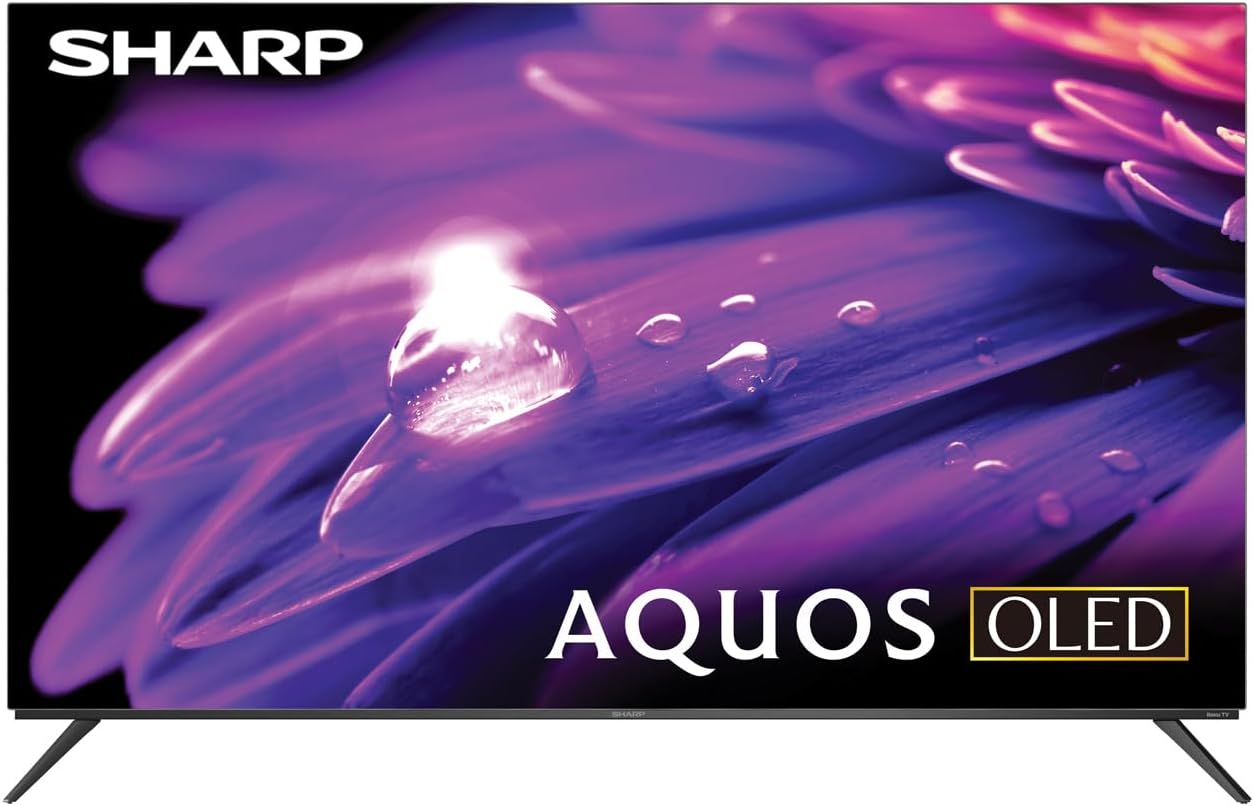
The Sharp AQUOS OLED TV, showcasing dess eleganta design och livfulla skärm.
Montering av stativ
The TV comes with two legs that attach to the outer edges of the TV. These stands provide approximately 3.5 inches of clearance, allowing space for a soundbar or other accessories beneath the TV. Ensure the stands are securely fastened before placing the TV on a flat, stable surface.
Full Motion Mount Installation
The Walts TV Large/Extra Large Full Motion Mount is designed for 43-90 inch compatible TVs and supports VESA compatibility up to 700mm x 500mm. This articulating mount allows for extensive movement, including tilting up or down, angling side to side, and extending away from the wall. Refer to the separate mount instruction manual for detailed installation steps and safety guidelines.

The Walts TV Full Motion Mount, shown in an extended position, offering flexible viewing vinklar.
2. Anslutningar
The TV features side-angled inputs for easy access, whether wall-mounted or on a stand. Connect your devices to the appropriate ports:
- HDMI-portar: 4 HDMI inputs, including one with eARC for enhanced audio return channel functionality.
- USB-portar: 2 USB ports for media playback or connecting compatible devices.
- Ethernet: För en trådbunden internetanslutning.
- Antenn in: For connecting an over-the-air antenna.
- Digital ljudutgång: För anslutning till externa ljudsystem.

En detaljerad view of the conveniently located side-angled input ports on the Sharp TV.
3. Första start och Roku-installation
Once all connections are made, plug in the TV and press the power button on the remote. Follow the on-screen instructions to complete the initial Roku TV setup, including connecting to your Wi-Fi network and logging into your Roku account. The intuitive Roku interface provides access to a wide range of streaming services.

The Sharp Roku TV home screen, showing popular streaming applications and navigation options.
Använda din TV
Bildkvalitet
The Sharp AQUOS OLED TV delivers stunning visuals with its 4K Ultra HD resolution, providing 8.3 million pixels for incredible detail. It supports HDR10, HLG, and Dolby Vision IQ, enhancing contrast and color accuracy for a more immersive viewing experience. The OLED technology ensures true blacks and vibrant colors.
For gamers, the TV features a 120Hz refresh rate and Variable Refresh Rate (VRR) with Low Latency, ensuring smooth gameplay and reduced input lag, especially with next-gen consoles.
Official product review video for the Sharp FS1UR Series TV, highlighting its features and performance.
Ljudfunktioner
Experience rich and clear sound with Dolby Audio. The TV features built-in speakers designed to complement the visual experience. For enhanced audio, utilize the eARC HDMI port to connect a compatible soundbar or audio receiver.
Smart Features (Roku TV)
The integrated Roku TV platform provides access to a vast library of streaming content. Supported internet services include Netflix, Disney+, Apple TV, Roku Channel, Discovery+, HBO Max, Paramount+, and many more. The included voice remote control allows for convenient navigation and content search.
Viewing Angles and Reflection Handling
The Sharp AQUOS OLED TV offers excellent viewing angles, ensuring consistent picture quality even when viewed from the side. Its reflection handling is also exceptional, minimizing glare in most environments. However, in extremely bright rooms, some reflections may still be visible due to the nature of OLED panels.
Underhåll
Rengöring av skärm
Use the included Walts HDTV Screen Cleaner Kit to keep your screen pristine. This non-ammonia and alcohol-free solution cleans without dripping, streaking, or staining, leaving no film or residue. It effectively removes dust, dirt, and fingerprints. Apply the solution to a soft, lint-free cloth (not directly to the screen) and gently wipe the display.

The Walts HDTV Screen Cleaner Kit, designed for safe and effective cleaning of display screens.
Allmän vård
- Keep the TV in a well-ventilated area to prevent overheating.
- Undvik att utsätta TV:n för direkt solljus eller extrema temperaturer.
- Placera inte tunga föremål ovanpå TV:n.
- Koppla ur TV:n från eluttaget under åskväder eller när den inte används under längre perioder.
Felsökning
If you encounter issues with your Sharp AQUOS OLED TV, refer to the following common troubleshooting tips:
- Ingen ström: Se till att nätsladden är ordentligt ansluten till både TV:n och ett fungerande eluttag. Prova ett annat uttag.
- Ingen bild/ljud: Kontrollera att rätt ingångskälla är vald. Kontrollera att alla kabelanslutningar (HDMI, antenn etc.) är lösa.
- Fjärrkontrollen fungerar inte: Byt batterier i fjärrkontrollen. Se till att det inte finns några hinder mellan fjärrkontrollen och TV:ns IR-sensor.
- Problem med nätverksanslutning: Restart your Wi-Fi router. Go to the Roku TV settings to re-establish the network connection or try a wired Ethernet connection.
- Problem med bildkvaliteten: Adjust picture settings (brightness, contrast, color) in the TV's menu. Ensure your content source is high-quality (e.g., 4K content for 4K resolution).
För mer detaljerad felsökning eller ihållande problem, vänligen kontakta kundsupport.
Specifikationer
| Särdrag | Beskrivning |
|---|---|
| Varumärke | Skarp |
| Modellnamn | 4T-C55FS1UR |
| Skärmstorlek | 55 tum |
| Displayteknik | OLED |
| Upplösning | 4K Ultra HD |
| Uppdateringshastighet | 120 Hz |
| Specialfunktioner | HDR10, HLG, Dolby Vision IQ, Full Roku TV Experience, Dolby Digital Audio, Variable Refresh Rate (VRR) with Low Latency, Voice Remote Control |
| Anslutningsmöjligheter | 4 HDMI (1 eARC), 2 USB, Wi-Fi Compatible, Ethernet |
| Internettjänster som stöds | Netflix, Disney+, Apple TV, Roku Channel, Discovery+, HBO Max, Paramount+, and More |
| Produktens mått | 9.84" D x 48.27" B x 31.18" H |
| Objektets vikt | 38.5 pund |
| Färg | Svart |
Garanti och support
For warranty information and customer support, please refer to the documentation included with your product or visit the official Sharp webwebbplatsen. Du kan också hitta ytterligare supportresurser och vanliga frågor på Sharp Store på Amazon.

Dedicated customer support is available for assistance.