
1. Introduktion
This manual provides detailed instructions for the safe and proper installation, operation, and maintenance of your MOUNTUP MU0057-L Full Motion TV Wall Mount. Please read all instructions carefully before installation to ensure correct setup and to prevent damage or injury. Keep this manual for future reference.
The MOUNTUP MU0057-L is designed to securely mount most 42-75 inch flat or curved screen televisions weighing up to 99 lbs (45 kg). It features a 30-inch extension arm, +/-90° swivel, +5°/-10° tilt, and +/-3° leveling for optimal viewflexibilitet.
2. Säkerhetsinformation
WARNING: Failure to read and follow these instructions may result in serious personal injury, property damage, or voiding of warranty.
- Viktkapacitet: Överskrid inte den maximala viktkapaciteten på 45 kg. Detta fäste är endast avsett att användas med de angivna maximalvikterna. Användning med produkter som är tyngre än de angivna maximalvikterna kan leda till instabilitet och orsaka skador.
- TV-storlek: This mount is compatible with TVs from 42 to 75 inches.
- VESA-kompatibilitet: Ensure your TV's VESA pattern (mounting hole spacing) is within the range of 150x100mm to 600x400mm.
- Väggtyp: This mount is designed for installation on solid concrete/brick walls or single wood studs. Installera INTE enbart i gipsskivor.
- Professionell installation: If you have any doubts about your ability to safely install this mount, consult a qualified professional.
- Komponentkontroll: Before installation, verify that all components are present and undamaged. Do not use damaged or defective parts.
- Verktyg: Använd lämpliga verktyg för installation.
3. Paketets innehåll
Please check the package to ensure all parts are included and undamaged. If any parts are missing or damaged, contact MOUNTUP customer service.
- Väggplattans montering
- TV-fästen (2)
- Monteringssats (olika skruvar, brickor, distanser, ankare)
- Bubbla nivå
- Borrmall
- Instruktionsmanual
4. Specifikationer
| Specifikation | Värde |
|---|---|
| Modell | MU0057-L |
| TV -storlekskompatibilitet | 42–75 tum |
| Viktkapacitet | Upp till 99 lbs (45 kg) |
| VESA-kompatibilitet | 150x100mm till 600x400mm |
| Förlängning från vägg | 3 tum (indragen) till 30 tum (utdragen) |
| Svängbar räckvidd | +/-90° |
| Tilt Range | +5° / -10° |
| Nivåjustering | +/-3° |
| Material | Metall |
| Färg | Svart |
| Objektets vikt | 13.77 pund |
Notera: The TV plate is offset approximately 8.5 inches (215mm) from the wall plate center. Consider this when positioning your TV on the wall.

Image: TV Plate Offset Diagram
5. Installationsinstruktioner
5.1 Kontroller före installation
- Verifiera TV-kompatibilitet: Check your TV's size, weight, and VESA mounting pattern. The VESA pattern refers to the four mounting holes on the back of your TV.
- Identifiera väggtyp: Determine if your wall is solid concrete/brick or a single wood stud.
- Check TV Ports: Ensure the mount will not block any necessary ports on your TV.

Image: Available VESA Patterns and TV Mounting Holes

Image: Diverse Wall Compatibility

Image: Ensure Mount Won't Block Ports
5.2 Steg-för-steg-installation
The installation process involves three main steps:
- Mount Brackets to TV: Attach the TV brackets to the back of your television using the appropriate screws, washers, and spacers from the hardware kit. Ensure they are securely fastened.
- Installera väggplatta: Using the provided drilling template and bubble level, mark and drill pilot holes in your wall. Secure the wall plate assembly to the wall with the appropriate anchors and lag bolts.
- Häng TV:n på väggplattan: Carefully lift your TV with the attached brackets and hook them onto the wall plate. Secure the TV to the wall plate using the safety screws or locking mechanisms.


Image: Easy & Quick 3-Step Installation Overview
6. Drift och justeringar
6.1 Förlängning och indragning
The mount allows your TV to extend up to 30 inches from the wall and retract to approximately 3 inches, providing flexibility for various viewing positions and saving space when not in use.
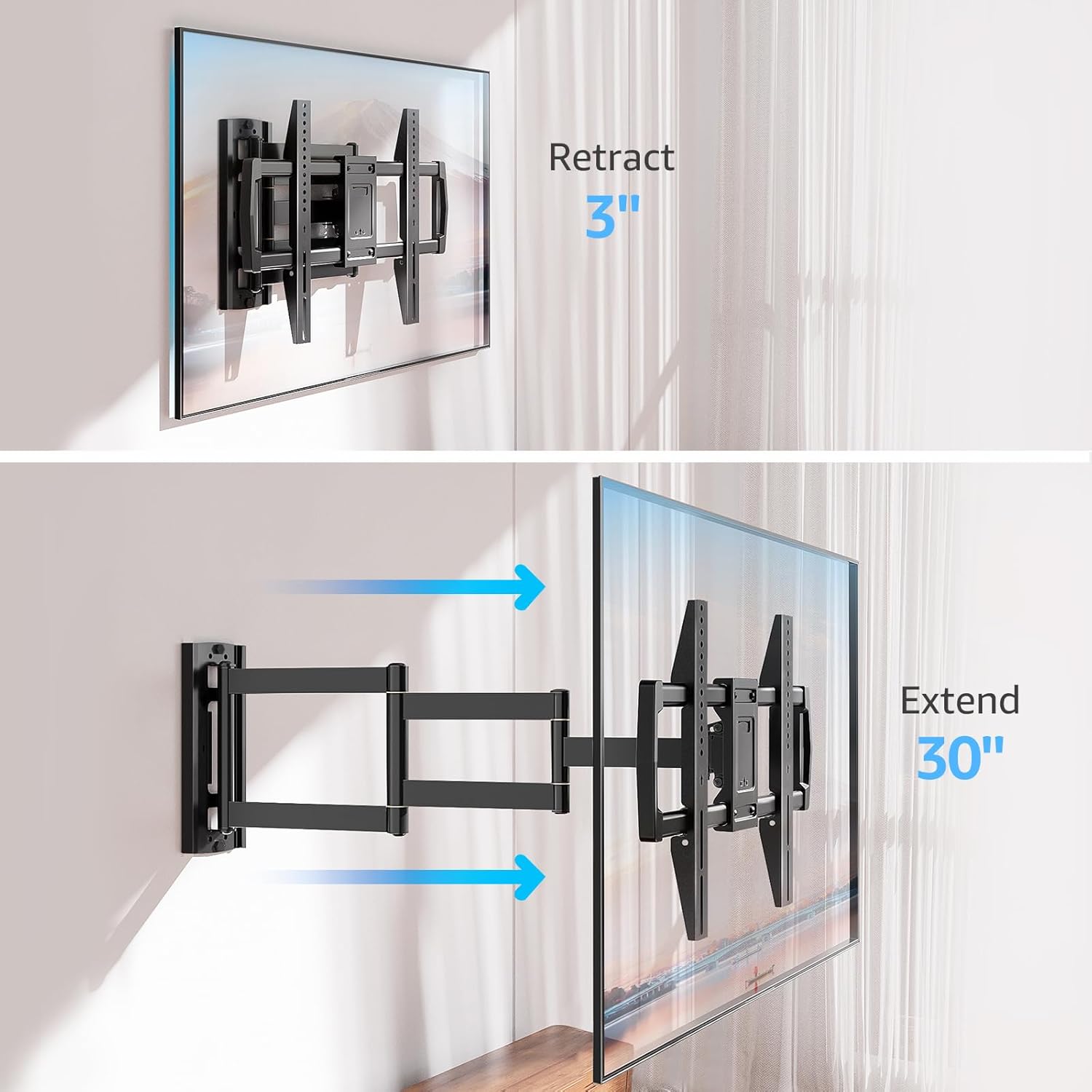
Image: Mount Extension and Retraction
6.2 Vridjustering
The articulating arm allows for a smooth +/-90° swivel, enabling you to adjust the TV's angle to suit different viewing areas within a room, including corner mounting scenarios.
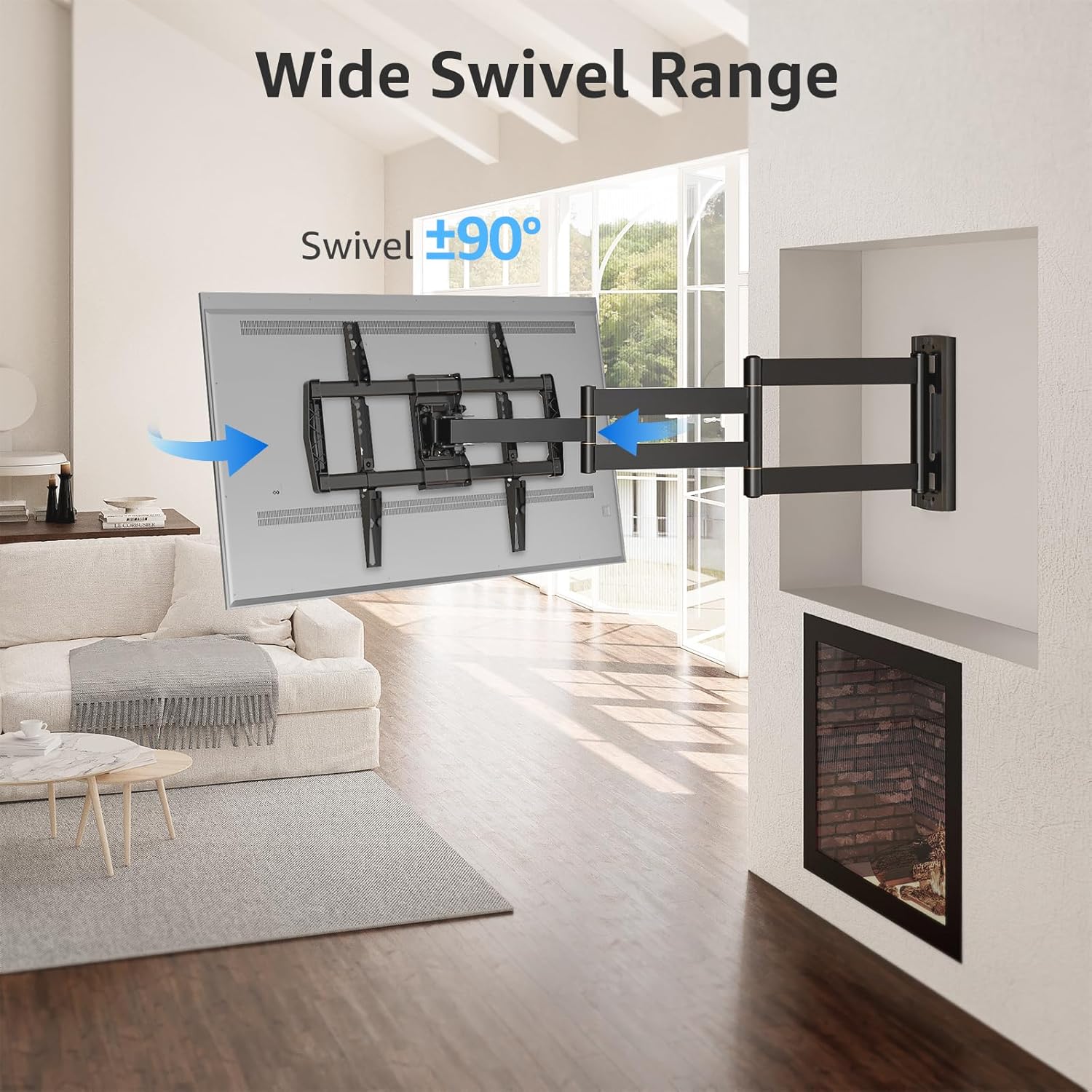
Image: Wide Swivel Range for Corner Mounting
6.3 Lutningsjustering
Adjust the TV's vertical angle with a +5°/-10° tilt range. This feature helps reduce glare from lights or windows and provides a comfortable viewing vinkel.
6.4 Nivelleringsjustering
After installation, you can make minor horizontal adjustments of +/-3° to ensure the TV is perfectly level.

Image: Level and Tilt Adjustments
7. Underhåll
Regelbundet underhåll säkerställer att ditt TV-väggfäste håller länge och fungerar säkert.
- Rengöring: Torka av fästet med en mjuk, torr trasa. Undvik slipande rengöringsmedel eller lösningsmedel som kan skada ytan.
- Kontroll av fästelement: Kontrollera regelbundet alla skruvar och bultar för att säkerställa att de är ordentligt åtdragna. Dra åt vid behov.
- Rörelsekontroll: Test the mount's full range of motion (extension, retraction, swivel, tilt) occasionally to ensure smooth operation.
8. Felsökning
Om du stöter på problem under eller efter installationen, se följande vanliga problem och lösningar:
- TV:n är inte i våg: Use the +/-3° post-installation leveling feature to adjust the TV's horizontal position.
- Fästet känns löst: Re-check all wall and TV fasteners to ensure they are securely tightened. Do not overtighten.
- Svårigheter att röra armen: The mount's joints may be stiff initially. Apply gentle force. If persistent, ensure no cables are snagged.
- TV not fitting VESA pattern: Double-check your TV's VESA pattern against the mount's specifications (150x100mm to 600x400mm). If incompatible, the mount cannot be used.
9. Garanti och support
MOUNTUP is dedicated to providing quality products and customer satisfaction. While specific warranty details are not provided in this document, MOUNTUP offers comprehensive support.
If you have any questions, require assistance with installation, or need to report a missing/damaged part, please contact MOUNTUP customer service. Experts are available 7 days a week to provide support and advanced technology solutions.
For more information or to contact support, please visit the official MOUNTUP store or webplats.