
1. Introduktion
This manual provides comprehensive instructions for the installation, operation, and maintenance of your Lloyd's LC-1388 4MP Indoor/Outdoor IP Camera Set. This intelligent security camera system offers remote monitoring and full control via your smartphone, featuring 180° horizontal movement, an integrated LED light, and a 4MP resolution for clear video and images. Designed for both indoor and outdoor use with an IP65 rating, it includes advanced detection capabilities, color night vision, two-way communication, and an integrated siren. Please read this manual thoroughly before use to ensure proper functionality and safety.
2. Paketets innehåll
Verify that all items listed below are present and in good condition upon opening the package.
- 2 x Lloyd's LC-1388 4MP IP Cameras
- 2 x USB-kablar
- 2 x AC/DC Adapters
- 2 x monteringsfästen
- Screws and Wall Plugs (for mounting)
- Användarhandbok (det här dokumentet)
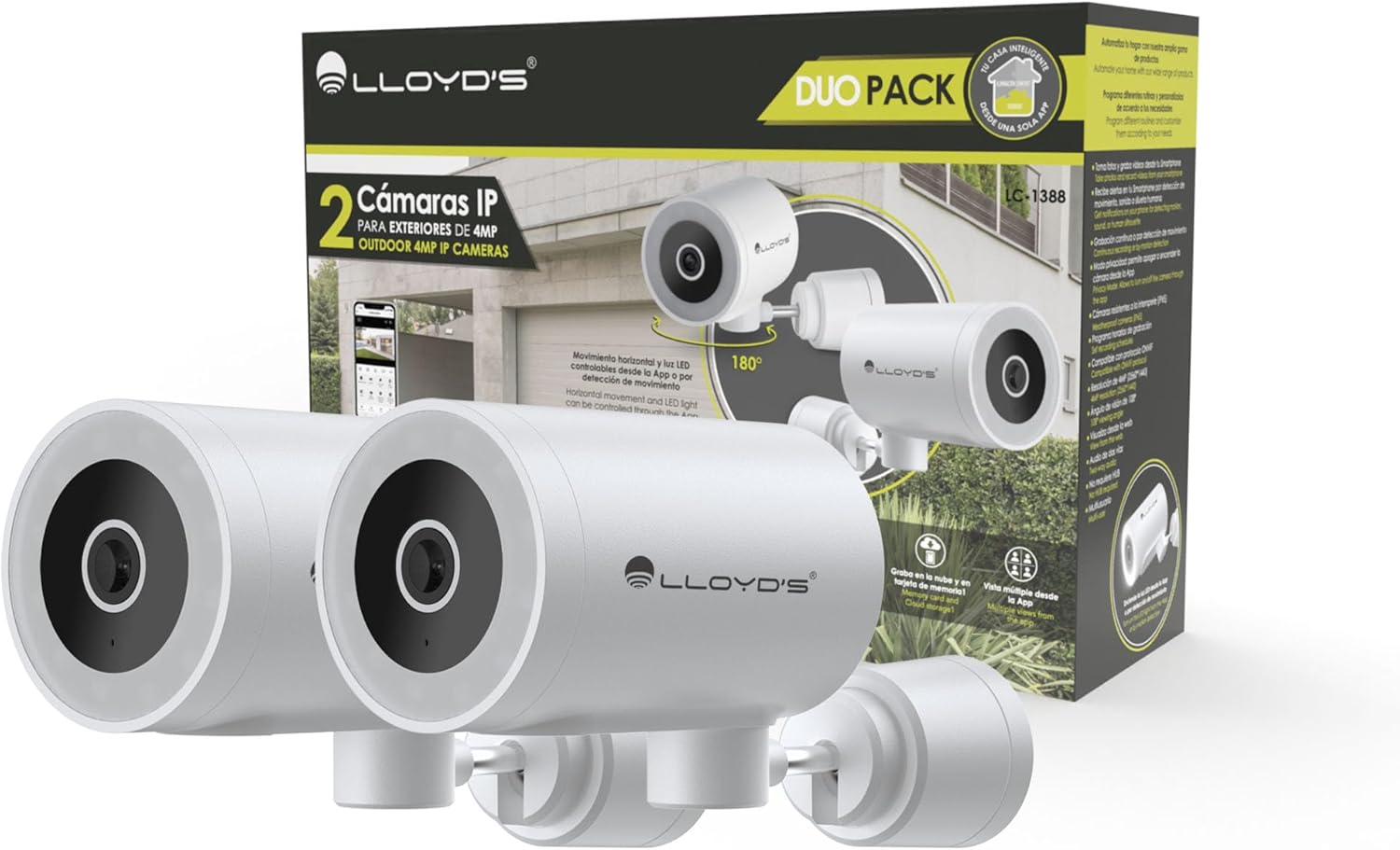
Image: The Lloyd's LC-1388 IP Camera Set, showing the product packaging and the two included cameras.
3. Säkerhetsinformation
- Se till att strömförsörjningen voltage uppfyller kamerans krav (5V DC).
- Utsätt inte kameran för extrema temperaturer, fuktighet eller direkt solljus under längre perioder.
- Undvik att placera kameran nära starka elektromagnetiska fält.
- For outdoor installation, ensure all connections are properly sealed to maintain the IP65 weather resistance.
- Förvaras utom räckhåll för barn.
- Försök inte att ta isär eller reparera kameran själv. Kontakta kvalificerad servicepersonal.
4. Inställning
4.1 Installation
The Lloyd's LC-1388 camera is designed for wall mounting and can be used both indoors and outdoors (IP65 rated).
- Välj en plats: Välj en plats som erbjuder önskad viewing angle and is within range of your 2.4 GHz Wi-Fi network. For outdoor use, ensure the location offers adequate protection from direct impact and extreme weather conditions.
- Montering:
- Use the included mounting bracket as a template to mark drill holes on the wall.
- Borra hål och sätt i väggpluggarna.
- Fäst monteringsfästet på väggen med de medföljande skruvarna.
- Attach the camera to the mounting bracket. Adjust the camera angle as needed.
- Strömanslutning: Connect the USB cable to the camera and the AC/DC adapter, then plug the adapter into a power outlet. The camera will power on.

Bild: Sida view of the camera, showing its compact design.
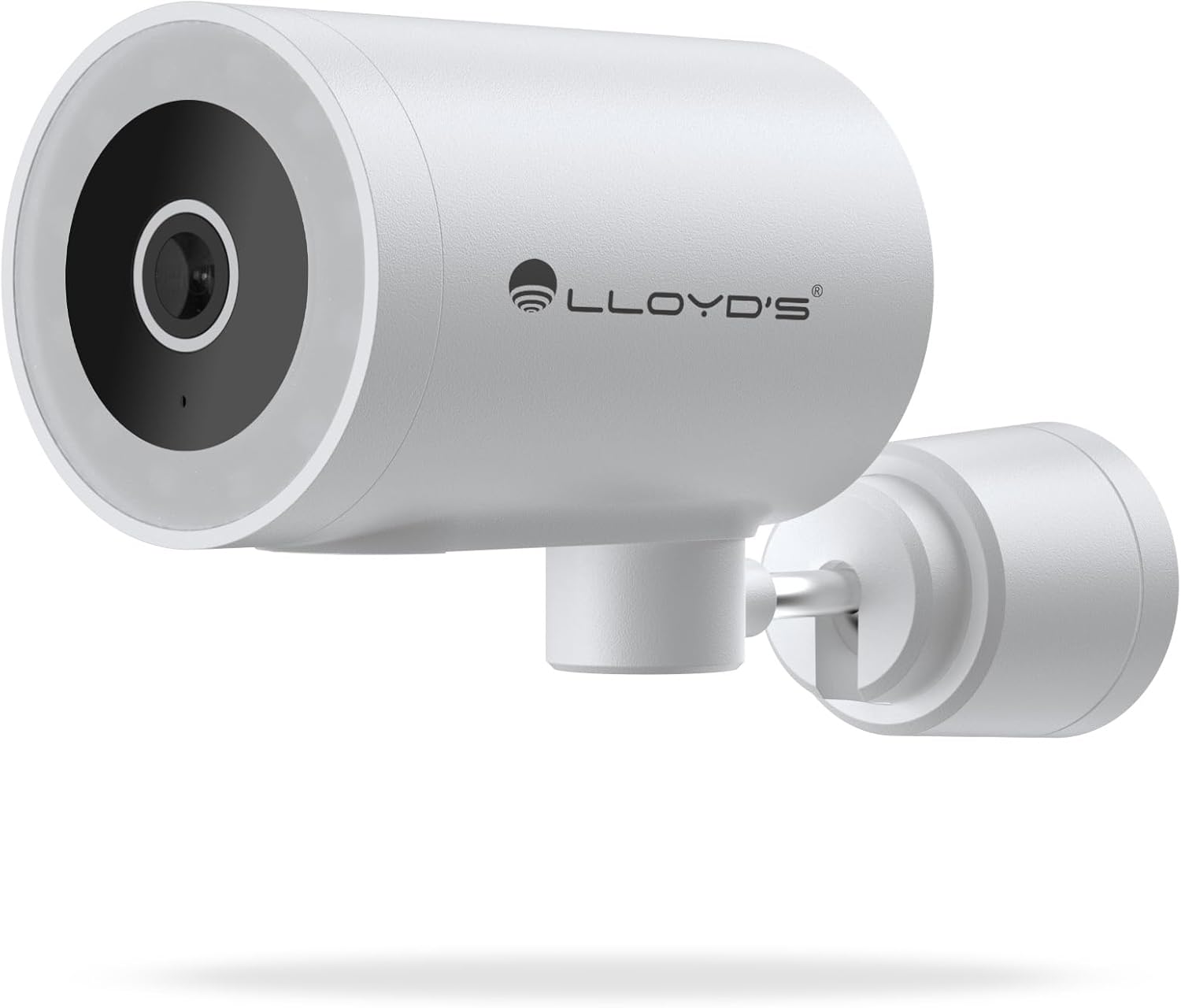
Bild: Fram view of the camera, highlighting the lens and sensor.

Image: Icons indicating the camera's suitability for both outdoor and indoor environments.
4.2 Nedladdning och parkoppling av app
The camera operates via a dedicated smartphone application. Ensure your smartphone is connected to a 2.4 GHz Wi-Fi network.
- Ladda ner appen: Leta efter "Lloyd's Smart" or similar in your device's app store (compatible with iOS 11.0+ and Android 5.0+).
- Skapa ett konto: Öppna appen och följ instruktionerna på skärmen för att registrera ett nytt konto eller logga in om du redan har ett.
- Lägg till enhet:
- Tap the "+" icon or "Add Device" in the app.
- Select "Security Camera" or the specific camera model (LC-1388).
- Follow the app's instructions to put the camera into pairing mode (usually indicated by a flashing LED).
- Enter your 2.4 GHz Wi-Fi network details when prompted.
- Scan the QR code displayed on your phone screen with the camera lens, or follow alternative pairing methods if provided by the app.
- När du är ansluten, namnge din kamera och slutför installationen.

Image: The Lloyd's app interface demonstrating multiple camera views, customizable detection zones, push notifications, and integration with voice assistants.
5. Använda kameran
5.1 Live View och kontroll
- Fjärrövervakning: Access live video feed from your smartphone app, web browser, or compatible smart TV (requires Chromecast / Fire TV Stick with voice remote).
- Horisontell rörelse: Control the camera's 180° horizontal pan directly from the app to adjust the viewing område.
- LED -ljuskontroll: Turn the integrated LED light on or off via the app. The light can also be configured to activate upon motion detection.
- Tvåvägskommunikation: Use the built-in microphone and speaker to communicate with individuals near the camera from your smartphone.

Image: The camera illustrating its 180-degree horizontal tracking function, suitable for indoor or outdoor use (IP65), with two-way audio and multiple views från appen.

Image: A smartphone screen showing the "Multiple views from the App" feature, allowing simultaneous monitoring of several cameras.

Image: A user monitoring the camera feed on a television, demonstrating compatibility with smart assistants for voice control and viewing.
5.2 Nattseendelägen
The camera offers three night vision modes up to 10 meters:
- Automatiskt läge: The camera automatically switches between infrared and color night vision based on ambient light conditions.
- Infrarött läge: Ger tydlig svartvit video i fullständigt mörker med hjälp av infraröda lysdioder.
- Färgläge: Utilizes the integrated LED lights to provide full-color night vision, even in low-light environments.

Image: Icons representing the camera's night vision capabilities and 4MP image resolution.
5.3 Detektion och varningar
- Rörelsedetektering: Få aviseringar på din smartphone när rörelse detekteras.
- Ljudavkänning: Get notifications for unusual sounds.
- Människokroppsdetektering: Advanced detection to specifically identify human presence, reducing false alarms.
- Anpassningsbara detektionszoner: Definiera specifika områden inom kamerans view to monitor and receive alerts for.
- Integrerad siren: The 90 dB siren can be activated manually via the app or automatically upon detection of an event.

Image: Icons illustrating the camera's notification system, integrated siren, and motion detection capabilities.
5.4 Inspelningsalternativ
- Kontinuerlig inspelning: Record video continuously.
- Event-Based Recording: Record only when motion, sound, or human detection is triggered.
- Lagring:
- MicroSD-kort: Stöder upp till 128 GB microSD-kort (ingår ej) för lokal lagring.
- Molnlagring: Cloud recording is available with a subscription (sold separately).
- Schemaläggning: Program specific recording schedules and alert reception times via the app.
5.5 Smart hemintegration
- Röstassistenter: Compatible with Amazon Echo Show and Google Nest Hub. Supports Siri Shortcuts via routines created in the app.
- Lloyd's Smart Ecosystem: Create routines to trigger actions with other Lloyd's smart products.
- ONVIF-kompatibilitet: Integrate the 4MP camera with various video surveillance equipment such as NVRs and hybrid DVRs using the ONVIF protocol.
6. Underhåll
- Rengöring: Torka försiktigt av kameralinsen och kamerahuset med en mjuk, torr trasa. Använd inte starka kemikalier eller slipande rengöringsmedel.
- Firmware -uppdateringar: Kontrollera regelbundet appen för tillgängliga firmwareuppdateringar för att säkerställa optimal prestanda och säkerhet.
- Strömcykel: Om kameran upplever problem kan du prova att dra ur kontakten från strömkällan i 10 sekunder och sedan ansluta den igen.
7. Felsökning
| Problem | Möjlig orsak | Lösning |
|---|---|---|
| Kameran ansluter inte till Wi-Fi | Incorrect Wi-Fi password; Camera too far from router; Only 5 GHz Wi-Fi network available. | Verify password; Move camera closer to router; Ensure you are connecting to a 2.4 GHz Wi-Fi network. |
| Inget videoflöde | Camera is offline; Power issue; Network problem. | Check power connection; Restart camera; Verify Wi-Fi connection; Check internet connectivity. |
| Rörelsevarningar togs inte emot | Motion detection disabled; App notifications turned off; Detection zone not configured. | Enable motion detection in app; Allow app notifications; Configure detection zones. |
| Dålig bildkvalitet | Dirty lens; Low light conditions (in non-color night vision mode); Network bandwidth issues. | Clean the lens; Switch to Color Night Vision if applicable; Ensure stable Wi-Fi connection. |
8. Specifikationer
| Särdrag | Detalj |
|---|---|
| Modellnummer | LC-1388 |
| Stämpla | Lloyd's |
| Videoinspelningsupplösning | 4 MP (2560x1440p) |
| Effektiv videoupplösning | 16.9 |
| Bildhastighet | 15 bilder per sekund |
| Anslutningsteknik | Wireless (Wi-Fi 2.4 GHz), ONVIF |
| Wi-Fi-protokoll | 2.4 GHz |
| Monteringstyp | Väggfäste (skruvmontering) |
| Användningsmiljö | Indoor, Outdoor (IP65 Water Resistant) |
| Night Vision Range | Upp till 10 meter |
| Viewing vinkel | 108 grader |
| Specialfunktioner | Two-way audio, Motion detector, Local recording, Built-in light, HD resolution, Night vision, Horizontal tracking, Integrated siren |
| Kompatibla enheter | Smartphone, Tablet, Web |
| Controllertyp | Amazon Alexa, Android, Google Assistant, Tuya, iOS |
| Strömkälla | Corded Electric (5V DC, 5 Watts) |
| Material | Akrylnitril Butadien Styren (ABS) |
| Mått (LxBxH) | 8.48 x 6.2 x 15.98 cm |
| Vikt | 596 g |
| Ursprungsland | Kina |
9. Garanti och support
For warranty information, please refer to the documentation provided with your purchase or contact Lloyd's customer support. For technical assistance or further inquiries, please visit the official Lloyd's webwebbplats eller kontakta deras kundtjänst.
Tillverkare: Zutto Technologies S.A. de C.V.