
1. Introduktion
Welcome to the world of boAt Nirvana Zenith Pro TWS Earbuds. These earbuds are designed to provide a superior audio experience with advanced features such as Hybrid Adaptive Active Noise Cancellation, Spatial Audio, and Hi-Res Audio with LDAC support. This manual will guide you through the setup, operation, and maintenance of your new earbuds.
2. Vad finns i lådan
- boAt Nirvana Zenith Pro TWS Earbuds
- Laddningsväska
- Additional Earbuds (various sizes)
- USB Type-C laddningskabel
- Användarmanual

Image: boAt Nirvana Zenith Pro TWS Earbuds and Charging Case in Platinum Gold.
3. Installation och första användning
3.1 Initial laddning
Before first use, fully charge your earbuds and charging case. Connect the USB Type-C cable to the charging port on the case and a power source. The LED indicator on the case will show charging status.
3.2 Para ihop med din enhet
- Öppna laddningsfodralet. Hörlurarna går automatiskt in i parkopplingsläge.
- Gå till Bluetooth-inställningarna på din smartphone eller annan Bluetooth-aktiverad enhet.
- Leta efter 'boAt Nirvana Zenith Pro' in the list of available devices.
- Välj den för att ansluta. När den är ansluten hör du ett ljudmeddelande.

Image: Earbuds resting in their open charging case, indicating readiness for Bluetooth pairing.
4. Bruksanvisning
4.1 Tryck på kontroller
The boAt Nirvana Zenith Pro features intuitive touch controls on each earbud. Specific functions can be customized via the boAt Hearables App.
| Handling | Fungera |
|---|---|
| Enkelt tryck (vänster/höger) | Spela/pausa musik, svara/avsluta samtal |
| Dubbeltryck (höger) | Nästa spår |
| Dubbeltryck (vänster) | Föregående spår |
| Trippeltryck (vänster/höger) | Aktivera Voice Assistant |
| Långt tryck (vänster/höger) | Växla ANC/Ambient-läge |
4.2 Aktiv brusreducering (ANC) och omgivningsläge
The earbuds feature 50dB Hybrid Adaptive ANC to minimize external noise, allowing for an immersive listening experience. Ambient Mode allows you to hear your surroundings while still enjoying your audio.

Image: Graphic demonstrating the effectiveness of 50dB Hybrid Adaptive Noise Cancellation.
4.3 Spatial ljud
Experience a theater-like sound from all directions with boAt Spatial Audio, co-tuned by filmmaker Imtiaz Ali. This feature provides a 360-degree immersive audio experience.
Video: Filmmaker Imtiaz Ali discussing the co-tuning of Spatial Audio for an immersive experience.

Image: Visual representation of Spatial Audio creating a 360-degree sound field around the listener.
4.4 Högupplöst ljud med LDAC
The Nirvana Zenith Pro supports Hi-Res Audio powered by the LDAC codec, ensuring high-quality sound transmission and a rich listening experience through its 12mm drivers.

Bild: Detaljerad view of the 12mm audio drivers, highlighting Hi-Res Audio and LDAC compatibility.
4.5 boAt Hearables App Compatibility
Unlock Pro Mode and customize your listening experience with the boAt Hearables App. Adjust EQ modes, customize touch functions, control ANC settings, and receive software updates.

Image: Screenshot of the boAt Hearables App, showing various settings and customization options.
Ladda ner appen här: boAt Hearables-appen
4.6 Flerpunktsanslutning
Connect and switch seamlessly between two devices simultaneously. For example, watch a movie on your tablet and answer an incoming call on your phone without manually reconnecting.
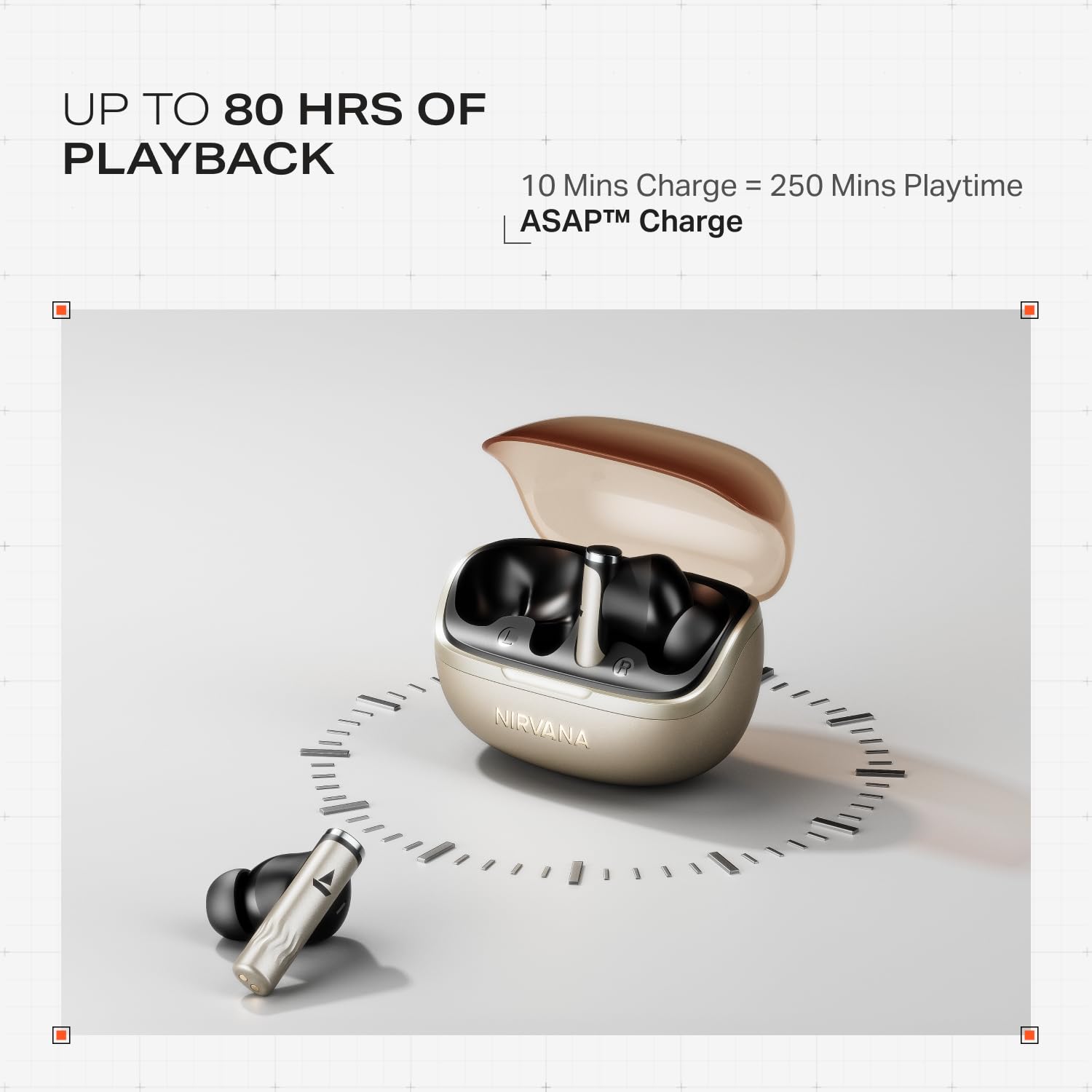
Image: Illustration of multipoint connectivity, with earbuds linked to both a smartphone and a tablet.
4.7 Detektering i örat
The earbuds automatically pause playback when removed from your ears and resume when placed back in, providing a seamless listening experience.

Image: Diagram showing an earbud in an ear, with text indicating 'Plug-in to Play' and 'Plug-Out to Pause'.
4.8 Beast Mode (Low Latency)
Activate Beast Mode for an ultra-low latency of 60ms, ideal for gaming to ensure synchronized audio and visuals.

Image: A smartphone displaying a racing game, with earbuds positioned nearby, illustrating the Beast Mode for low-latency gaming.
4.9 Google Fast Pair Service
Enjoy quick and effortless pairing with Android devices using Google Fast Pair Service, allowing for instant connection upon opening the case.

Image: A smartphone displaying a Google Fast Pair notification, prompting connection to the Nirvana Zenith Pro earbuds.
5. Laddning och batteri
The earbuds offer up to 80 hours of total playtime with the charging case. The ASAP Charge feature provides 250 minutes of playtime after just 10 minutes of charging.
- Batteritid: Upp till 80 timmar (med laddningsfodral)
- ASAP-avgift: 10 minutes charge = 250 minutes playtime
- Full laddningstid: Approximately 110 minutes for earbuds and case.

Image: Visual representation of the earbuds and charging case, highlighting 80 hours of playback and ASAP Charge capabilities.
6. Underhåll och skötsel
- Rengöring: Regularly clean the earbuds and charging contacts with a soft, dry cloth. Avoid using harsh chemicals.
- Lagring: Förvara öronsnäckorna i laddningsfodralet när de inte används för att skydda dem och hålla dem laddade.
- Vattentålighet: The earbuds are IPX4 rated, meaning they are resistant to splashes and sweat. Do not submerge them in water.
Video: A short animation demonstrating the IPX4 water resistance of the earbuds, showing protection against splashes.
7. Felsökning
7.1 Hörlurar paras inte ihop
- Se till att båda hörsnäckorna är laddade.
- Sätt tillbaka öronsnäckorna i fodralet, stäng locket, vänta några sekunder och öppna sedan igen för att återgå till parkopplingsläget.
- Glöm enheten från telefonens Bluetooth-inställningar och försök att para ihop den igen.
7.2 Low Volume/Poor Sound Quality
- Kontrollera volymnivåerna på både din enhet och öronsnäckorna.
- Se till att öronsnäckorna är rena och fria från skräp.
- Prova olika storlekar på öronkuddar för bättre tätning.
- Disable ANC temporarily to see if it improves sound in certain environments.
7.3 Hörlurarna laddas inte
- Se till att laddningskabeln är ordentligt ansluten till både fodralet och strömkällan.
- Rengör laddningskontakterna på både öronsnäckorna och fodralet.
- Prova en annan laddningskabel eller nätadapter.
8. Specifikationer
| Särdrag | Detalj |
|---|---|
| Modellnamn | Nirvana Zenith Pro |
| Modellnummer | PP0010 |
| Bullerkontroll | 50dB Hybrid Adaptive Active Noise Cancellation |
| Audio Codec | LDAC (Hi-Res Audio) |
| Förare | 12 mm dynamiska drivrutiner |
| Mikrofoner | 6 Mics with AI-ENx Technology |
| Batteritid | Upp till 80 timmar (med fodral) |
| Bluetooth-version | 5.4 |
| Vattenbeständighet | IPX4 |
| Låg latens | 60ms (Beast Mode) |
| Vikt | 45 gram |
9. Garanti och support
Your boAt Nirvana Zenith Pro TWS Earbuds come with a 1 års garanti från inköpsdatumet. Spara ditt inköpskvitto för garantianspråk.
For further assistance, technical support, or warranty claims, please visit the official boAt webwebbplatsen eller kontakta deras kundtjänst. Kontaktinformationen finns vanligtvis på produktförpackningen eller det officiella varumärket webplats.