
1. Produkt överview
The WVX Gaming Laptop R9-6900HX (Model A02) is a high-performance portable computer designed for demanding tasks such as gaming, content creation, and multitasking. It features an AMD Ryzen 9 6900HX processor, AMD Radeon 680M integrated graphics, and fast DDR5 memory.
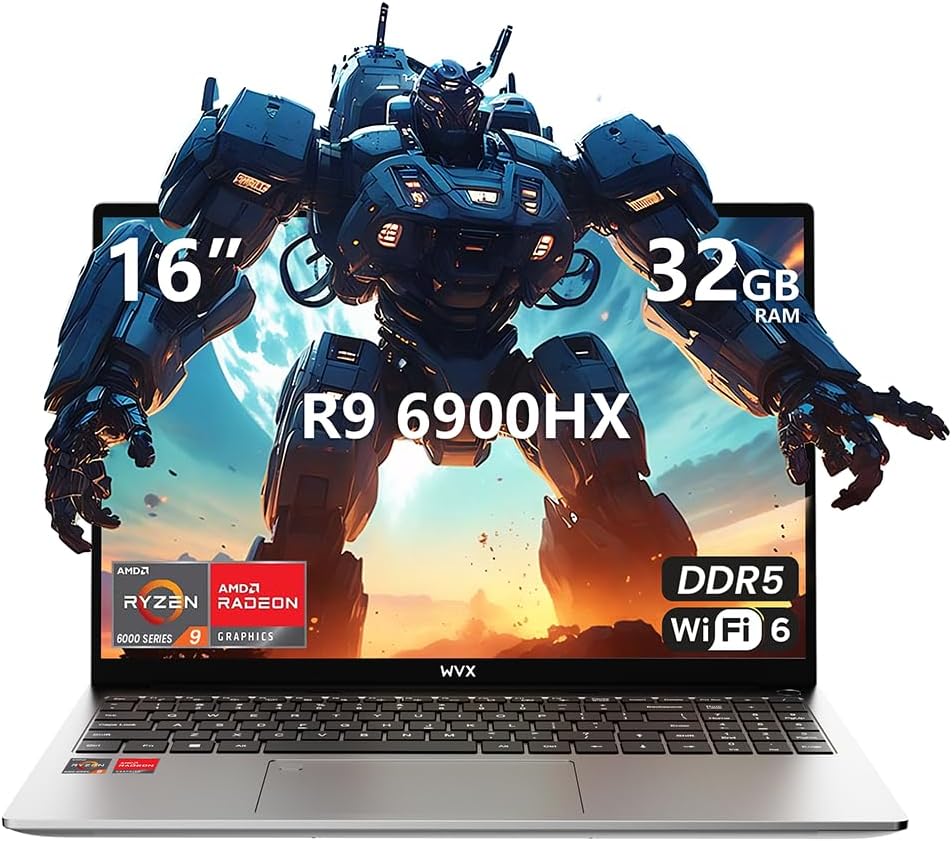
Image 1.1: WVX Gaming Laptop R9-6900HX
Nyckelfunktioner:
- High-Performance CPU: AMD Ryzen 9 6900HX with 8 cores and 16 threads, up to 4.9 GHz.
- Integrerad grafik: AMD Radeon 680M, delivering strong visual performance.
- Snabbt minne: 32GB DDR5 RAM, expandable up to 64GB.
- Ample Lagring: 512 GB SSD, utbyggbar upp till 2 TB.
- Livlig skärm: 16-inch Full HD (1920x1200) screen.
- Avancerad anslutning: Wi-Fi 6 and Bluetooth 5.2.
- Operativsystem: Pre-installed with Windows 11 Pro.
2. Inställning
2.1 Uppackning och första inspektion
Carefully remove the laptop and its accessories from the packaging. Ensure all components listed in the 'What's in the Box' section are present and undamaged.
- R9-6900HX laptop
- PD100W adapter (charger)
2.2 Anslutning av nätadaptern
Connect the PD100W adapter to the laptop's power input port and then plug it into a power outlet. It is recommended to fully charge the laptop before its first use.
2.3 Första uppstart och Windows-installation
Press the power button located on the laptop. The system will guide you through the initial Windows 11 Pro setup process. Follow the on-screen instructions to configure your language, region, network, and user account.
3. Bruksanvisning
3.1 Tangentbord och pekplatta
The laptop features a full-size keyboard with a numeric keypad and a responsive touchpad. The keyboard is backlit for comfortable use in low-light conditions. The touchpad supports multi-touch gestures for enhanced navigation.

Image 3.1: Laptop keyboard and touchpad layout.
3.2 Display och grafik
The 16-inch FHD display offers a resolution of 1920x1200 pixels, providing clear and vibrant visuals. The AMD Radeon 680M graphics processor handles demanding visual tasks efficiently.

Image 3.2: Display features including 300 nits brightness, IPS, and low blue light.
3.3 Portar och anslutningar
The laptop is equipped with various ports for external devices and connectivity:
- 4x USB 3.0-portar
- HDMI-port
- Full-function Type-C Port (supports charging, data transfer, external 4K monitor)
- 3.5mm hörlursuttag
- SD-kortläsare
For wireless connectivity, the laptop supports Wi-Fi 6 for high-speed internet and Bluetooth 5.2 for connecting peripherals.
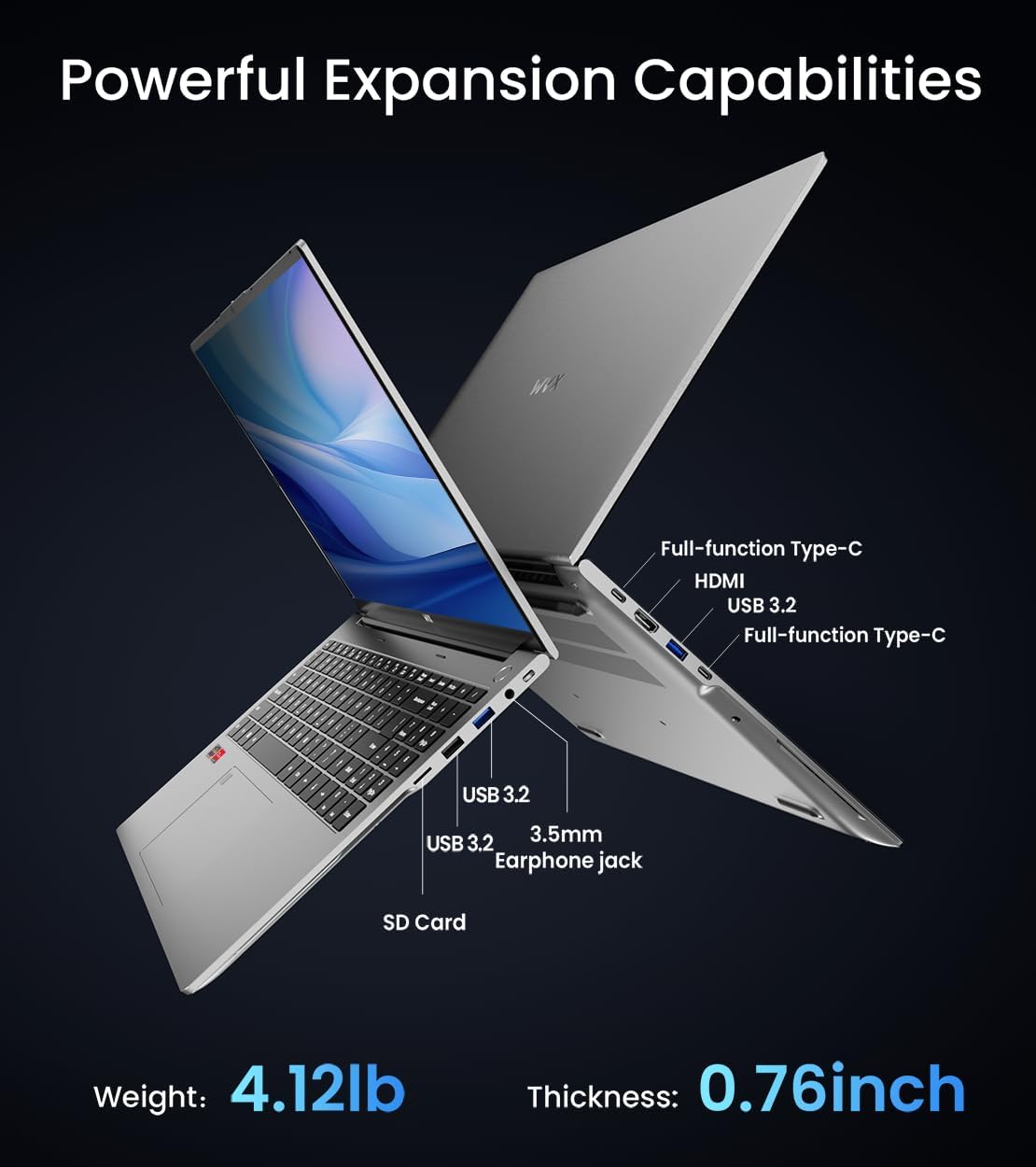
Bild 3.3: Överview of available ports and physical dimensions.
4. Underhåll
4.1 Rengöring
To maintain optimal performance and appearance, regularly clean your laptop. Use a soft, lint-free cloth for the screen and exterior. For stubborn smudges, a slightly dampen ren trasa med vatten eller ett specialiserat skärmrengöringsmedel kan användas. Undvik starka kemikalier.
4.2 Programuppdateringar
Regularly update your Windows operating system and drivers to ensure system stability, security, and optimal performance. Windows Update can be accessed through the Settings menu.
4.3 Lagrings- och minnesuppgraderingar
The laptop's RAM can be upgraded to a maximum of 64GB, and the SSD storage can be expanded up to 2TB. Consult a qualified technician for hardware upgrades to avoid voiding your warranty.

Image 4.1: Illustration of memory and storage upgrade capabilities.
5. Felsökning
5.1 Strömproblem
- Laptopen startar inte: Se till att nätadaptern är ordentligt ansluten och att batteriet har tillräckligt med laddning. Prova ett annat eluttag.
- Batteriet laddas inte: Verify the power adapter is functioning correctly. Check the charging port for any obstructions.
5.2 Displayproblem
- Tom skärm: Anslut en extern bildskärm för att kontrollera om problemet ligger i den bärbara datorns skärm. Starta om den bärbara datorn.
- Flimrande skärm: Update graphics drivers. Adjust display refresh rate in Windows settings.
5.3 Prestandaproblem
- Långsam prestanda: Close unnecessary applications. Check for malware. Ensure sufficient free storage space.
- Överhettning: Ensure ventilation vents are clear. Consider using a cooling pad.

Image 5.1: Illustration of the laptop's cooling system with pure copper heat pipes and fan speed.
6. Specifikationer
| Särdrag | Specifikation |
|---|---|
| Stämpla | WVX |
| Modellnamn | R9-6900HX (A02) |
| Processor | AMD Ryzen 9 6900HX (4.9 GHz, 8 Cores, 16 Threads) |
| Grafiksamprocessor | AMD Radeon 680M |
| RAM | 32 GB DDR5 (max 64 GB) |
| Hårddisk | 512 GB SSD (Max 2TB) |
| Skärmstorlek | 16 tum |
| Max skärmupplösning | 1920x1200 pixlar |
| Operativsystem | Windows 11 Pro |
| Trådlös typ | 802.11ax (Wi-Fi 6) |
| Bluetooth | 5.2 |
| Antal USB 3.0-portar | 4 |
| Produktens mått | 14 x 9.7 x 0.78 tum |
| Objektets vikt | 5.89 pund |
| Batteri | 58Wh |
| Specialfunktioner | Backlit Keyboard, Fingerprint Reader, HD Audio |
7. Garanti och support
WVX offers comprehensive support for your laptop:
- Teknisk support: Enjoy unlimited technical support.
- Reparationstjänst: 12 months of repair service for all customers.
- Svarstid: Online connection within 24 hours for inquiries.
For any questions or concerns, please reach out to the WVX support team.

Bild 7.1: Överview of WVX customer support services.
8. Officiell produktvideo
Video 8.1: En officiell videoshowasing the WVX R9 6900HX Laptop, highlighting its features and design.