
1. Introduktion
This manual provides detailed instructions for the proper use and care of your Altec Lansing Nanophones ANC 2.0 Wireless Over-Ear Bluetooth Headphones. Please read this manual thoroughly before using the product to ensure optimal performance and longevity.

Image 1.1: Altec Lansing Nanophones ANC 2.0 in Silver.
2. Paketets innehåll
Kontrollera att alla artiklar finns i ditt paket:
- Altec Lansing Nanophones ANC 2.0 Wireless Over-Ear Headphones
- USB-C laddningskabel
- 3.5 mm ljudkabel
- Användarmanual (detta dokument)

Image 2.1: Included USB-C charging cable and 3.5mm audio cable.
3. Produkt överview
Bekanta dig med hörlurarnas komponenter och kontroller.
3.1 Hörlursfunktioner
- Aktiv brusreducering (ANC): Minskar omgivningsbuller för en uppslukande lyssningsupplevelse.
- Vikbar design: Möjliggör kompakt förvaring och portabilitet.
- Adjustable Headband & Soft Ear Cushions: Ensures a comfortable fit for extended wear.
- Integrerad mikrofon: För handsfree-samtal och röstassistentkommandon.
- USB-C-laddning: For fast and convenient power replenishment.
- Voice Assistant-kompatibilitet: Access Siri or Google Voice with ease.

Image 3.1: Key features of the Nanophones ANC 2.0 headphones.
3.2 Kontroller och portar
Locate the following controls on your headphones:
- Strömknapp: På/Av, Spela/Pausa, Svara/Avsluta samtal.
- Knapp för volym upp/nästa spår: Kort tryck för att höja volymen, långt tryck för nästa låt.
- Knapp för volym ned/föregående spår: Kort tryck för volymsänkning, långt tryck för föregående spår.
- ANC-knapp: Activates/Deactivates Active Noise Cancellation.
- USB-C-laddningsport: För anslutning av laddningskabeln.
- 3.5 mm ljudjack: För trådbunden anslutning.
- LED-indikator: Visar ström-, parkopplings- och laddningsstatus.

Bild 3.2: Sida view illustrating the location of controls and ports.
4. Inställning
4.1 Laddning av hörlurarna
- Connect the small end of the USB-C charging cable to the USB-C port on the headphones.
- Connect the large end of the USB-C charging cable to a USB power source (e.g., wall adapter, computer USB port).
- The LED indicator will glow red during charging and turn off when fully charged.
- En full laddning tar cirka 2-3 timmar.
Notera: Se till att hörlurarna är fulladdade innan första användningen för optimal batteritid.
4.2 Slå på/av
- För att slå på: Press and hold the Power Button for 3 seconds. The LED indicator will flash blue.
- För att stänga av: Press and hold the Power Button for 3 seconds. The LED indicator will turn off.
4.3 Bluetooth-parning
- Se till att hörlurarna är avstängda.
- Press and hold the Power Button for 5-7 seconds until the LED indicator flashes red and blue alternately. This indicates pairing mode.
- Aktivera Bluetooth på din enhet (smartphone, surfplatta, dator) och sök efter tillgängliga enheter.
- Select "Nanophones ANC 2.0" from the list of devices.
- När den är ihopparad blinkar LED-indikatorn långsamt blått.
- Om du blir ombedd att ange ett lösenord, ange "0000".
Notera: Hörlurarna kommer automatiskt att försöka återansluta till den senast parade enheten när de slås på.
5. Bruksanvisning
5.1 Musikuppspelning
- Spela/pausa: Tryck kort på strömknappen.
- Höj volymen: Tryck kort på volym upp-knappen.
- Sänk volymen: Tryck kort på volym ned-knappen.
- Nästa spår: Tryck länge på volym upp-knappen.
- Föregående låt: Långt tryck på volym ned-knappen.
5.2 Telefonsamtal
- Svara/avsluta samtal: Tryck kort på strömknappen.
- Avvisa samtal: Tryck länge på strömknappen.
- Återuppringning senaste nummer: Dubbeltryck på strömknappen.
5.3 Aktiv brusreducering (ANC)
- Aktivera ANC: Press the ANC Button. The ANC LED indicator will light up.
- Inaktivera ANC: Press the ANC Button again. The ANC LED indicator will turn off.
Notera: Using ANC will reduce battery life. The headphones provide up to 20 hours of playtime with ANC active, and up to 30 hours without ANC.
5.4 Röstassistent
- Aktivera röstassistent: Triple-press the Power Button to activate Siri or Google Voice (depending on your connected device).
- You can then issue commands through the headphone's microphone.
5.5 Trådbunden anslutning
- Insert one end of the 3.5mm audio cable into the headphone's audio jack.
- Insert the other end into your audio device's 3.5mm output.
- The headphones can be used in wired mode even if the battery is depleted.
6. Underhåll
6.1 Rengöring
- Torka av hörlurarna med en mjuk, torr trasa.
- Använd inte slipande rengöringsmedel, alkohol eller kemiska lösningsmedel.
- Undvik att fukt kommer in i några öppningar.
6.2 Förvaring
- Förvara hörlurarna på en sval, torr plats, borta från extrema temperaturer.
- When not in use, fold the headphones to protect them and save space.
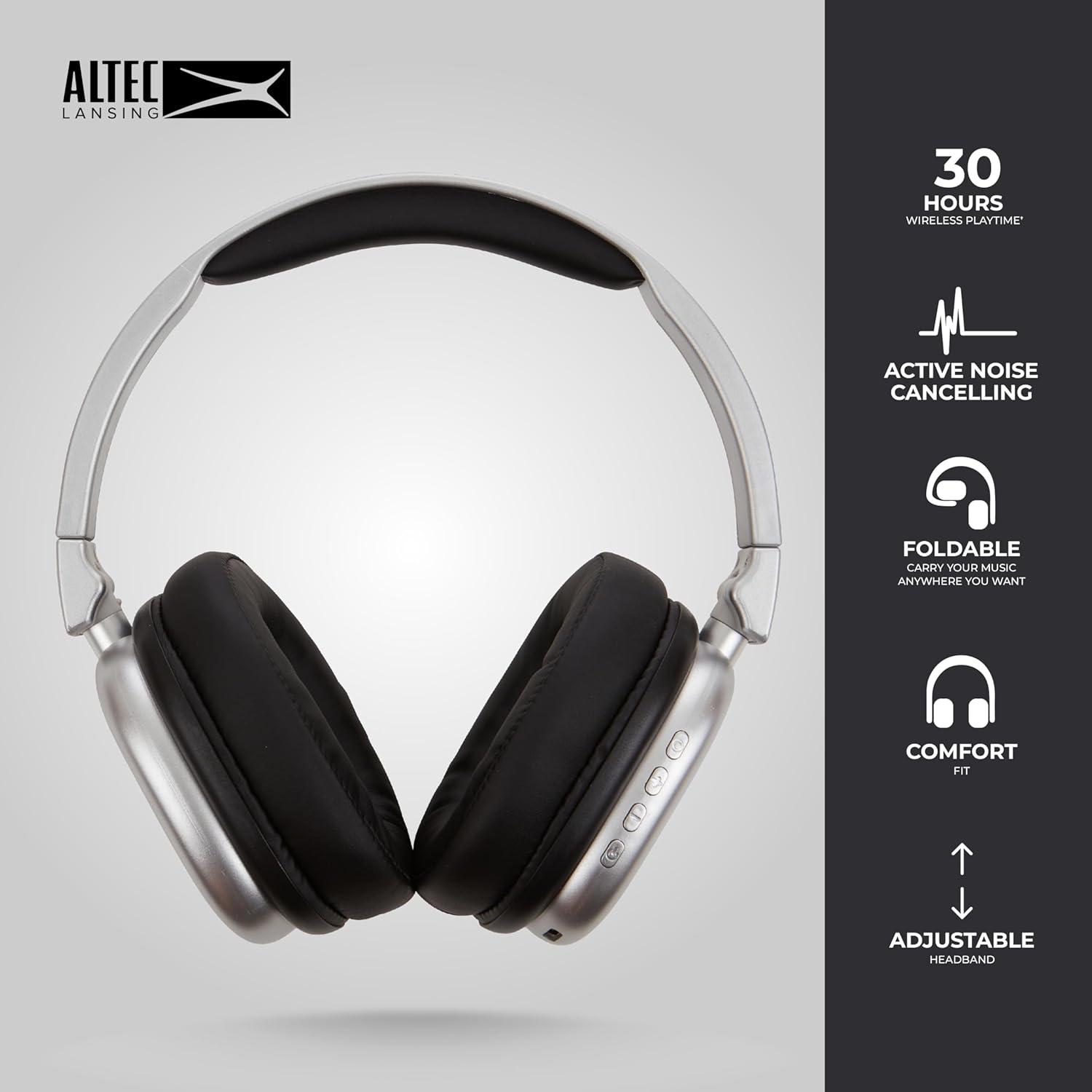
Image 6.1: The foldable design aids in compact storage.
7. Felsökning
| Problem | Lösning |
|---|---|
| Hörlurarna slås inte på. | Se till att hörlurarna är laddade. Anslut till en strömkälla med USB-C-kabeln. |
| Kan inte para ihop via Bluetooth. |
|
| Inget ljud eller låg volym. |
|
| Active Noise Cancellation not working. | Ensure the ANC button has been pressed and the ANC LED indicator is lit. |
8. Specifikationer
| Modellnamn | Nanophones ANC 2.0 |
| Modellnummer | MZX5501-MSIL-STK-6 |
| Stämpla | Altec Lansing |
| Anslutningsmöjligheter | Trådlös (Bluetooth 4.1), Kabelansluten (3.5 mm) |
| Öronplacering | Over-Ear |
| Bullerkontroll | Aktiv brusreducering |
| Batteritid | Up to 30 hours (wireless), Up to 20 hours (with ANC) |
| Laddningsport | USB-C |
| Typ av ljuddrivrutin | Dynamic Driver (1.5" Neodymium) |
| Frekvensintervall | 20Hz - 20,000Hz |
| Vikt | 7.05 uns |
| Material | Plast |
9. Garanti och support
9.1 Tillverkargaranti
This product is covered by a manufacturer's warranty. Please refer to the warranty card included in your package or visit the official Altec Lansing webwebbplatsen för detaljerade garantivillkor.
9.2 Kundsupport
For technical assistance, troubleshooting, or product inquiries, please contact Altec Lansing customer support through their official webwebbplatsen eller kontaktinformationen som finns på din produktförpackning.
Webplats: www.alteclansing.com