Introduktion
This manual provides detailed instructions for the setup, operation, and maintenance of your Lotus Smartwatch 50050/4. Please read this manual thoroughly before using your device to ensure proper functionality and to maximize its features.
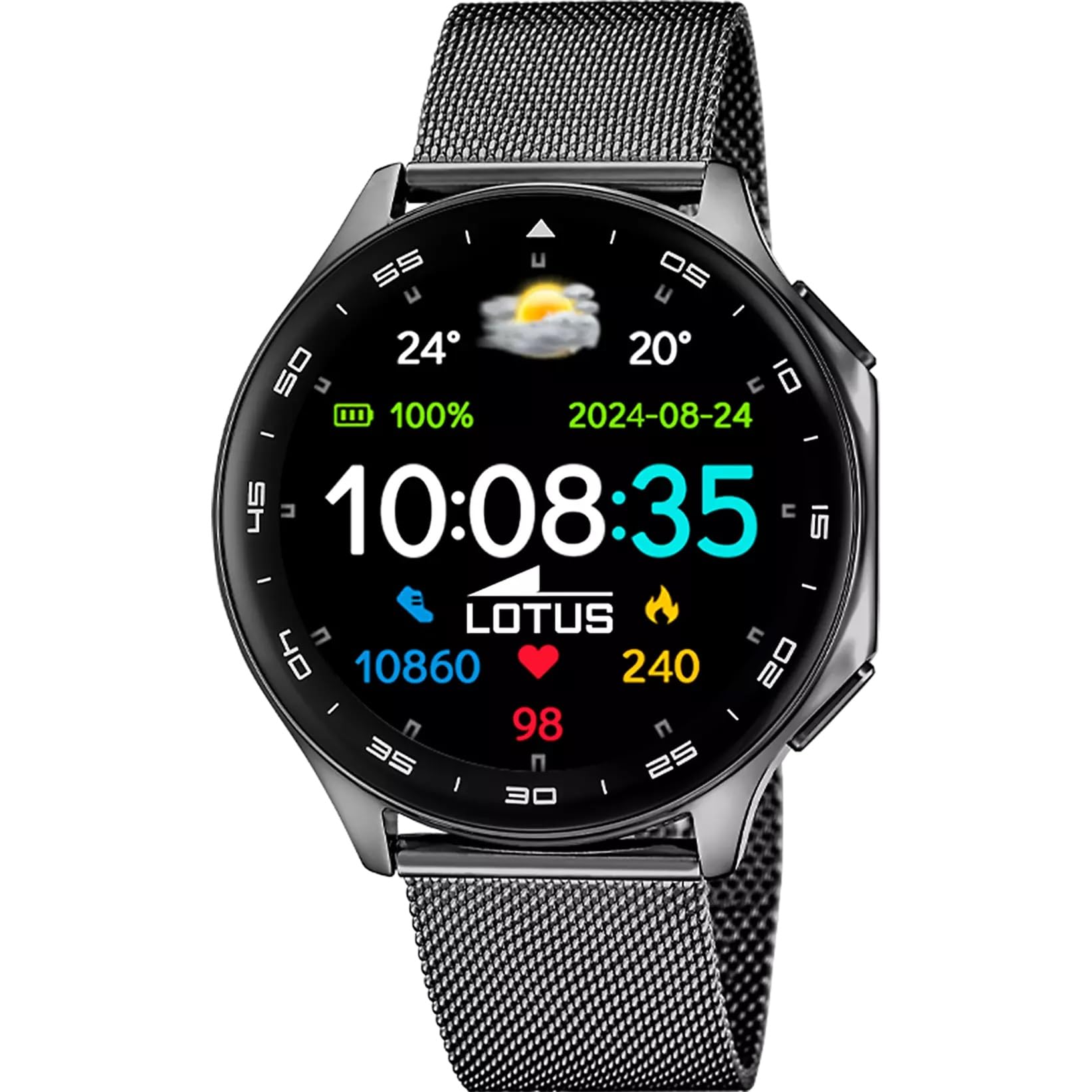
The Lotus Smartwatch 50050/4 is an outdoor sports watch designed for active lifestyles. It features a durable zinc alloy case, a black Milanese steel mesh strap, and a digital display. The watch offers a range of functions including sports tracking, health monitoring, and smart notifications.
Vad finns i lådan
- Lotus Smartklocka 50050/4
- Laddningskabel
- Användarmanual (detta dokument)
- Ytterligare rem
Inställning
1. Laddning av smartklockan
Before initial use, fully charge your smartwatch. Connect the charging cable to the charging port on the back of the watch and plug the other end into a USB power adapter (not included) or a computer's USB port. The watch display will indicate charging status.
Notera: Use a standard 5V/1A USB charger. Overcharging or using incompatible chargers may damage the device.
2. Slå på / av
- För att slå på: Press and hold the side button for a few seconds until the Lotus logo appears.
- För att stänga av: Tryck och håll ner sidoknappen och välj sedan "Stäng av" på skärmen.
3. Appinstallation och parkoppling
To unlock the full potential of your smartwatch, download the official Lotus Smartwatch application on your smartphone. The app is compatible with Android devices.
- Leta efter the "Lotus Smartwatch" app in your smartphone's app store (Google Play Store for Android).
- Installera programmet.
- Öppna appen och följ instruktionerna på skärmen för att skapa ett konto eller logga in.
- Aktivera Bluetooth på din smartphone.
- In the app, navigate to the device pairing section and select your Lotus Smartwatch 50050/4 from the list of available devices.
- Bekräfta parkopplingsbegäran på både din smartphone och smartklocka.
När den är ihopparad synkroniserar klockan tid, datum och andra inställningar med din smartphone.
Bruksanvisning
Grundläggande navigering
- Pekskärm: Svep åt vänster, höger, uppåt eller nedåt för att navigera genom menyer och funktioner. Tryck för att välja ett objekt.
- Sidoknapp: Press to return to the previous screen or to the watch face. Press and hold for power options.
Nyckelfunktioner
- Sportlägen: Access various sports modes (e.g., running, walking, cycling) to track your activity, including steps, calories burned, and distance.
- Hälsoövervakning:
- Puls: Övervaka din puls i realtid.
- Blodsyre: Mät dina blodsyrenivåer.
- Sömnspårning: Analysera dina sömnmönster (djupsömn, lätt sömn, vaken tid).
- Andningsövningar: Guidade andningsövningar för avslappning.
- Aviseringar: Receive notifications for incoming calls, SMS messages, and app alerts directly on your watch. You can reject calls from the watch.
- Musikkontroll: Styr musikuppspelning på din anslutna smartphone (spela upp, pausa, hoppa över spår).
- Väder: View aktuella väderförhållanden och prognoser.
- Larm och timers: Set alarms, use the stopwatch, or set a countdown timer.
- Kamerafjärrkontroll: Använd din klocka som en fjärrstyrd slutare för din smartphonekamera.
- Video Calculator: Access a video calculator function.
- AI Voice Calculator: Utilize an AI voice-activated calculator.
- Telefonsökare: Hitta din parade smartphone genom att få den att ringa.
- Ficklampa: Aktivera skärmen som en ficklampa.
- Dial Customization: Change the watch face (dial) through the watch settings or the companion app.
- Firmware-uppdatering: Update the watch's software via the companion app to ensure optimal performance and access new features.
- Language, Time, and Date: Adjust these settings through the watch or the companion app.
Underhåll
Städning och skötsel
- Torka av klockans skärm och hölje med en mjuk, torr och luddfri trasa.
- För envisa fläckar, något dampSkölj trasan med vatten. Använd inte starka kemikalier eller slipande material.
- Se till att laddningskontakterna är rena och torra innan laddning.
Vattentålighet (IP65)
The Lotus Smartwatch 50050/4 has an IP65 rating, meaning it is protected against dust ingress and low-pressure water jets from any direction. This rating indicates resistance to splashes and light rain. It is not suitable for swimming, showering, or submersion in water. Exposure to high-pressure water or prolonged submersion may cause damage.
Byte av rem
The watch comes with an additional strap. To replace the strap, locate the quick-release pins on the underside of the strap where it connects to the watch case. Slide the pin to detach the strap, then align the new strap and slide the pin back into place to secure it.
Felsökning
Klockan slås inte på
- Se till att klockan är fulladdad. Anslut den till laddaren i minst 30 minuter.
- Försök att trycka och hålla ner sidoknappen i 10–15 sekunder för att tvinga fram en omstart.
Kan inte para ihop med smartphone
- Se till att Bluetooth är aktiverat på din smartphone.
- Ensure the watch is within range of your smartphone (typically 10 meters).
- Starta om både din smartphone och smartklocka.
- Clear the Bluetooth cache on your smartphone (if applicable) and try pairing again.
- Ensure the Lotus Smartwatch app is updated to the latest version.
Felaktiga hälsodata
- Se till att klockan sitter åt ordentligt på handleden, men inte för hårt.
- Håll sensorn på klockans baksida ren och fri från skräp.
- Miljöfaktorer och individuell fysiologi kan påverka sensorns noggrannhet.
Fabriksåterställning
If you experience persistent issues, a factory reset may resolve them. This will erase all data on the watch and restore it to its original settings. Consult the watch's settings menu or the companion app for the factory reset option.
Specifikationer
| Modellnummer | 50050/4 |
| Stämpla | Lotus |
| Displaystorlek | 46.7 mm |
| Form | Runda |
| Material för fodral | Zinklegering |
| Remmaterial | Milanese Steel Mesh |
| Vattenbeständighet | IP65 (Splash and dust resistant) |
| Anslutningsmöjligheter | Bluetooth |
| Kompatibelt OS | Android (for companion app) |
| GPS | Inga |
| Specialfunktioner | Advanced sport and health functions |
Garanti och support
The Lotus Smartwatch 50050/4 comes with a 3 års garanti from the date of purchase. This warranty covers manufacturing defects. It does not cover damage caused by misuse, accidents, unauthorized modifications, or failure to follow the instructions in this manual, including water damage beyond the specified IP65 rating.
For warranty claims or technical support, please contact your authorized Lotus retailer or visit the official Lotus webwebbplats för kundtjänstinformation.
Returpolicy: If purchased from Amazon, the product is subject to a 30-day return policy for refund or replacement, as per Amazon's terms.
Produktbild