
1. Introduktion
This manual provides essential information for setting up, operating, and maintaining your TCL 32V5C Smart QLED Full HD Android TV. Please read this manual thoroughly before using your television to ensure proper functionality and safety.
The TCL 32V5C series combines a sleek design with QLED and HDR image quality, powered by the advanced Android TV system. It offers a smart visual experience, allowing you to enjoy movies, streaming applications, and multiplayer games with ease.
2. Viktig säkerhetsinformation
Följ alltid grundläggande säkerhetsåtgärder när du använder den här TV:n för att minska risken för brand, elstötar och skador.
- Utsätt inte TV:n för regn eller fukt.
- Öppna inte skåpet; överlåt all service till kvalificerad personal.
- Säkerställ ordentlig ventilation runt TV:n.
- Använd endast den nätsladd som medföljer från tillverkaren.
- Håll TV:n borta från direkt solljus och värmekällor.
- Rengör endast TV:n med en mjuk, torr trasa.
3. Vad finns i lådan
Kontrollera att alla komponenter finns innan du fortsätter med installationen:
- TCL 32V5C Smart QLED TV
- Fjärrkontroll
- Strömkabel
- Användarmanual (detta dokument)
- TV Stand and Support Screws
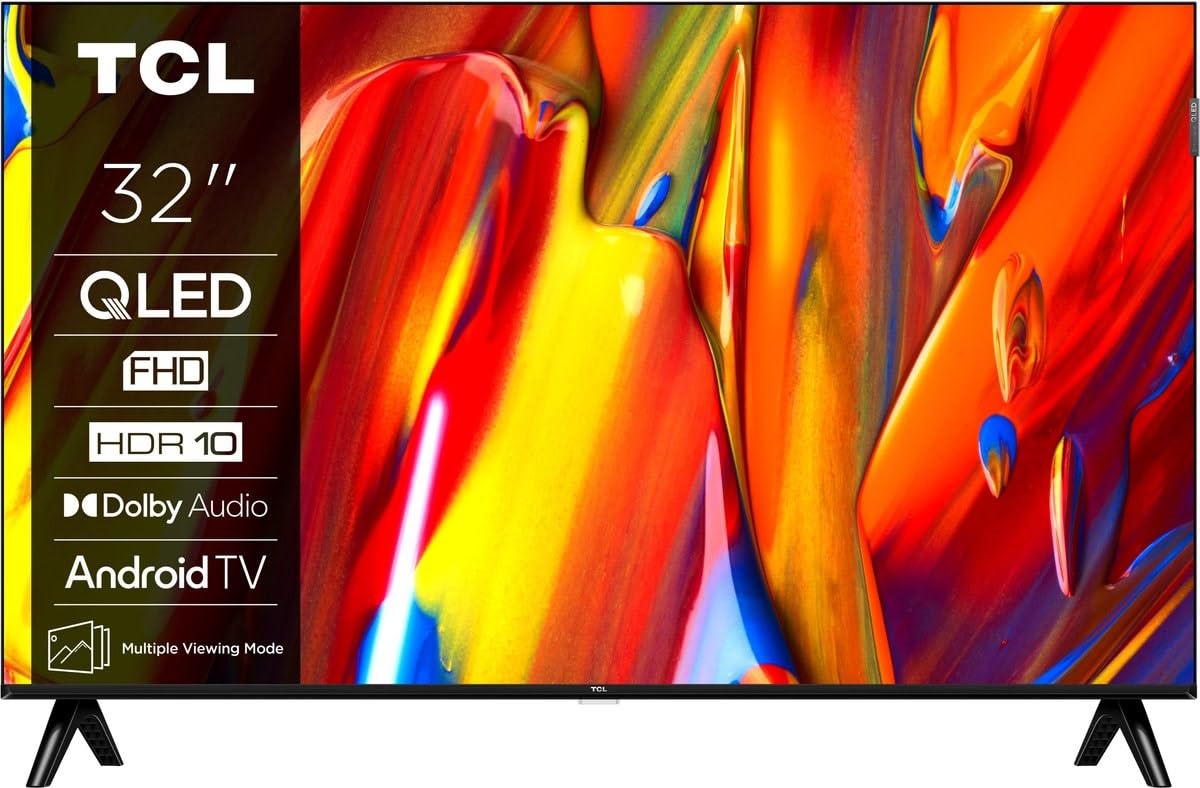
Bild: Fram view of the TCL 32V5C Smart QLED Full HD Android TV, showcasing its slim design and display features.
4. Installationsguide
4.1 Montera TV-stativet
För att fästa det medföljande stativet:
- Placera TV:n med framsidan nedåt på en mjuk, plan yta för att förhindra att skärmen skadas.
- Rikta in stativets komponenter med monteringshålen på TV:ns undersida.
- Fäst stativet med de medföljande skruvarna. Se till att alla skruvar är ordentligt åtdragna.

Image: Diagram showing the dimensions of the TCL 32V5C TV and the included remote control (RC733A).
4.2 Väggmontering (valfritt)
If you choose to wall mount your TV, ensure you use a VESA-compatible wall mount (100 x 100 mm). Consult a professional for installation to prevent damage or injury.
4.3 Ansluta ström
Connect the power cable to the TV's power input and then plug it into a wall outlet. The TV is designed for 220-240V AC, 50/60Hz power supply.
4.4 Ansluta externa enheter
Your TCL 32V5C TV offers various connectivity options:
- HDMI: Connect Blu-ray players, game consoles, or set-top boxes using one of the two HDMI ports.
- USB: Use the single USB port for media playback from USB drives.
- Ethernet: För en stabil trådbunden internetanslutning, anslut en Ethernet-kabel till LAN-porten.
- Wi-Fi: Anslut till ditt trådlösa hemnätverk för internetåtkomst.
- Bluetooth: Pair wireless headphones, soundbars, or other Bluetooth-enabled devices.
5. Använda din TV
5.1 First-Time Setup and Android TV
Upon first power-on, the TV will guide you through the initial setup process. This includes selecting your language, connecting to Wi-Fi, and logging into your Google account to activate Android TV features.
Android TV provides access to over 400,000 movies and shows from various streaming services. Utilize Google Cast to transfer photos, videos, and music from your smart devices directly to your TV.
5.2 Fjärrkontrollfunktioner
Use the provided remote control to navigate menus, adjust volume, change channels, and access smart features. Refer to the remote control diagram for specific button functions.
5.3 Bild- och ljudkvalitet
Your TV features QLED technology, which uses quantum dot materials to deliver exceptional colors and optical properties, enhancing brightness and fine details for a realistic viewing experience. Direct LED backlighting further improves image quality and energy efficiency.
With HDR10 support, the TV displays a wider range of colors and contrasts, bringing more depth to compatible content. Dolby Audio processing ensures clear and immersive sound quality through the integrated speakers.
6. Underhåll
För att säkerställa din TV:s långa livslängd och optimala prestanda:
- Rengöring av skärmen: Torka försiktigt av skärmen med en mjuk, luddfri trasa. För envisa märken, torka försiktigtampTorka av trasan med vatten eller ett specialiserat skärmrengöringsmedel (spraya inte direkt på skärmen).
- Rengöring av skåpet: Use a soft, dry cloth to clean the TV cabinet. Avoid abrasive cleaners or solvents.
- Ventilation: Se till att ventilationsöppningarna på baksidan av TV:n inte är blockerade.
- Nätsladd: Kontrollera regelbundet nätsladden för eventuella skador.
7. Felsökning
Om du stöter på problem med din TV kan du använda följande vanliga lösningar:
| Problem | Möjlig lösning |
|---|---|
| Ingen kraft | Kontrollera att strömkabeln är ordentligt ansluten till både TV:n och vägguttaget. Se till att uttaget fungerar. |
| Ingen bild, men ljud finns | Verify the correct input source is selected. Check external device connections (HDMI, etc.). |
| Inget ljud, men bild finns | Kontrollera volymnivån och ljudavstängningsinställningarna. Se till att externa ljudenheter är korrekt anslutna och valda. |
| Fjärrkontrollen fungerar inte | Byt batterier. Se till att det inte finns några hinder mellan fjärrkontrollen och TV:ns IR-sensor. |
| Problem med Wi-Fi-anslutning | Restart your router and modem. Reconnect the TV to the Wi-Fi network in the settings menu. |
For further assistance, please contact TCL customer support.
8. Specifikationer
| Särdrag | Detalj |
|---|---|
| Stämpla | TCL |
| Modellnummer | 32V5C |
| Skärmstorlek | 32 tum |
| Displayteknik | QLED |
| Upplösning | 1080p (Full HD) |
| Uppdateringshastighet | 60 Hz |
| Specialfunktioner | QLED & Android TV, HDR10, Google Cast |
| Anslutningsteknik | Bluetooth, Ethernet, HDMI, USB, Wi-Fi |
| HDMI-portar | 2 |
| USB-portar | 1 |
| Bildförhållande | 16:9 |
| Produktmått (D x B x H) | 18P x 71.5l x 46.5H cm (with stand) |
| Item Weight (without stand) | 3.1 kilo |
| VESA-monteringsstandard | 100 x 100 mm |
| Ljudformat | Dolby Audio |
| Tuner typ | DVB-T2 |
| Färg | Svart |
9. Garanti och support
9.1 Garantiinformation
This product comes with a Limited Warranty. Please refer to the warranty card included in the packaging or visit the official TCL website for detailed terms and conditions regarding your specific region.
9.2 Kundsupport
For technical assistance, troubleshooting not covered in this manual, or service inquiries, please contact TCL customer support through their official webwebbplatsen eller kontaktinformationen som finns i din garantidokumentation.
You can often find additional resources, FAQs, and software updates on the TCL-tjänsteman Webplats.