
1. Introduktion
This manual provides essential information for the safe and efficient use of your TCL 50P7K QLED TV. This 50-inch 4K UHD television features HDR10+ and Dolby Vision for enhanced picture quality, an AiPQ Processor for real-time visual optimization, and Google TV for smart functionality. It also includes hands-free voice control for convenient operation.
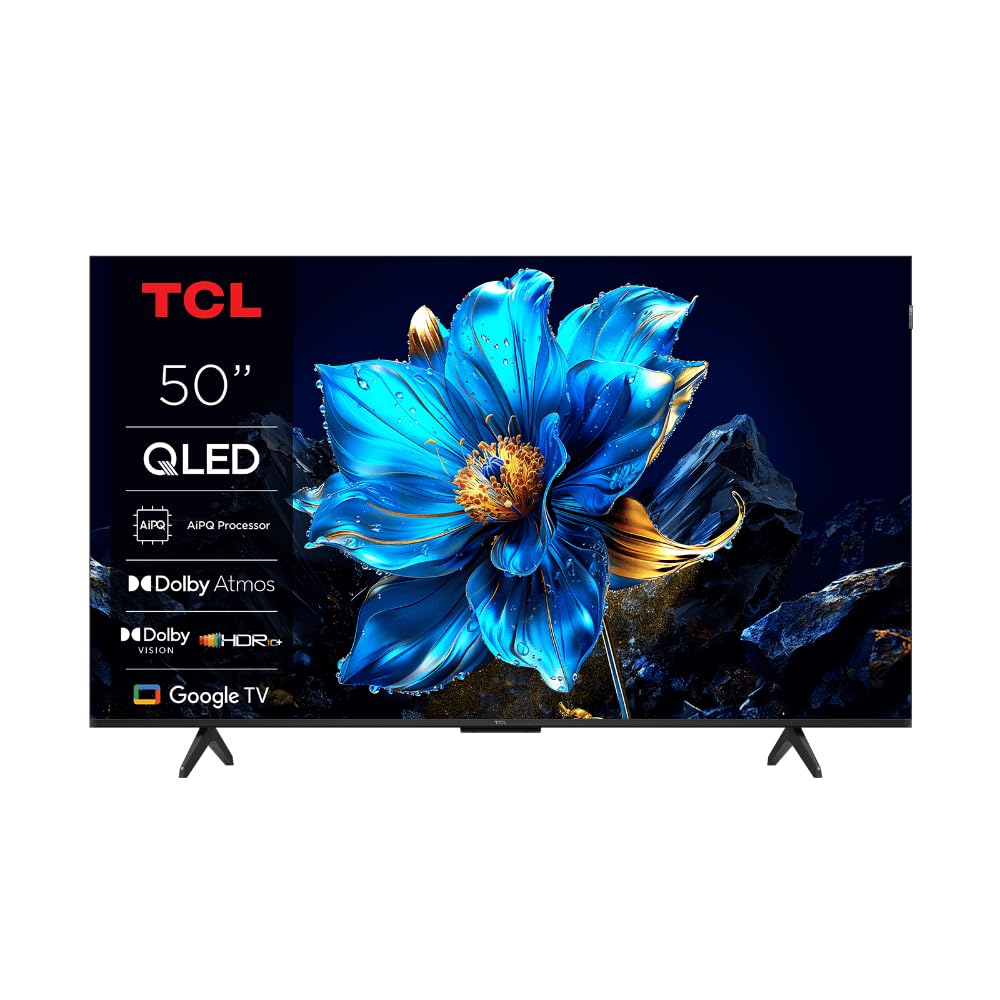
Bild: Fram view of the TCL 50P7K QLED TV, showcasing dess smala design och skärm.
2. Viktiga säkerhetsinstruktioner
Please read all safety instructions carefully before operating your TV. Keep this manual for future reference.
- Strömkälla: Anslut endast TV:n till en strömkälla på 100–240 V, 50/60 Hz.
- Ventilation: Se till att det finns tillräcklig ventilation runt TV:n. Blockera inte ventilationsöppningarna.
- Vatten och fukt: Utsätt inte TV:n för regn eller fukt. Placera inte föremål fyllda med vätska på TV:n.
- Rengöring: Koppla ur TV:n innan rengöring. Använd en mjuk, torr trasa. Använd inte flytande rengöringsmedel eller sprayrengöringsmedel.
- Placering: Placera TV:n på en stabil och plan yta. Undvik att placera den i direkt solljus eller nära värmekällor.
- Barn: Håll uppsikt över barn för att förhindra att de klättrar på TV:n eller stativet.
- Blixt: Koppla ur TV:n under åskväder eller när den inte används under längre perioder.
- Underhåll: Försök inte utföra service på denna produkt själv. Överlåt all service till kvalificerad servicepersonal.
3. Vad ingår
Kontrollera att alla komponenter finns i förpackningen:
- TCL 50P7K QLED TV
- Fjärrkontroll
- Strömkabel
- TV-stativ (2 stycken)
- Skruvar för stativinstallation
- Användarmanual (detta dokument)
4. Inställning
4.1 Uppackning
Carefully remove the TV from its packaging. It is recommended to have two people for this process due to the size and weight of the television. Retain the packaging materials for future transport or servicing.
4.2 Montering av stativ
Så här installerar du TV-stativet:
- Place the TV face-down on a soft, flat surface (e.g., a blanket or foam) to prevent screen damage.
- Rikta in varje stativdel med motsvarande spår på undersidan av TV:n.
- Fäst varje stativdel med de medföljande skruvarna. Se till att de är ordentligt åtdragna.
- Lyft försiktigt TV:n till dess upprätta läge på en stabil yta.

Bild: Fram view of the TCL 50P7K QLED TV with its two-leg stand attached.

Bild: Sida view of the TCL 50P7K QLED TV, showing the profile med stativet.
4.3 Väggmontering
The TV is compatible with VESA standard wall mounts. A wall mount kit is sold separately. Refer to the instructions provided with your wall mount for proper installation. Ensure the wall can support the weight of the TV.
4.4 Ansluta kringutrustning
Connect your devices (e.g., cable box, Blu-ray player, gaming console) to the TV's input ports. The TV features multiple HDMI ports, including HDMI 2.1 for smoother gameplay.
- HDMI: Anslut HDMI-kablar från dina enheter till HDMI-portarna på TV:n.
- Driva: Connect the power cable to the TV's power input, then plug it into a wall outlet.
- USB: Use the USB 3.0 port for connecting external storage devices.

Bild: Baksida view of the TCL 50P7K QLED TV, showing the location of various input and output ports.

Bild: Vinklad baksida view of the TCL 50P7K QLED TV, providing a clearer look at the port arrangement.
4.5 Första start och första installationen
After connecting all cables, plug in the TV and press the power button on the remote control. Follow the on-screen instructions to complete the initial setup, which typically includes:
- Språkval
- Nätverksanslutning (Wi-Fi)
- Inloggning på Google-konto
- Channel scanning (if applicable)
5. Använda din TV
5.1 Fjärrkontroll överview
Med fjärrkontrollen kan du navigera bland TV:ns funktioner. Viktiga funktioner inkluderar:
- Strömknapp: Slår på eller av TV:n.
- Riktningsplatta (D-Pad): Navigerar i menyer och väljer objekt.
- OK/Enter-knapp: Bekräftar val.
- Bakåtknapp: Återgår till föregående skärm.
- Hemknapp: Öppnar Google TV:s startskärm.
- Volym upp/ner: Justerar volymen.
- Inmatningsknapp: Väljer ingångskällor (HDMI 1, HDMI 2, etc.).
- Google Assistant-knapp: Aktiverar röststyrning.
5.2 Navigering i Google TV-gränssnittet
The Google TV interface organizes content from your apps and subscriptions. Use the D-Pad on your remote to browse recommendations, access your installed apps, and manage settings.
5.3 Using Hands-Free Voice Control
Your TCL 50P7K TV supports hands-free voice control. To activate, simply say "Hey Google" or "Ok Google" followed by your command. You can ask it to:
- Leta efter movies or shows.
- Control playback (play, pause, skip).
- Justera volymen eller byt kanal.
- Öppna applikationer.
- Få information (väder, nyheter).
5.4 Bild- och ljudinställningar
Gå till TV:ns inställningsmeny för att anpassa bild och ljud. Navigera till Settings > Display & Sound. Here you can adjust:
- Bildläge: Standard, Dynamic, Movie, Sport, etc.
- Ljusstyrka, kontrast, färg: Fine-tune visual output.
- Ljudläge: Standard, Music, Movie, Clear Voice, etc.
- Equalizer: Customize audio frequencies.
5.5 Ansluta till Wi-Fi
To connect your TV to the internet:
- Gå till Inställningar > Nätverk och internet.
- Välj ditt Wi-Fi-nätverk från listan.
- Ange Wi-Fi-lösenordet om du uppmanas.
5.6 Använda smarta funktioner
Your Google TV provides access to a wide range of streaming services. Popular pre-installed applications include Netflix, YouTube, and Amazon Prime Video. You can download additional apps from the Google Play Store.
6. Underhåll
6.1 Rengöring av skärmen
To clean the TV screen, gently wipe it with a soft, dry, lint-free cloth. Do not use liquid cleaners, abrasive pads, or chemical sprays, as these can damage the screen surface.
6.2 Rengöring av TV-höljet
Wipe the TV's frame and back panel with a soft, slightly damp cloth. Avoid using harsh detergents or solvents. Ensure no moisture enters the ventilation openings.
6.3 Programuppdateringar
Kontrollera regelbundet om det finns programuppdateringar för att säkerställa att din TV har de senaste funktionerna och prestandaförbättringarna. Gå till Inställningar > System > Om > Systemuppdatering för att söka efter och installera uppdateringar.
7. Felsökning
Se följande tabell för vanliga problem och deras lösningar:
| Problem | Möjlig orsak | Lösning |
|---|---|---|
| Ingen ström | Strömkabeln är frånkopplad; eluttaget är felaktigt. | Se till att strömkabeln är ordentligt ansluten. Testa uttaget med en annan enhet. |
| Ingen bild, men ljud finns | Felaktig ingångskälla vald; problem med extern enhet. | Press the Input button on the remote to select the correct source. Check the external device's connection and power. |
| Inget ljud, men bild finns | Volymen är avstängd eller för låg; ljudinställningarna är felaktiga. | Slå på ljudet på TV:n eller öka volymen. Kontrollera ljudutgångsinställningarna i TV-menyn. |
| Fjärrkontrollen fungerar inte | Batterierna är urladdade; hinder mellan fjärrkontrollen och TV:n. | Replace batteries. Ensure no objects block the remote's signal path to the TV. |
| Kan inte ansluta till Wi-Fi | Felaktigt lösenord; routerproblem; TV:n är för långt från routern. | Verifiera Wi-Fi-lösenordet. Starta om routern. Flytta TV:n närmare routern eller använd en Wi-Fi-förlängare. |
8. Specifikationer
Detailed technical specifications for the TCL 50P7K QLED TV:
| Särdrag | Detalj |
|---|---|
| Modellnamn | 50P7K |
| Skärmstorlek | 50 tum |
| Displayteknik | LCD (QLED) |
| Upplösning | 4K UHD (3840 2160 x XNUMX XNUMX) |
| Uppdateringshastighet | 60 Hz |
| HDR-format stöds | Dolby Vision, HDR10+ |
| Bildförbättring | AiPQ-processor |
| Operativsystem | Google TV |
| Internettjänster som stöds | Google TV, Netflix, YouTube, Amazon Prime |
| Anslutningsteknik | HDMI, Wi-Fi |
| HDMI-portar | Multiple (including HDMI 2.1) |
| USB-portar | 1 3.0 (USB XNUMX) |
| Kontrollmetod | Remote, Voice (Hands-free) |
| Monteringstyp | Väggmontering (VESA-kompatibel) |
| Produktmått (D x B x H) | 28D x 111.1W x 69.7H Centimeters (with stand) |
| Objektets vikt | 16 kilo |
9. Garanti och support
Your TCL 50P7K QLED TV comes with a manufacturer's warranty. Please refer to the warranty card included in your product packaging for specific terms and conditions, including warranty period and coverage details. For technical support, service requests, or further assistance, please contact TCL customer service through their official webwebbplatsen eller kontaktinformationen som finns i din garantidokumentation.