
eKids 115
eKids Dora Karaoke Microphone with Boombox Instruction Manual
Model: 115 | Brand: eKids
1. Introduktion
Welcome to the eKids Dora Karaoke Microphone with Boombox. This device is designed to provide an interactive and engaging musical experience. It features a wired microphone, built-in music, and Bluetooth connectivity for streaming audio from compatible devices. This manual provides essential information for setup, operation, maintenance, and troubleshooting to ensure optimal performance and enjoyment.
2. Produkt överview
The eKids Dora Karaoke Microphone with Boombox is a portable audio device shaped like Dora's backpack, designed for children aged 3 and up. It combines a speaker with a wired microphone, allowing users to sing along to pre-loaded songs or music streamed via Bluetooth.
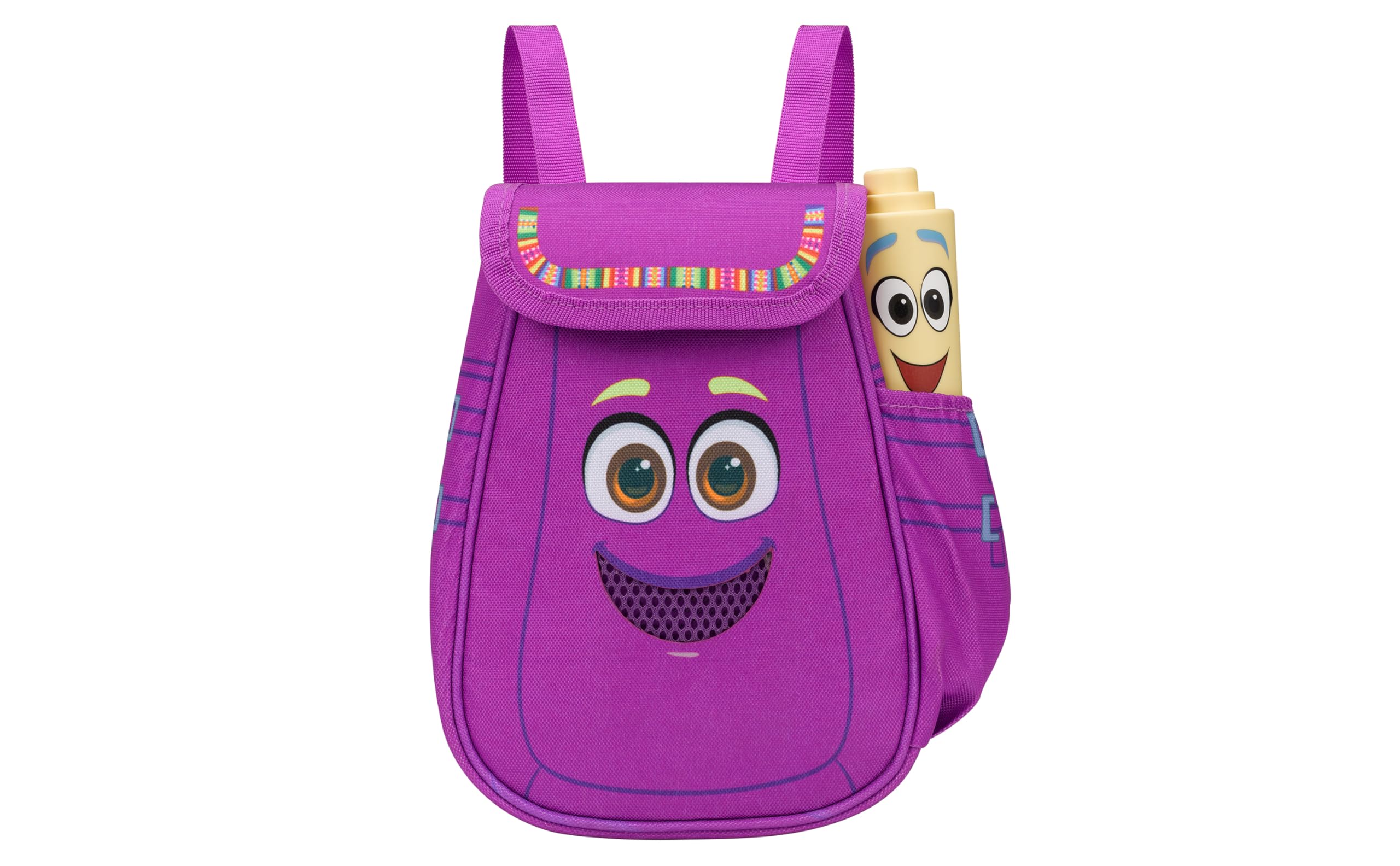
Figure 1: eKids Dora Karaoke Microphone with Boombox.
Nyckelfunktioner:
- Bluetooth högtalare: Connects to any music device via Bluetooth to stream popular karaoke playlists and more. Lightweight and portable, this karaoke boombox is designed for kids aged 3 and up.
- Karaoke mikrofon: Includes a wired microphone to amplify your voice for singing.
- Dora Backpack Design: Features cute and colorful graphics inspired by the popular Nickelodeon series.
- Inbyggd musik: Contains extended clips of the songs ‘Rainforest Ritmo’, ‘Cake’, and ‘Empanada’.
- Portabilitet: Lightweight design with a built-in handle for easy transport.
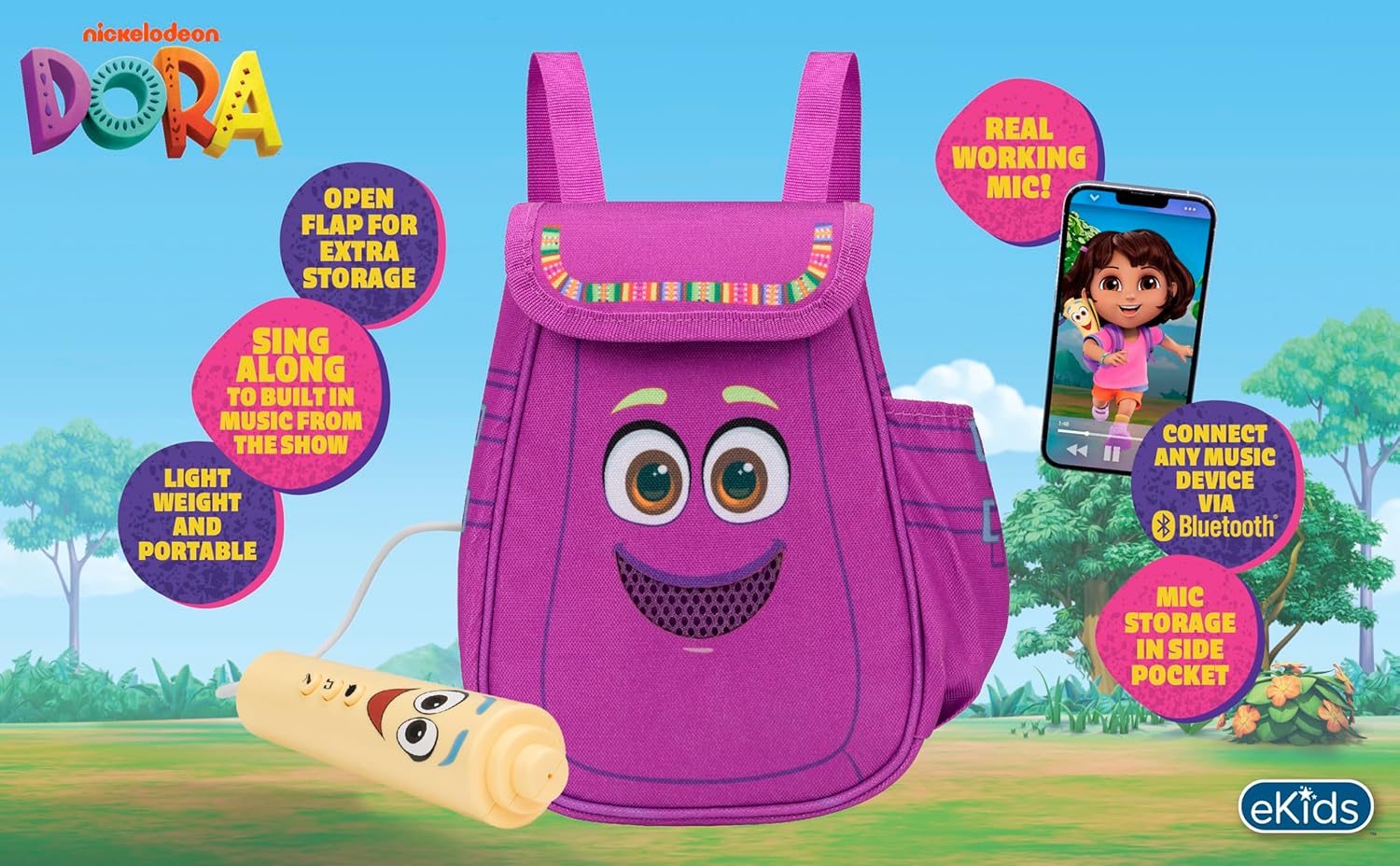
Figur 2: Visuell översiktview of the product's key features.
3. Paketets innehåll
Se till att alla artiklar finns med vid uppackning:
- Dora Karaoke Microphone with Boombox (main unit)
- Trådbunden mikrofon
- Bruksanvisning (detta dokument)
- 3 x 'AA' Batteries (included)

Figure 3: Product as packaged, showing the boombox and microphone.
4. Inställning
4.1 Batteriinstallation
- Locate the battery compartment on the back or bottom of the boombox unit.
- Öppna batterifackets lock med en stjärnskruvmejsel (medföljer ej).
- Sätt i 3 AA-batterier och se till att polerna är rättvända (+/-).
- Sätt tillbaka batterifackets lock och fäst det med skruven.
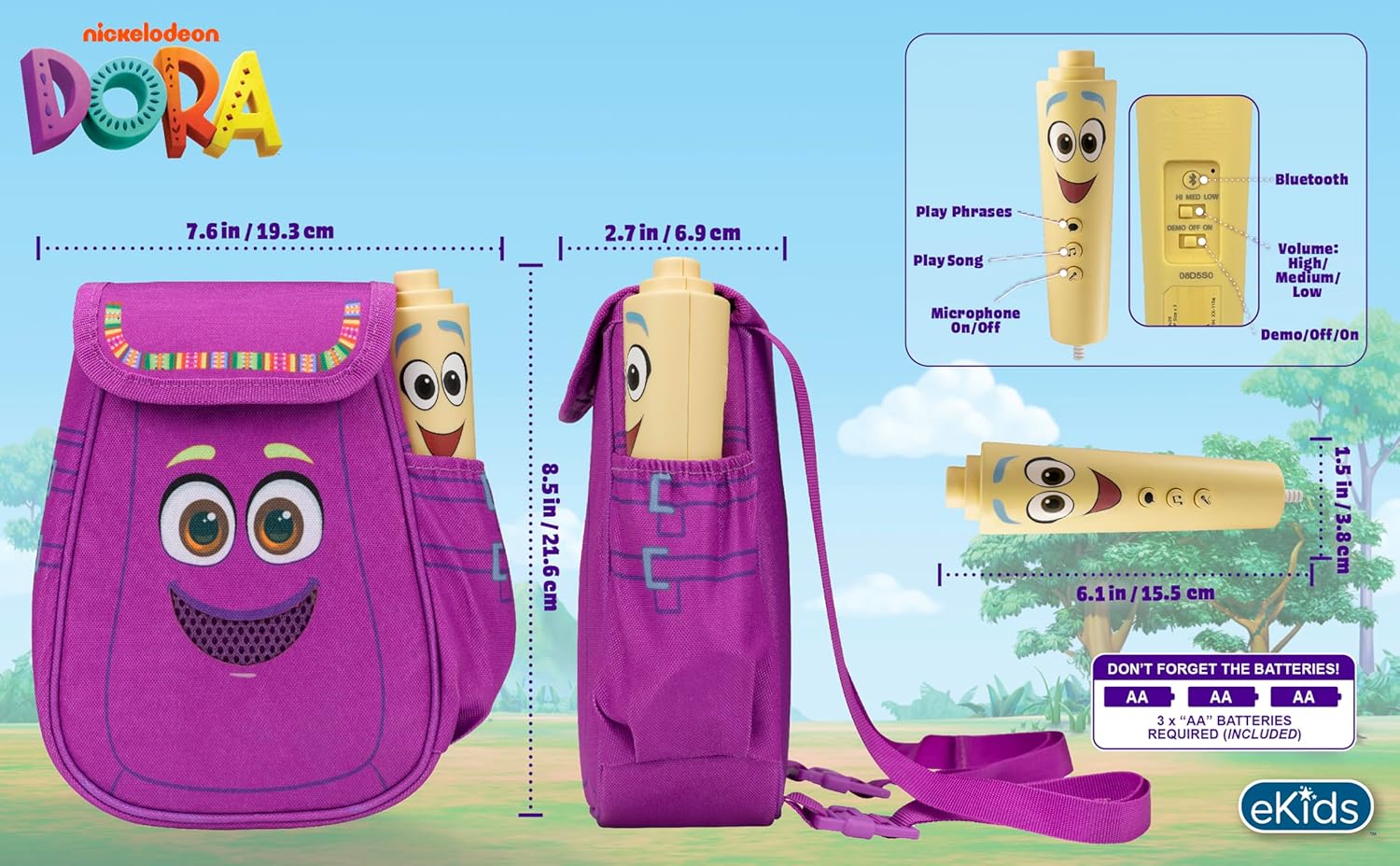
Bild 4: Bak view of the boombox, indicating battery compartment and control buttons.
4.2 Mikrofonanslutning
The wired microphone is typically pre-connected or plugs into a dedicated port on the boombox. Ensure the microphone cable is securely plugged in.
5. Bruksanvisning
5.1 Ström på/av
Locate the Power switch (often labeled ON/OFF or with a power symbol) on the unit. Slide it to the 'ON' position to power on the device. Slide it to 'OFF' to power off.
5.2 Playing Built-in Music
Press the designated 'Play Song' button (refer to Figure 4 for button layout) to cycle through the pre-loaded songs. The unit includes extended clips of 'Rainforest Ritmo', 'Cake', and 'Empanada'.
5.3 Använda mikrofonen
To use the microphone, ensure the 'Microphone On/Off' switch (refer to Figure 4) is in the 'On' position. Speak or sing into the microphone to amplify your voice through the boombox speaker.
5.4 Bluetooth-anslutning
To stream music from an external device:
- Ensure the boombox is powered on.
- Activate Bluetooth on your external music device (e.g., smartphone, tablet, computer).
- Leta efter available Bluetooth devices and select "eKids Dora" or a similar name.
- När de är ihopparade kan du strömma ljud från din enhet till högtalaren.

Figure 5: Bluetooth connectivity allows streaming from various compatible devices.
5.5 Volymkontroll
Adjust the volume using the 'Volume: High/Medium/Low' switch on the unit (refer to Figure 4).
5.6 Demoläge
The unit may include a 'Demo/Off/On' switch (refer to Figure 4). Set it to 'Demo' for a brief demonstration of features, or 'On' for full functionality.
6. Underhåll
- Rengöring: Torka av enheten med en mjuk, torr trasa. Använd inte slipande rengöringsmedel och doppa inte enheten i vatten.
- Batteriomsorg: Ta ur batterierna om enheten inte ska användas under en längre tid för att förhindra läckage.
- Lagring: Förvara enheten på en sval, torr plats, skyddad från direkt solljus och extrema temperaturer.
7. Felsökning
| Problem | Lösning |
|---|---|
| Ingen ström | Check battery installation and ensure batteries are fresh. Confirm the power switch is in the 'ON' position. |
| Inget ljud från högtalaren | Increase the volume. Ensure the microphone is switched 'ON' if using it. If using Bluetooth, check device volume and connection. |
| Mikrofonen fungerar inte | Ensure the microphone is securely plugged in and its 'On/Off' switch is in the 'On' position. |
| Bluetooth ansluter inte | Ensure the boombox is in Bluetooth pairing mode (if applicable, check manual for specific instructions). Turn off and on Bluetooth on your external device. Move devices closer together. |
8. Specifikationer
- Stämpla: eKids
- Modellnamn: 115
- Färg: Dora
- Strömkälla: Battery Powered (3 x 'AA' batteries)
- Antal talare: 1
- Anslutningsteknik: Bluetooth, 3.5mm audio jack (for wired microphone)
- Artikelvikt: 0.52 kilo
- Objektets mått (D x B x H): 10.63" D x 2.24" B x 8.17" H
- UPC: 092298961934
- Tillverkare: KIDdesigns
9. Garanti och support
Denna produkt levereras med en 1 års begränsad garanti from the manufacturer, KIDdesigns. For warranty claims or technical support, please refer to the contact information provided with your purchase documentation or visit the eKids official webplats.
For additional product information or to explore other eKids products, visit the eKids Brand Store.
Ask a question about this manual
Ask about setup, troubleshooting, compatibility, parts, safety, or missing instructions. Manuals+ will review the question and use this page’s manual context to help answer it.