
Stark SRT427
STRONG 4K UHD Box SRT 427 User Manual
Introduktion
This manual provides comprehensive instructions for the installation, operation, and maintenance of your STRONG 4K UHD Box SRT 427. Please read this manual carefully before using the device to ensure proper functionality and to prevent damage. Keep this manual for future reference.
Paketets innehåll
Innan du fortsätter med installationen, kontrollera att alla artiklar finns i paketet:
- STRONG 4K UHD Box SRT 427
- Fjärrkontroll (batterier ingår ej)
- Strömadapter
- HDMI-kabel
- Snabbinstallationsguide
Inställning
Follow these steps to set up your STRONG 4K UHD Box SRT 427:
- Anslut till TV:n: Connect one end of the HDMI cable to the HDMI OUT port on the SRT 427 and the other end to an available HDMI IN port on your television.
- Anslut till ström: Plug the power adapter into the DC IN port on the SRT 427, then plug the adapter into a wall outlet.
- Anslut till internet (valfritt): For internet-based features, connect an Ethernet cable to the LAN port on the SRT 427, or configure Wi-Fi settings after initial boot-up.
- Sätt i batterier i fjärrkontrollen: Open the battery compartment on the remote control and insert 2x AAA batteries (not included), ensuring correct polarity.
- Ström på: Turn on your TV and select the correct HDMI input source. The SRT 427 should power on automatically. If not, press the power button on the remote control.
- Initial installationsguide: Follow the on-screen instructions to complete the initial setup, including language selection, network configuration, and channel scanning.
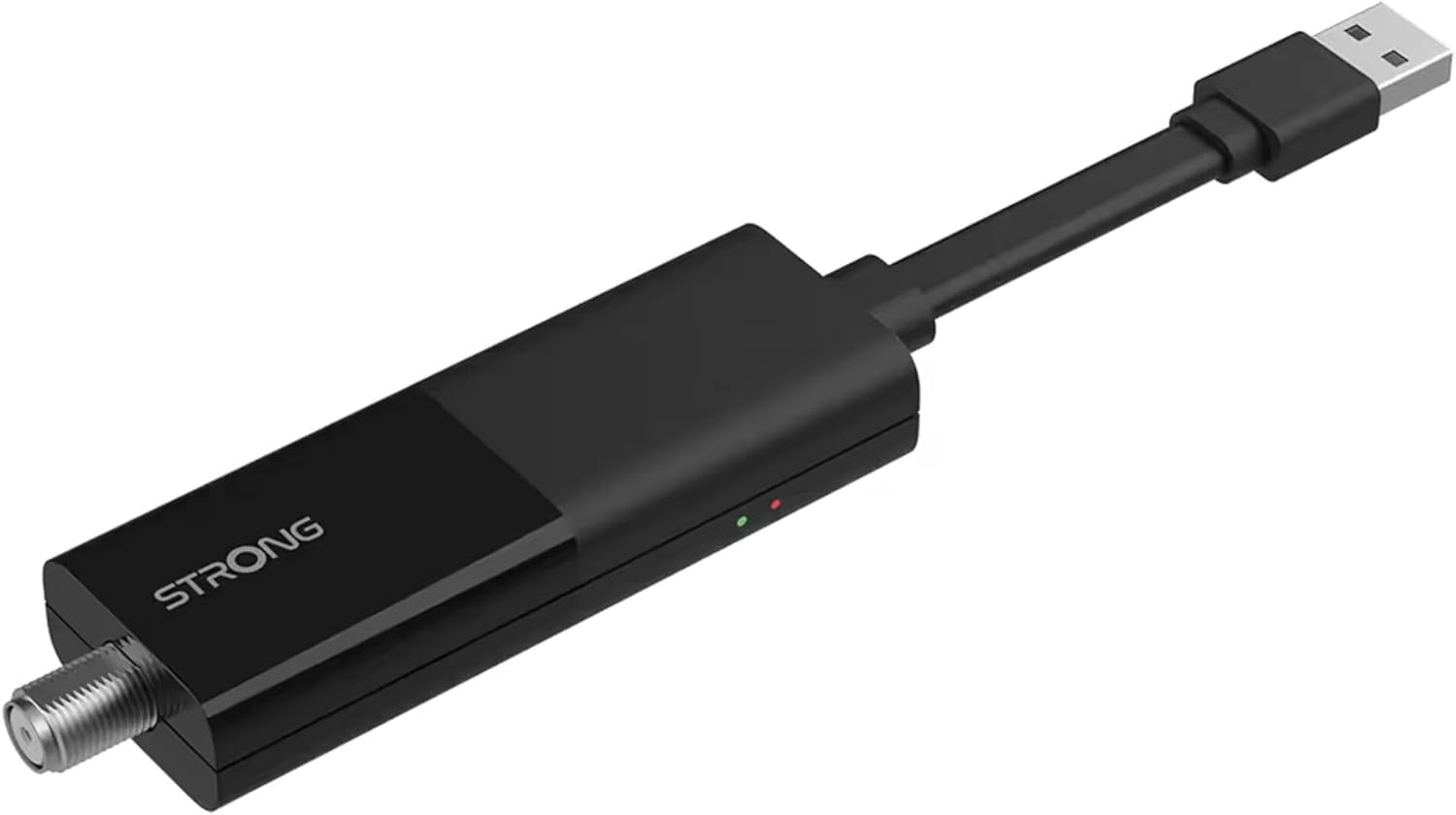
Image: The STRONG 4K UHD Box SRT 427, a compact black USB dongle-style device with a USB connector on one end and an F-type coaxial antenna input on the other, featuring the 'STRONG' logo and small indicator lights.
Bruksanvisning
Once the initial setup is complete, you can begin using your SRT 427. Use the remote control to navigate the user interface.
- Hemskärm: Tryck på HEM button to access the main menu, where you can find applications, settings, and media options.
- Navigering: Använd piltangenterna (UPP NER VÄNSTER HÖGER) to move through menus and options. Press OK för att bekräfta ett val.
- Volymkontroll: Använd VOL+ och VOL- knappar för att justera ljudvolymen.
- Kanalval: If connected to an antenna, use the CH+ och CH- buttons to change channels, or enter channel numbers directly using the numeric keypad.
- Inställningar: Access the settings menu to customize display, audio, network, and system preferences.
- Uppspelning av media: Connect a USB storage device to the USB port to play media files (photos, videos, music) through the built-in media player.
Underhåll
Proper maintenance ensures the longevity and optimal performance of your SRT 427.
- Rengöring: Disconnect the device from power before cleaning. Use a soft, dry cloth to wipe the exterior. Do not use liquid cleaners or abrasive materials.
- Ventilation: Ensure the device is placed in a well-ventilated area. Do not block ventilation openings.
- Temperatur: Undvik att utsätta enheten för extrema temperaturer, direkt solljus eller hög luftfuktighet.
- Firmware -uppdateringar: Periodically check for firmware updates through the system settings to ensure you have the latest features and bug fixes.
Felsökning
If you encounter issues with your SRT 427, refer to the following common problems and solutions:
| Problem | Lösning |
|---|---|
| Ingen ström | Check if the power adapter is securely connected to the device and the wall outlet. Ensure the outlet is functional. |
| Ingen bild på TV:n | Verify the HDMI cable is correctly connected to both the SRT 427 and the TV. Ensure the TV is set to the correct HDMI input source. |
| Inget ljud | Check the volume level on both the SRT 427 and your TV. Ensure audio settings in the SRT 427 menu are correct. |
| Fjärrkontrollen fungerar inte | Check and replace the batteries. Ensure there are no obstructions between the remote and the device's IR sensor. |
| Kan inte ansluta till Wi-Fi | Ensure your Wi-Fi router is on and within range. Re-enter the Wi-Fi password in the network settings. Try restarting both the SRT 427 and your router. |
Specifikationer
Technical specifications for the STRONG 4K UHD Box SRT 427:
- Modellnummer: SRT427
- Produktmått: 5.91 x 7.87 x 5.91 tum
- Artikelvikt: 1.76 pund
- Batterier: 1 AAAA batteries required (for remote control, typically)
- Tillverkare: Stark
- Language (Default): Italian (may vary by region, user configurable)
- ASIN: B0FDPX7PRQ
- Datum först tillgängligt: 21 augusti 2025
Garanti och support
For warranty information and technical support, please refer to the warranty card included in your product packaging or visit the official Strong webwebbplats. Försök inte reparera enheten själv, eftersom det kan upphäva garantin.
Officiell Webplats: www.strong.tv
Relaterade dokument - SRT427
 |
STRONG Android TV UHD Box LEAP-S1 Installations- och installationsguide Omfattande guide för installation och konfigurering av STRONG Android TV UHD Box LEAP-S1, inklusive anslutningsinstruktioner, initial installation och appnedladdningar. |
 |
STRONG Smart Android TV med DVB-T2/C/S2 Bruksanvisning Omfattande användarmanual för STRONG Smart Android TV-apparater (SRT 32HD5553, 40FD5553, 43UD7553, 50UD7553, 55UD7553) som täcker installation, funktioner, felsökning och specifikationer. |
 |
STRONG SRT 423 4K UHD Android TV-box: Installations- och användarhandbok Kom igång med din STRONG SRT 423 4K UHD Android TV-box. Den här guiden innehåller detaljerade instruktioner om installation, anslutningar, live-TV, Android-funktioner, Google Assistant, felsökning och tekniska specifikationer. |
 |
STRONG 4K UHD Box SRT 420 User Manual | Setup, Features & Troubleshooting Comprehensive user manual for the STRONG 4K UHD Box SRT 420, a 2-in-1 Smart TV Box powered by Android TV. This guide covers setup, connection, configuration, Live TV usage, Android features, troubleshooting, and technical specifications, ensuring users can maximize their entertainment experience. |
 |
STRONG UHD Smart Android TV med DVB-T2/C/S2 Bruksanvisning Omfattande användarmanual för STRONG UHD Smart Android TV (SRT 43UC6433, SRT 50UC6433, SRT 65UC6433) som täcker installation, användning, funktioner, felsökning och specifikationer. Innehåller säkerhetsinstruktioner, installationsguider, smart-TV-funktioner, multimediauppspelning och tekniska detaljer. |
 |
STRONG 4K UHD Smart TV SRT 50UC7433 / SRT 55UC7433 Installationsguide Omfattande installationsguide för STRONG 4K UHD Smart TV-modellerna SRT 50UC7433 och SRT 55UC7433, som täcker installation, väggmontering, anslutningar och kanalinställning. |
Ask a question about this manual
Ask about setup, troubleshooting, compatibility, parts, safety, or missing instructions. Manuals+ will review the question and use this page’s manual context to help answer it.