
1. Introduktion
This manual provides detailed instructions for the safe and effective use of the Generic M469A Smart Network Cable Tester. This device is designed to test RJ45 and RJ11 LAN cables, perform wire tracking, and assist in network repair tasks. Please read this manual thoroughly before operating the device and retain it for future reference.
2. Säkerhetsinformation
- Hantera alltid enheten försiktigt för att förhindra skador.
- Utsätt inte enheten för fukt, extrema temperaturer eller direkt solljus.
- Se till att batterierna är korrekt isatta enligt polaritetsmarkeringarna.
- Ta ur batterierna om enheten inte ska användas under en längre tid.
- Försök inte att reparera eller modifiera enheten själv. Överlåt all service till kvalificerad personal.
3. Paketets innehåll
Kontrollera paketets innehåll vid mottagandet. Om några artiklar saknas eller är skadade, kontakta din återförsäljare.
- M469A Smart Network Cable Tester (Main Unit)
- Fjärrenhet
- RJ45 Kabel
- RJ11 Kabel
- Användarmanual
4. Produkt överview
The M469A Smart Network Cable Tester consists of a main unit and a remote unit. It features ports for RJ45 and RJ11 cables, an LCD display for test results, and control buttons for various functions.
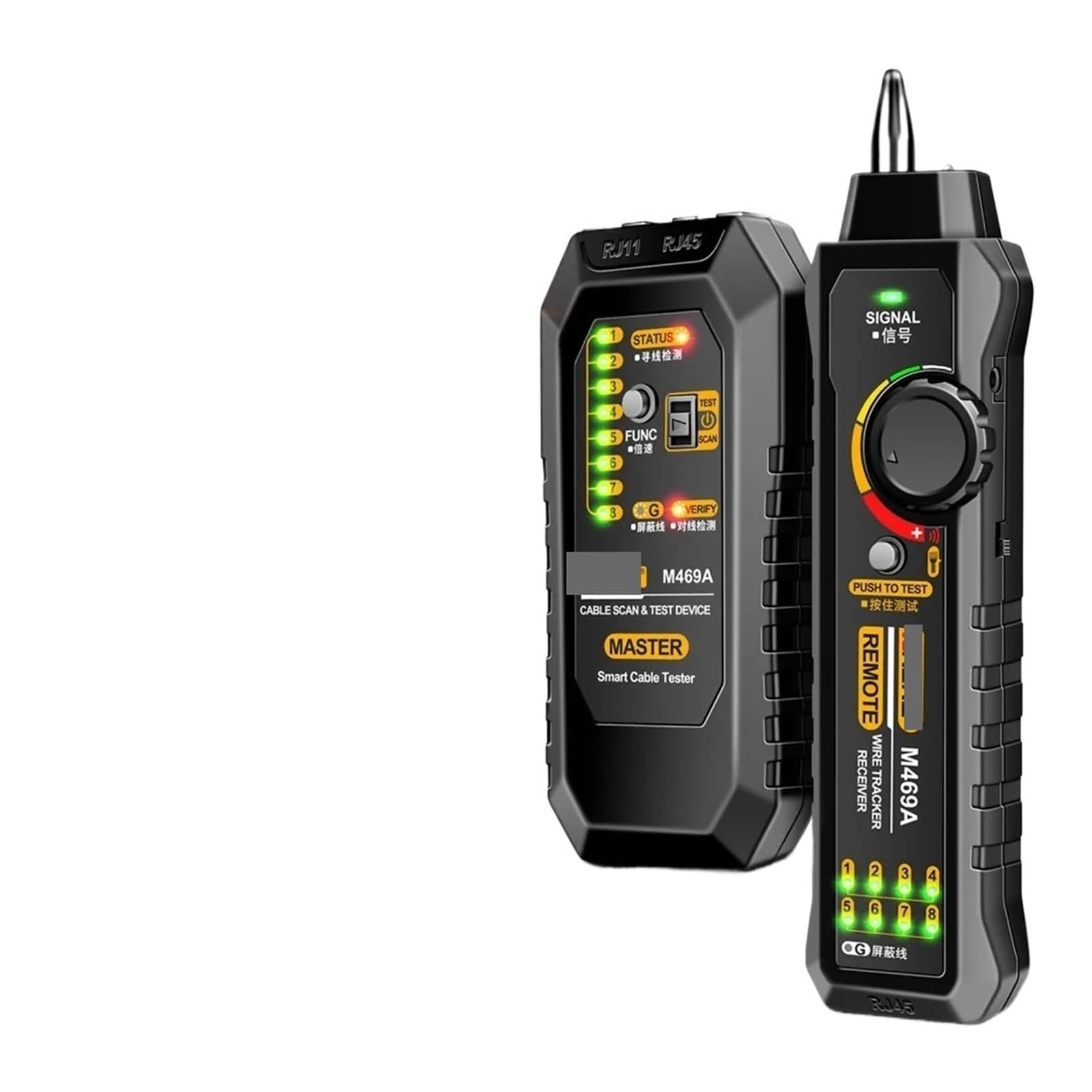
Image 1: M469A Smart Network Cable Tester. This image displays the main unit and the remote unit of the cable tester. The main unit typically features an LCD screen and control buttons, while the remote unit is a smaller, passive component used for end-to-end cable testing.
Huvudenhetens funktioner:
- LCD-skärm: Shows test results, cable status, and other information.
- RJ45-port: För testning av Ethernet-kablar.
- RJ11-port: For testing telephone cables.
- Kontrollknappar: For power, mode selection, and test initiation.
- Strömingång: Battery compartment for power supply.
Funktioner för fjärrenheten:
- RJ45-port: Connects to the other end of an Ethernet cable for testing.
- RJ11-port: Connects to the other end of a telephone cable for testing.
5. Inställning
5.1 Batteriinstallation
- Leta reda på batterifacket på baksidan av huvudenheten.
- Öppna batterifackets lock.
- Insert the required batteries (e.g., 9V battery) according to the polarity markings (+/-).
- Stäng batterifacket ordentligt.
5.2 Slå på/av
- To power on the device, press and hold the Power button until the LCD screen illuminates.
- To power off the device, press and hold the Power button again until the LCD screen turns off.
6. Bruksanvisning
6.1 Cable Testing (RJ45/RJ11)
- Se till att enheten är påslagen.
- Connect one end of the cable to be tested into the appropriate port (RJ45 or RJ11) on the main unit.
- Anslut den andra änden av kabeln till motsvarande port på fjärrenheten.
- Select the desired test mode (e.g., standard test, scan) using the mode button.
- Press the Test button to initiate the cable test.
- Observe the LCD display for results, which will indicate continuity, open circuits, short circuits, cross-overs, or split pairs.
6.2 Ledningsspårningsfunktion
The wire tracking function helps locate specific cables within a bundle or trace their path.
- Connect the cable to be tracked to the main unit's RJ45 or RJ11 port.
- Select the wire tracking mode on the main unit.
- Use the receiver (often integrated or a separate probe) to trace the cable. The receiver will emit an audible tone when it detects the signal from the main unit, indicating the cable's location.
7. Underhåll
- Rengöring: Använd en mjuk, torr trasa för att rengöra enheten. Använd inte slipande rengöringsmedel eller lösningsmedel.
- Lagring: Förvara enheten på en sval, torr plats borta från direkt solljus och fukt när den inte används.
- Batteribyte: Byt batterier omedelbart när indikatorn för låg batterinivå visas på displayen för att säkerställa korrekta avläsningar.
8. Felsökning
| Problem | Möjlig orsak | Lösning |
|---|---|---|
| Enheten slås inte på. | Döda eller felaktigt installerade batterier. | Kontrollera batteripolariteten; byt batterier. |
| Felaktiga testresultat. | Poor cable connection; damaged cable; low battery. | Ensure cables are securely connected; inspect cable for damage; replace batteries. |
| Trådspårningssignalen är svag eller saknas. | Cable not properly connected; receiver too far from cable; interference. | Verify cable connection; move receiver closer; minimize sources of electromagnetic interference. |
9. Specifikationer
- Modell: M469A (Part Number: PPZZZAIVV-BLACK)
- Stämpla: Generisk
- Kabeltyper som stöds: RJ45 (Ethernet), RJ11 (Telephone)
- Funktioner: Cable Testing, Wire Tracking
- Strömkälla: Battery Powered (e.g., 9V battery, not included)
- Färg: Svart
- Specifikation uppfylld: UL
10. Garanti och support
This product comes with a standard manufacturer's warranty. For specific warranty terms, please refer to the documentation provided at the time of purchase or contact your retailer. For technical support or service inquiries, please contact the vendor or manufacturer through the contact information provided with your purchase.