
1. Introduktion
The EVILTO RGB Digital Alarm Clock is designed to provide clear time display, dual alarm functionality, and ambient lighting options. It features a high-contrast screen that shows time, temperature, date, and day of the week. With customizable RGB display colors and ambient light settings, it complements various room decors while offering practical features like Daylight Saving Time (DST) adjustment and power-outage-minne.
2. Säkerhetsinstruktioner
- Ensure the device is placed on a stable, flat surface to prevent falling.
- Keep away from water or high humidity environments to avoid electrical hazards.
- Utsätt inte för direkt solljus eller extrema temperaturer.
- Använd endast den medföljande nätadaptern och kabeln.
- Förvaras utom räckhåll för barn.
- Do not attempt to disassemble or repair the device yourself. Contact customer support if needed.
3. Paketets innehåll
Kontrollera att alla artiklar finns i paketet:
- EVILTO RGB Digital Alarm Clock Unit
- USB-C strömkabel
- Strömadapter
- Användarmanual
4. Produkt överview
The alarm clock features a large digital display and intuitive controls. Familiarize yourself with the main components and buttons:
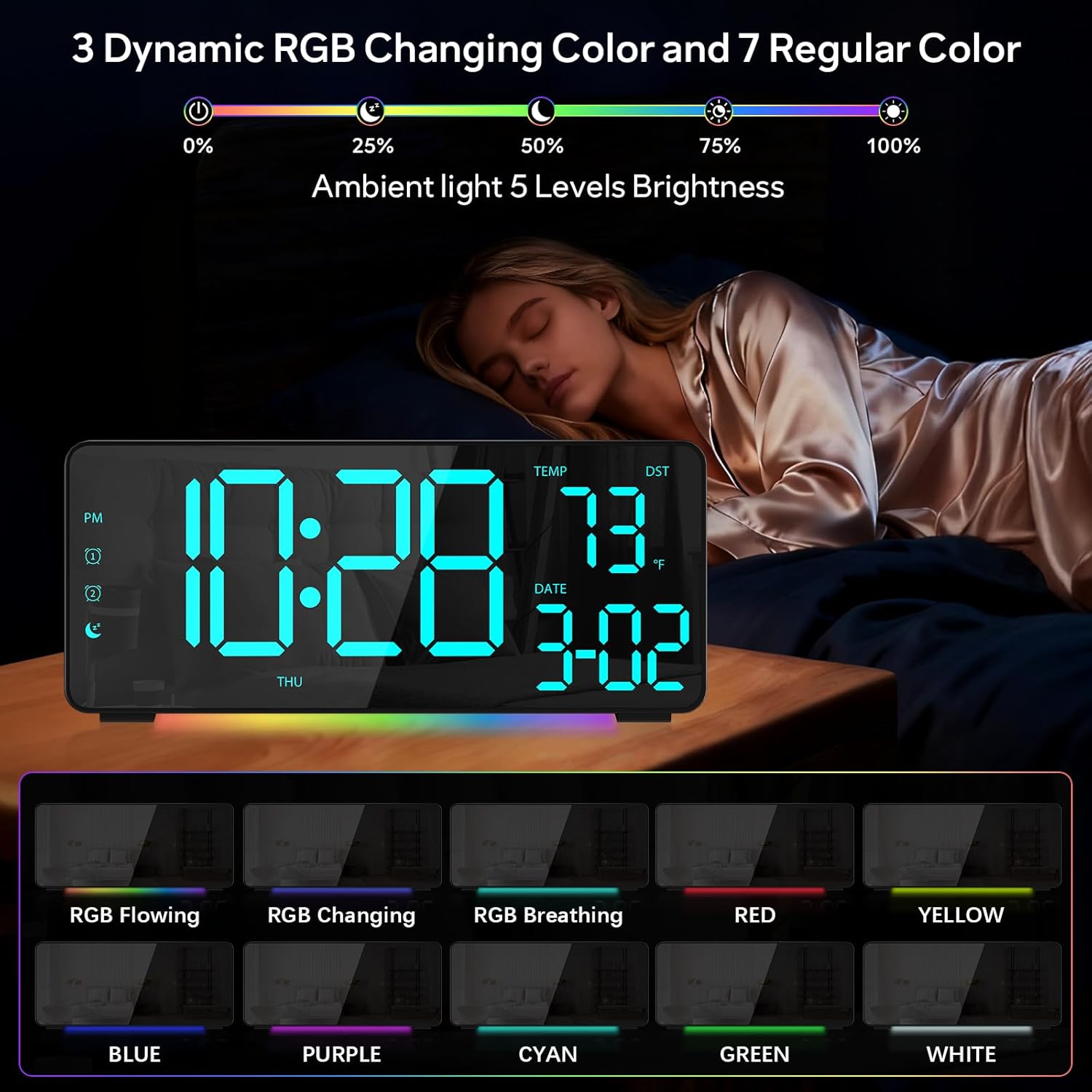
Bild 1: Framsidan view of the EVILTO RGB Digital Alarm Clock, showing the time, temperature, date, and day of the week. The display features vibrant RGB colors.

Bild 2: Bak view of the EVILTO RGB Digital Alarm Clock, highlighting the control buttons for settings, alarms, display, and the USB-C input and USB output ports.
Kontrollknappar:
- SET -knapp: Enters/confirms settings.
- Ljusstyrka-knapp: Justerar skärmens ljusstyrka.
- RGB-knapp: Cycles through RGB display colors.
- Larm 1/2-knappar: Aktiverar/avaktiverar och ställer in Larm 1 eller Larm 2.
- Volymknapp: Justerar larmvolymen.
- DST-knapp: Toggles Daylight Saving Time.
- 12/24H-knapp: Switches between 12-hour and 24-hour time format.
- °C/°F-knapp: Switches between Celsius and Fahrenheit for temperature display.
5. Inställning
5.1 Strömförsörjning av enheten
The alarm clock operates via a corded electric connection. For power-outage memory, install 3 AAA batteries (not included).
- Connect the USB-C power cable to the INPUT port on the back of the clock.
- Anslut nätadaptern till ett vanligt eluttag.
- For backup power, open the battery compartment on the back and insert 3 AAA batteries, ensuring correct polarity.

Figure 3: The clock connected via USB-C for power, demonstrating its USB output for charging other devices.

Figure 4: Illustration of the power-outage memory function, showing the battery compartment for AAA batteries to retain settings during power interruptions.
6. Bruksanvisning
6.1 Ställa in tid och datum
- Tryck och håll ned UPPSÄTTNING button on the back of the clock for 3 seconds to enter time setting mode. The hour digits will begin to flash.
- Använd + och - knappar för att justera timmen.
- Trycka UPPSÄTTNING igen för att gå till minutinställning. Använd + och - för att justera minuter.
- Fortsätt att trycka UPPSÄTTNING för att växla mellan inställningar för år, månad och dag, och justera var och en med + och -.
- Trycka UPPSÄTTNING en sista gång för att avsluta inställningsläget.
- To switch between 12-hour and 24-hour format, short press the 12/24H knapp.
- To switch between Celsius and Fahrenheit, short press the ° C / ° F knapp.
6.2 Ställa in larm
The clock supports two independent alarms with four modes (Daily, Weekday 1, Weekday 2, Weekend).
- Tryck och håll ned Larm 1 or Larm 2 -knappen i 3 sekunder för att gå in i larminställningsläget. Timsiffrorna blinkar.
- Använd + och - knapparna för att ställa in önskad alarmtimme.
- Tryck på Larm button again to set the minutes, adjusting with + och -.
- Tryck på Larm button a third time to select the alarm mode (Daily, Weekday 1, Weekday 2, Weekend) using + och -.
- Tryck på Larm button one last time to confirm and exit.
- To activate or deactivate an alarm, short press its respective Larm 1 or Larm 2 button. An icon will appear/disappear on the display.
- När ett larm ljuder, tryck på SNOOZE button (top center) to activate snooze for 5 minutes. To turn off the alarm, press any other button.

Figure 5: The clock illustrating the setup for dual alarms with options for daily, weekday, or weekend modes.
6.3 Adjusting Display and Ambient Light
- Displayens ljusstyrka: Tryck kort på Ljusstyrka button on the back to cycle through 5 adjustable brightness levels for the main display.
- RGB Display Colors: Tryck kort på RGB button on the back to cycle through 15 vibrant RGB display colors, including 4 dynamic RGB modes, 7 regular colors, and 4 specific color options.
- Omgivningsljus: The clock features 10 ambient lighting options. These can be adjusted independently from the main display colors. Refer to the specific instructions in the included manual for ambient light control.
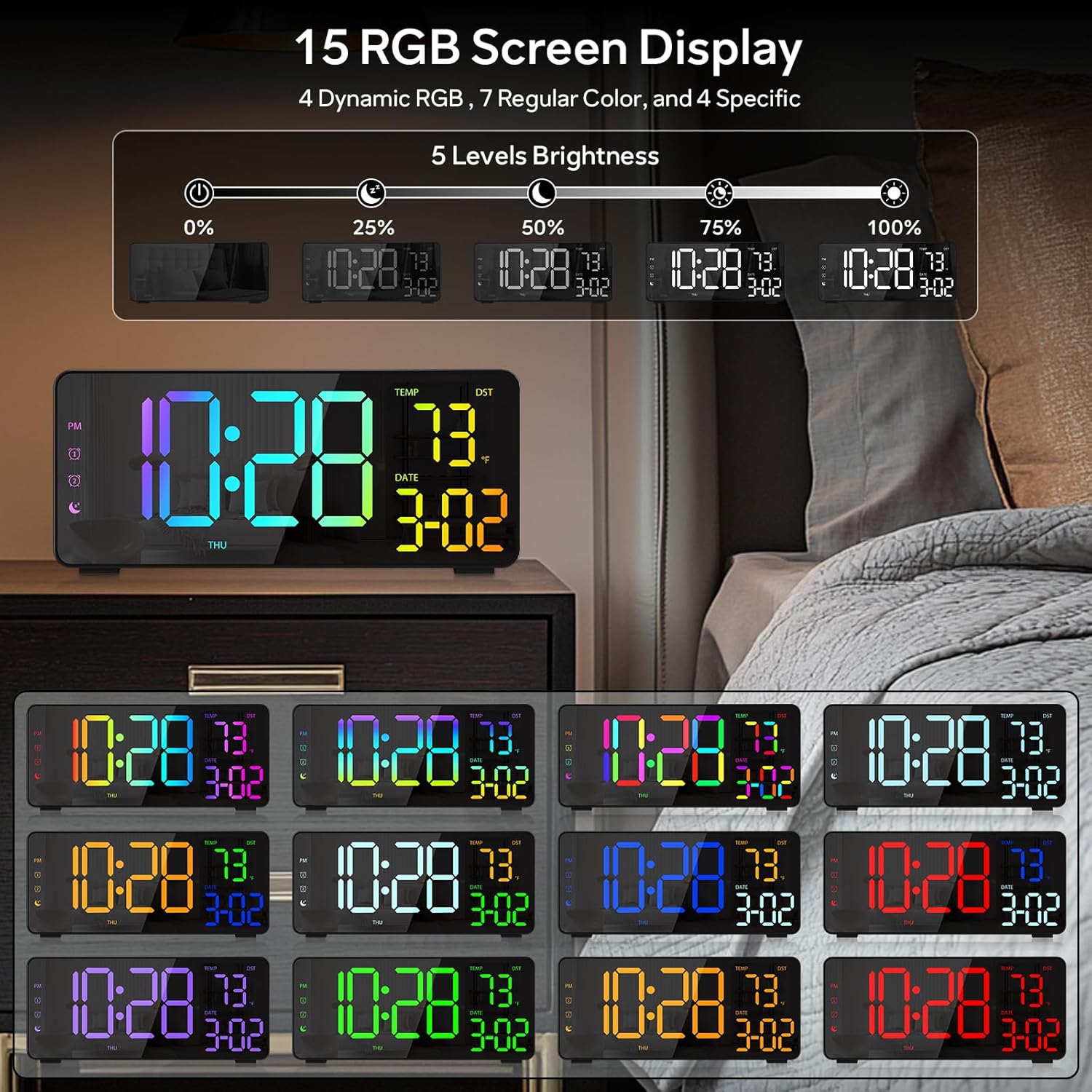
Figure 6: Various display color options and brightness levels of the digital alarm clock.
6.4 Justering av sommartid
To adjust for Daylight Saving Time, simply press the Sommartid button on the back of the clock. This will move the time forward or backward by 1 hour, keeping your clock synchronized with seasonal changes.
7. Underhåll
- Rengör klockans yta med en mjuk, torr trasa. Undvik slipande rengöringsmedel eller lösningsmedel.
- If the display appears scratched, gently remove any protective film that may be present.
- Ensure the USB-C port and USB output port are free from dust and debris.
8. Felsökning
8.1 Display Not Lighting Up
- Check if the power cable is securely connected to both the clock and the power outlet.
- Se till att nätadaptern fungerar korrekt.
- If using battery backup, ensure batteries are correctly inserted and not depleted. Note that the display will not stay on continuously when running on battery power alone; it will only light up briefly when a button is pressed or an alarm sounds.
8.2 Larm ljuder inte
- Verify that the alarm is activated (alarm icon visible on the display).
- Check the alarm volume setting using the Volym knapp.
- Ensure the alarm time and mode are set correctly.
8.3 Felaktig tid/datum
- Ange tids- och datuminställningarna igen enligt beskrivningen i avsnitt 6.1.
- If DST is active, ensure it is correctly set for your region.
9. Specifikationer
| Särdrag | Detalj |
|---|---|
| Stämpla | EVILTO |
| Modellnummer | RGBNZ |
| Färg | Svart |
| Visningstyp | Digital |
| Specialfunktioner | Adjustable Brightness, Adjustable Volume, Large Display, Loud Alarm, Temperature Display |
| Produktens mått | 6.89 cm B x 3.1 cm H |
| Strömkälla | Elektrisk med sladd |
| Rumstyp | Bedroom, Home Office, Kid's Room, Living Room, Study Room |
| Material | Plast |
| Antal larm | 2 |
| Skärmstorlek | 8.1 tum |
| Objektets vikt | 10.9 uns |
10. Garanti och support
For warranty information or technical support, please refer to the contact details provided in the product packaging or contact EVILTO customer service directly. Keep your purchase receipt for warranty claims.