
Produkt överview
The LEICKE DAB+ Radio Tube (Model EP19035) is a versatile portable audio device combining a DAB+/FM radio with a powerful Bluetooth speaker. It features a robust 4500 mAh battery for extended playtime, dynamic RGB LED lighting, and multiple connectivity options including Micro SD and AUX-In. This manual provides essential information for setup, operation, and maintenance.
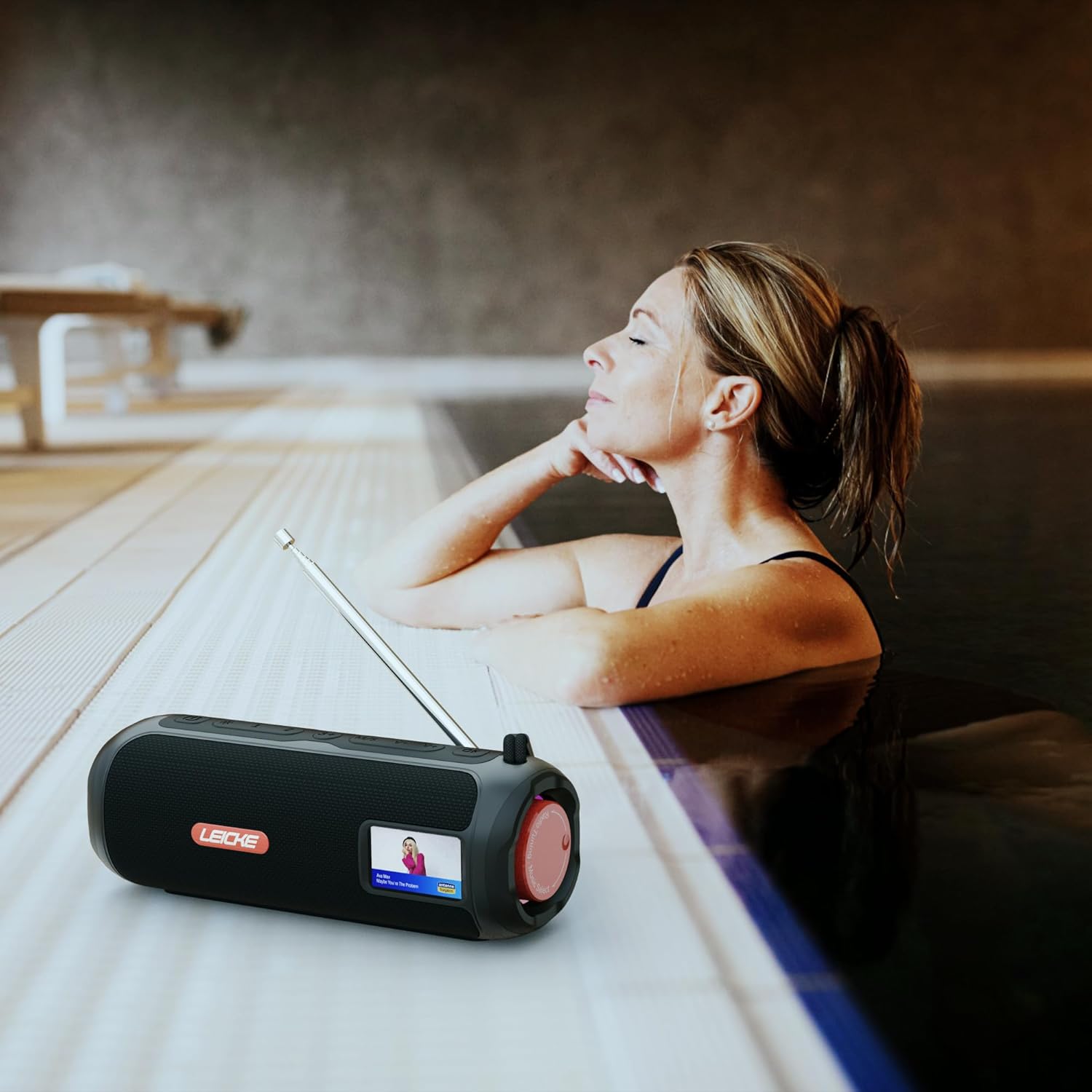
Image: The LEICKE DAB+ Radio Tube, showcasing its portable design, suitable for various environments like a poolside.
Nyckelfunktioner:
- Kraftfullt stereoljud: Two 5W speakers deliver rich, clear audio with dynamic effects and powerful bass.
- Förlängd batteritid: Integrated 4500 mAh rechargeable battery provides up to 12 hours of playtime.
- DAB+ & FM Radio: Enjoy noise-free digital DAB+ and traditional FM radio with 30 station presets.
- Atmospheric RGB Lighting: Features cool color-changing LED lights for enhanced ambiance.
- Mångsidig anslutning: Bluetooth 5.3 for wireless streaming, Micro SD card slot, and 3.5 mm AUX-In.
- Bekväm laddning: USB-C port for quick and easy charging.
- Ytterligare funktioner: Includes an integrated alarm clock, sleep timer, and equalizer settings.
Paketets innehåll
Kontrollera paketet för följande artiklar:
- LEICKE DAB+ Radio Tube (Model EP19035)
- USB-C laddningskabel
- Ägarmanual
- (Note: Specific accessories like AUX cable may vary by region or package. Please refer to your product packaging.)
Kontroller och anslutningar
Familiarize yourself with the various buttons, ports, and indicators on your LEICKE DAB+ Radio Tube.

Bild: Fram view of the LEICKE DAB+ Radio Tube, highlighting the display, SD card slot, AUX input, and USB-C port.

Bild: Baksida view of the LEICKE DAB+ Radio Tube, showing the extendable antenna, AUX port, USB-C port, and Micro SD slot.
Portbeskrivningar:
- Micro SD-kortplats: Insert a Micro SD card for playing stored audio files.
- AUX-ingång (3.5 mm): Anslut externa ljudenheter med en 3.5 mm ljudkabel.
- USB-C-port: Används för att ladda enheten.
- Antenn: Extend for optimal DAB+ and FM radio reception.
(Note: Specific button functions will be detailed in the 'Operating' section.)
Inställning
1. Första laddningen
- Ladda enheten helt före första användningen.
- Connect the provided USB-C cable to the USB-C port on the speaker and the other end to a compatible USB power adapter (not included) or a computer's USB port.
- The charging indicator on the display will show the charging status. Once fully charged, the indicator will change.
2. Slå på / av
- För att slå på: Tryck och håll ner strömknappen (vanligtvis markerad med ⏻ or DRIVA) for a few seconds until the display lights up.
- För att stänga av: Press and hold the Power button again for a few seconds until the display turns off.
Bruksanvisning
Val av läge
Tryck på LÄGE button to cycle through available modes: DAB+ Radio, FM Radio, Bluetooth, Micro SD, and AUX-In.
1. DAB+ radiofunktion
- Dra ut antennen helt för bästa mottagning.
- Välj DAB+-läge med hjälp av LÄGE knapp.
- The radio will automatically scan for available DAB+ stations on first use or if no stations are found.
- Använd FÖREGÅENDE/NÄSTA knapparna för att navigera genom listan över tillgängliga stationer.
- Tryck på ENTER/PLAY knappen för att välja en station.
- Spara förinställningar: Medan du lyssnar på en station, tryck och håll ner FÖRINSTÄLLA knapp. Använda sig av FÖREGÅENDE/NÄSTA för att välja ett förinställt nummer (1–30) och tryck sedan på ENTER/PLAY att spara.
- Återkallar förinställningar: Tryck kort på FÖRINSTÄLLA knappen och använd sedan FÖREGÅENDE/NÄSTA för att välja en sparad station och tryck på ENTER/PLAY.
2. Användning av FM-radio
- Dra ut antennen helt för bästa mottagning.
- Välj FM-läge med hjälp av LÄGE knapp.
- Automatisk skanning: Tryck och håll ned SPELA/PAUS knappen för att automatiskt söka efter och spara tillgängliga FM-stationer.
- Manuell inställning: Tryck kort FÖREGÅENDE/NÄSTA för att finjustera frekvensen.
- Spara förinställningar: Similar to DAB+ mode, press and hold FÖRINSTÄLLA to save, and briefly press to recall.
3. Bluetooth-parning
- Välj Bluetooth-läge med hjälp av LÄGE button. The display will show "Bluetooth" and an icon will flash, indicating it's in pairing mode.
- Aktivera Bluetooth på din smartphone, surfplatta eller bärbara dator och sök efter nya enheter.
- Select "LEICKE DAB+ Tube" from the list of available devices.
- Once paired, the speaker will emit a confirmation sound, and the Bluetooth icon on the display will stop flashing.
- Du kan nu spela upp ljud från din anslutna enhet via högtalaren.
4. Micro SD Playback
- Sätt i ett Micro SD-kort (med stöd för ljud files) i Micro SD-facket.
- Select Micro SD mode using the LÄGE button. The device will automatically start playing music from the card.
- Använda SPELA/PAUS to control playback, and FÖREGÅENDE/NÄSTA att hoppa över spår.
5. AUX-ingångsanslutning
- Anslut ena änden av en 3.5 mm ljudkabel (medföljer ej) till AUX-ingången på högtalaren.
- Anslut den andra änden till hörlursuttaget eller ljudutgången på din externa enhet.
- Välj AUX-ingångsläge med hjälp av LÄGE knapp.
- Styr uppspelning och volym från din externa enhet.
6. Volymkontroll
Use the dedicated Volume Up (+) och Volym ned (-) buttons to adjust the audio level.
7. Equalizerinställningar
Tryck på EQ button (if available) to cycle through preset equalizer modes such as Pop, Rock, Classic, Jazz, etc. There is no manual equalizer adjustment.
8. RGB LED-lampor
The RGB LED lights will automatically activate when the device is powered on. There may be a dedicated button to change light modes or turn them off (refer to device specific button layout if available).
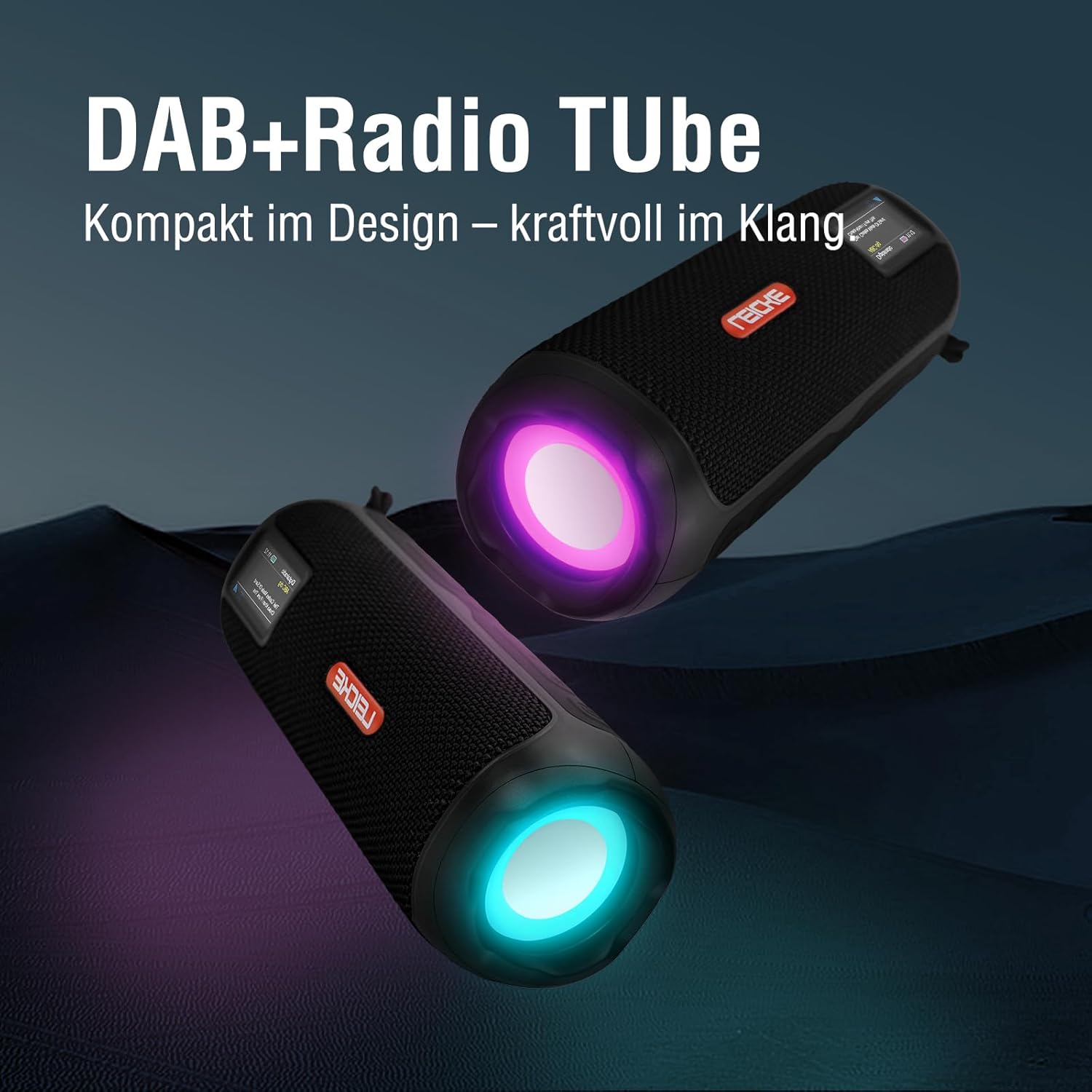
Image: Two LEICKE DAB+ Radio Tubes displaying their vibrant RGB LED lighting feature.
9. Alarm Clock and Sleep Timer
Access the menu settings (usually by pressing a MENY or UPPSÄTTNING button) to configure the alarm clock and sleep timer functions. Follow the on-screen prompts to set times and preferences.
Underhåll
Rengöring
- Se till att enheten är avstängd och bortkopplad från alla strömkällor före rengöring.
- Använd en mjuk, torr och luddfri trasa för att torka av de utvändiga ytorna.
- Använd inte slipande rengöringsmedel, vaxer eller lösningsmedel eftersom de kan skada ytbehandlingen.
- Undvik att fukt kommer in i några öppningar.
Batterivård
- För att förlänga batteriets livslängd, undvik att ladda ur batteriet helt ofta.
- Ladda enheten regelbundet, även om den inte används, för att bibehålla batteriets skick.
- Förvara enheten på en sval och torr plats när den inte används under längre perioder.
Lagring
- When storing the device for a long time, ensure it is charged to about 50-70% to prevent deep discharge.
- Håll enheten borta från extrema temperaturer, direkt solljus och hög luftfuktighet.
Felsökning
| Problem | Möjlig orsak | Lösning |
|---|---|---|
| Enheten slås inte på. | Lågt batteri; Strömknappen är inte korrekt intryckt. | Charge the device fully. Press and hold the Power button for a few seconds. |
| Inget ljud. | Volymen är för låg; Fel läge valt; Enheten är inte parad (Bluetooth). | Increase volume. Ensure correct mode (DAB+, FM, BT, SD, AUX) is selected. Re-pair Bluetooth device. |
| Dålig radiomottagning. | Antennen inte utdragen; Område med svag signal. | Fully extend the antenna. Try moving the device to a different location. |
| Bluetooth-enheten paras inte ihop. | Speaker not in pairing mode; Device too far; Already connected to another device. | Ensure speaker is in Bluetooth pairing mode. Move devices closer. Disconnect from other devices. |
| Micro SD-kort känns inte igen. | Kort felaktigt isatt; Stöds inte file format; Corrupted card. | Reinsert the card correctly. Ensure files are in a supported format. Try a different Micro SD card. |
Specifikationer
| Särdrag | Detalj |
|---|---|
| Stämpla | LEICKE |
| Modellnummer | EP19035 |
| Tuner-teknik | DAB Plus, FM |
| Anslutningsmöjligheter | Bluetooth 5.3, Micro SD, 3.5mm AUX-In, USB-C (charging) |
| Ljudutgång | 10W Stereo Sound (2 x 5W speakers) |
| Batterikapacitet | 4500 mAh litiumjon |
| Speltid | Upp till 12 timmar (varierar med användning) |
| Specialfunktioner | RGB LED Lights, Equalizer, Alarm Clock, Sleep Timer, 30 DAB+/FM Presets |
| Strömkälla | Battery Operated, Wired (USB-C) |
| Produktens mått | 3.2 x 3.2 x 12 cm; 660 g |
Garantiinformation
LEICKE products are designed and manufactured to the highest quality standards. This product is covered by a standard manufacturer's warranty. Please refer to the warranty card included in your package or visit the official LEICKE webwebbplatsen för detaljerade garantivillkor som är specifika för din region.
Spara ditt inköpskvitto som inköpsbevis för eventuella garantianspråk.
Kundsupport
If you encounter any issues or have questions regarding your LEICKE DAB+ Radio Tube that are not covered in this manual, please contact LEICKE customer support.
- Online support: Visit the official LEICKE webwebbplats för vanliga frågor, supportresurser och kontaktformulär.
- E-postsupport: Refer to your product packaging or the LEICKE webwebbplatsen för lämplig support-e-postadress.
Please have your product model number (EP19035) and purchase details ready when contacting support.