
1. Introduktion
The Strong 4G LTE N300 WiFi Router provides high-speed internet access using a 4G SIM card, offering reliable Cat4 LTE speeds up to 150 Mbps and stable N300 Mbps Wi-Fi coverage. This device is designed for easy setup and use, supporting up to 32 devices simultaneously, making it suitable for both home and small office environments where wired broadband may not be available.
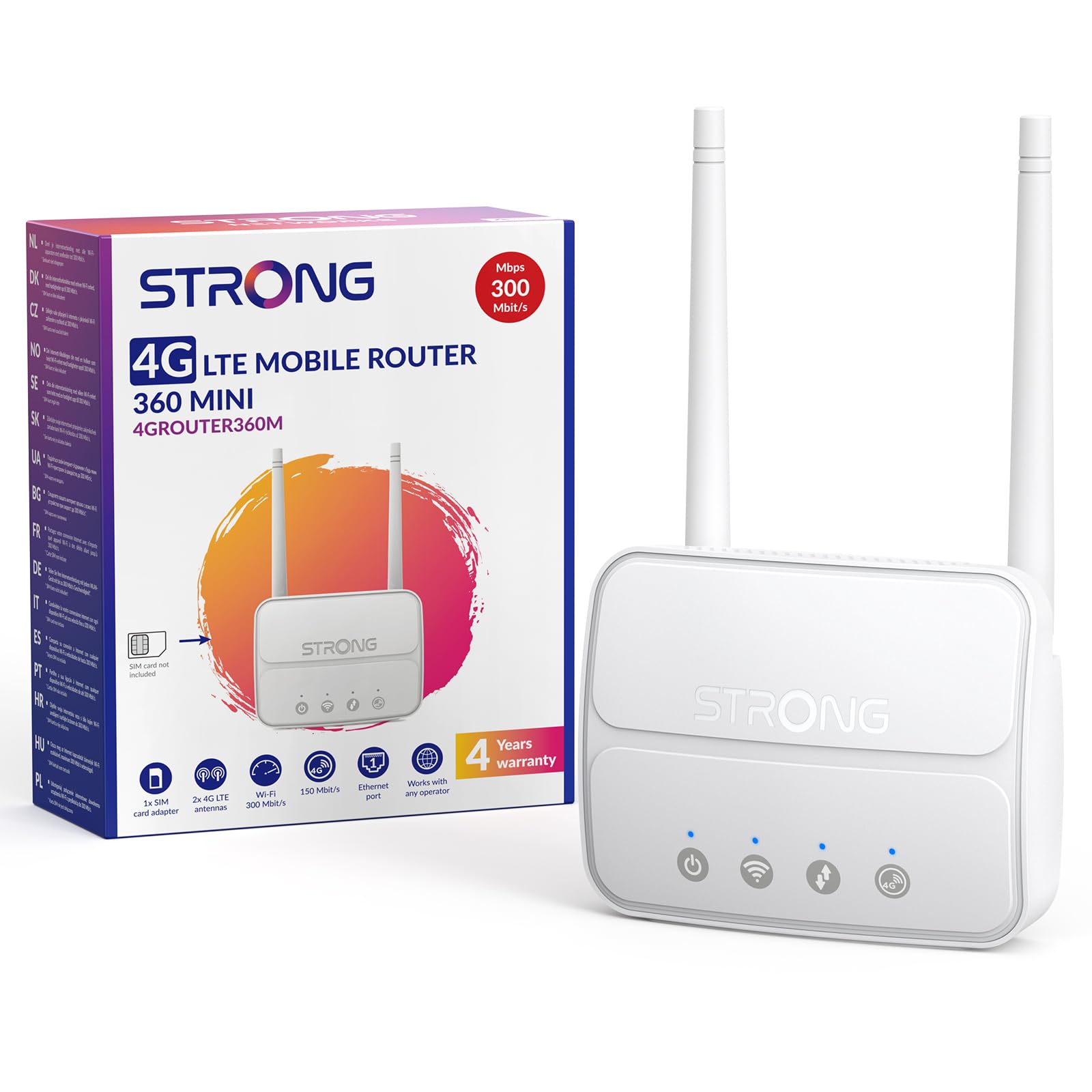
Image 1: The Strong 4G LTE N300 WiFi Router, a compact device with two external antennas for enhanced signal reception.
2. Vad finns i lådan
Kontrollera paketets innehåll noggrant. Om några artiklar saknas eller är skadade, kontakta kundsupport.
- Strong 4G LTE N300 WiFi Router
- External Antennas (2 units)
- RJ45 Ethernet-kabel
- Extern strömförsörjning
- Nano to Micro SIM Card Adapter
- Snabbinstallationsguide
- Säkerhets- och garantikort
3. Installationsguide
Follow these steps for a quick and easy setup of your Strong 4G LTE N300 WiFi Router.
3.1. Prepare Your SIM Card
Before inserting your SIM card, ensure that any PIN protection is disabled. You can do this by inserting the SIM card into a smartphone and disabling the PIN request through the phone's settings.
3.2. Insert the SIM Card
- Locate the SIM card slot on the router.
- If you have a Nano SIM, use the provided Nano to Micro SIM adapter to fit it into the standard SIM slot.
- Gently insert the prepared SIM card into the slot until it clicks into place.
3.3. Attach External Antennas
Screw the two external 4G antennas onto the designated connectors at the back of the router. Adjust their orientation for optimal signal reception.
3.4. Power On the Router
Connect the external power supply to the router's DC-in port and then plug it into a power outlet. The router will automatically power on and begin the startup sequence.
3.5. Connect to the Network (Plug & Play)
The router is designed for Plug & Play operation. Once powered on and with a valid SIM card, it will automatically connect to the 4G LTE network. You can then connect your devices via Wi-Fi or Ethernet.

Image 2: Visual guide for SIM card insertion and powering on the router for instant connection. The image also shows the SIM card slot supporting standard, micro, and nano SIMs with an adapter.
3.6. Tillgång till Web Gränssnitt
För avancerade inställningar och nätverkshantering, gå till routerns web gränssnitt genom att skriva 192.168.188.1 in i din web browser's address bar. Refer to the Quick Installation Guide for default login credentials.
4. Bruksanvisning
This section details how to use your Strong 4G LTE N300 WiFi Router for optimal performance.
4.1. Anslutande enheter
The router supports connections for up to 32 devices simultaneously.
- Wi-Fi-anslutning: Locate the Wi-Fi network name (SSID) and password printed on the label at the bottom of the router. Select this network on your device and enter the password to connect.
- Ethernet-anslutning: Use an RJ45 Ethernet cable to connect devices such as PCs, game consoles, or Smart TVs to the router's 100 Mbps LAN port for a stable wired connection.
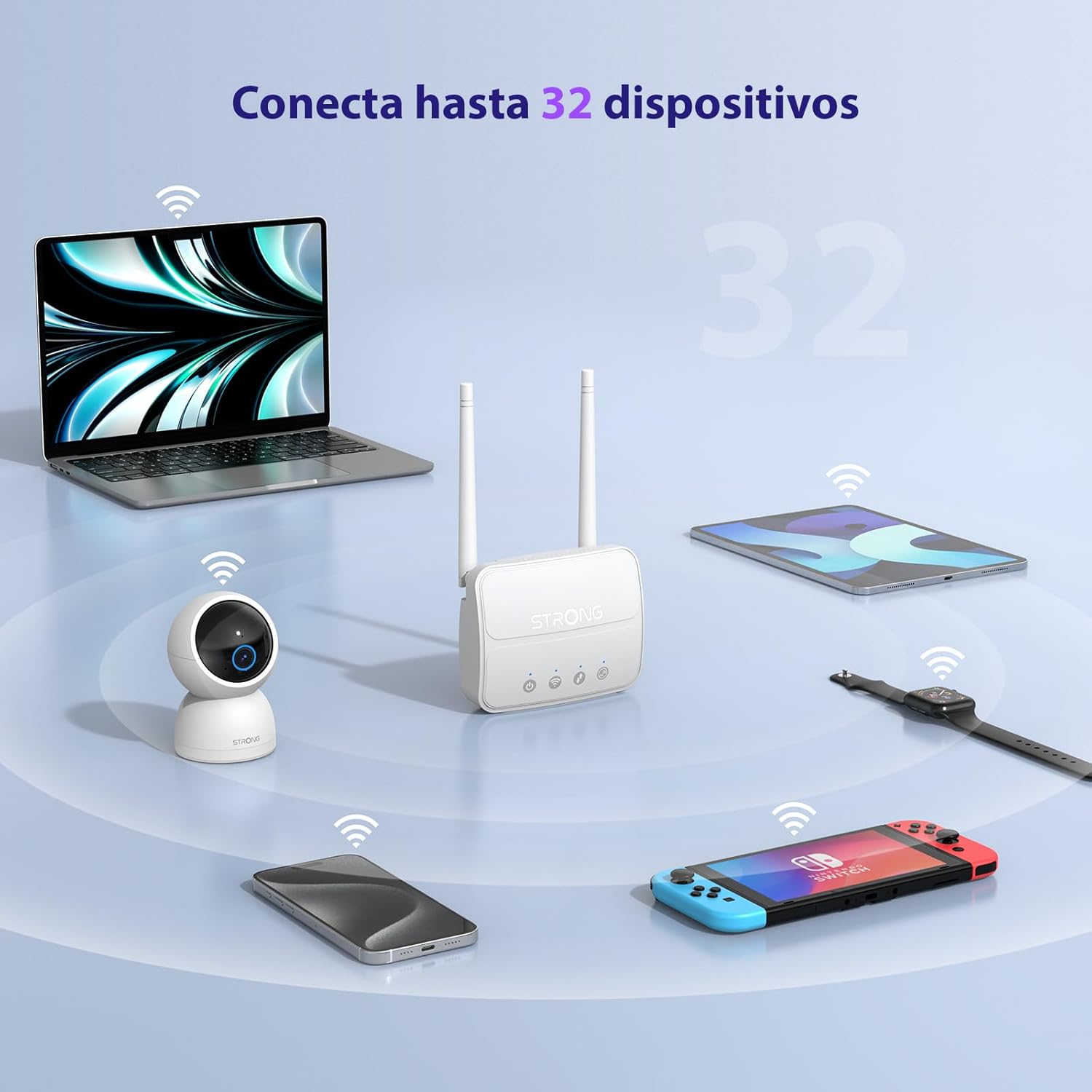
Image 3: The router connecting various devices including laptops, tablets, smartphones, and gaming consoles, demonstrating its capacity for up to 32 simultaneous connections.
4.2. Nätverkshantering och säkerhet
The router offers robust security features to protect your network:
- WPA/WPA2-kryptering: Ensures secure wireless communication.
- PIN Control: Manage SIM card PIN settings.
- MAC-filtrering: Control which devices can connect to your network based on their MAC addresses.
- Advanced Firewall Settings: Customize firewall rules for enhanced protection.
All these settings can be managed through the easy-to-use web gränssnitt (192.168.188.1).

Image 4: A user managing network settings on a laptop, illustrating the router's WPA/WPA2 encryption and PIN control features for secure network management.
5. Underhåll
Korrekt underhåll säkerställer routerns livslängd och optimala prestanda.
- Rengöring: Använd en mjuk, torr trasa för att rengöra routerns utsida. Använd inte flytande rengöringsmedel eller aerosoler.
- Placering: Placera routern i ett välventilerat utrymme, borta från direkt solljus, värmekällor och starka elektromagnetiska fält.
- Firmware -uppdateringar: The router features a USB port specifically for firmware updates. Regularly check the Strong official website for the latest firmware versions to ensure improved performance and security. Follow the instructions provided with the firmware update package carefully.
6. Felsökning
Om du stöter på problem med din router kan du följa följande vanliga felsökningssteg:
- Ingen internetanslutning:
- Se till att SIM-kortet är korrekt isatt och har ett aktivt dataabonnemang.
- Verify that the SIM card's PIN protection is disabled.
- Check the signal strength indicators on the router. If the signal is weak, try adjusting the external antennas or relocating the router.
- Starta om routern genom att dra ur och ansluta nätadaptern igen.
- Wi-Fi Not Visible or Connecting:
- Ensure the Wi-Fi function is enabled (check the router's LED indicators).
- Kontrollera att du anger rätt Wi-Fi-lösenord (SSID och lösenord finns på routerns etikett).
- Try connecting a device via Ethernet to confirm the router has internet access.
- Långsamma hastigheter:
- Check the 4G signal strength. Weak signal can lead to slower speeds.
- Se till att inga andra program eller enheter förbrukar för mycket bandbredd.
- Consider the number of connected devices; the router supports up to 32, but performance may vary with heavy usage.
- Kan inte komma åt Web Gränssnitt:
- Se till att din enhet är ansluten till routerns nätverk (Wi-Fi eller Ethernet).
- Bekräfta att du skriver in rätt IP-adress: 192.168.188.1.
- Prova en annan web webbläsare.
If these steps do not resolve the issue, please contact Strong customer support.
7. Specifikationer
Detailed technical specifications for the Strong 4G LTE N300 WiFi Router (Model 4GROUTER360M).
| Särdrag | Specifikation |
|---|---|
| Stämpla | Stark |
| Modellnamn | 4GROUTER360M |
| Anslutningsteknik | 4G, Ethernet, LTE, Wi-Fi |
| trådlös standard | 802.11n (N300 Mbps) |
| 4G LTE-hastighet | Up to 150 Mbps (Cat4) |
| Ethernet-portar | 1 x 100 Mbps LAN Port |
| SIM-kortplats | Standard (2FF), includes Nano to Micro adapter |
| Antenn typ | 2 x External, Detachable 4G Antennas; 2 x Internal Wi-Fi Antennas |
| Max anslutna enheter | Upp till 32 |
| Säkerhetsfunktioner | WPA/WPA2 Encryption, PIN Control, MAC Filtering, Firewall |
| Operativsystem | StrongOS |
| Mått (paket) | 18.1 x 15.6 x 7.3 cm |
| Produktens vikt | 204 g |
| Strömförsörjning | Extern strömadapter |
| Specialfunktioner | Secure Network Management, Plug & Play, Connect up to 32 devices, USB port for firmware updates |
8. Garanti och support
Strong is committed to providing reliable products and excellent customer service.
8.1. Garantiinformation
Your Strong 4G LTE N300 WiFi Router comes with a 4-year protection plan, ensuring long-term peace of mind. Please refer to the included Safety and Warranty Card for detailed terms and conditions.
8.2. Kundsupport
For any technical assistance, troubleshooting, or warranty inquiries, please contact our expert support team:
- E-post: support_at@strong-eu.com
Our support team offers solid service and extended coverage to assist you.

Image 5: Visual representation of Strong's reliable support, highlighting the 4-year protection and contact email for assistance.