
1. Introduktion
This manual provides essential information for the proper setup, operation, and maintenance of your MESWAO 15.6-inch Android 14 Tablet (Model MES-B3). Please read this manual thoroughly before using the device to ensure optimal performance and longevity. Keep this manual for future reference.
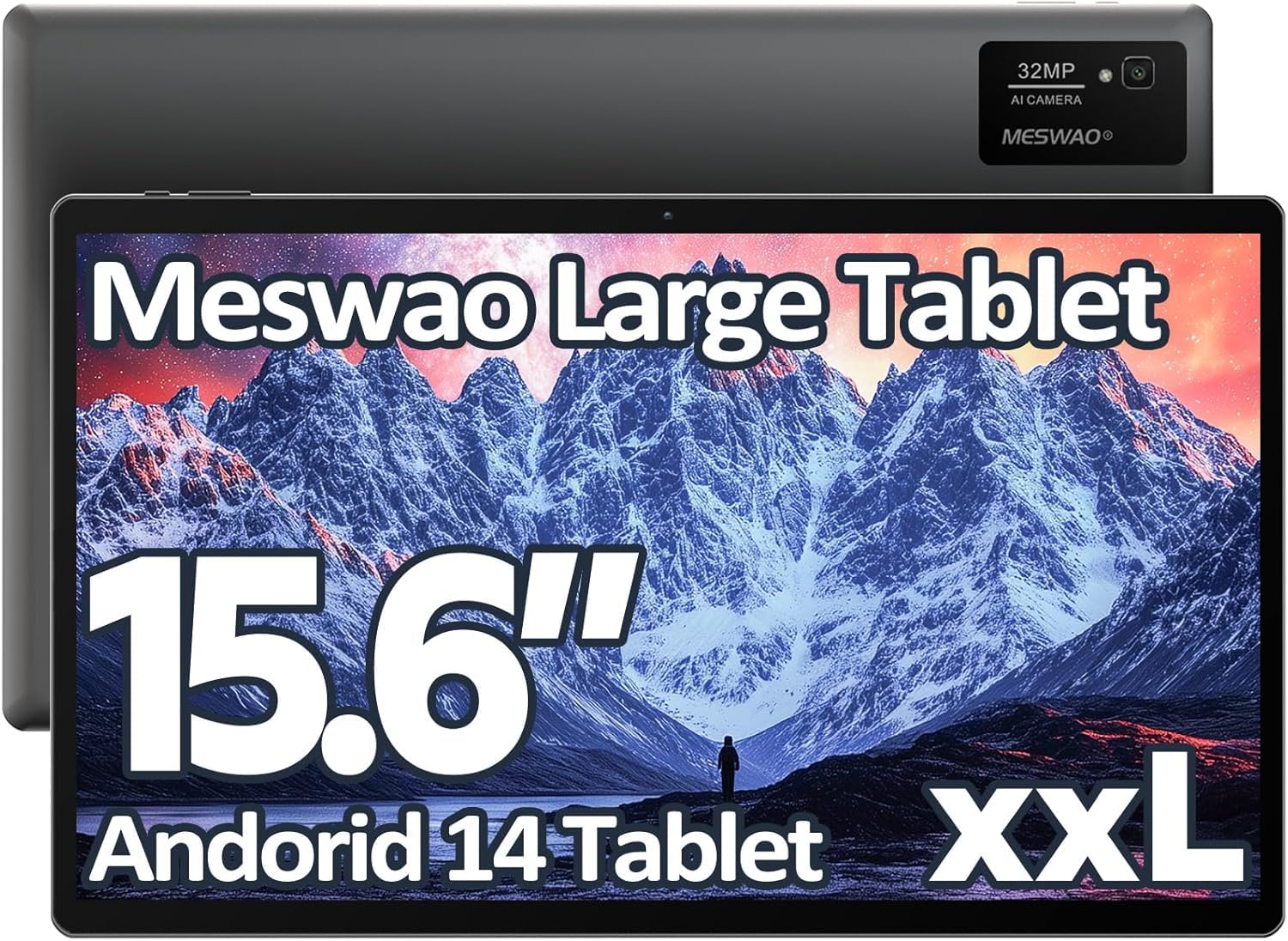
Image: The MESWAO 15.6-inch Android 14 Tablet, showcasing dess stora skärm och eleganta design.
2. Inställning
2.1 Uppackning och första inspektion
Carefully remove all components from the packaging. Verify that all items listed in the package contents are present and undamaged. If any items are missing or damaged, contact customer support immediately.
2.2 Laddning av surfplattan
Before first use, fully charge the tablet. Connect the provided USB-C cable to the tablet's charging port and the other end to the power adapter. Plug the power adapter into a wall outlet. The charging indicator will illuminate. A full charge typically takes approximately 3 hours with the 30W fast charging capability.
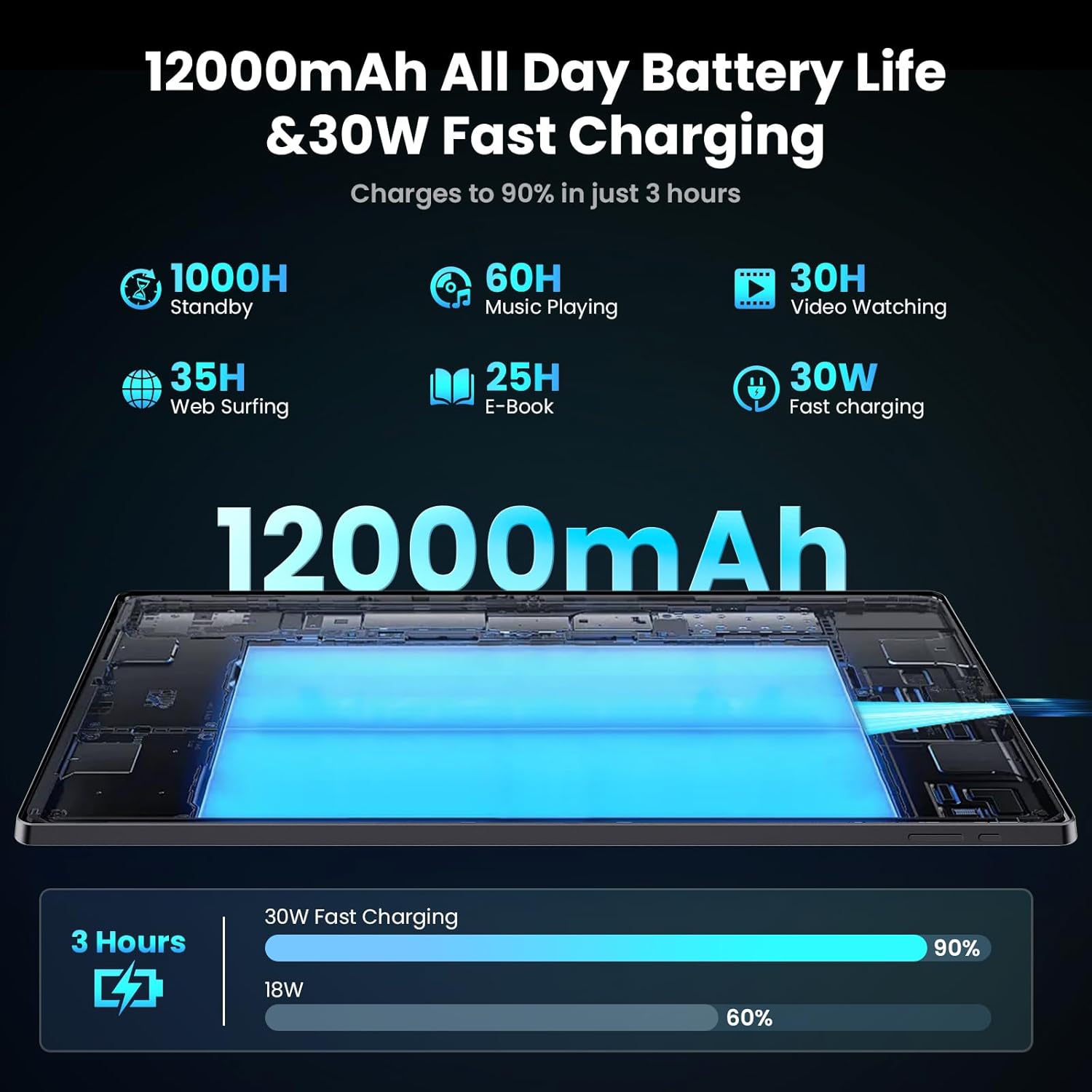
Image: Diagram illustrating the 12000mAh battery capacity and 30W fast charging feature, showing a charge to 90% in 3 hours.
2.3 Påslagning och initial konfiguration
- Press and hold the Power button until the MESWAO logo appears.
- Följ anvisningarna på skärmen för att välja språk och region och ansluta till ett Wi-Fi-nätverk.
- Logga in med ditt Google-konto eller skapa ett nytt för att få åtkomst till Google Play Butik och andra tjänster.
- Complete any remaining setup steps, such as setting up a screen lock (PIN, pattern, or password) and reviewsekretessinställningar.
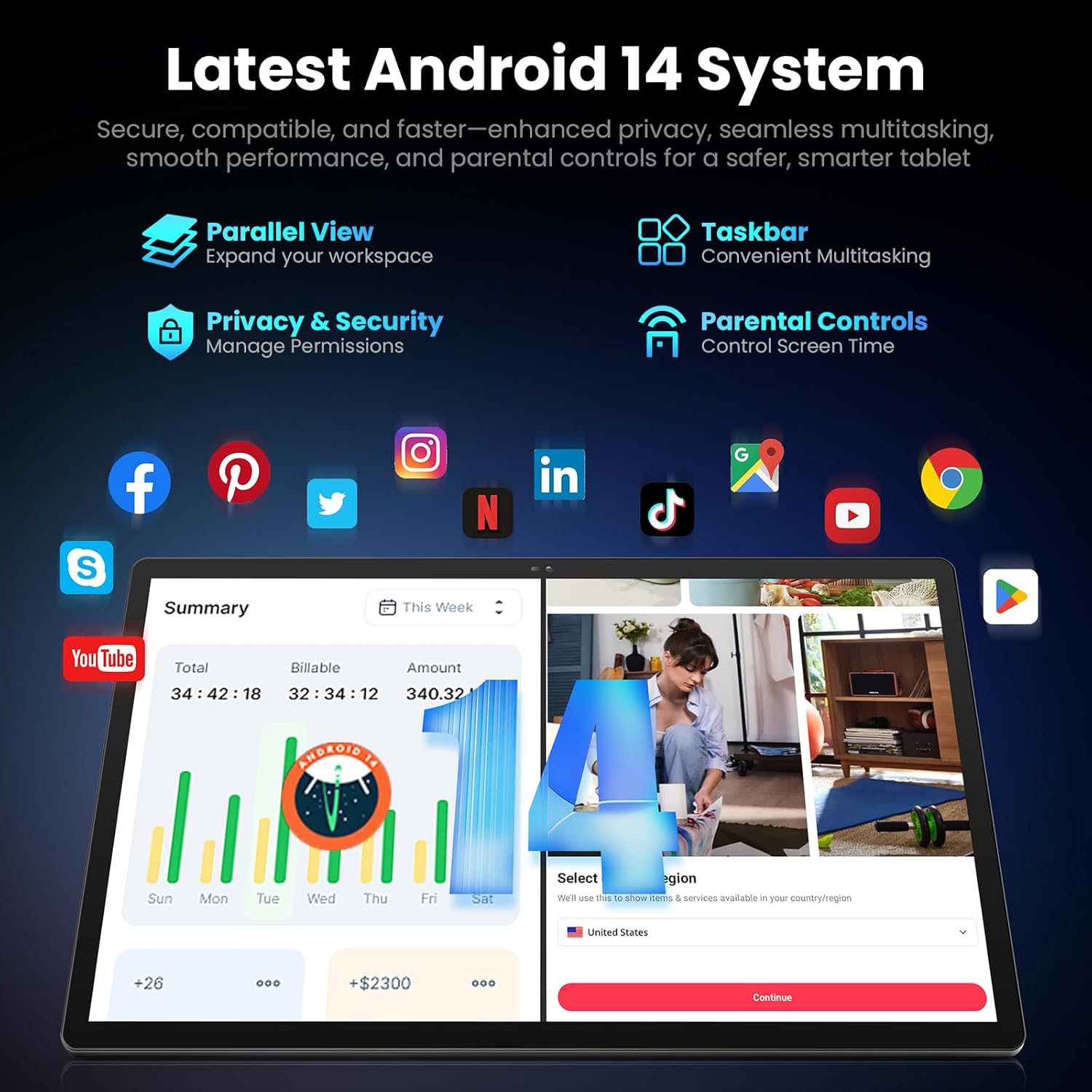
Image: Screenshot of the Android 14 system interface on the MESWAO tablet, highlighting features like Parallel View, Taskbar, Privacy & Security, and Parental Controls.
3. Bruksanvisning
3.1 Grundläggande navigering
- Tryckgester: Tryck för att välja, svep för att skrolla, nyp för att zooma.
- Hemskärm: Få åtkomst till appar, widgetar och aviseringar.
- Meddelandepanel: Svep nedåt från toppen av skärmen till view aviseringar och snabbinställningar.
- Applåda: Svep uppåt från skärmens nederkant för att komma åt alla installerade appar.
3.2 Display och visuell upplevelse
The 15.6-inch Full HD (1920x1080) IPS display offers vivid colors and wide viewing angles. Adjust brightness and display settings in the Settings menu under "Display" for optimal viewing comfort. The large screen is ideal for multitasking and immersive media consumption.

Image: The MESWAO tablet displaying a high-definition image, emphasizing the 1920x1080P Full HD IPS display with eye protection features.
3.3 Prestanda och lagring
Equipped with an Octa-Core Helio G99 processor and Android 14, the tablet provides smooth performance for various applications. It includes 8GB RAM and 256GB internal storage, expandable up to 1TB via a TF (microSD) card. To insert a TF card, locate the card slot on the side of the tablet, open the tray, and carefully place the card into the designated slot before reinserting the tray.
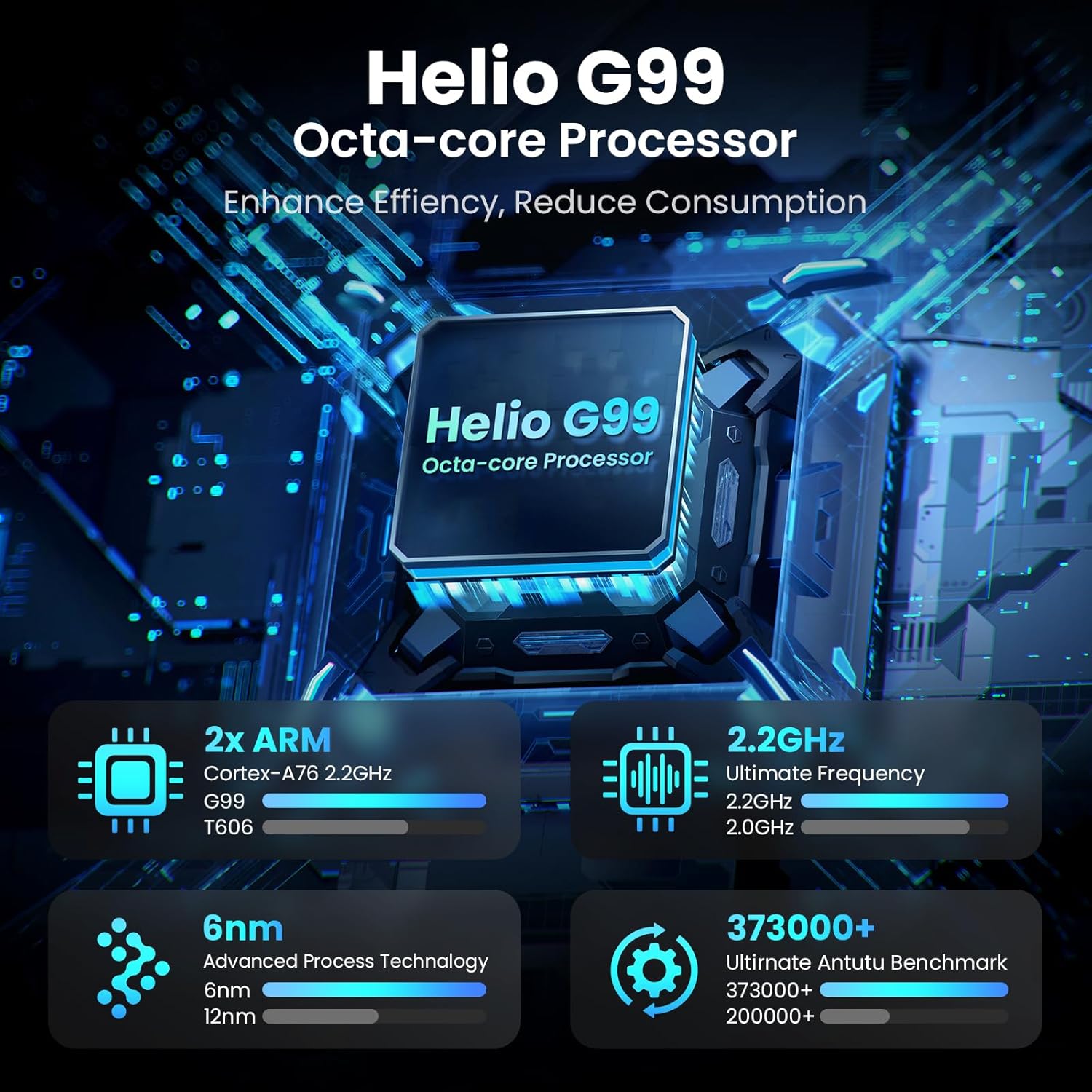
Image: Visual representation of the Helio G99 Octa-core Processor, detailing its architecture and performance metrics like 2.2GHz frequency and 6nm process technology.

Image: The MESWAO tablet screen showing multiple open applications and storage capacity details: 8GB RAM, 256GB ROM, and support for up to 1TB external storage.
3.4 Kameraanvändning
The tablet features a 32MP rear camera with flash and a 5MP front camera. Open the Camera application to capture photos, record videos, or engage in video calls. Ensure good lighting for best results.

Image: A visual demonstrating the MESWAO tablet's 5MP front camera and 32MP rear camera, showing a family photo being taken and a video call in progress.
3.5 Anslutningar
The tablet supports dual-band Wi-Fi (2.4GHz & 5GHz) for stable internet connectivity. Bluetooth is also available for connecting wireless accessories. Access these settings via the Notification Panel or the main Settings app.
4. Underhåll
4.1 Rengöring av surfplattan
Använd en mjuk, luddfri trasa för att rengöra skärmen och surfplattans hölje. För envisa fläckar, torka lättampSkölj trasan med vatten eller en skärmsäker rengöringslösning. Undvik att använda starka kemikalier eller slipande material.
4.2 Programuppdateringar
Kontrollera och installera regelbundet systemuppdateringar för att säkerställa att din surfplatta har de senaste funktionerna, säkerhetsuppdateringarna och prestandaförbättringarna. Gå till Inställningar > System > Systemuppdatering för att söka efter uppdateringar.
4.3 Batterivård
- Undvik extrema temperaturer, eftersom de kan försämra batteriets livslängd.
- Låt inte batteriet tömmas helt för ofta.
- Använd endast den medföljande laddaren eller en certifierad kompatibel laddare.
5. Felsökning
5.1 Surfplattan startar inte
- Ensure the tablet is sufficiently charged. Connect it to the charger for at least 30 minutes before attempting to power on again.
- Tryck och håll ner strömknappen i 10–15 sekunder för att utföra en forcerad omstart.
5.2 Problem med Wi-Fi-anslutning
- Check if Wi-Fi is enabled in the Quick Settings or Settings menu.
- Starta om din Wi-Fi-router och surfplattan.
- Glöm nätverket i Wi-Fi-inställningarna och återanslut.
- Se till att du befinner dig inom räckhåll för Wi-Fi-signalen.
5.3 Långsam prestanda
- Stäng onödiga bakgrundsapplikationer.
- Rensa cachedata för appar som används ofta (Inställningar > Appar > [Appnamn] > Lagring och cache > Rensa cache).
- Ensure sufficient free storage space. Delete unused files eller appar.
- Starta om surfplattan regelbundet.
5.4 Skärmen svarar inte
- Perform a forced restart (hold Power button for 10-15 seconds).
- Se till att skärmen är ren och fri från fukt eller skräp.
6. Specifikationer
| Särdrag | Detalj |
|---|---|
| Modellnamn | MES-B3 |
| Displaystorlek | 15.6 tum |
| Max skärmupplösning | 1920 x 1080 Pixels (Full HD IPS) |
| Operativsystem | Android 14 |
| Processor | Octa-Core Helio G99 (up to 2.2 GHz) |
| RAM | 8 GB |
| Intern lagring (ROM) | 256 GB |
| Expanderbar lagring | Upp till 1 TB (TF-kort) |
| Batterikapacitet | 12000 mAh |
| Laddar | 30W snabbladdning |
| Bakre kamera | 32 MP med blixt |
| Främre kamera | 5 MP |
| Anslutningsmöjligheter | Dual-band Wi-Fi (2.4GHz & 5GHz), Bluetooth |
| Mått (LxBxH) | 14.53 x 8.78 x 0.43 tum |
| Objektets vikt | 3.84 pund |
7. Garanti och support
7.1 Garantiinformation
MESWAO products are covered by a limited warranty. Please refer to the warranty card included in your product packaging for specific terms and conditions. Keep your proof of purchase for warranty claims.
7.2 Kundsupport
For technical assistance, troubleshooting, or warranty inquiries, please contact MESWAO customer support. Contact information can typically be found on the official MESWAO webwebbplatsen eller på garantikortet.
Online resources such as FAQs and support forums may also be available on the MESWAO webplats.