
1. Introduktion
Thank you for choosing the THOMSON TDF-1001P Digital Photo Frame. This device allows you to display your favorite photos and videos, play music, and utilize features like a calendar, clock, and alarm. With Wi-Fi connectivity, you can easily share media and receive weather updates. Please read this manual thoroughly before operating the device to ensure proper use and maintenance.
2. Säkerhetsinformation
- Utsätt inte enheten för fukt, regn eller extrema temperaturer.
- Undvik att placera enheten nära värmekällor eller i direkt solljus.
- Använd endast den medföljande nätadaptern. Användning av otillåtna adaptrar kan skada enheten och ogiltigförklara garantin.
- Försök inte att ta isär eller reparera enheten själv. Överlåt all service till kvalificerad personal.
- Håll enheten borta från starka magnetfält.
- Clean the screen with a soft, dry cloth. Do not use liquid cleaners or sprays directly on the screen.
3. Paketets innehåll
Kontrollera paketet för följande artiklar:
- THOMSON TDF-1001P Digital Photo Frame
- Strömadapter
- Användarmanual (detta dokument)
- Stativ (om tillämpligt)
4. Produkt överview
Familiarize yourself with the components of your digital photo frame.
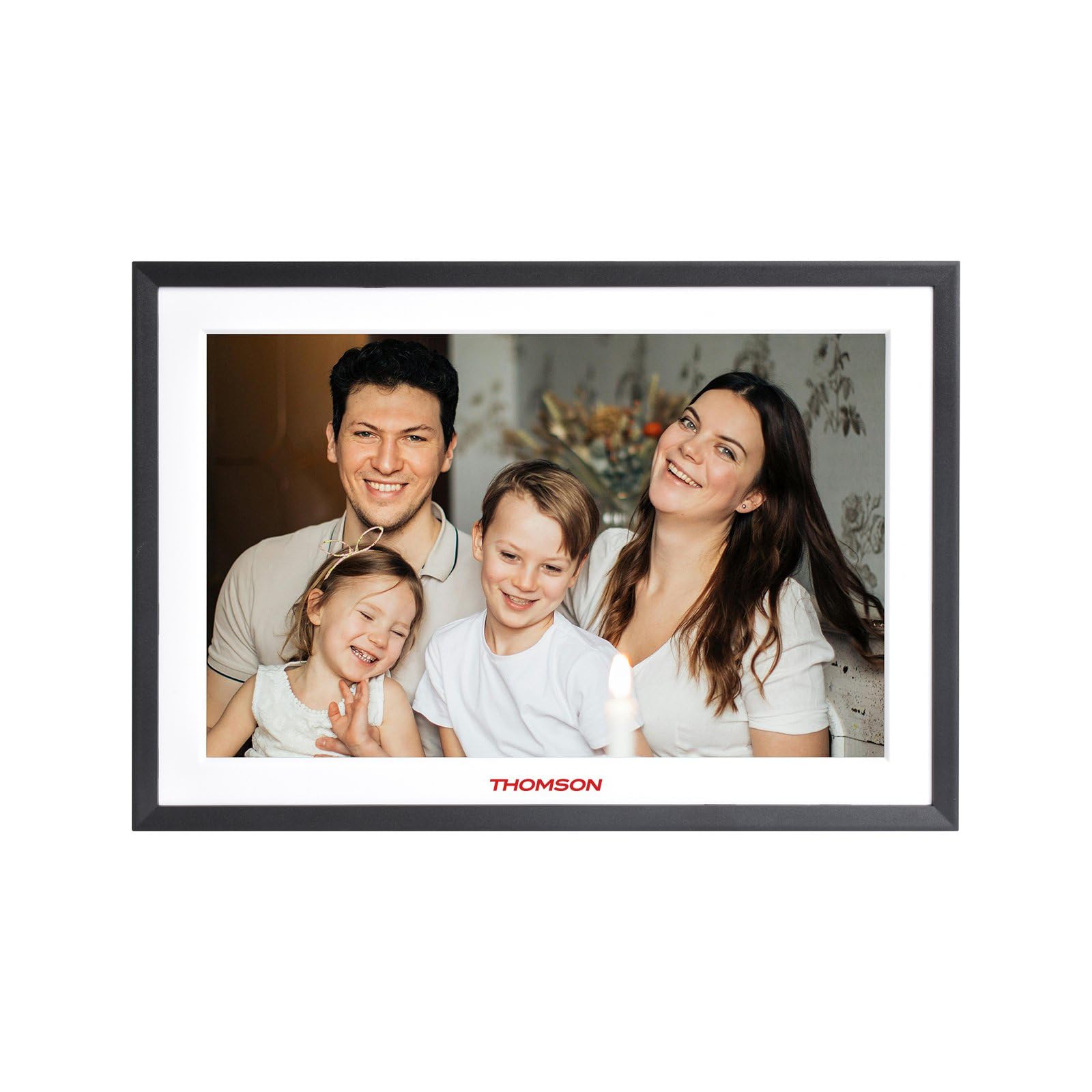
Bild 4.1: Främre view of the THOMSON TDF-1001P Digital Photo Frame. This image shows the 10.1-inch IPS display with a black frame, designed for clear photo and video playback.
4.1. Frontpanelen
- 10.1-tums IPS-pekskärm: The main display for viewing content and interacting with the device.
4.2. Bakpanel och portar
The rear panel typically includes various ports for connectivity and power.
- Strömingång: Ansluts till den medföljande nätadaptern.
- USB-port: För anslutning av USB-enheter för att överföra media.
- SD-kortplats: For inserting SD cards to expand storage or transfer media.
- Återställningsknapp: A small pinhole button to reset the device if necessary.
5. Inställning
5.1. Första start
- Unpack the digital photo frame and its accessories.
- Attach the stand to the back of the frame, ensuring it is securely fastened.
- Connect the power adapter to the power input port on the frame.
- Anslut nätadaptern till ett vägguttag. Ramen slås på automatiskt.
- Följ instruktionerna på skärmen för att välja språk och region.
5.2. Wi-Fi-anslutning
Connecting to Wi-Fi enables online features like photo sharing and weather updates.
- Från huvudmenyn trycker du på "Inställningar".
- Select 'Wi-Fi' or 'Network Settings'.
- Toggle Wi-Fi to 'On'. The frame will scan for available networks.
- Välj önskat Wi-Fi-nätverk från listan.
- Ange Wi-Fi-lösenordet med hjälp av tangentbordet på skärmen och tryck på "Anslut".
- Once connected, a Wi-Fi icon will appear on the status bar.
5.3. App Setup for Sharing
To share photos and videos via Wi-Fi, you will need to install the dedicated app on your smartphone.
- Locate the app name or QR code in the frame's settings under 'Cloud Services' or 'App Connection'.
- Download and install the app on your smartphone from your device's app store.
- Öppna appen och skapa ett konto eller logga in.
- Follow the app's instructions to pair your smartphone with the digital photo frame, typically by scanning a QR code displayed on the frame or entering a unique device ID.
- Once paired, you can send photos and videos directly from your smartphone to the frame.
6. Operating the Digital Photo Frame
6.1. Navigera i gränssnittet
The frame features a touch screen for easy navigation. Tap icons to open applications and swipe to browse content or menus.
6.2. Foto- och videouppspelning
- From the main menu, tap the 'Photos' or 'Gallery' icon.
- Select the source of your media (Internal Storage, SD Card, USB Drive, or Cloud/App).
- Browse through your albums or individual files. Tap on a photo or video to view det.
- During playback, you can typically swipe left/right to navigate between files, or tap the screen to reveal playback controls (play/pause, next, previous, rotate, delete).
6.3. Musikuppspelning
- Tap the 'Music' icon from the main menu.
- Select the source of your music files.
- Browse and tap on a song to begin playback.
- Use the on-screen controls for play/pause, skip, volume adjustment, and repeat modes.
6.4. Calendar, Clock, and Alarm
- Kalender: Tap the 'Calendar' icon to view the current date and month. Some models may allow adding events.
- Klocka: The current time is usually displayed on the home screen. Time settings can be adjusted in the 'Settings' menu.
- Larm: Access the 'Alarm' function via the main menu or 'Settings'. You can set multiple alarms with custom times and sounds.
6.5. Weather Updates
If connected to Wi-Fi, the frame can display local weather information.
- Se till att ramen är ansluten till Wi-Fi.
- Go to 'Settings' and find 'Weather' or 'Location Services'.
- Enable weather updates and set your location (either automatically or manually).
- The weather forecast will then be displayed on the home screen or a dedicated weather widget.
7. Underhåll
7.1. Rengöra enheten
- Stäng alltid av och dra ur sladden till enheten innan rengöring.
- Använd en mjuk, luddfri trasa för att försiktigt torka av skärmen och ramen.
- För envisa fläckar på skärmen, torka försiktigtampen the cloth with water or a screen-safe cleaning solution, then wipe gently. Do not spray liquids directly onto the screen.
- Undvik slipande rengöringsmedel eller lösningsmedel.
7.2. Förvaring
When not in use for extended periods, store the digital photo frame in a cool, dry place, away from direct sunlight and extreme temperatures. It is recommended to keep the original packaging for storage.
8. Felsökning
Det här avsnittet tar upp vanliga problem som du kan stöta på.
| Problem | Möjlig orsak | Lösning |
|---|---|---|
| Ramen slås inte på. | Strömadaptern är inte ansluten eller defekt. | Se till att nätadaptern är ordentligt ansluten till ramen och ett fungerande eluttag. Prova ett annat uttag. |
| Kan inte ansluta till Wi-Fi. | Felaktigt lösenord, utom räckhåll eller routerproblem. | Verify the Wi-Fi password. Move the frame closer to the router. Restart your Wi-Fi router. |
| Photos/videos not displaying. | Utan stöd file format, korrupt files, or incorrect source selected. | Säkerställa files are in supported formats (e.g., JPEG for photos, MP4 for videos). Check if the files are corrupted. Select the correct storage source (SD card, USB, internal). |
| Pekskärmen svarar inte. | Tillfälligt programvarufel. | Restart the frame by unplugging and replugging the power adapter. If the issue persists, use a pin to press the reset button on the back. |
9. Specifikationer
| Särdrag | Specifikation |
|---|---|
| Modell | TDF-1001P |
| Displaystorlek | 10.1 tum |
| Upplösning | 800 * 1280 IPS |
| Bildförhållande | 16:10 |
| Internal Flash Storage | 32 GB |
| Pekskärm | G+P Type |
| Anslutningsmöjligheter | Wi-Fi |
| Funktioner | Photo, Music, Video, Calendar, Clock, Alarm, Weather, Wi-Fi Sharing |
| Material | Plastic black frame and white middle frame |
| Objekts mått (L x B) | 7.25 cm L x 10.44 cm B |
| Strömkälla | Elektrisk med sladd |
10. Garantiinformation
The THOMSON TDF-1001P Digital Photo Frame comes with a 1 års begränsad garanti from the date of purchase. This warranty covers manufacturing defects in materials and workmanship under normal use. It does not cover damage caused by misuse, accidents, unauthorized modifications, or external causes such as power surges.
Please retain your proof of purchase for warranty claims. For detailed warranty terms and conditions, refer to the warranty card included in your package or contact customer support.
11. Kundsupport
If you have any questions, require technical assistance, or need to make a warranty claim, please contact THOMSON customer support. Refer to the contact information provided on the product packaging or the official THOMSON webplats.
When contacting support, please have your product model number (TDF-1001P) and proof of purchase readily available.


