Introduktion
This manual provides comprehensive instructions for the setup, operation, maintenance, and troubleshooting of your Logitech M510 Wireless Mouse. Designed for comfort and efficiency, the M510 offers precise control and convenient features for your computing needs.
The Logitech M510 is a comfortable wireless computer mouse featuring a USB Unifying Receiver, back/forward buttons, and side-to-side scrolling. It operates on 2 AA batteries and is compatible with Personal Computers and Macbooks running operating systems like Windows 10.
Paketets innehåll
- Logitech M510 trådlös mus
- Logitech Uniting-mottagare
- 2 AA-batterier (förinstallerade eller inkluderade)
Inställning
1. Batteriinstallation
The Logitech M510 mouse requires two AA batteries for operation. These are typically included with your purchase. If not already installed, follow these steps:
- Leta reda på batterifackets lock på undersidan av musen.
- Skjut eller lyft locket för att öppna facket.
- Sätt i två AA-batterier och se till att de positiva (+) och negativa (-) polerna är korrekt inriktade med indikatorerna inuti batterifacket.
- Stäng batterifacket ordentligt.
2. Anslutning av Unifying-mottagaren
The Logitech M510 uses a Logitech Unifying Receiver for wireless connectivity. This small USB receiver allows you to connect multiple compatible Logitech devices to your computer using a single USB port.
- Locate the Logitech Unifying Receiver. It is often stored inside the battery compartment of the mouse for safekeeping during transport.
- Plug the Unifying Receiver into an available USB port on your computer (desktop, laptop, or Macbook).
- Your computer should automatically detect the receiver and install the necessary drivers. This may take a few moments.
- Once the drivers are installed, the mouse should be ready for use. If not, ensure the mouse's power switch (if present) is in the 'ON' position.

Bild: Uppifrån och ner view of the Logitech M510 Wireless Mouse alongside its compact USB Unifying Receiver.
Använda musen
The Logitech M510 Wireless Mouse is designed for intuitive use with several programmable buttons and comfortable ergonomics.
Grundläggande funktioner
- Vänsterklickknapp: Primär knapp för att välja objekt, öppna files, och interagerar med programvara.
- Högerklicksknapp: Sekundär knapp för åtkomst till snabbmenyer och ytterligare alternativ.
- Scrollhjul: Bläddra uppåt eller nedåt genom dokument och web pages. The scroll wheel also functions as a middle-click button.
- Side-to-Side Scrolling: Tilt the scroll wheel left or right to scroll horizontally in applications that support this feature.
Advanced Features (Programmable Buttons)
The M510 features two thumb buttons (back/forward) on the left side, which can be customized using Logitech Options software (available for download from the Logitech website). By default, these buttons perform browser navigation functions.
- Bakåtknapp: Navigerar tillbaka in web webbläsare eller file upptäcktsresande.
- Framåtknapp: Navigerar framåt i web webbläsare eller file upptäcktsresande.
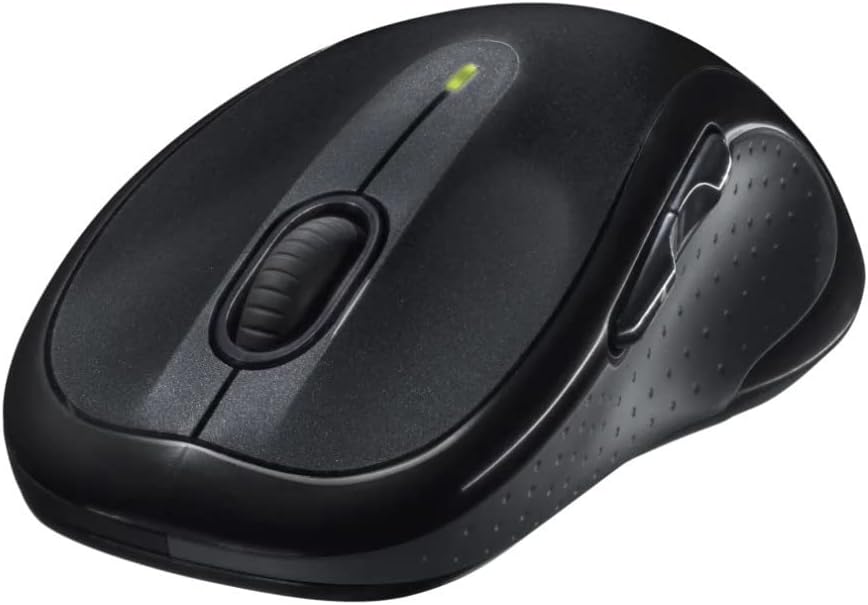
Bild: Vinklad view of the Logitech M510 Wireless Mouse, highlighting its ergonomic shape and side buttons.
Underhåll
Rengör din mus
To ensure optimal performance and hygiene, regularly clean your Logitech M510 mouse:
- Disconnect the mouse from your computer by removing the Unifying Receiver.
- Använd en mjuk, luddfri trasa lätt dampened with water or a mild cleaning solution (e.g., isopropyl alcohol) to wipe down the surface of the mouse.
- For crevices and around buttons, use a cotton swab or a soft brush.
- Avoid getting liquid into the internal components or the optical sensor.
- Allow the mouse to dry completely before re-connecting.
Batteribyte
The Logitech M510 has an average battery life of 18 months. When the battery indicator light (if present) flashes or mouse performance degrades, it's time to replace the batteries.
- Turn off the mouse using the power switch on the underside.
- Öppna batterifackets lock.
- Ta bort de gamla AA-batterierna.
- Sätt i två nya AA-batterier och observera rätt polaritet (+/-).
- Stäng batterifackets lock.
- Slå på musen igen.
Felsökning
| Problem | Möjlig orsak | Lösning |
|---|---|---|
| Musen svarar inte | Low or dead batteries; Unifying Receiver not connected; Mouse power off; Driver issue. | Replace batteries; Ensure Unifying Receiver is securely plugged into a USB port; Turn mouse power switch to 'ON'; Reinstall Logitech Options software or check device manager for driver issues. |
| Fördröjd eller oregelbunden markörrörelse | Interference; Dirty optical sensor; Mouse used on unsuitable surface; Low battery. | Move mouse closer to receiver; Clear obstructions; Clean optical sensor; Use a mouse pad or suitable surface; Replace batteries. |
| Sidoknapparna fungerar inte | Software not installed or configured; Application does not support custom buttons. | Download and install Logitech Options software from the official Logitech website to customize button functions. Ensure the application you are using supports these functions. |
| Unifying Receiver not recognized | Faulty USB port; Driver issue. | Try a different USB port; Restart your computer; Download and install the Logitech Unifying Software to re-pair the mouse with the receiver. |
Specifikationer
| Särdrag | Detalj |
|---|---|
| Stämpla | Logitech |
| Modellnummer | 910-001822 |
| Serie | M510 |
| Anslutningsteknik | Radio Frequency, USB (via Unifying Receiver) |
| Rörelsedetekteringsteknik | Laser |
| Färg | Mörkgrå |
| Objektets vikt | 4.6 ounces (ca 130 gram) |
| Produktmått (LxBxH) | 4.38 x 2.5 x 1.75 tum (ca 11.13 x 6.35 x 4.45 cm) |
| Strömkälla | Batteridriven |
| Batterier krävs | 2 AA-batterier (ingår) |
| Genomsnittlig batteritid | 18 månader |
| Hårdvaruplattform | Personal Computer, Macbook |
| Operativsystemkompatibilitet | Windows 10 (and likely earlier versions, macOS) |
| Specialfunktioner | Battery Life Indicator, Power Saving Mode, Programmable Buttons, Wireless |
| Datum först tillgängligt | 7 juni 2010 |

Bild: Uppifrån och ner view of the Logitech M510 Wireless Mouse showing its approximate dimensions (4.4" length, 2.5" width).
Garanti och support
Garantiinformation
Logitech products typically come with a limited hardware warranty. For specific warranty terms and conditions applicable to your Logitech M510 Wireless Mouse, please refer to the warranty card included with your product or visit the official Logitech webplats.
Kundsupport
For further assistance, technical support, or to download the latest software (such as Logitech Options or Unifying Software), please visit the official Logitech support webplats:
Du kan också hitta användbara resurser, vanliga frågor och forum på deras webplats.


