Introduktion
This manual provides detailed instructions for the Logitech M221 Wireless Mouse. Designed for quiet operation and reliable performance, the M221 offers a comfortable, ambidextrous design with an 18-month battery life. Please read this manual thoroughly to ensure proper setup and optimal use of your device.
Installationsguide
Följ dessa steg för att konfigurera din trådlösa Logitech M221-mus:
- Installera batteriet:
Locate the battery compartment on the underside of the mouse. Slide the battery cover off. Insert the included AA battery, ensuring correct polarity. Replace the battery cover.

Bild: Undersida view of the Logitech M221 mouse, showing the battery compartment and the location of the USB receiver.
- Leta reda på USB-mottagaren:
The tiny USB receiver is stored inside the battery compartment for convenience during transport. Carefully remove it from its slot.
- Connect the Receiver to Your Computer:
Plug the USB receiver into an available USB port on your computer (PC or Mac). The mouse will automatically connect to your computer.
- Slå på musen:
Ensure the power switch on the underside of the mouse is in the "ON" position. The mouse is now ready for use.
Bruksanvisning
The Logitech M221 is designed for intuitive and comfortable use:
- Tyst klickande: The M221 features 90% reduced click sound, providing a quiet working environment without sacrificing the familiar click feel.
- Ambidextrous design: Its comfortable, contoured shape is suitable for both left and right-handed users.
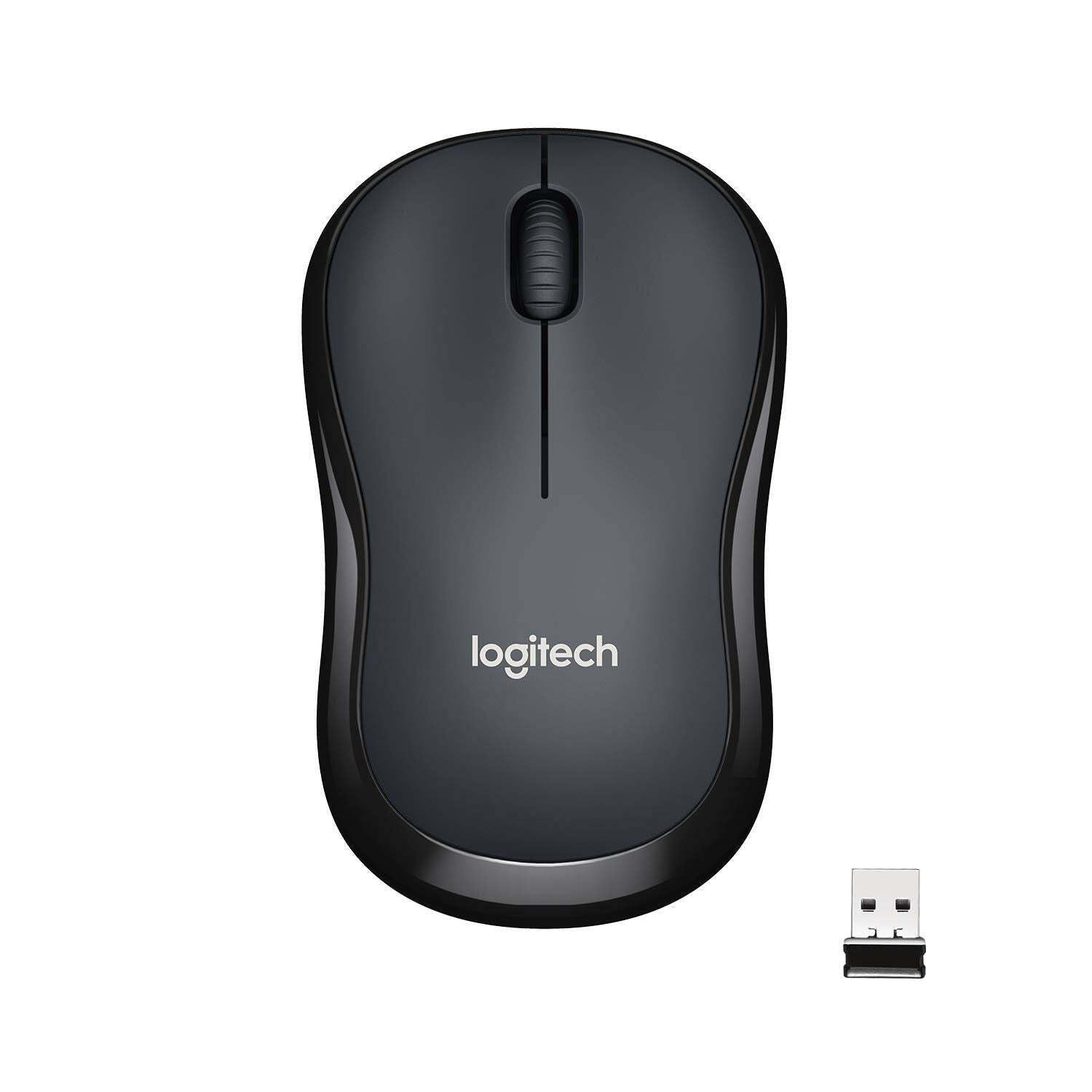
Bild: Överst view of the Logitech M221 Wireless Mouse in charcoal, alongside its compact USB receiver.
- Optisk spårning: The mouse uses 1000 DPI optical tracking for smooth and precise cursor control.
- Trådlöst räckvidd: Enjoy reliable wireless connectivity up to 10 meters (33 feet) from your computer. Actual range may vary based on environmental conditions.
- Automatisk vilolägesfunktion: To conserve battery life, the mouse automatically enters a sleep mode when not in use. Move the mouse or click a button to wake it up.
Underhåll
Proper maintenance ensures the longevity and optimal performance of your M221 mouse.
- Batteribyte: The M221 mouse boasts an 18-month battery life. When the mouse performance degrades or the indicator light (if present) signals low battery, replace the AA battery. Refer to the "Install the Battery" step in the Setup Guide.
- Rengöring: Använd en mjuk, torr trasa för att rengöra musen. Undvik slipande rengöringsmedel eller lösningsmedel.
- Lagring: When not in use for extended periods, turn off the mouse using the power switch on the underside to further conserve battery life. Store the USB receiver inside the battery compartment to prevent loss.
Felsökning
Om du stöter på problem med din Logitech M221-mus kan du prova följande lösningar:
- Musen svarar inte:
- Se till att musen är påslagen.
- Kontrollera batteriet. Byt ut det vid behov.
- Kontrollera att USB-mottagaren är ordentligt ansluten till en fungerande USB-port på datorn. Prova en annan USB-port.
- Flytta musen närmare USB-mottagaren för att utesluta problem med räckvidden.
- Oregelbunden markörrörelse:
- Rengör den optiska sensorn på musens undersida med en mjuk, torr trasa.
- Se till att du använder musen på en lämplig yta. Undvik starkt reflekterande eller genomskinliga ytor.
- Kontrollera om det finns störningar från andra trådlösa enheter.
- Knappar eller scrollhjul fungerar inte:
- Starta om datorn.
- Re-insert the USB receiver.
- If the issue persists, the mouse may require replacement.
Specifikationer
| Särdrag | Detalj |
|---|---|
| Stämpla | Logitech |
| Modell | M221 (Item model number: 910-004882) |
| Anslutningsteknik | 2.4 GHz trådlöst (USB-mottagare) |
| Rörelsedetektering | Optical (1000 DPI) |
| Tysta knappar | Yes (90% reduced click sound) |
| Batterityp | 1 x AA-batteri (ingår) |
| Genomsnittlig batteritid | 18 månader |
| Ambidextrous design | Ja |
| Kompatibla operativsystem | Windows 10 or later, Windows 8, Windows RT, Windows 7, Mac OS X 10.5 or later, Chrome OS, Linux Kernel 2.6+2 |
| Produktens mått | 6 x 4 x 10 cm (L x B x H) |
| Objektets vikt | 77 g |
| Inkluderade komponenter | Mouse, Nano Receiver, 1 AA Battery, User Documentation |

Image: Diagram showing the dimensions of the Logitech M221 Wireless Mouse: 99mm length, 60mm width, 39mm height, and 75g weight.
Garanti och support
För garantiinformation och teknisk support, vänligen se den officiella Logitech-användarhandboken. website or the documentation included with your product. Logitech provides customer support for product inquiries and assistance.
You can typically find support resources, FAQs, and contact information by visiting www.logitech.com/support.


