1. Introduktion
The Logitech Rally Speaker is designed for optimal audio performance in meeting rooms, ensuring voices are heard clearly from their source. Featuring an anti-vibration enclosure, it prevents camera shake even at high volumes. RightSound technologies deliver full-range audio while maintaining microphone sensitivity and echo cancellation.
2. Vad finns i lådan
- Rally Speaker
- Mini XLR cable
- Dokumentation
3. Inställning
3.1 Placering
Rally Speakers are designed for placement at the front of the room to ensure natural and lifelike conversation audio. They are wall-mountable.
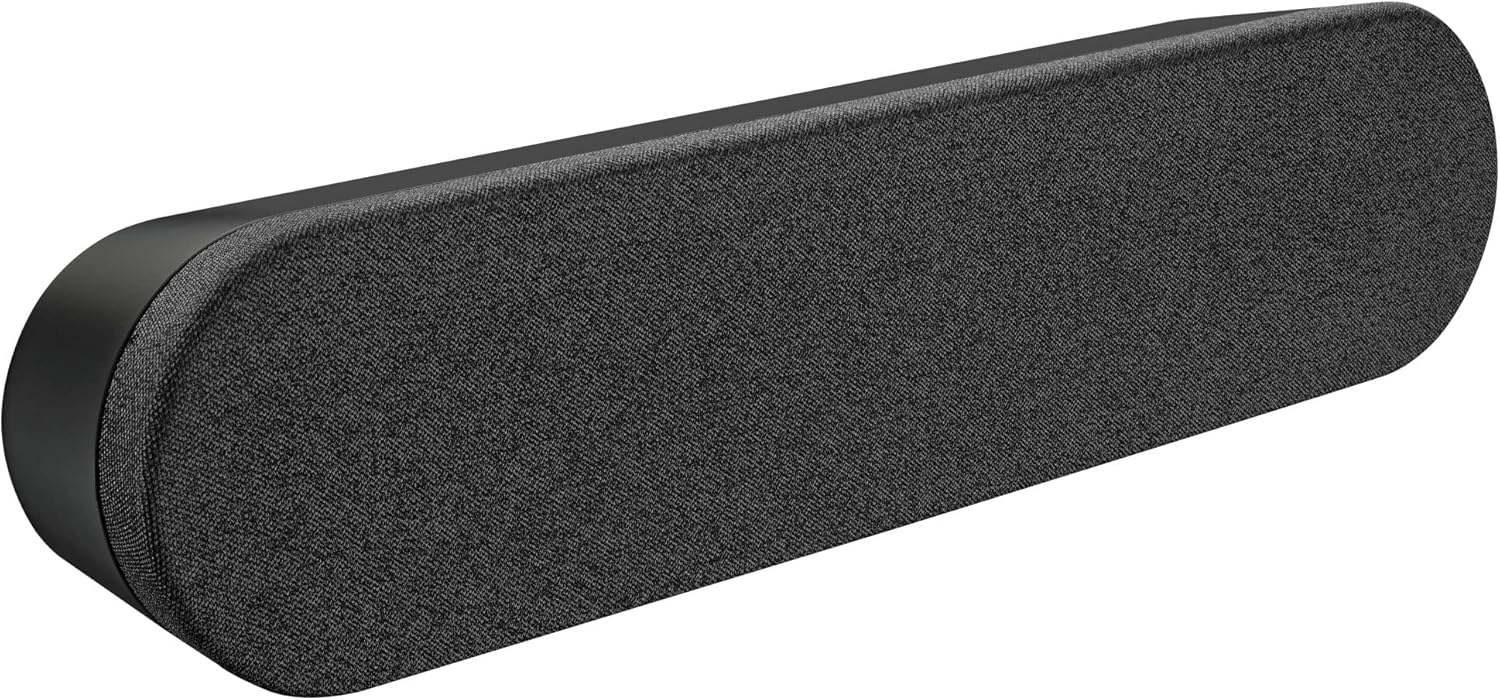
Främre view of the Logitech Rally Speaker, showcasing its sleek design and fabric grille.
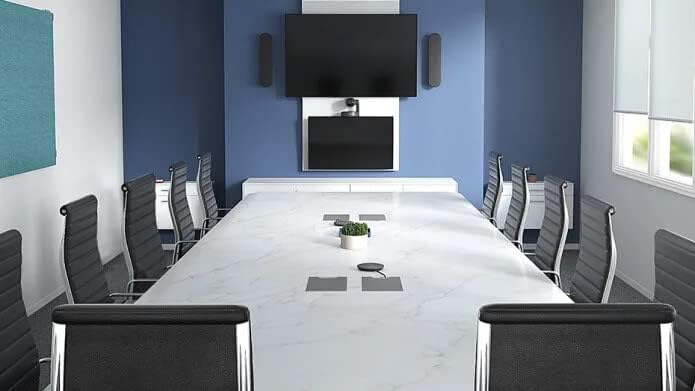
The Rally Speaker mounted beneath a display in a modern conference room setting, demonstrating typical installation.
3.2 Anslutningar
Connect the Rally Speaker using the provided Mini XLR cable to your Logitech Rally system. Ensure the speaker is connected to a power source.

Bak view of the Rally Speaker, showing the power input and Mini XLR connection port.
4. Använda högtalaren
The Rally Speaker integrates seamlessly into your conference room setup. Its RightSound technologies actively manage audio to deliver clear sound and suppress echo, enhancing communication during meetings. The anti-vibration enclosure ensures stable performance, preventing any audio-induced camera shake.

En intern view of the Rally Speaker, illustrating its acoustic components and anti-vibration suspension system.
5. Underhåll
To maintain optimal performance, regularly clean the speaker's exterior with a soft, dry cloth. Avoid using abrasive cleaners or solvents. Ensure no liquids enter the speaker grilles.
6. Felsökning
6.1 Inget ljud
Check all cable connections, including the Mini XLR cable and power supply. Verify that the audio source is active and volume levels are appropriately set on your connected device.
6.2 Förvrängt ljud
Ensure the speaker is not placed too close to other electronic devices that may cause interference. Reduce the volume if distortion occurs at high levels.
6.3 Echo or Feedback
The Rally Speaker features built-in echo cancellation. If issues persist, check the audio settings of your conferencing software and ensure no other microphones are causing interference.
7. Specifikationer
| Stämpla | Logitech |
| Modellnummer | 960-001230 |
| Monteringstyp | Väggfäste |
| Material | Grafit |
| Typ av högtalare | Soundbar |
| Mått (H x B x D) | 4.1 x 17.7 x 3.1 cm |
| Vikt | 4.4 pund |
| Färg | Svart |
| Strömkälla | Elektrisk med sladd |
| Anslutningsmöjligheter | Mini XLR |
| Ljudutmatningsläge | Stereo |
| Högtalare maximal uteffekt | 20 Watt |
| Frekvenssvar | 300 Hz |
| Drag | Echo Cancellation, Anti-Vibration Enclosure, RightSound Technologies |
| Rekommenderad användning | Conference rooms, classrooms, large spaces |
| Vattenbeständighet | Inte vattentät |
| UPC | 097855142962 |
8. Garanti och support
The Logitech Rally Speaker comes with a 2-Year Limited Warranty. For technical assistance, troubleshooting, or warranty claims, please visit the official Logitech support webwebbplatsen eller kontakta deras kundtjänst för detaljerad information.


