Introduktion
Thank you for choosing the Lefant M210 Robot Vacuum Cleaner. This manual provides essential information for the safe operation, maintenance, and troubleshooting of your device. Please read it thoroughly before use and keep it for future reference.

Image: The Lefant M210 Robot Vacuum Cleaner, showcasindess kompakta design.
Viktiga säkerhetsinstruktioner
Följ alltid grundläggande säkerhetsåtgärder när du använder elektriska apparater för att minska risken för brand, elstötar eller skador. Detta inkluderar:
- Läs alla instruktioner innan du använder apparaten.
- Do not operate the vacuum cleaner in areas with flammable or combustible materials.
- Håll hår, löst sittande kläder, fingrar och alla delar av kroppen borta från öppningar och rörliga delar.
- Ta inte upp något som brinner eller röker, till exempel cigaretter, tändstickor eller het aska.
- Se till att laddningsdockan är placerad mot en vägg på en plan yta.
- Använd endast originalströmadaptern och laddningsdockan som medföljer från tillverkaren.
Paketets innehåll
Kontrollera att alla komponenter finns i paketet:
- Lefant M210 Robotdammsugare
- Laddningsdocka
- Strömadapter
- Sidoborstar (2 par)
- Högpresterande filter
- Rengöringsverktyg
- Användarmanual
Inställning
1. Prepare the Robot
- Ta bort alla skyddsfilmer och klistermärken från roboten och laddningsdockan.
- Attach the side brushes by pressing them onto the posts until they click into place.
2. Place the Charging Dock
- Placera laddningsdockan mot en vägg i ett öppet och prydligt område.
- Ensure there is at least 0.5 meters (1.6 feet) of clear space on either side of the dock and 1.5 meters (4.9 feet) in front.
- Anslut nätadaptern till laddningsdockan och anslut den till ett vägguttag.
3. Ladda roboten
Place the robot onto the charging dock, ensuring the charging contacts align. The indicator light on the robot will show charging status. Fully charge the robot before first use (approximately 4-5 hours).
4. Connect to the Lefant App
- Download the "Lefant" app from the App Store or Google Play.
- Register an account and follow the in-app instructions to connect your M210 robot vacuum cleaner to your home Wi-Fi network.
Bruksanvisning
Starta och stoppa rengöring
- Start: Press the power button on the robot or use the Lefant app to start a cleaning cycle.
- Paus: Press the power button again to pause cleaning.
- Återgå till dockan: Tryck på hemknappen på roboten eller använd appen för att skicka tillbaka roboten till laddningsdockan.
Rengöringslägen
The Lefant M210 offers various cleaning modes to suit different needs:

Image: Illustration of the Lefant M210's various cleaning modes, including Random, Zigzag, Edge, and Spot cleaning.
- Autorengöring: The robot automatically cleans in a zigzag pattern, adjusting to the environment.
- Rengöring av fläckar: Fokuserar på ett specifikt smutsigt område och rengör i ett spiralmönster.
- Kantrengöring: Rengör längs väggar och möbelkanter.
- Schemalagd städning: Set cleaning times via the Lefant app.
Efficient Cleaning Path

Image: The Lefant M210 utilizes an effective zigzag route for thorough and intelligent cleaning, avoiding random patterns.
Pet Hair Cleaning
The Lefant M210 is designed to effectively pick up pet hair, making it suitable for homes with pets. Its powerful suction and brush design help manage pet dander and fur.

Image: The Lefant M210 Robot Vacuum Cleaner effectively collects pet hair, as demonstrated in a home setting with a dog and child.
FreeMove-teknik 3.0
The M210 is equipped with updated FreeMove Technology 3.0, which helps the robot navigate around obstacles and avoid getting stuck, ensuring a smooth cleaning process.
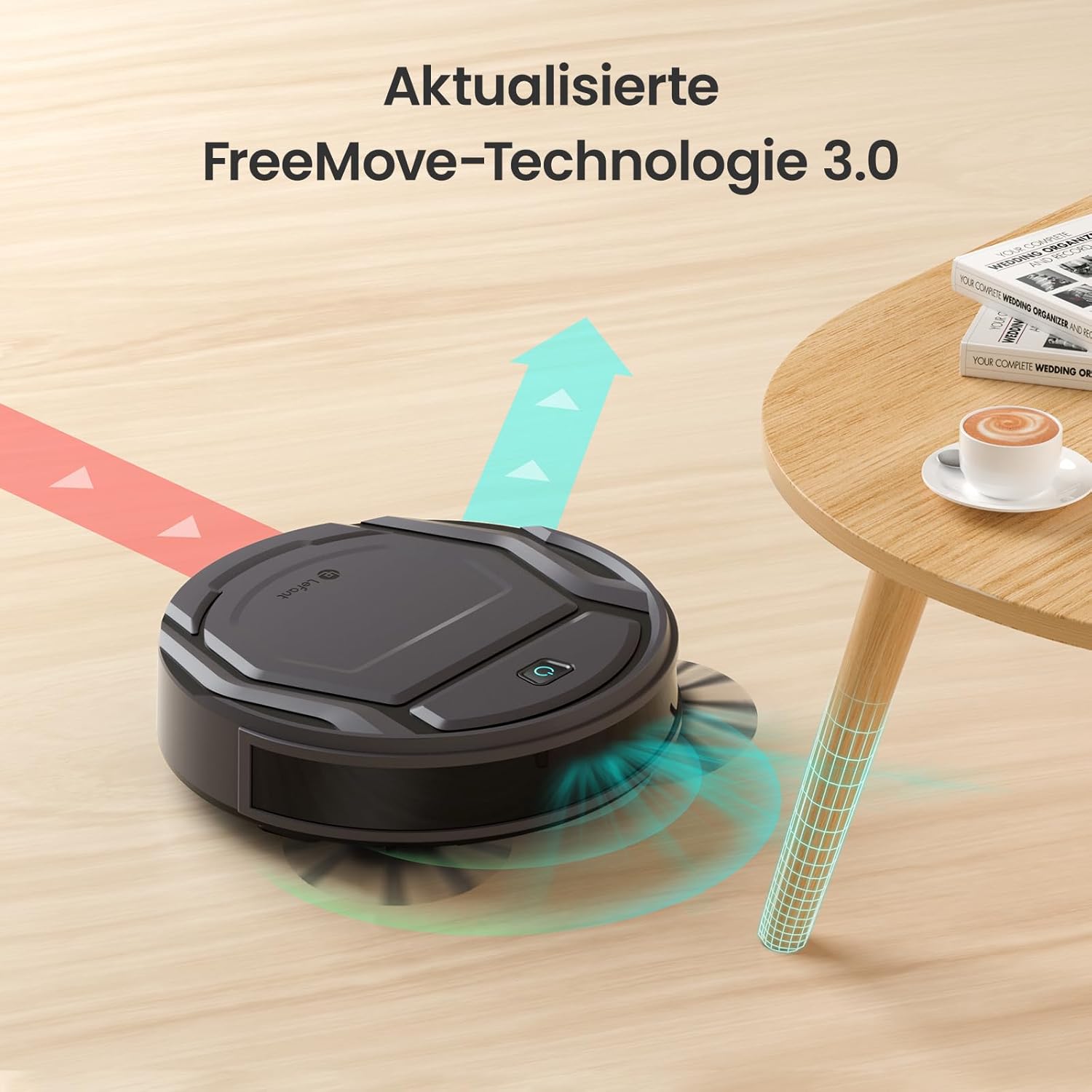
Image: The Lefant M210 demonstrating its updated FreeMove Technology 3.0 for enhanced navigation and obstacle avoidance.
Röststyrning
The Lefant M210 supports voice control through Amazon Alexa and Google Home. Connect your robot to these services via the Lefant app for convenient hands-free operation.

Image: The Lefant M210 integrates with Amazon Alexa and Google Home for intelligent voice control, allowing users to start cleaning with simple commands.
Underhåll
Regular maintenance ensures optimal performance of your Lefant M210. Always turn off the robot and disconnect it from the charging dock before performing any maintenance.
1. Tömning av soptunna (efter varje användning)
- Tryck på öppningsknappen för dammbehållaren och dra ut dammbehållaren.
- Öppna locket till soptunnan och töm innehållet i en papperskorg.
- Clean the filter with the provided cleaning tool or tap it gently to remove debris. Do not wash the filter with water.
- Reinsert the filter and close the dustbin cover. Place the dustbin back into the robot.
2. Cleaning the Side Brushes (Weekly or as needed)
- Dra försiktigt sidoborstarna uppåt för att ta bort dem.
- Ta bort eventuellt hår eller skräp som har lindats runt borstarna eller borststolparna.
- Sätt tillbaka borstarna och se till att de klickar på plats.
3. Cleaning the Sensors and Charging Contacts (Monthly or as needed)
- Use a clean, dry cloth to wipe the anti-drop sensors on the bottom of the robot.
- Rengör laddningskontakterna på både roboten och laddningsdockan.

Image: The Lefant M210 features a design optimized for easy maintenance, reducing hair tangles compared to traditional robot vacuum designs.
Felsökning
If your robot vacuum cleaner encounters issues, refer to the following common problems and solutions:
| Problem | Möjlig orsak | Lösning |
|---|---|---|
| Roboten slår inte på. | Lågt batteri eller inte laddat. | Placera roboten på laddningsdockan och se till att den är fulladdad. |
| Roboten kan inte återgå till laddningsdockan. | Charging dock is obstructed or too far. | Ensure the charging dock is in an open area and free from obstacles. Manually place the robot on the dock if needed. |
| Rengöringsprestanda är dålig. | Dustbin full, filter clogged, or brushes tangled. | Empty the dustbin, clean or replace the filter, and clean the side brushes. |
| Roboten fastnar ofta. | Too many obstacles or uneven surfaces. | Clear the cleaning area of loose cables, small objects, and thick rugs. |
| Problem med appanslutning. | Incorrect Wi-Fi password, router issues, or robot not in pairing mode. | Ensure correct Wi-Fi credentials. Restart your router and the robot. Follow app instructions for pairing mode. |
Specifikationer
| Särdrag | Detalj |
|---|---|
| Stämpla | Lefant |
| Modellnamn | M210 |
| Modellnummer | M210P |
| Färg | Svart |
| Produktmått (L x B x H) | 28 x 8 x 28 cm (11 x 3.1 x 11 tum) |
| Objektets vikt | 3.14 kg (6.92 lbs) |
| soptunna kapacitet | 500 liter (Note: This capacity is unusually large for a robot vacuum dustbin and may refer to a different metric or be a typo in the source data.) |
| Voltage | 220 volt |
| Material | Plast |
| Specialfunktion | Antikollision |
| Ytrekommendation | Matta, hårda golv |
| Controllertyp | Appkontroll |
| Batteriets sammansättning | Litium-jon |
| Körtid | Upp till 120 minuter |
| Bullernivå | 55dB |

Image: The Lefant M210 offers a long runtime of up to 120 minutes on a single charge, capable of cleaning up to 120 square meters.
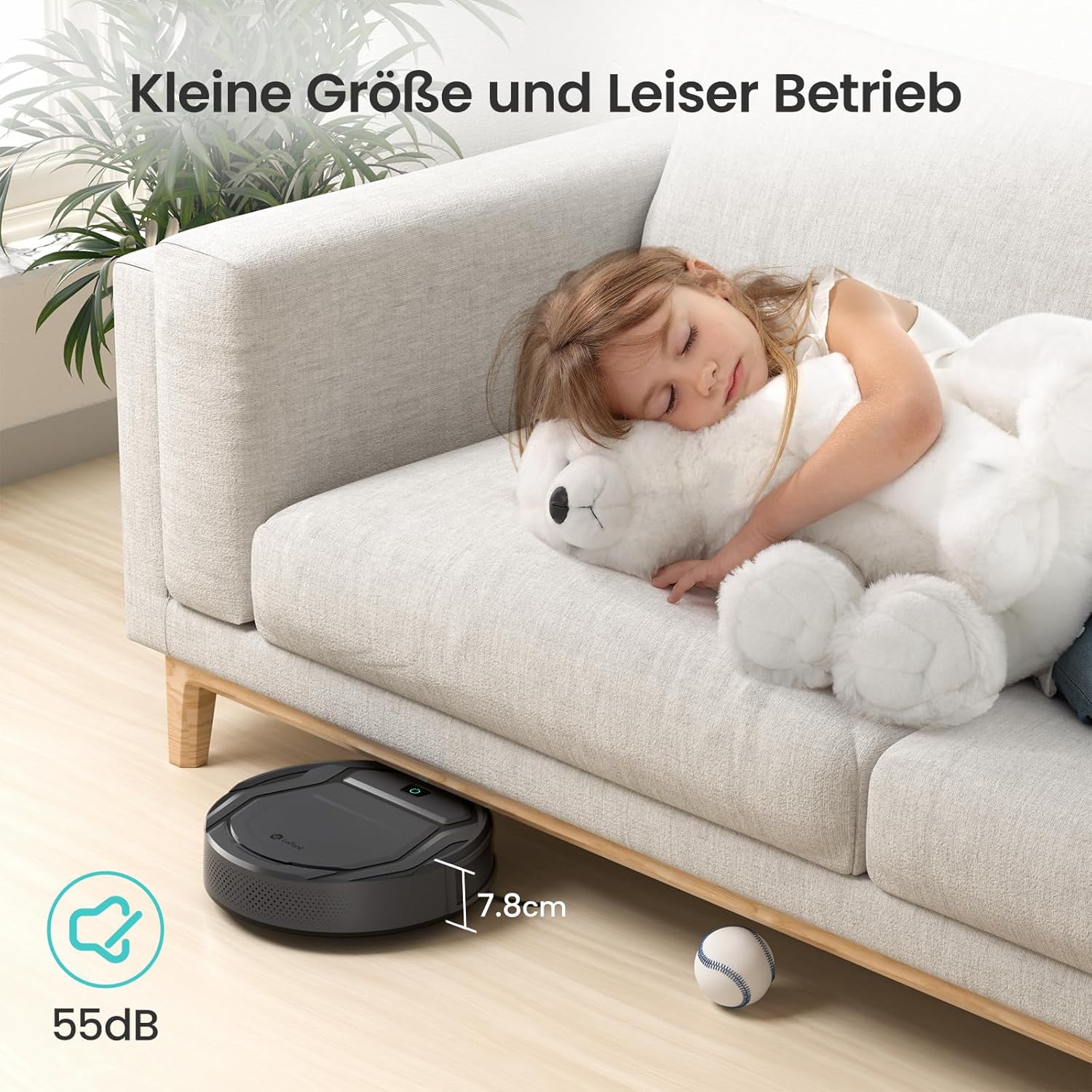
Image: The Lefant M210's compact size (7.8cm height) allows it to clean under furniture, and its quiet operation at 55dB ensures minimal disturbance.
Garanti och support
For warranty information, technical support, or service inquiries, please refer to the official Lefant webwebbplatsen eller kontakta deras kundtjänst direkt. Spara ditt inköpskvitto som köpbevis.
Lefant Official Webplats: www.lefant.com